Leading AV Teams For Virtusl Town Hall And Annual Meeting Broadcast

Chief Executive Officer
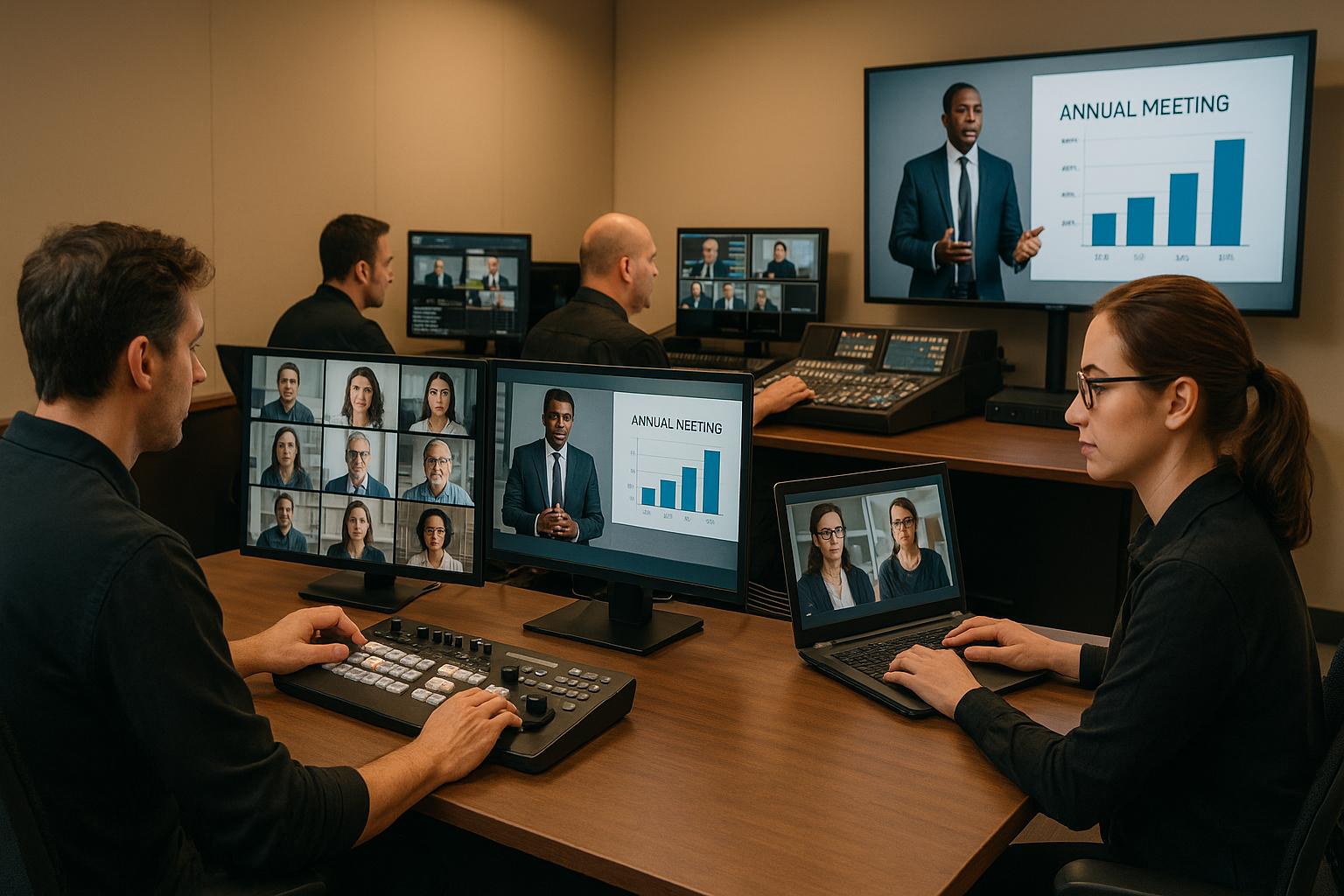
Virtual town halls and annual meeting broadcasts are now key tools for corporate communication, especially when in-person events aren’t possible. These events demand a high level of professionalism - clear audio, sharp visuals, and smooth execution. Achieving this requires strong AV leadership, precise team coordination, and thorough preparation. Here's what it takes to deliver a polished virtual broadcast:
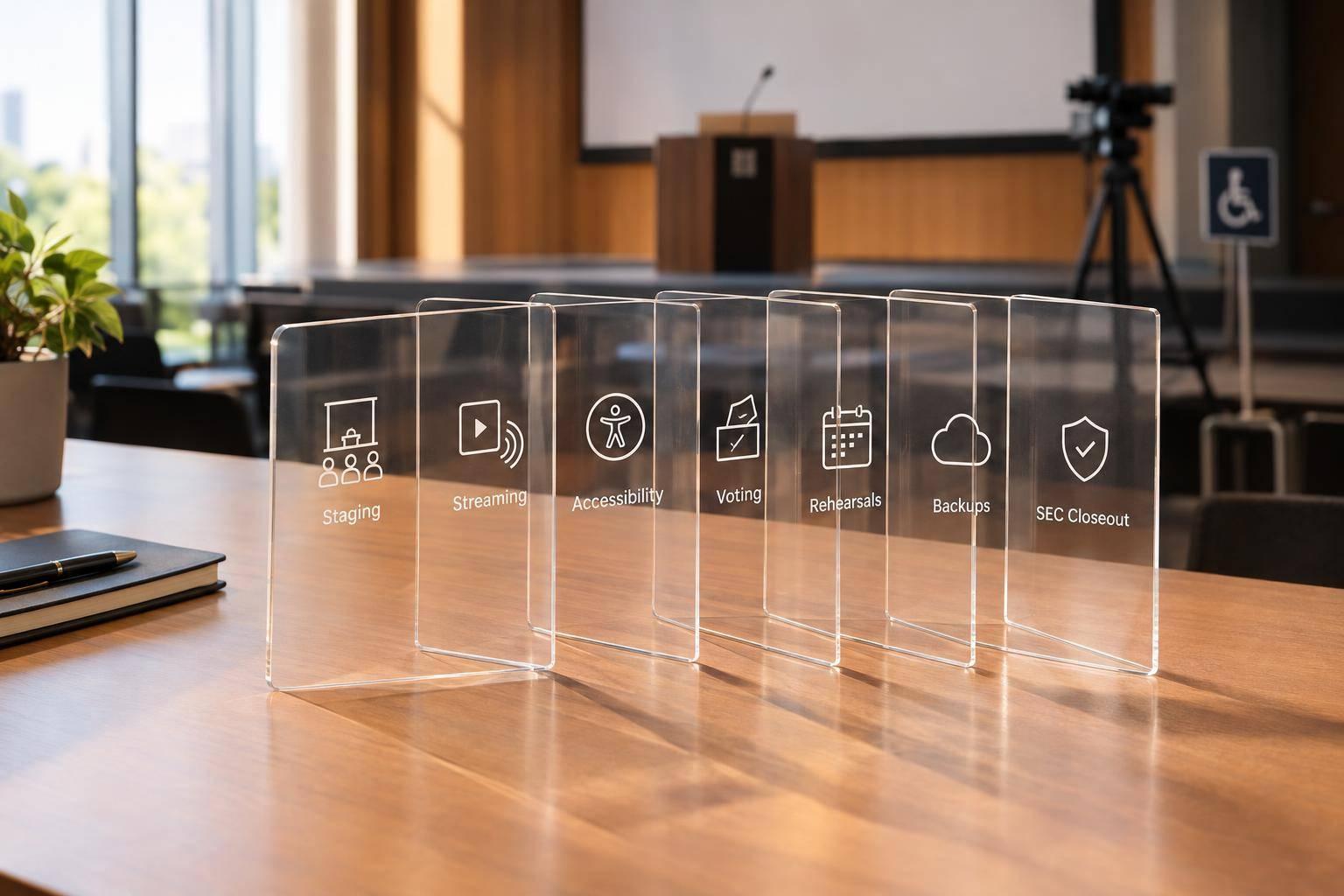
- Key Roles: Teams need defined roles like a host, technical producer, audio engineer, and streaming specialists to ensure smooth operations.
- Preparation: Pre-event tasks include rehearsals, content checks, and equipment setup to avoid last-minute issues.
- Backup Systems: Redundant hardware, network failovers, and power backups are critical for uninterrupted broadcasts.
- Communication: Clear workflows and real-time team communication tools keep everything on track during live events.
- Post-Event Review: Analyzing performance and gathering feedback helps refine future events.
The success of these broadcasts lies in detailed planning, reliable technology, and a well-coordinated team.
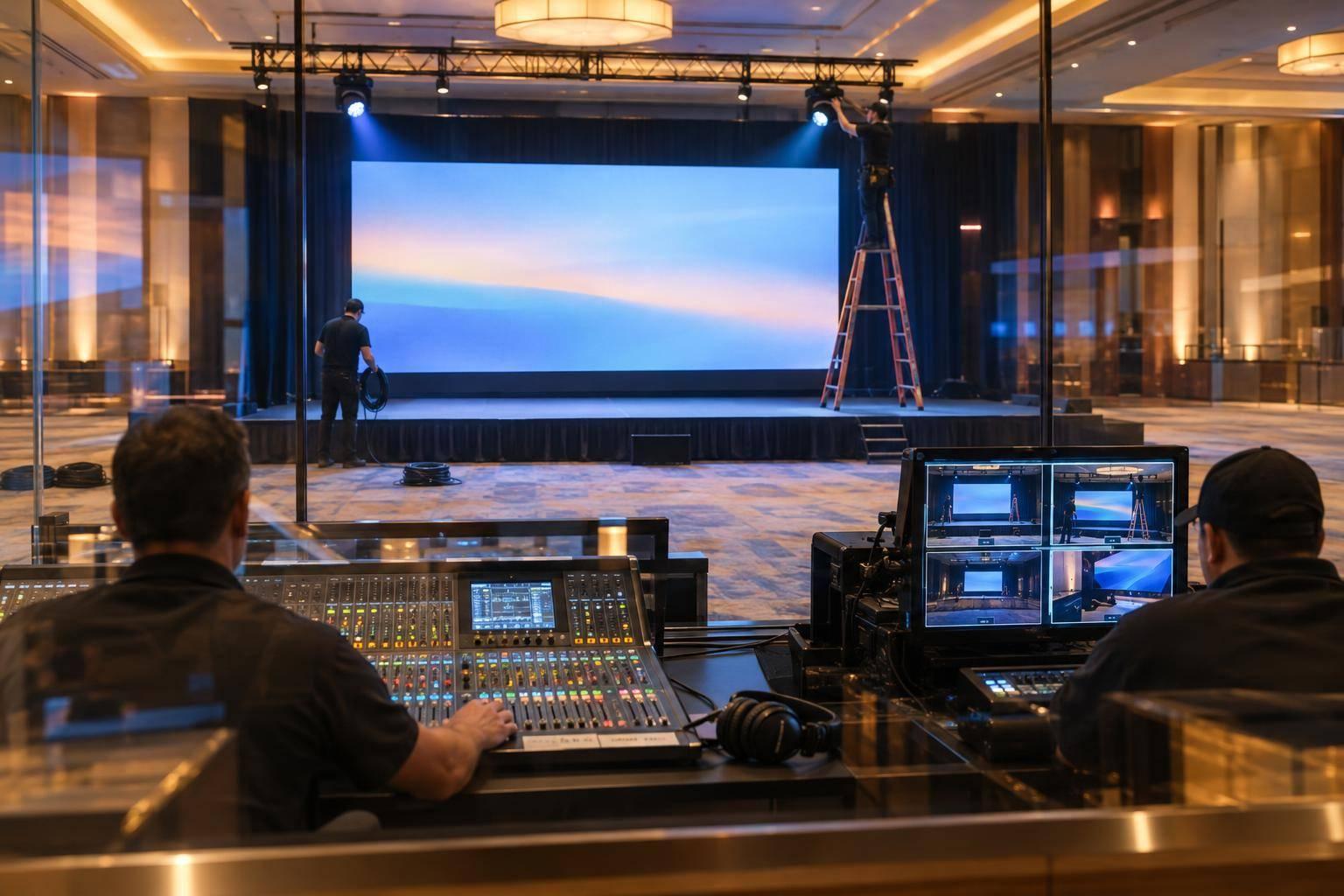
Behind the Scenes of a Hybrid Event AV & Production Set-Up
Building and Organizing AV Teams for Virtual Events
A well-defined team structure is the backbone of a smooth virtual broadcast. The complexity of your event will determine how large or small your crew needs to be. Virtual event production teams are often smaller and more adaptable than those for in-person events, but every role must be clearly outlined. When responsibilities are unclear or overlap, technical glitches can disrupt the broadcast. By assigning precise roles, your team can collaborate effectively and avoid unnecessary confusion.
Core AV Roles and Their Responsibilities
For a virtual town hall or annual meeting to succeed, certain key roles need to be filled. The Host or Emcee serves as the on-camera leader, delivering the company’s message, introducing speakers, and moderating discussions. Behind the scenes, the Director or Show Caller ensures everything runs like clockwork by following the script, giving cues to the team, switching between visuals, and managing the pacing of live segments.
The Technical Producer handles transitions between video feeds, integrates graphics, balances audio levels, and oversees the live stream output. Meanwhile, the Audio Engineer ensures crisp sound quality, managing microphones, speakers, and voice mixing - especially important for interactive features like Q&A sessions or polls. The Streaming and Platform Team sets up virtual rooms, integrates tools like registration and chat, and monitors stream quality to keep the broadcast running smoothly.
To support speakers, the Remote Speaker Support Lead ensures all presenters are ready by checking their equipment, conducting tech checks, and managing platform settings. Additional roles can include a Graphics and Media Operator to manage slides, videos, and sponsor content, as well as a Chat/Tech Support Specialist to address attendee questions and technical issues in real time. It's also wise to have a backup co-host ready to step in if technical problems arise. Clearly defining these roles ensures every detail of the production is covered for a seamless broadcast.
Team Structures for Different Event Formats
The type of event you’re hosting will influence how you structure your team. For fully virtual events, keep it simple: limit live presenters to one or two hosts who are comfortable on camera and can manage time efficiently. In this setup, the core team - comprising the Director, Technical Producer, Audio Engineer, Streaming Specialist, and Remote Speaker Support Lead - works together to deliver a polished broadcast while keeping the remote audience engaged.
Hybrid events, on the other hand, require a dual-team approach. On-site technicians handle physical AV equipment, while a separate virtual team focuses on delivering a quality experience for remote attendees. Assigning a dedicated moderator for the remote audience can make a big difference, as they can communicate directly with the AV team to address any issues quickly.
For formal shareholder meetings or other high-stakes broadcasts, you may need to bring in specialized roles. For example, a Data and Measurement Lead can track key metrics like registrations, live attendance, and poll responses. An Accessibility & Language Team can provide features like live captions, sign language interpretation, and audio descriptions to ensure inclusivity. As EMS Events aptly puts it:
Clear roles make brave moments possible. And brave moments are why people show up, live, online, and everywhere in between.
A well-structured team ensures every part of the production stays on schedule and delivers a professional experience.
Creating a Production Schedule with U.S. Formats
Once your team is in place, creating a detailed production schedule is critical to keeping everyone aligned. Start by defining the event’s purpose and work backward from the event date to set deadlines. Map out dependencies so every team member knows their tasks. For instance, if your event is on December 16, 2025, at 2:00 PM EST, schedule a full rehearsal two days earlier to address any last-minute issues.
Prepare call sheets that include each team member’s role, contact information, and arrival time, using the 12-hour clock format (e.g., 9:30 AM). Break the event into specific segments, such as a 5-minute introduction, a 7-minute CEO update, a 15-minute Q&A session, and designated breaks. Rehearse with all presenters and AV staff, paying special attention to complex segments to resolve any potential hiccups.
On the day of the event, have your team join 30 minutes early to ensure everything is set. Share an introductory slide and start the live broadcast about 10 minutes before the official start time, keeping audio muted until it’s time to go live. Maintain constant communication through an event chat among organizers, producers, and presenters. Make sure at least three team members are actively monitoring the broadcast, with one stationed outside the presentation room to handle potential network issues. These steps help ensure a smooth and professional event from start to finish.
Planning and Communication Workflows That Work
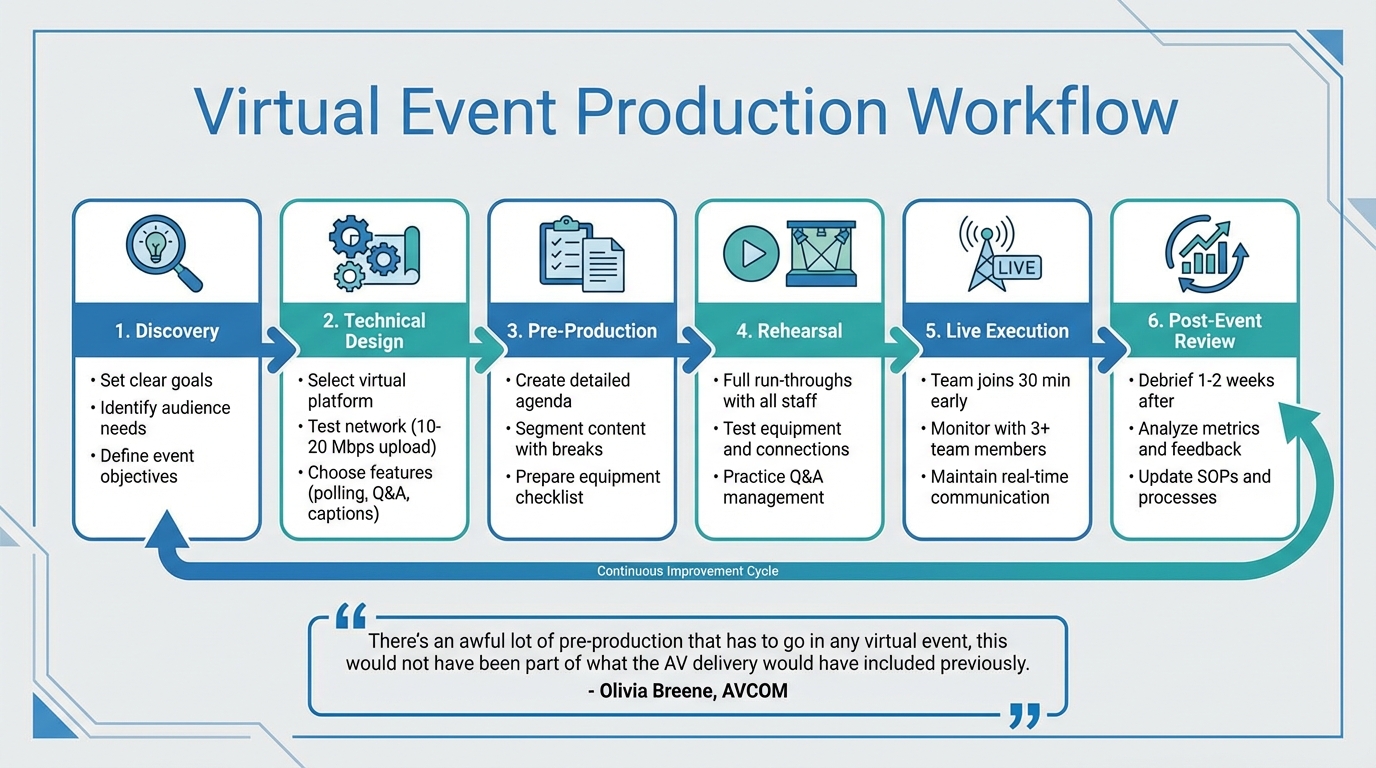
6-Step Virtual Event Production Workflow for AV Teams
A well-structured workflow is essential for keeping your AV team on the same page, from the early planning stages to the final broadcast. The most effective virtual town halls follow a straightforward process: discovery, technical design, pre-production, rehearsal, live execution, and post-event review. Each step builds on the previous one, reducing the likelihood of technical glitches or audience disengagement. Start by setting clear goals - whether you’re sharing company updates, providing decision-making insights, or facilitating direct interactions with leadership. Knowing your audience’s needs will guide every technical and logistical decision that follows. This clarity is the foundation for detailed planning and seamless communication throughout the process.
Planning Workflows for Virtual Events
The technical design phase is where you select the right virtual event platform. Look for features like real-time polling, live Q&A, multilingual captioning, and compatibility across devices. Early in the process, test your network to ensure it can handle HD streaming - aim for an upload speed of 10–20 Mbps. In the pre-production phase, create a detailed agenda with segmented content, including short breaks every 30 minutes to keep the audience engaged. Focus on crafting content that’s simple and avoids unnecessary corporate jargon.
Rehearsals are critical. Conduct full run-throughs with all speakers and technical staff to fine-tune transitions, address timing issues, and boost confidence. Test every piece of equipment - microphones, cameras, internet connections, and interactive tools - well in advance. Practice managing Q&A sessions and evaluate camera angles, lighting, and audio quality from the audience’s point of view. Olivia Breene, Head of Business Development at AVCOM, explains:
There's an awful lot of pre-production that has to go in any virtual event, this would not have been part of what the AV delivery would have included previously.
Documents AV Leaders Need
Having the right documents in place can make or break your planning workflow. Key resources like the Run of Show and technical running order provide a detailed roadmap for timing and cues. An AV equipment checklist ensures no critical items - like microphones, cameras, cables, or backup devices - are forgotten.
Use a risk register to identify potential problems in advance, and maintain a contact list with backup options for key roles to ensure quick coordination. Standardize your communications with email invitation templates to keep messaging consistent. When configuring platforms, collaborate with your IT administrator to review service access policies and enable features like webinars, town halls, or RTMP-In in the admin center. These documents turn what could be a chaotic process into a well-coordinated operation, even when unexpected issues arise.
Internal Communication During Live Events
Just as planning requires clear communication, real-time coordination is vital during the event itself. Set up a dedicated chat platform - such as Slack, Microsoft Teams, or WhatsApp - for your AV team, organizers, and presenters. This private channel allows team members to ask questions, report problems, and resolve issues without disrupting the event for attendees. Assign specific team members to monitor stream quality, manage chat questions, and address network concerns.
Headsets or comms systems are invaluable for instant communication, especially if your team is spread across different locations or handling various parts of the production. Early on, clarify who is responsible for which pieces of equipment - confirm what the venue provides versus what your team needs to bring. Use visual aids like 3D renderings or diagrams to ensure everyone understands the AV setup. To minimize risks, have at least three team members actively monitor the broadcast via dedicated communication channels. This redundancy ensures that even if one person misses an issue, someone else catches it. Strong communication protocols can turn potential crises into minor, unnoticed hiccups for your audience.
Technology and Backup Systems for Virtual Broadcasts
Getting the right technology and putting solid backup systems in place are essential when hosting virtual town halls or annual meetings. Your choice of equipment can make or break the stream quality, audience experience, and your ability to recover from hiccups. The key is to anticipate potential issues and address them before they disrupt your event. With a reliable setup, you can confidently select the tools and processes that fit your needs.
AV and Streaming Technologies You Need
Start with high-definition cameras to capture multiple angles of speakers and visuals. Combine these with professional microphones - lavalier mics for speakers, shotgun mics for ambient sound, and dynamic or condenser mics for panels. To manage your audio and video, use switchers and mixers for smooth transitions, and encoders to convert raw feeds into formats ready for streaming.
Lighting is just as important. Use equipment like softbox lights, LED panels, or RGB LED systems with DMX control to ensure speakers are well-lit and the production looks polished. Reliable tripods, mounts, HDMI/SDI cables, connectors, and real-time monitors are essential for spotting and fixing issues on the fly. Companies like Corporate Optics excel at integrating these elements into a seamless workflow, ensuring everything works together from setup to broadcast.
How to Choose the Right Streaming Format
Once your equipment is sorted, match your streaming format to the event's needs. For events that include real-time Q&A, live polls, or interactive chat, ultra-low latency streaming (under one second delay) is ideal to keep interactions smooth. For events with less interaction, a standard HLS protocol with a slight delay provides stability and compatibility across devices.
Audience size and location matter too. If your viewers are spread out geographically, ensure your platform can handle scaling without buffering or quality issues. For events involving sensitive corporate content, prioritize features like Digital Rights Management (DRM), password protection, and geo-blocking. Need to broadcast on multiple platforms - like your website, a custom app, and social media? Look for solutions that support multi-destination streaming. Don’t forget post-event needs: features like recording for on-demand playback and analytics integration can help you assess engagement and refine future events.
Backup and Failover Strategies
To keep your broadcast running smoothly, back up every critical component. Have redundant hardware ready to go: spare microphones, backup mixing consoles, extra projectors, and additional video processors. For wireless microphones, stock up on spare batteries and have wired options as a fallback. If your setup includes LED walls, modular panels allow for quick replacements in case of failure.
Network redundancy is a must. Build a network with redundant switches, multiple physical pathways, and failover mechanisms like Spanning Tree Protocol (STP) or Link Aggregation Control Protocol (LACP). Configure primary and secondary IP paths so traffic can automatically reroute if a connection drops. Segment the network to contain potential issues and prevent them from spreading across the entire system.
Power outages can bring everything to a halt. Equip all critical components with Uninterruptible Power Supplies (UPS) to handle short outages and protect against power surges. For longer events or locations with unreliable power, have generators or secondary power sources on hand, and test them regularly. Use dual signal paths for both audio and video, with automatic signal switching devices to reroute signals instantly if one fails. Clearly label all cables to simplify troubleshooting.
Your failover strategy should match the event's importance. Cold standby systems are offline until needed, offering cost savings but requiring hours or even days to activate - suitable only for non-critical systems. Warm standby systems stay partially active, updating periodically, and can be activated within minutes. For high-stakes events like town halls or annual meetings, hot standby systems are fully operational and synchronized in real time, allowing for immediate activation with almost no downtime. Automated failover systems can detect issues and switch to backups - like a secondary internet connection or encoder - without manual input. Regularly test your redundancy by simulating failures, and document your Recovery Time Objective (RTO) and Recovery Point Objective (RPO). These steps ensure your AV team can handle any challenge, delivering professional broadcasts no matter what.
sbb-itb-ae35a94
Risk Management and Troubleshooting During Live Events
When it comes to live events, even with the best planning, unexpected issues can pop up. Handling these challenges in real time is crucial to keeping everything on track. Staying calm, following a clear process, and having backup plans ready to go can turn potential disasters into minor hiccups.
Common Technical Problems and How to Fix Them
Wireless Dropouts
Wireless mics or in-ear monitors cutting out? Start by checking the battery levels. If that's not the issue, make sure there's a clear line of sight between the transmitter and receiver. Rescanning frequencies or adjusting antennas can also help. Always keep wired backups on hand just in case.
Audio Distortion and Dropouts
Audio problems like distortion, sudden volume changes, or complete cutouts can be disruptive. First, check all cables - loose or damaged ones are often the culprit. If the issue persists, replace the cable. For distortion, double-check your gain levels to avoid clipping, and monitor input levels to keep them stable. As Daniel Murphey from Webex Events points out:
Audio is one of the most challenging parts of any event, and hybrid is no exception.
Video Failures and Black Screens
A black screen during a live event can be nerve-wracking. Start by ensuring the receiving device is powered on and set to the correct input. Re-seat all HDMI or SDI cables, as these connections can be sensitive. For long cable runs, use boosters or repeaters to maintain signal strength. Also, confirm that all devices are set to compatible resolutions and refresh rates.
Network Congestion
Slow or interrupted streams often stem from network congestion. To avoid this, schedule your event during off-peak times and use tools to prioritize essential data. Aim for at least 25Mbps for both upload and download speeds. Have a backup internet connection ready, and for mission-critical events, consider renting portable Wi-Fi hotspots or setting up a dedicated network.
Platform Compatibility Issues
When attendees use different devices and browsers, compatibility can become an issue. Test everything thoroughly across multiple platforms before going live. Use webcasting tools that adapt to various screen sizes and browsers to ensure a smooth experience. If presentation files aren't displaying correctly, test them on the actual playback system ahead of time and prepare alternative file formats.
Backup Plans for High-Stakes Events
For events like virtual town halls or annual meetings, where failure isn't an option, a solid backup strategy is non-negotiable. Start by creating a risk and mitigation table that identifies potential problems, their likelihood, and their impact. Prioritize solutions for the most disruptive scenarios.
Assemble a dedicated contingency team with clearly defined roles. For example, technical experts can address equipment issues, communication officers can update stakeholders, and logistics coordinators can handle resources. As Noble Events highlights:
The most cutting-edge event technology is only as effective as the people operating it.
Redundancy is key - have spare microphones (wired and wireless), cables, batteries, laptops, and projectors ready to go. If the venue doesn’t provide backup equipment, arrange rentals in advance. For critical operations, consider backup power solutions like generators, especially for long events or areas prone to outages.
Content backups are just as important. Coordinate with speakers to secure copies of their presentations ahead of time or pre-record essential segments. Upload these backups to platforms like Vimeo or YouTube so they’re ready to deploy if the primary system fails. If a live stream is interrupted, regenerate stream credentials and notify attendees through chat or email with instructions for accessing the backup content.
Step-by-Step Troubleshooting During Live Events
When problems arise during a live event, a systematic approach is your best tool. Start by pausing to assess the situation. As Channel Audio advises:
Ask yourself, what changed just before the problem started?
Begin with the basics - check that all devices are powered on and properly connected. Inspect cables and connectors to ensure they’re secure, and re-seat them if needed. Review settings like volume levels, input selections, and display toggles. Sometimes, a simple restart can solve the issue.
If the problem persists, dig deeper. Define the issue clearly and try to replicate it. This can help determine whether the problem is isolated to a specific component or affects the entire system. Swap out components with backups - if audio issues continue, for instance, try replacing the cable. For more complex problems, consult an AV technician.
For interconnected systems, conduct a root cause analysis. Use diagnostic tools to identify patterns or anomalies, and test under similar conditions to replicate the issue. If needed, involve an AV technician for advanced troubleshooting.
During a crisis, clear communication is essential. Use discreet signals to coordinate with your team and avoid alarming attendees. Have a system in place for quick equipment swaps or feed changes, and be ready to activate a backup plan if the issue can’t be resolved immediately.
Once the event concludes, document the troubleshooting process. This includes what went wrong, how it was fixed, and steps to prevent similar issues in the future. A thorough post-event review can turn challenges into valuable lessons for your next event.
Post-Event Review and Continuous Improvement
After an event wraps up, it's essential to review what worked and what didn’t. This structured reflection turns challenges into actionable steps, setting the stage for smoother and more effective broadcasts in the future. For AV leaders, this process is key to refining expertise and delivering consistently strong results.
Running a Post-Event Debrief
Plan your debrief for 1–2 weeks after the event. This timing strikes a balance - giving your team a chance to recharge while keeping the event fresh in everyone’s mind. Gather the entire AV team, technical directors, vendors, and any behind-the-scenes staff who contributed to the broadcast. As Olivia Breene, Head of Business Development at AVCOM, advises:
"After every event, you should do a post-production meeting to analyze the performance of the event and identify what needs to be adapted in your processes for future events."
Start the meeting by celebrating successes to boost team morale. Then, dive into the specifics: What technical problems occurred? How quickly were they addressed? Were backup plans activated, and if so, how effective were they? Where did communication falter? Document all findings in a detailed post-event report, which should include raw data, team feedback, and vendor insights. This report will serve as a roadmap for improvement.
Using Analytics to Improve Future Events
Once the debrief is complete, shift focus to analytics to uncover areas for improvement. Look at key viewer metrics like join and leave times, peak attendance, and drop-off points. Review your platform’s technical analytics to assess buffering, bitrate, and connection quality. Research shows that effectively leveraging attendee feedback can boost engagement by up to 33%, and 91% of event organizers agree that technology plays a major role in event success.
Send out short surveys immediately after the event. Use a mix of rating scales and open-ended questions to gather both measurable data and detailed feedback. Keep an eye on social media activity tied to your event hashtag to gauge audience sentiment and spot any problems attendees encountered. To encourage survey participation, consider offering incentives like discounts for future events. Finally, compare expense reports with performance data to evaluate your return on investment and identify opportunities for automation or outsourcing.
Recording Best Practices and New Methods
Based on the debrief and analytics, update your standard operating procedures. Document troubleshooting techniques that worked well so others can replicate them. Adjust equipment checklists, communication protocols, and backup strategies to reflect lessons learned. As AMA Conference Centers puts it:
"Post-meeting feedback is the foundation for building future events that meet, and possibly exceed, client expectations."
Set SMART goals for your next event, breaking larger objectives into smaller, trackable milestones. This approach helps you monitor progress and fine-tune strategies as needed. Also, assess whether the event aligned with your company’s core mission and values. If audience expectations or demographics have shifted, adapt your approach accordingly. By integrating these updates into your workflow, you ensure that every event builds on the last, creating a cycle of continuous improvement.
Conclusion: Key Takeaways for Leading AV Teams
Successfully leading AV teams for virtual town halls and annual meeting broadcasts takes a mix of strategic planning, technical know-how, and strong communication skills. As the GlobalMeet Blog Team puts it:
A great Producer can seamlessly blend different elements of the event, making the technology invisible to presenters and participants.
The goal is to make the technology feel seamless so the focus stays on the message, not the mechanics.
But technical expertise alone isn't enough. Team communication plays an equally vital role. Oliver Weiss highlights this perfectly:
From my experience, it is paramount to foster good communication and to nurture a 'we are one' team spirit.
To achieve this, clear communication channels and a shared sense of purpose are essential. Ensure every team member knows their responsibilities, and keep communication flowing to avoid confusion and technical hiccups during critical moments.
On the technical side, reliability is non-negotiable. Choosing a streaming platform that aligns with your audience size and bandwidth, implementing failover strategies, and keeping backup equipment ready can shield your broadcast from disruptions. Documented troubleshooting procedures and redundant systems allow for quick recovery when issues arise, minimizing impact on the viewer experience.
Lastly, continuous improvement is what transforms a good event into an exceptional one. As Microsoft aptly notes:
Events are no longer a destination – they fuel connection, ongoing learning and engagement.
After each broadcast, take time to evaluate what worked and what didn’t. Dive into key metrics, hold a debrief with your team, and refine your processes. This commitment to learning and adapting ensures your team grows stronger and your events continue to improve over time.
FAQs
What key roles are needed in an AV team for a successful virtual event?
A successful virtual event hinges on a skilled AV team with clearly defined responsibilities. Here are some of the key roles that make it all come together:
- Host/Moderator: Keeps the event on track, guides discussions, and interacts with the audience to maintain engagement.
- Technical Producer: Oversees the entire production, ensuring all elements - audio, video, and transitions - are executed seamlessly.
- Audio Engineer: Focuses on sound quality, managing microphones, music, and audio levels to ensure clear communication.
- Video Technician: Handles camera operations and ensures the visuals are sharp and professional.
- Platform Support Specialist: Provides technical assistance, resolving any platform-related issues and ensuring the event runs without interruptions.
Each team member plays a critical part in delivering a smooth, professional experience, covering everything from sound and visuals to audience engagement and technical reliability.
What steps can I take to ensure a smooth virtual town hall or annual meeting broadcast?
Before going live, it's crucial to check your internet connection for both speed and stability. Having a backup network in place is a smart move in case of unexpected issues. Run through rehearsals to spot any potential problems and adjust your setup as needed. Ensure all audio and video equipment is properly configured and thoroughly tested ahead of time.
During the live event, keep a technical support team on hand to quickly handle any hiccups. It's also a good idea to record a local backup of the broadcast to protect against any interruptions. These steps can help ensure your virtual event runs smoothly and professionally.
How can we boost audience engagement during virtual town halls?
To breathe life into virtual town halls, try adding interactive elements like live polls, Q&A sessions, real-time chat, or breakout rooms. These tools can transform a one-sided presentation into a lively, two-way conversation. Sharing engaging content - whether it’s inspiring success stories, fun trivia, or insights from guest speakers - can also keep your audience hooked.
Boost participation by gathering questions beforehand, addressing live feedback, and incorporating visuals like dynamic slides or videos. Adding moments for real-time reactions, like emoji responses or quick surveys, can help create a stronger sense of connection and make the experience feel more personal.
Related Blog Posts



Streamline your workflow, achieve more

Lorem ipsum dolor sit amet, consectetur adipiscing elit. Maecenas ac velit pellentesque, feugiat justo sed, aliquet felis.



Lorem ipsum dolor sit amet, consectetur adipiscing elit. Maecenas ac velit pellentesque, feugiat justo sed, aliquet felis.