Top Virtual Event Coordination & Production Help

Chief Executive Officer
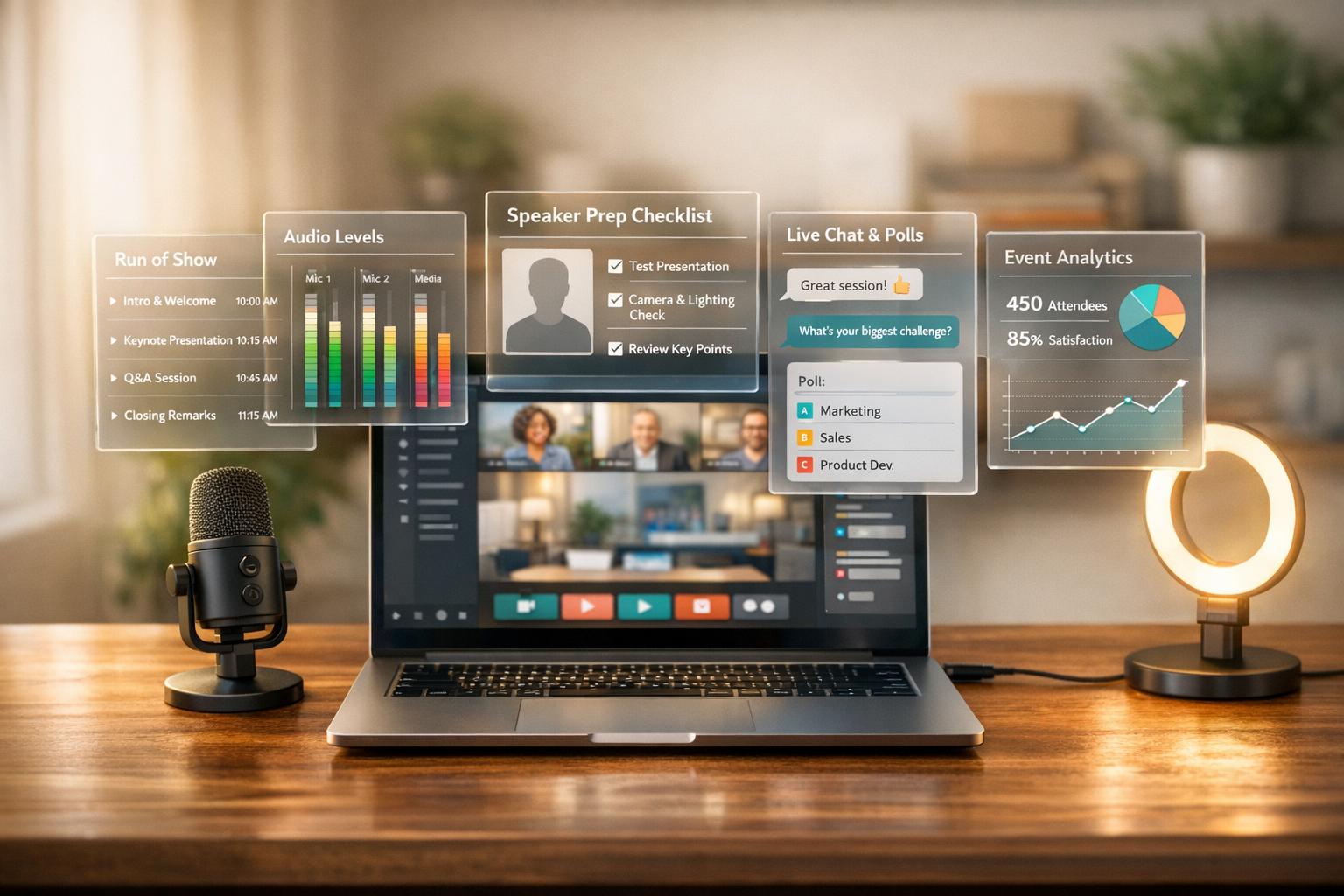
Virtual events are now a major part of how organizations connect with audiences. They reduce costs, remove physical barriers, and allow global reach. However, hosting a virtual event isn't as simple as starting a video call. Success depends on solid planning, reliable technology, and engaging strategies.
Key Takeaways:
- Planning: Clearly define goals and understand your audience. Use tools like Gantt charts and assign roles for smooth execution. This is especially critical when leading AV teams for high-stakes broadcasts.
- Technology: Invest in professional-grade cameras, microphones, and stable internet. Backup plans are essential.
- Engagement: Use interactive features like polls, Q&A, and breakout rooms to keep attendees involved.
- Speaker Prep: Train speakers on tech, ensure proper lighting and audio, and rehearse thoroughly.
- Post-Event: Gather feedback, analyze data, and use an audience engagement scorecard to improve future events.
Companies like Corporate Optics offer expert support, from streaming setups to audience analytics, ensuring your virtual event runs smoothly and leaves a lasting impact.

Virtual Event Statistics and Success Metrics 2024-2027
How to Host a Virtual Event – Live Stream, Add Visuals, and Repurpose Like a Pro!
sbb-itb-ae35a94
Pre-Event Planning: Building Your Foundation
The backbone of any successful virtual event lies in meticulous planning. With 93% of marketers shifting from in-person to virtual events, the competition for audience engagement has intensified. By establishing clear goals and understanding your audience, you can create a strong foundation for planning.
Set Clear Event Goals and Know Your Audience
Start by defining your event's purpose. Are you aiming to educate customers, generate leads, enhance brand visibility, or drive revenue? This purpose will guide your agenda and success metrics. Next, pinpoint your target audience. Their preferences will influence your content, schedule, and level of interactivity.
Your value proposition must be crystal clear. Why should someone dedicate their time to your event? Highlight specific benefits like networking, actionable insights, or professional development credits. Then, decide on the format: Will it be a webinar, an interactive session, or a multi-track conference? Keep in mind that 47% of attendees are more likely to ask questions during virtual events than in-person ones, so plan for interactive opportunities.
Set SMART goals and trackable Key Performance Indicators (KPIs) early. Metrics like Net Promoter Score (NPS), lead conversion rates, or attendee surveys will help you measure success. Use pre-event surveys to understand audience preferences so you can tailor the experience to their needs. Since 45% of event organizers prioritize audience engagement as their main success metric, include moments for interaction, such as polls, Q&A sessions, or live voting.
Create a Detailed Production Timeline
Work backward from your event date to create a timeline that breaks your goals into actionable tasks. This could include sourcing vendors, preparing marketing materials, running technical rehearsals, and finalizing speaker content. Assign clear deadlines and responsibilities for each task to ensure accountability.
Differentiate between milestones (e.g., "first draft of slides completed") and hard deadlines (e.g., "vendor contracts signed by March 15, 2026"). Build in extra time to handle unexpected issues like technical glitches or speaker cancellations. Schedule a technical dry run a week before the event and a final audiovisual check 15–20 minutes before going live.
To stay organized, use visual project management tools like Gantt charts or platforms such as Asana. For standard virtual events, plan for a 4–6 week preparation period, while large-scale multi-day conferences may require at least 12 weeks. As highlighted in the Microsoft Virtual Event Playbook:
"The one thing we can never get back is time. This is the most valuable thing an event attendee shares with you".
Once your timeline is in place, assign roles to ensure seamless execution.
Build Your Team and Assign Responsibilities
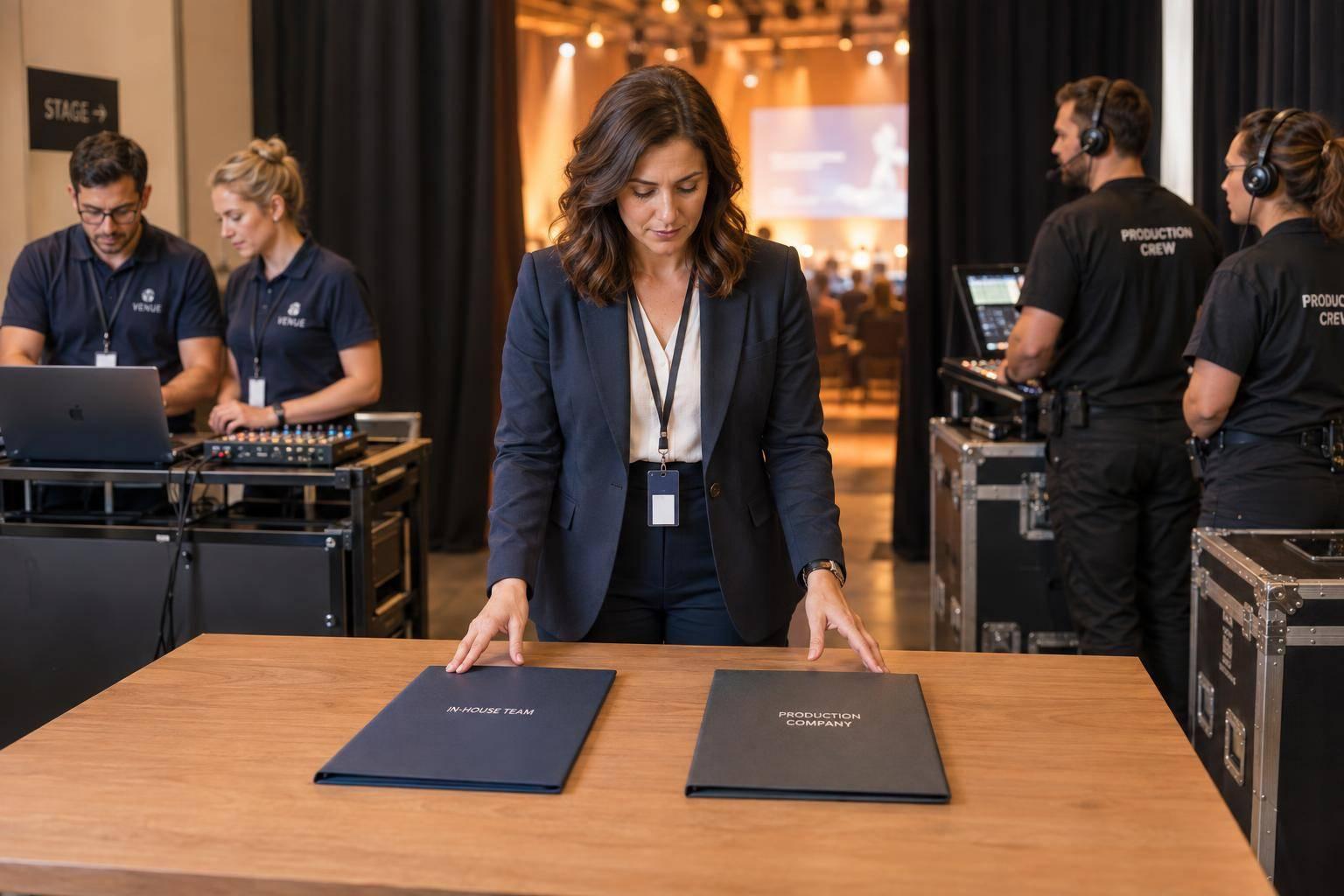
A well-structured team is key to smooth production. Core roles include an Event Producer to oversee the event, a Technical/AV Team to handle cameras and streaming, IT Administrators for platform setup and security, Moderators for managing Q&A and chats, and Presenters or Panelists.
For more complex events, consider adding a Stage Manager to coordinate transitions, a Social Media Manager for live updates, and a "Roaming Troubleshooter" equipped to handle minor technical issues. Use a "Skills Matrix" to align team members' expertise with specific tasks - assign tech-savvy individuals to AV roles, and creative thinkers to design tasks.
Develop a comprehensive Run of Show document that outlines every transition, speaker cue, and break. This keeps the entire team on the same page. Set up real-time communication channels using tools like Slack, Microsoft Teams, or WhatsApp for quick problem-solving during the event. To minimize technical risks, assign one person to manage all slide transitions instead of switching control between multiple presenters.
For additional support, companies like Corporate Optics offer specialized team members who excel in virtual event production. From broadcast-quality streaming to audience analytics, their experts can seamlessly integrate with your team to ensure flawless execution from start to finish.
Technology Setup and Tools for Virtual Events
The right technology can make or break a virtual event. With 97% of event marketers predicting that future events will adopt hybrid meeting planning best practices, it’s clear that having a solid tech stack is non-negotiable. This shift highlights the importance of tools that can seamlessly support both remote and in-person audiences. As Alec Olson, Editor at AVI Systems, puts it:
"The make-or-break factor in many of today's virtual events stems from the technology used to power the show."
With virtual event demand projected to grow by 23.2% through 2027, investing in reliable, professional-grade equipment is critical. To manage your budget effectively, use a hybrid event cost calculator to estimate technical expenses. These choices directly impact the quality of your broadcast and the overall experience for attendees.
Choose Professional Audiovisual and Streaming Equipment
A polished virtual event starts with the right gear. High-definition cameras and advanced switching equipment are essential for creating dynamic, engaging visuals. A multi-camera setup allows for smooth transitions between wide shots, close-ups, and side angles. But don’t overlook audio - poor sound quality can quickly lead to disengagement, often referred to as "Zoom fatigue." Equip speakers with lavalier, tabletop, or boom microphones, and use an audio mixer to maintain consistent sound levels. For remote participants, providing USB microphones or high-quality headsets helps keep audio clear and uniform.
On the production side, video switchers and encoders are must-haves for managing multiple video sources. Use HDMI, Ethernet, or SDI cables to connect your equipment, and set up dedicated monitors for your technical team to oversee the broadcast in real time. To ensure smooth streaming across devices and varying internet speeds, a Content Delivery Network (CDN) is indispensable.
Production tools like OBS Studio, Teams Encoder Events, or Stream Encoder Events can take your event to the next level. These platforms make it easy to add professional touches like graphics, lower-thirds, animations, and branded title cards, transforming a simple webinar into a high-quality broadcast.
Plan for Reliable Internet and Backup Connections
While top-notch cameras and audio gear are essential, none of it matters without a stable internet connection. Consistent upload speeds - at least 5 Mbps for HD video - are crucial for avoiding interruptions. Opt for a wired Ethernet connection instead of Wi-Fi, as wireless networks are more prone to interference and signal drops. Performing speed tests can confirm your connection meets the required standards.
Your production computer must also have the capacity to handle streaming without lag. While some platforms can support up to nine video feeds, real-world hardware and network limitations often cap stable performance at two or three feeds per machine.
Backup plans are a must. Keep a mobile hotspot or secondary broadband service ready to step in if your primary connection fails. Test this transition during rehearsals so your team can act quickly if needed. Additionally, account for extra bandwidth to support interactive features like live polls, file sharing, and real-time chat, as these can place additional strain on your network.
Use Corporate Optics Technology Solutions
Corporate Optics provides specialized technology tailored for virtual events. Their services include high-quality live streaming and broadcast production designed for remote audiences. They also offer engagement tools like interactive apps, live polls, Q&A sessions, and gamification features to keep participants involved. With Free Planner A.I. Tools, routine tasks are automated, freeing up your team to focus on content and creativity. Post-event analytics deliver actionable insights into attendee engagement, ROI, and areas for improvement. As Corporate Optics emphasizes:
"We handle every detail so you can focus on what matters - your message and your audience."
Their services extend beyond technology. From speaker coaching and technical rehearsals to coordination support, Corporate Optics ensures your presenters deliver flawlessly. They also offer customizable solutions for unique technical challenges, streamlined attendee management systems, and robust security measures to safeguard sensitive data throughout the event lifecycle.
Speaker Preparation and AV Quality Best Practices
Even with cutting-edge technology, a virtual event can fall flat if your speakers aren't ready. Poor audio, awkward camera angles, or cluttered backgrounds can quickly distract your audience and diminish your event’s credibility. Virtual viewers expect a polished, professional experience. By equipping your speakers with the right tools and guidance, you can ensure they deliver compelling presentations that keep your audience engaged.
Set Up Audio, Video, and Lighting Correctly
Start with your camera placement. Position it at eye level to create a natural connection with your audience. If you don’t have a professional stand, a stack of books can do the trick. To improve virtual eye contact, place a small Post-it note or photo near the camera lens as a reminder to look directly at it. As Jennifer Moxley, Founder of Sunshine Media Network, explains:
"An eye-level camera setting is helpful for virtual eye contact with your audience. You're the visual they need to process, and the easier it is for viewers to consume your image, the less their brains have to dissect that information."
Lighting is another critical aspect. Use direct, frontal lighting to highlight your face while keeping the background darker. Position your light source in front of you - not behind - and adjust your screen brightness, as computer screens can act as additional light sources. Moxley advises:
"Light your face, and darken the space behind you. Computer camera irises aren't as smart as we would like, so we have to help them as much as possible."
This setup ensures the camera captures a clear, well-lit image without shadows or overexposure.
Audio quality is equally important. Invest in an external microphone or a good headset to isolate your voice and reduce background noise. Test your audio during rehearsals and encourage speakers to speak slowly, incorporating pauses to account for any potential delays.
Don’t overlook your background. Carla Stone, President of World Trade Center Delaware, recommends:
"Minimize background distractions. While you do not need to have a company banner as a background, screens filled with dirty dishes, laundry, or piles of toys are unprofessional."
Choose a clean, uncluttered space that won’t distract your audience. Solid-colored clothing works better than busy patterns, and business-casual attire should be the minimum standard.
One often-missed detail is hand visibility. Kristin Bock, Owner of Body Language Blueprints, highlights:
"Our hands are actually the first part of the body the brain pays attention to, and they work as trust indicators. Our brain gives more weight to nonverbal communication, so keep hand gestures raised above the table and visible."
Lastly, clean your camera lens before the event and keep your device plugged into a power source. Once your technical setup is solid, the next step is to train your speakers to use it effectively.
Train and Support Your Speakers
A flawless technical setup is only half the battle - your speakers need to be fully prepared to deliver their best. Speaker readiness plays a major role in ensuring a smooth, professional event.
First, make sure your speakers are comfortable with the platform they’ll be using. They should know how to navigate features like advancing slides and managing notes in full-screen mode. Providing a detailed checklist - such as enabling Zoom settings like "Original ratio", "HD", and "Adjust for low light" - can help them feel confident.
Rehearsals are essential. Schedule a live demo and a full-scale run-through well before the event to identify and fix any technical issues. Meisha Bochicchio, Senior Content Marketing Manager at Goldcast, warns:
"Whether it's a pixelated logo, a shoddy Wi‑Fi connection or a glitchy mic, any hiccup in the audiovisual (AV) experience can have a major impact on how your audience remembers your event."
Use a virtual "green room" to greet speakers and handle last-minute tech checks. Establish a dedicated communication channel - like Slack or WhatsApp - for troubleshooting during the live event.
Virtual stage design is another factor to consider. Services like Corporate Optics offer coaching to help speakers optimize their physical space for virtual presentations. This includes centering themselves in the video frame and leaving room for graphic overlays or titles.
Virtual presentations demand a different approach than in-person events. Alain Hunkins, Author of Cracking the Leadership Code, explains:
"With virtual, it's all about intimacy. Everyone in the audience has a front-row seat and is only six inches away from the speaker's face. Being able to connect at an intimate level is a key ingredient to success."
Because of this, speakers should maintain high energy, pay attention to their vocal tone and pacing, and consider shortening their sessions. A 60-minute in-person talk might need to be trimmed to 30 or 45 minutes for a virtual audience.
For critical events, pre-recording sessions can be a lifesaver. In 2023, Smartling’s event marketing team pre-recorded their entire show and set it to auto-play, ensuring a seamless experience even if technical issues arose. This level of preparation is worth the effort, as virtual audiences have little patience for technical glitches or low production quality.
How to Keep Your Audience Engaged During the Event
Virtual audiences face endless distractions. If your event feels dull or static, participants are likely to zone out - or leave altogether. With 52% of all events in 2026 expected to be virtual or hybrid, keeping attendees engaged is no longer optional - it's a must.
Gone are the days of slide-heavy presentations. As experts at Contrast explain:
"The era of static, slide-heavy webinars is fading fast. Modern audiences expect experiences that mirror the energy, interactivity, and connection of in-person events."
Your goal is to make attendees feel like active participants, not passive viewers. By using interactive tools and engagement strategies, you can create a dynamic environment that keeps their attention.
Add Interactive Features and Tools
Start with a welcome poll or icebreaker to set the tone for participation. Live polls during the event not only involve your audience but also provide instant feedback you can address on the spot. Q&A sessions with upvoting features let attendees prioritize the questions they care about most, while chat functions keep energy high and conversations flowing.
Gamification is another powerful tool. Leaderboards and trivia challenges spark friendly competition and give participants a reason to stay engaged. Interactive content, such as virtual reality experiences, can increase engagement by 52.6%. The key is giving your audience something to do, rather than just something to watch.
Don't forget the value of networking. Breakout rooms, 1:1 meeting slots, and virtual lounges replicate the informal conversations that make in-person events so valuable. Collaborative tools like digital whiteboards (e.g., Miro, Figma) add another layer of interaction, allowing attendees to brainstorm and contribute in real time. To keep things lively, consider features like Call-to-Action buttons, giveaways using a "wheel of names", or even background music during transitions for a polished, TV-like experience.
Apply Corporate Optics Engagement Solutions
Building on these strategies, Corporate Optics offers tools to seamlessly integrate participation into your event. Their platform enhances engagement with features like real-time polling, Q&A management, and analytics dashboards that let you monitor audience activity as the event unfolds.
What sets Corporate Optics apart is their end-to-end approach. Their services ensure engagement strategies are baked into the event design from the start, rather than tacked on later. They also provide speaker coaching to help presenters naturally encourage interaction, and post-event analytics to pinpoint which tactics resonated most. This data is crucial for refining your approach in the future.
Track Real-Time Analytics and Make Adjustments
Once your interactive features are live, real-time analytics help you adapt on the fly. Monitor engagement metrics to see what's working - and what isn't. If you notice a dip in participation, you can pivot quickly. For instance, prompt the speaker to open a Q&A, launch a quick poll, or shift to the next topic sooner than planned.
Focus on behavioral insights rather than surface-level metrics. Data like average watch time, chat activity, and the percentage of attendees using interactive features are far more telling than total view counts. For example, while 61% of webinars run for 60 minutes, research shows that shortening sessions to 45 minutes can increase live attendance by 5%. Use your analytics to find the right pacing for your audience, and don't hesitate to adjust during the event to keep the experience engaging.
Post-Event Tasks: Measure Results and Improve
Post-event analysis is all about seeing how your event measured up to its goals and using those insights to make future events even better. A solid review process can uncover what worked, what didn’t, and where to focus next time.
Gather Audience Feedback and Review Data
Send out a short post-event survey within 24 hours to capture feedback while it’s still fresh. Keep it concise - around 5 to 10 questions - and start with key metrics like Net Promoter Score (NPS) to avoid losing respondents to survey fatigue. Gather input not just from attendees but also from sponsors and stakeholders. Ask about overall satisfaction, technical issues (like connectivity or platform hiccups), and how they found out about your event.
Pair this feedback with hard data to get a fuller picture. Use tools like Corporate Optics' analytics dashboards to track engagement, drop-off rates, and session performance automatically. This combination of numbers and personal insights helps answer both the "what" and the "why" behind your event's results.
Use Event Data for Follow-Up and Future Planning
Review the feedback with your team and sponsors to identify meaningful changes that could enhance the attendee experience. For example, you might add more interactive engagement elements or improve networking opportunities based on what you learn.
Dive into the data to identify standout sessions. Look at metrics like viewership, watch time, and engagement rates to determine which topics and speakers resonated most. On the flip side, if certain sessions saw high drop-off rates, investigate the cause - whether it’s content that’s too dense, speakers who weren’t prepared, or sessions that ran too long.
Let attendees know how their feedback has shaped your plans. This not only builds trust but also makes them more likely to attend future events. You could also experiment with fresh ideas, such as gamification or new breakout room formats, to keep things engaging. Make feedback analysis a regular part of your process so you can track progress over time. And don’t forget to include a teaser for your next event in your follow-up email - it’s a great way to keep the excitement going.
Conclusion
Pulling off a successful virtual event takes careful planning, solid technical execution, and a commitment to continuous improvement. Start by setting clear goals with measurable KPIs - whether it's hitting registration numbers, generating product demo requests, or boosting brand visibility. On the tech side, invest in reliable equipment like 1080p cameras and high-quality microphones, and always run a full rehearsal at least 24 hours before the event to troubleshoot potential issues. These steps are the foundation for bringing in a production partner who can handle the technical details seamlessly.
To keep your audience engaged, integrate interactive elements such as live polls, Q&A sessions, or breakout rooms. With the virtual events market expected to grow by 19.5% from 2024 to 2032, this is the perfect moment to sharpen your strategy and make your events stand out.
Corporate Optics specializes in delivering flawless technical execution, dependable streaming, and professional speaker coaching. Their services include redundant feeds and broadcast-quality switching to ensure your event runs smoothly. Whether you're hosting your first virtual event or your fiftieth, their experience with Fortune 500 companies, associations, and government sectors ensures you're in good hands.
After the event, dig into feedback and performance metrics to evaluate ROI and identify areas for improvement. By combining thorough planning, reliable technology, and active audience engagement, you can elevate your virtual events to the next level. With Corporate Optics’ expertise and support, you’ll have everything you need to make your event a success.
FAQs
What’s the minimum tech setup for a polished virtual event?
To host a professional virtual event, having the right audiovisual gear is non-negotiable. You'll need high-definition cameras for clear visuals and quality microphones - options like lavalier, tabletop, or boom mics work well, depending on your setup. Other essentials include video switchers, encoders, and audio mixers to manage and refine your audio and video output. Don't forget reliable streaming hardware, such as HDMI or Ethernet cables, to keep your connection steady.
For added efficiency, consider using displays for real-time monitoring to keep an eye on the production as it unfolds. Pair this with event-specific software to streamline the process and deliver a polished, seamless experience.
How can I prevent streaming failures during a live event?
Avoiding streaming hiccups starts with careful preparation and dependable tech. Here are some essential steps to keep your live event running smoothly:
- Test Ahead of Time: Run pre-event tests to identify and fix potential issues before going live.
- Secure a Stable Internet Connection: Make sure your internet connection is reliable and has enough bandwidth to handle the stream without interruptions.
- Choose a Reliable Streaming Platform: Opt for platforms known for their dependability and performance under heavy traffic.
- Have Backup Systems Ready: Set up redundant streams or backup systems to quickly recover if something goes wrong.
- Monitor in Real Time: Use advanced tools to keep an eye on stream health during the event. This allows you to catch and resolve problems before they disrupt the experience.
By focusing on these practices, you can proactively tackle challenges and deliver a smooth and professional live stream.
Which engagement metrics best show virtual event ROI?
When evaluating the success of a virtual event, attendee engagement is one of the most telling indicators. This includes tracking interaction levels - like how actively attendees participate in Q&A sessions, respond to polls, or join breakout discussions.
Metrics such as increased involvement during activities and the level of participation in breakout rooms offer clear insights into how well the event connected with its audience. These numbers highlight not just attendance but how effectively the event met its goals by fostering meaningful engagement.
Related Blog Posts



Streamline your workflow, achieve more

Lorem ipsum dolor sit amet, consectetur adipiscing elit. Maecenas ac velit pellentesque, feugiat justo sed, aliquet felis.



Lorem ipsum dolor sit amet, consectetur adipiscing elit. Maecenas ac velit pellentesque, feugiat justo sed, aliquet felis.