Ultimate Guide To Planning A Large-Scale Conference With Professional Production Support

Chief Executive Officer
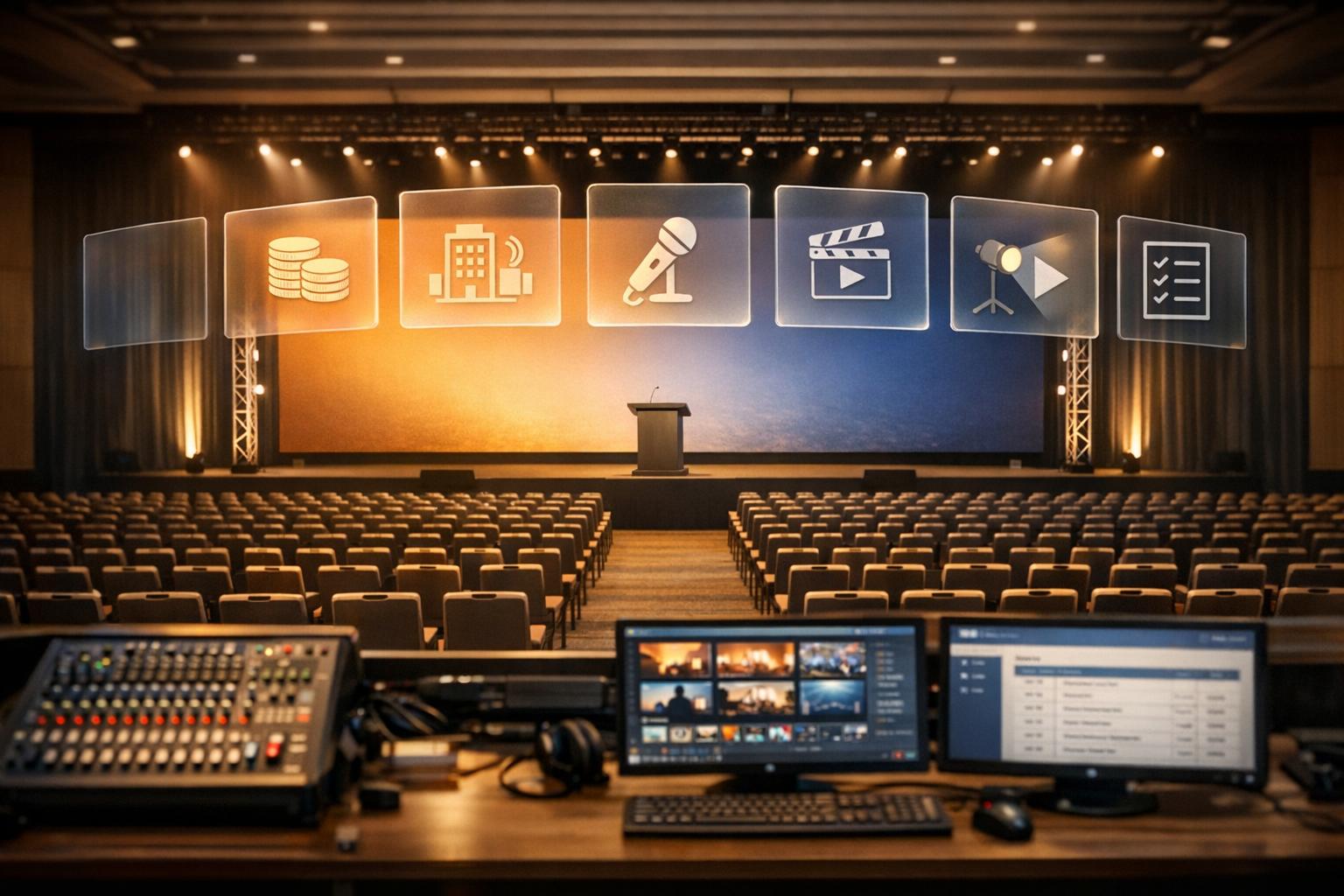
Planning a large-scale conference is about more than just booking a venue and inviting speakers. It requires precise coordination of technical elements, logistics, and audience engagement to create a polished experience. Here’s what you need to know:
- Professional Production Support: Ensures reliable AV systems, smooth hybrid experiences, and technical redundancy to avoid disruptions.
- Budget Planning: Allocate 15%-25% of your budget for AV needs, with costs for large events starting at $25,000 and scaling up based on complexity.
- Venue Selection: Prioritize functionality - check capacity, layout, power, internet speed, and accessibility during site visits.
- Agenda Design: Combine keynotes, panels, and interactive elements to keep attendees engaged. Rehearsals and technical prep are vital.
- Execution: Partner with a production team to handle conference event production logistics, from lighting and sound to live streaming. Backup systems and real-time monitoring prevent failures.
- Post-Event Analysis: Gather feedback, review performance data, and document lessons learned to improve future events.
Event A/V Essentials Part 5: Creating Your Onsite Production Schedule - Logan Clements
sbb-itb-ae35a94
Setting Objectives, Scope, and Budget

Conference Planning Budget Breakdown and AV Cost Guidelines
Defining Your Conference Objectives and Scope
Every decision in planning a conference should revolve around a clear and defined purpose. As Daron Linton, Resident Expert at BoomPop, aptly puts it:
"A purpose is your north star and it helps determine what success means after the conference is over".
Your event could focus on knowledge sharing, networking, brand building, or lead generation - each requiring a tailored approach and specific resource allocation. To ensure success, set measurable objectives, such as registration numbers, revenue goals, lead generation targets, or attendee satisfaction rates. These objectives will guide key decisions, including whether the event will be in-person, virtual, or hybrid, as each format comes with its own technical and logistical considerations.
John Hunter, Senior Manager of Event Cloud Content Marketing at Cvent, highlights the evolving complexity of event planning:
"Event production in 2026 is much more complex than it was... New budget and staffing limitations exist, the race for event space is incredibly competitive, and ROI pressures have reached new levels".
Large-scale conferences often require at least 12 months of planning to finalize the theme, branding, and logistics. Early identification of your target audience is essential to customize content, marketing strategies, and venue selection. Accessibility is another critical factor - consider features like hearing loops, step-free access, and quiet zones to accommodate neurodiverse attendees.
Once your objectives are in place, align your financial plan to support these goals effectively.
Building Your Event Budget
Turning your vision into reality starts with a detailed budget. Audiovisual (AV) costs generally account for 15%-25% of a large-scale event's total budget. For instance, AV setup for a 300-person corporate event can range from $25,000 to $50,000, while full-scale productions may exceed $200,000. Labor costs alone can make up 40%-60% of AV expenses, with early-morning setups or tight session turnarounds driving costs even higher.
Before finalizing a venue contract, consult with an AV partner to uncover potential hidden fees, such as rigging charges, power tie-ins, or corkage fees for external vendors. Daniel Pitner, Director of Sales & Marketing at Centric Events, emphasizes the impact of visuals:
"If your budget allows, a video wall is the single best way to make a big impact at your event".
However, prioritize sound quality above all else - audiences are far less forgiving of poor audio than they are of visual shortcomings.
Set aside 10%-15% of your budget as a contingency fund for unexpected costs or last-minute changes. Keep in mind that catering quotes often exclude service charges and taxes, which can add another 20%-25% to your bill. To save on costs, consider reusing the same room for meals and general sessions to avoid duplicating equipment and labor expenses. Request tiered proposals from production companies, complete with 3D renderings, to help justify expenses to stakeholders and make informed budgetary decisions.
Selecting Your Venue and AV Infrastructure
Assessing Venue Options
Once you’ve nailed down your objectives and budget, picking the right venue and AV infrastructure becomes a crucial step in making your conference run smoothly.
Your venue choice can make or break your event. For example, a ballroom advertised as seating 1,000 theater-style might only fit 600 if you’re setting up for banquet rounds. Always confirm capacity based on your specific setup needs - it’s a small detail that can save you big headaches later on.
Beyond aesthetics, focus on functionality. Check ceiling heights to ensure they’ll work for your projection and lighting setups. Look for proper rigging points and confirm that the floor can handle the weight of heavy exhibits or staging gear. Watch out for potential sightline blockers like pillars or low ceilings - these can create issues even the best AV team can’t fix .
Power and connectivity are equally critical. Large events need dedicated high-speed internet (10 Gbps or higher) and isolated power circuits. Don’t rely on the venue’s claims - test the upload and download speeds during your site visit. As Sanjay Patel, CEO of Alliant Events, puts it:
"AV isn't just support, it's the foundation that enables everything else to succeed."
Map out the venue’s layout, paying attention to the flow between session rooms, dining areas, and restrooms to avoid bottlenecks. Ensure the entire venue - not just designated areas - is fully ADA compliant. If you think attendance might exceed expectations, look for venues with movable partitions or "airwalls" that can expand room sizes. Interestingly, about 55% of meeting planners use Convention & Visitors Bureaus (CVBs) to streamline the venue selection process, especially when technical requirements are a priority.
Once your venue logistics are locked in, it’s time to zero in on the AV systems and technical details.
Verifying AV Capabilities and Technical Requirements
After narrowing your venue options, a technical site survey is a must before signing any contracts. Check all pre-installed AV equipment thoroughly to ensure it meets your standards for resolution and brightness. Many venues have equipment that looks fine on paper but doesn’t meet professional-grade expectations.
Room acoustics are another key factor. Spaces with lots of glass or tile can cause echo issues, while carpeted rooms with curtains help absorb sound. As VIP Audio Visual explains:
"A very live room (i.e., one with lots of glass or tile surfaces) is harder to control than a more absorbent environment like carpeted walls or curtains."
During your site visit, also listen for external noises - kitchens, loading docks, or construction nearby can disrupt audio recordings or live streams .
Document everything. Create a detailed requirements list that includes wireless microphone frequencies, lighting control specifications, and backup power needs. Confirm the venue can support uninterruptible power supplies (UPS) and redundant ISP connections for internet reliability. Don’t overlook practical details like the size of freight elevators and loading docks - large installations like video walls or trusses might need 8–12 hours for setup .
Budgeting for AV is another critical piece. Industry experts suggest allocating 15–20% of your event budget to AV, but inexperienced planners often aim for just 5–8%, which can lead to unexpected costs. For events with over 1,000 attendees, AV expenses typically start at $101,625 and climb with added complexity. Always request detailed, line-item pricing from in-house AV providers and external production companies. Comparing these lists can help you identify necessary upgrades and avoid surprises.
Creating Your Conference Agenda and Supporting Speakers
Designing Your Program Schedule
Crafting a program schedule starts with setting clear goals. Whether you're aiming for lead generation, brand awareness, or education, these objectives will guide the types of sessions you include and the audience you target. A well-rounded agenda typically features a mix of keynotes, panels, breakout sessions, and networking opportunities to meet these goals.
To reinforce your event's message, align lighting, sound, and staging with the overall theme. For hybrid events, it’s essential to engage both in-person and virtual attendees. This means incorporating virtual stages and ensuring your on-site technology is ready to stream seamlessly.
Interactive elements like live chat, Q&A sessions, and polling can help maintain attendee engagement. Tools like mobile apps or event management software make it easier to track attendance in real time and gather immediate feedback. As John Hunter, Senior Manager of Event Cloud Content Marketing at Cvent, puts it:
"Event production aims to create a seamless experience for attendees while achieving your event's objectives."
One smart move is to use a pre-visualization studio before the event. This lets you test the show in advance, refine lighting designs, and troubleshoot programming issues on actual consoles, catching potential problems before they arise.
Once your agenda is set, the next step is ensuring your speakers have the support they need for flawless execution.
Setting Up Speaker Support Services
After designing your agenda, providing strong speaker support becomes crucial to sustaining audience engagement. Involving your production team early in the content creation process ensures that technical capabilities align with creative ideas while helping to identify and mitigate risks. Standardizing elements like slide formats, aspect ratios, and playback methods across all presentation spaces ensures consistency, whether in main sessions or smaller breakout rooms.
To avoid disruptions, incorporate technical redundancies such as backup microphones, power supplies, signal paths, and isolated playback systems. Equip speakers with confidence monitors so they can view their slides and notes without distraction, and provide teleprompters when necessary.
Rehearsals are non-negotiable for general sessions, so be sure to include rehearsal time in your AV budget. Set up a dedicated speaker prep area where presenters and technicians can assemble, label, and test their equipment before taking the stage. Assign technical leads for each space - one for the main ballroom and additional technicians for breakout rooms - to ensure immediate support is available when needed.
A detailed, minute-by-minute "Run of Show" is essential for keeping everyone on the same page. This document outlines every cue and transition, ensuring coordination between your production team and speakers. A Show Caller or Technical Director can oversee these transitions, freeing speakers to focus solely on their presentations without worrying about the logistics. As Riley Armstrong from Sonic Image notes:
"A single keynote can survive a small technical hiccup. A three-day conference or trade show... is less forgiving."
Executing Your Event with Professional Production Support
Working with Production Professionals
Once your agenda is set and AV preparations are in place, execution becomes the priority. This is where professional production teams step in - not just to provide equipment, but to deliver complete, tailored solutions. As TPG Events explains:
"A supplier delivers boxes of equipment; a production partner delivers end-to-end solutions."
The distinction lies in their approach. Months before your event, professional teams conduct detailed infrastructure audits, examining venue power capacity, load-in access, rigging points, and potential acoustic challenges. They also use Computer-Aided Design (CAD) to create detailed floor plans, mapping out sightlines, screen placement, and seating arrangements. This proactive planning helps avoid costly surprises during setup.
Another hallmark of professional production is redundancy. Every critical system - whether it's a media server, cable, or wireless frequency - has a "hot" backup ready to take over instantly if something fails. As AVFX emphasizes:
"Redundancy isn't paranoia - it's professionalism. We don't 'hope' the audio works. We bring backups for everything: wireless frequencies, signal paths, video playback, even power."
When the event goes live, a Technical Director coordinates communication between lighting, audio, and video teams using push-to-talk systems. Meanwhile, the Show Caller ensures every cue - lighting changes, video playback, or audio transitions - follows the precise timing outlined in the Run of Show. This allows your speakers to focus solely on their presentations, while the production team handles the technical execution behind the scenes.
Such meticulous planning and coordination ensure a smooth transition from preparation to flawless live execution.
Managing Day-of Operations and Backup Plans
Technical rehearsals are crucial for ironing out potential issues. These rehearsals simulate real conditions, testing transitions, microphone handoffs, and even virtual delays, using the exact crew and equipment that will be deployed during the event.
On the event day, specialized team members take charge of their areas. Audio engineers oversee soundchecks and mixing for both in-person and virtual attendees. Lighting and video directors manage visual effects and content playback. Stage managers handle presenter logistics, while rigging specialists manage overhead installations and ensure balanced power loads.
For events relying on internet connectivity - such as hybrid or fully virtual formats - it's best to bypass venue Wi-Fi in favor of dedicated, hardwired networks with built-in redundancies. Any last-minute changes should be funneled through a single point of contact to confirm technical feasibility.
On-site technicians monitor every aspect of the event in real time, addressing issues immediately and discreetly. This constant vigilance ensures a seamless experience for your attendees. For large-scale, multi-day events featuring complex staging, LED screens, and broadcast elements, production costs can range from $25,000 to over $125,000.
Analyzing Results and Improving Future Events
Collecting Feedback and Reviewing Performance Data
Your work isn’t done just because the conference is over. The real evaluation starts immediately, beginning with a debrief session with your production team while the event is still fresh in everyone’s minds. This should happen as soon as the event concludes, focusing on urgent issues and key successes.
Within 72 hours, send a post-event survey to attendees via email. Keep it concise - 10 questions or fewer - to encourage participation. Use a mix of question types: Likert scales for measurable feedback, multiple-choice for simplicity, and open-ended questions for deeper insights. Offering incentives can help boost response rates. Beyond surveys, monitor branded hashtags on platforms like LinkedIn, X, and Facebook to gather additional feedback.
A scorecard is a useful tool for reviewing key areas such as technology, finances, marketing, and attendee experience. For technology, assess factors like AV system reliability and uptime. Financially, compare your actual spending against the budget. Evaluate marketing efforts by looking at metrics like email open rates and social media reach. Finally, measure attendee experience through session ratings and engagement levels. To gauge overall satisfaction, calculate your Net Promoter Score (NPS) by asking attendees how likely they are to recommend the event on a scale from 0 to 10. Subtract the percentage of detractors (scores 0–6) from promoters (scores 9–10) for your final score.
Plan a formal debrief meeting 1–2 weeks after the event to analyze all the compiled data in detail. It’s worth noting that 23% of event planners don’t measure success at all, and 18% lack the tools to do so. Don’t let your efforts fall into those categories - run events like a business by using these insights to set the stage for better future events.
Recording Lessons Learned and Planning Next Steps
Once you’ve gathered feedback and performance data, it’s time to turn those insights into actionable improvements. Documenting lessons learned ensures that your team’s experience becomes part of your organization’s knowledge base. Create a post-event report that includes technical performance, financial discrepancies, logistical challenges, and stakeholder feedback. As avad3 Event Production wisely puts it:
"Perfection doesn't happen by accident - it happens by reflection."
Implement a "Next Time Notes™" system to capture immediate feedback on what worked and what didn’t. Record technical run-throughs using mobile devices for future reference, and organize your findings using a SWOT analysis (Strengths, Weaknesses, Opportunities, Threats). This approach helps you prioritize what needs to change moving forward.
For production-specific improvements, evaluate whether your AV setup aligned with the venue’s needs, how smooth transitions were, and whether rehearsal time was sufficient. Document how your team handled unexpected issues like speaker cancellations, power outages, or internet failures to refine your crisis management strategies. Provide sponsors with a fulfillment report that recalculates their initial expectations based on actual attendance and outcomes.
Lastly, analyze the performance of your marketing channels. Identify which platforms - email, social media, or paid ads - drove the most registrations. This data is critical for optimizing your next budget and ensuring your future events not only meet but surpass expectations.
Conclusion
Planning a large-scale conference isn’t just about organizing schedules - it’s about crafting an experience that resonates with every attendee, whether they’re sitting in the audience or tuning in remotely. As mentioned earlier, truly exceptional events are engineered, not simply planned.
Bringing in professional production support does more than handle logistics - it elevates the entire event. From ensuring technical reliability with robust backup systems to creating a polished, broadcast-quality experience, it keeps virtual participants engaged instead of feeling like passive viewers. With nearly half of the office-based workforce now working in hybrid setups, treating your event as “two shows” has become a necessity, not a choice.
But the impact of professional production doesn’t end when the event does. High-quality recordings become valuable marketing tools, while real-time data collected during the event helps fine-tune strategies for future success. Prioritizing elements like crisp audio, striking visuals, thoughtful lighting, and smooth staging ensures your brand’s message is delivered powerfully and leaves a lasting impression.
To pull off such a polished experience, it’s crucial to engage a production partner 6–12 months ahead of time. This allows for concept development, full technical rehearsals, and careful allocation of resources - particularly for audio, which often makes or breaks an event when budgets are tight. As TPG Events puts it:
"The success of your conference hinges on more than just a great speaker lineup. It's the seamless execution - flawless audio, immersive visuals, and perfectly timed lighting - that transforms a good event into an unforgettable one."
Your next conference deserves more than just planning - it deserves professional execution that brings your vision to life and turns attendees into enthusiastic advocates.
FAQs
When should I hire a production partner?
When you're gearing up for a large-scale conference or event, it's crucial to bring a production partner on board as early as possible. Their involvement from the start helps ensure detailed planning, proper technical coordination, and a seamless execution.
Once you've locked in the event details - like the dates and objectives - schedule a meeting with your production partner. Be upfront about your budget during this discussion. This transparency allows them to identify technical requirements, handle logistics effectively, and craft a comprehensive plan that aligns perfectly with your vision.
What AV items should I never cut?
Clear audio is non-negotiable when planning an event. Microphones and PA systems play a key role in ensuring your message reaches the audience effectively. Skimping on these essentials can lead to communication issues, disrupt the flow of your event, and leave attendees frustrated. Prioritizing high-quality audio equipment helps maintain professionalism and keeps your audience engaged from start to finish.
What should a technical site survey include?
When preparing for a large-scale conference, a technical site survey is crucial to ensure everything runs smoothly. This process involves evaluating audio, visual, and lighting needs alongside logistical considerations. Key factors to examine include the venue's size, acoustics, power availability, and cable routing paths.
Additionally, the survey should focus on the placement of speakers, the positioning of video screens, the layout of lighting, and the setup of breakout rooms. The ultimate objective is to match the technical setup with the venue's capabilities and the event's goals, creating a seamless experience for everyone involved.
Related Blog Posts



Streamline your workflow, achieve more

Lorem ipsum dolor sit amet, consectetur adipiscing elit. Maecenas ac velit pellentesque, feugiat justo sed, aliquet felis.



Lorem ipsum dolor sit amet, consectetur adipiscing elit. Maecenas ac velit pellentesque, feugiat justo sed, aliquet felis.