Leading AV Teams For Board Of Directors Meeting Management And Production.

Chief Executive Officer
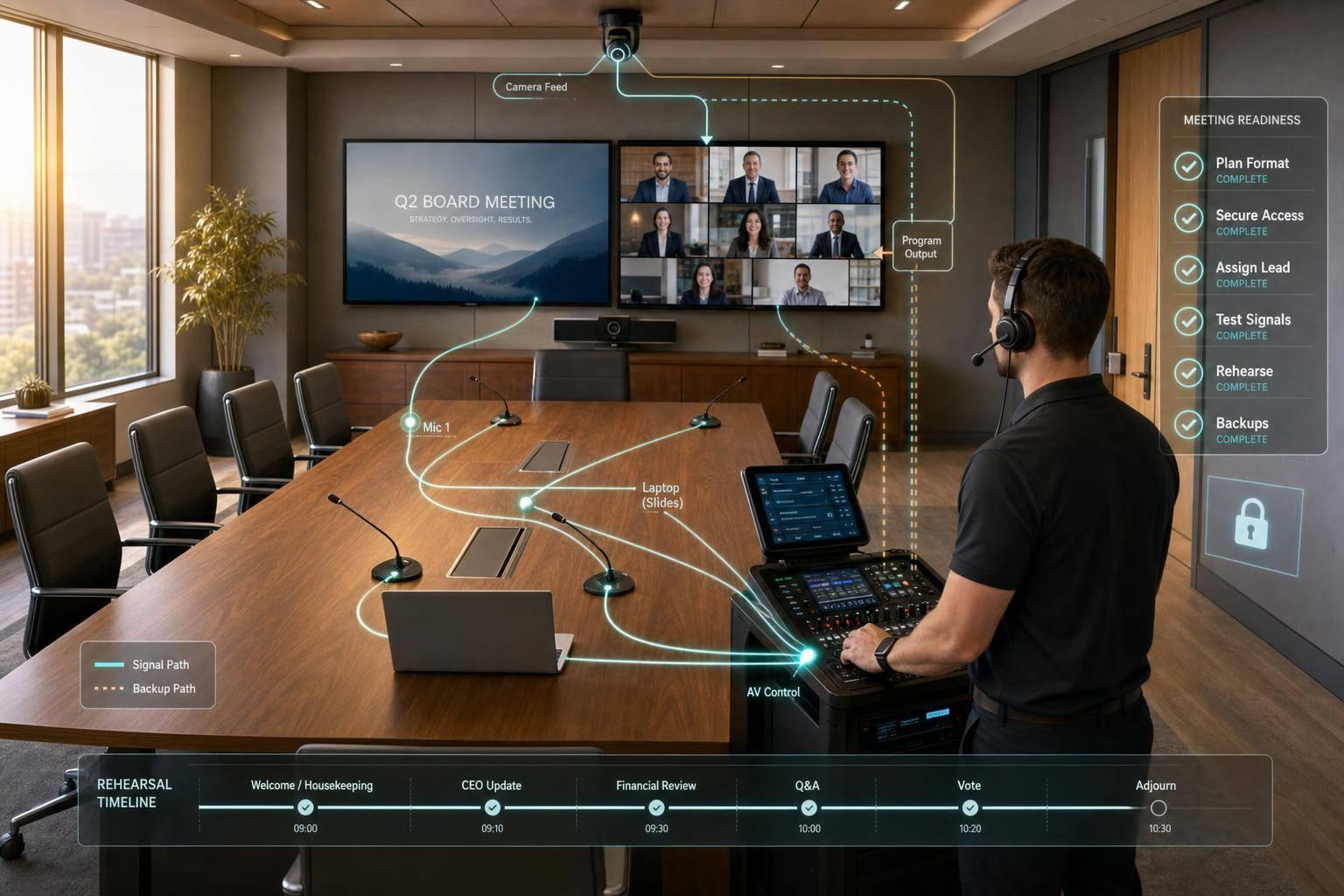
Board meeting AV has one job: keep decision-makers focused while the system stays quiet and secure. From what I see in this article, the work comes down to five things: define the meeting early, lock down access, assign clear crew roles, test every signal path, and build backup actions before the meeting starts.
If I had to boil it down even more, here’s the answer:
- Set the meeting format first: live, hybrid, or multi-location
- Lock access and privacy rules early
- Name one technical lead for all cue calls and issue routing
- Assign owners for audio, video, slides, conferencing, and presenter support
- Test microphones, cameras, displays, laptops, network paths, and failover
- Build a run of show with cue-by-cue transitions, votes, breaks, and executive session steps
- Pre-plan failures like mic loss, frozen slides, remote dropouts, and power issues
- Match staffing to the format, with 2–4 techs for many board meetings and more for larger sessions
- Rehearse before the meeting, including a 30-minute remote check and advance testing several days before
- Use backup paths such as spare mics, mirrored laptops, secondary links, and UPS-backed gear
A few hard numbers stand out. The article calls for board packets to go out at least 48 hours early, team booking 4–8 weeks ahead for single-day meetings, and an 86-inch 4K display for a 20-foot boardroom table. That tells me this is less like basic room support and more like tightly controlled live production.
The main point is simple: if you want boardroom AV to hold up under pressure, you need planning, role clarity, and tested backups, not just good equipment.
AV for Hybrid Workspaces: Conference Rooms, Classrooms, Board Rooms
Define Meeting Goals, Access Rules, and Production Requirements
Board meetings run on precision, privacy, and the ability to change course fast. That’s why the session needs to be defined before production starts. Lock in the format, the key decision points, and the access rules first.
Confirm the Meeting Format, Agenda Flow, and Decision Points
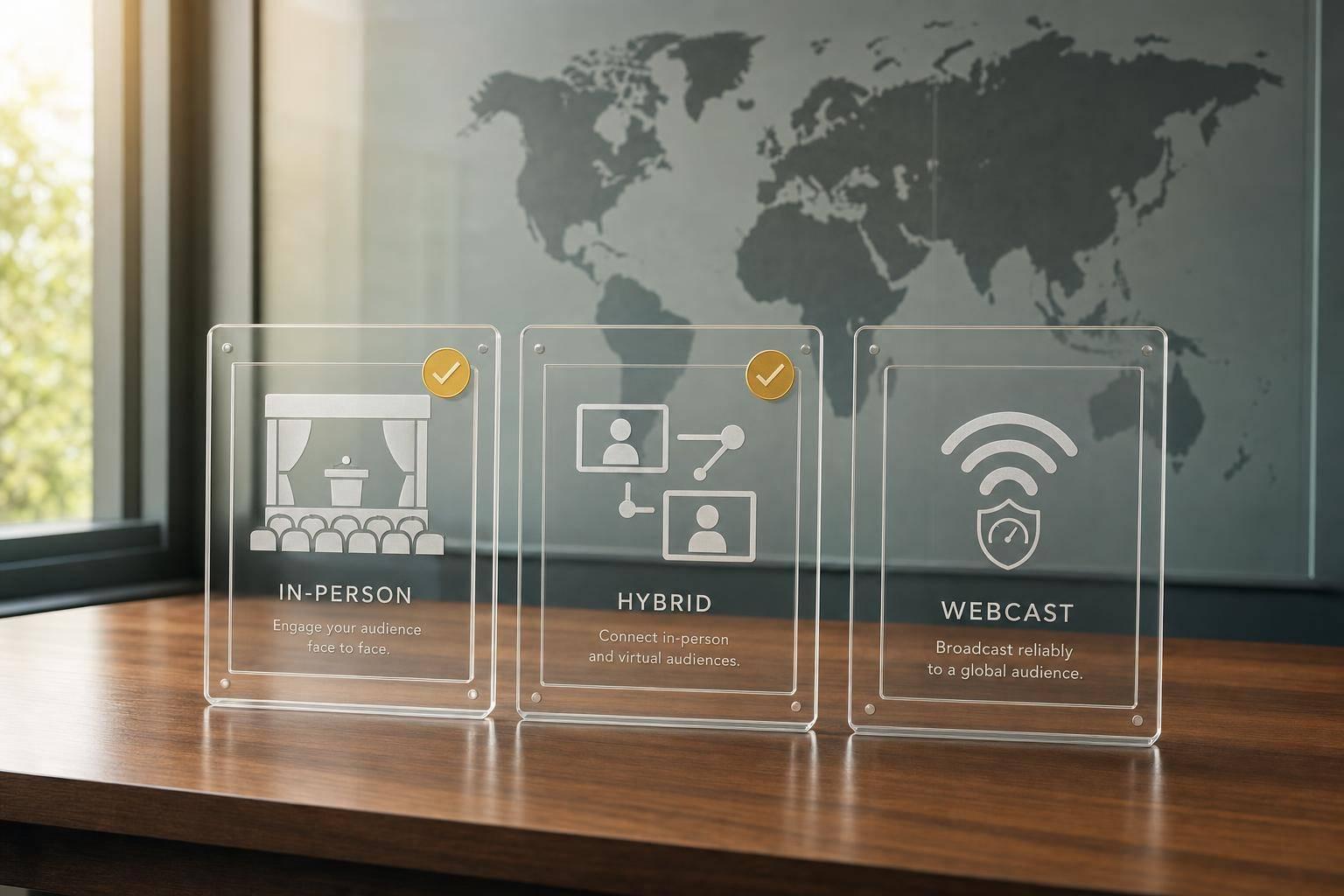
Start by writing down whether the meeting is live, hybrid, or spread across multiple locations. That one choice shapes your signal paths and what remote participants will need.
Then map the agenda in sequence and flag every AV cue, handoff, and content switch. Each cue should tie back to a board action, such as a presentation, discussion, vote, or executive session. Voting often gets missed early, so confirm the method up front and set a secure way for remote directors to take part in real time.
Executive presentation support should also be locked in here. Set the process for handling board packets, approving last-minute slide changes, and confirming who will present. Confidence monitors should be planned as a standard boardroom tool for presenter notes and slide control.
Once the agenda is set, the next step is access control and secure communications.
Set Confidentiality and Secure Communications Standards Early
Limit access to the boardroom, the virtual meeting, and any recordings to board members, executives, and the technical staff who need to be there. Board packets and presentation materials should be sent only to approved participants at least 48 hours in advance.
Use secure video platforms, encrypted file sharing, and a dedicated network segment for production traffic. If policy calls for tighter security, use approved board meeting platforms such as Zoom for Government or Microsoft Teams Rooms.
It also helps to pull screen privacy, private speaker notes, and access controls into one pre-meeting checklist. Don’t leave those calls for the day of the meeting. Assign one technical lead to approve slide swaps, speaker changes, and live transitions.
With those requirements in place, you can build the crew plan and communication chain around them.
Build the AV Team Structure and Communication Chain
Once the meeting rules are locked in, put the right crew in place to carry them out. Every technical owner should be named before the meeting starts so problems get fixed without pulling the board off track. In board meetings, fuzzy ownership leads to delays everyone can see. Clear roles help keep the room focused and protect the organization's credibility.
Assign Roles for Audio, Video, Content, and Executive Support
The Technical Director (TD) runs the meeting from the technical side. They call cues, guide the crew, coordinate signal routing, and act as the single point of contact for technical calls. As Miranda Motlow, Founder of Motlow Pro Media, puts it:
"Even the most expensive gear in the world won't save a show if no one is steering the ship. This is where technical direction comes in."
The TD can't do it alone, though. Each area needs one person who owns it:
- Audio engineer - manages wireless mic coordination, DSP tuning, and echo control.
- Camera operator - handles framing and switching for in-room and remote output, and updates PTZ preset positions when the seating layout shifts.
- Presentation lead - owns slides and media, formats slides to the display resolution, programs transitions, and handles last-minute slide changes.
- Conferencing support technician - watches the platform, manages two-way audio, and stops echo before it spreads across the call.
- On-site support technician - stays near presenters and deals with clicker issues, local laptop connections, and immediate hardware problems.
- Executive support lead - rehearses cues, confidence monitors, and stage layout with key presenters.
After that, plug those owners into the cue list and the escalation chain. A boardroom session will usually need 2–4 technicians, while larger executive summits may need 3–6. For single-day meetings, book the team at least 4–8 weeks in advance.
Set Up a Clear Internal Communication and Escalation Process
Escalation should stay private, fast, and centered on one person. The TD should be the first stop for any issue, whether it's a muted microphone, the wrong content source, or a remote connection problem. From there, the TD decides what happens next: fix it on the spot, pass it to the right specialist, or switch to a backup system.
That matters more than it may seem. If crew members start taking side instructions from different people, even a small issue can snowball. Route every reroute decision through the TD so no one is left waiting on mixed signals. Use signal-flow diagrams, rack elevations, and cable schedules to make troubleshooting faster.
With roles and escalation set, map those owners into the run of show and contingency plan.
sbb-itb-ae35a94
Prepare Boardroom Technology and Test Every Critical Signal Path
With roles and escalation mapped out, the next step is simple: make sure every piece of tech in the room is ready before a single director walks in. Boardroom AV works only when every audio, video, content, and network path holds up from end to end. These standards help the team confirm that each role and signal path can support board-level decisions without disruption.
Standardize Microphone, Camera, and Display Setups for Executive Rooms
Use tech that fades into the background: clear audio, steady framing, and clean display layouts that keep attention on the meeting.
For audio, beamforming ceiling arrays or tabletop boundary microphones give 360-degree coverage and help separate voices from background noise. Use microphones with tactile mute buttons and clear LED mute status.
For cameras, use 4K PTZ cameras with auto-framing and speaker tracking. Save one preset on the chair and another that covers the full table.
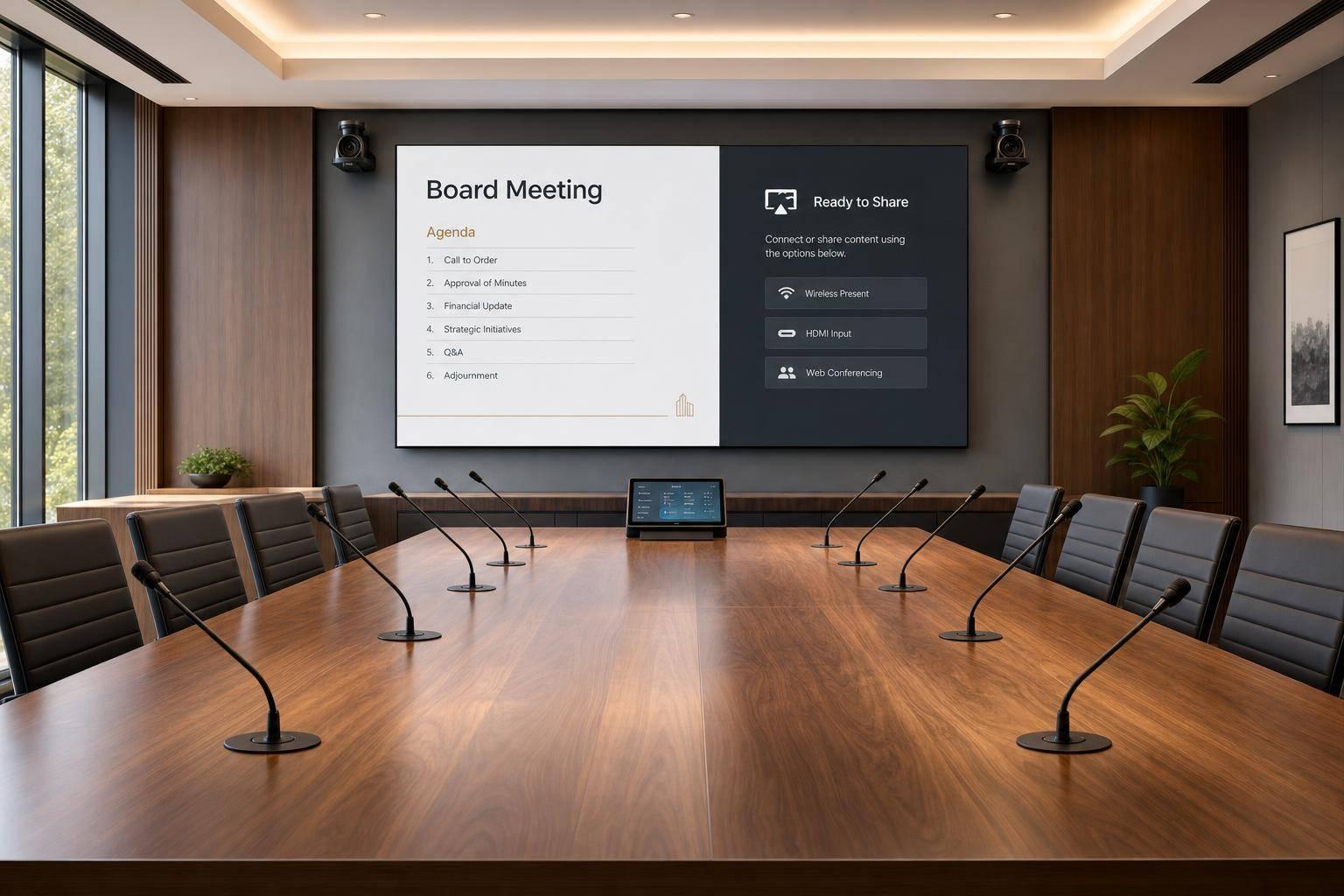
For displays, use an 86-inch minimum 4K display for a 20-foot boardroom table, or dual 85-inch-plus displays for presentation and remote feeds.
Once the room layout is set, test each path under live conditions before the meeting starts.
Test Conferencing, Content Playback, and Backup Connectivity Before the Meeting
Run a full technical rehearsal several days before the meeting, then open a 30-minute virtual green room for remote participants.
Work through each signal path in order. Confirm the dedicated network segment, or VLAN, is active and that Quality of Service policies are giving real-time audio and video traffic priority over general office data. Test each microphone’s gain and echo cancellation. Verify that mix-minus feeds are routed the right way so remote participants don’t hear their own voice echoed back. Run through every PTZ camera preset.
Then test laptop handoffs for both the main presenter machine and the backup. Play embedded video files to confirm smooth playback. Simulate a network failure and confirm automatic failover.
| Component | Pre-Meeting Check | Backup Measure |
|---|---|---|
| Microphones | Gain, RF coordination, LED mute status | Spare wireless handheld or lavalier on standby |
| Cameras | PTZ presets for chair and full table | Fixed backup camera angle pre-framed |
| Displays | 86-inch minimum 4K display or dual 85-inch-plus 4K displays | Spare display input |
| Networking | VLAN active, QoS marking confirmed | Bonded cellular failover (LiveU/Teradek) |
| Content | Laptop handoff, embedded video, slide resolution | Local copies on a redundant laptop |
These checks turn reliability from a promise into something the team has already proven in the room. With every path verified, map each cue and backup action into the run of show.
Build the Run of Show and Contingency Plan
After you test the room, lock the meeting into a run of show that spells out every cue and fallback. Build the ROS ahead of time so the team executes instead of guessing.
Map Every Cue, Transition, and Support Hand-Off
Build the ROS as a minute-by-minute execution script built around decisions, executive session boundaries, and secure handoffs. Include a 30-minute pre-call check for final audio, video, and content verification. The ROS should sequence that check, not just list it on the agenda.
From there, the document should cover each agenda segment: roll call, presenter changes, executive session transitions, breaks, votes, and close. For each segment, note the start time, speaker, slide owner, and camera preset changes. Executive session transitions need their own approval checkpoint. The AV lead should confirm with the meeting chair or executive assistant before pausing remote feeds or ending recording. Assign one moderator to handle roll calls and handoffs across in-room and remote participants.
That script then becomes the playbook for handling issues live.
Prepare Decision Trees for Audio, Content, and Network Failures
Preassign a response for every failure mode. Each one needs a named owner and a first action. Assign one technician to audio, one to video, and one to network status, so the moment something drops, one person owns the fix. The goal isn't just recovery. It's keeping executive confidence steady.
When a path fails, the team should already know who moves first and which backup turns on. Use this fallback map:
| Failure Type | First Response | Fallback Action |
|---|---|---|
| Microphone loss | Switch to backup wireless or spare handheld | Hand the speaker the backup mic discreetly |
| Frozen presentation | Switch to mirrored backup laptop | Activate the mirrored playback system |
| Remote director dropout | Switch to secondary encoder | Move the participant to phone dial-in |
| Network outage | Automatic failover to a secondary ISP | Activate bonded cellular backup such as LiveU or Teradek |
| Power failure | UPS powers routers, switchers, and encoders | Notify the meeting chair; pause only if UPS runtime runs out |
Use IFB for discreet live guidance during an issue. If a brief pause can't be avoided, the meeting chair or executive assistant should address the board, and that handoff should already be written into the ROS.
Use the same structure to adjust support for live, hybrid, and multi-location sessions.
Manage Live, Hybrid, and Multi-Location Board Meetings
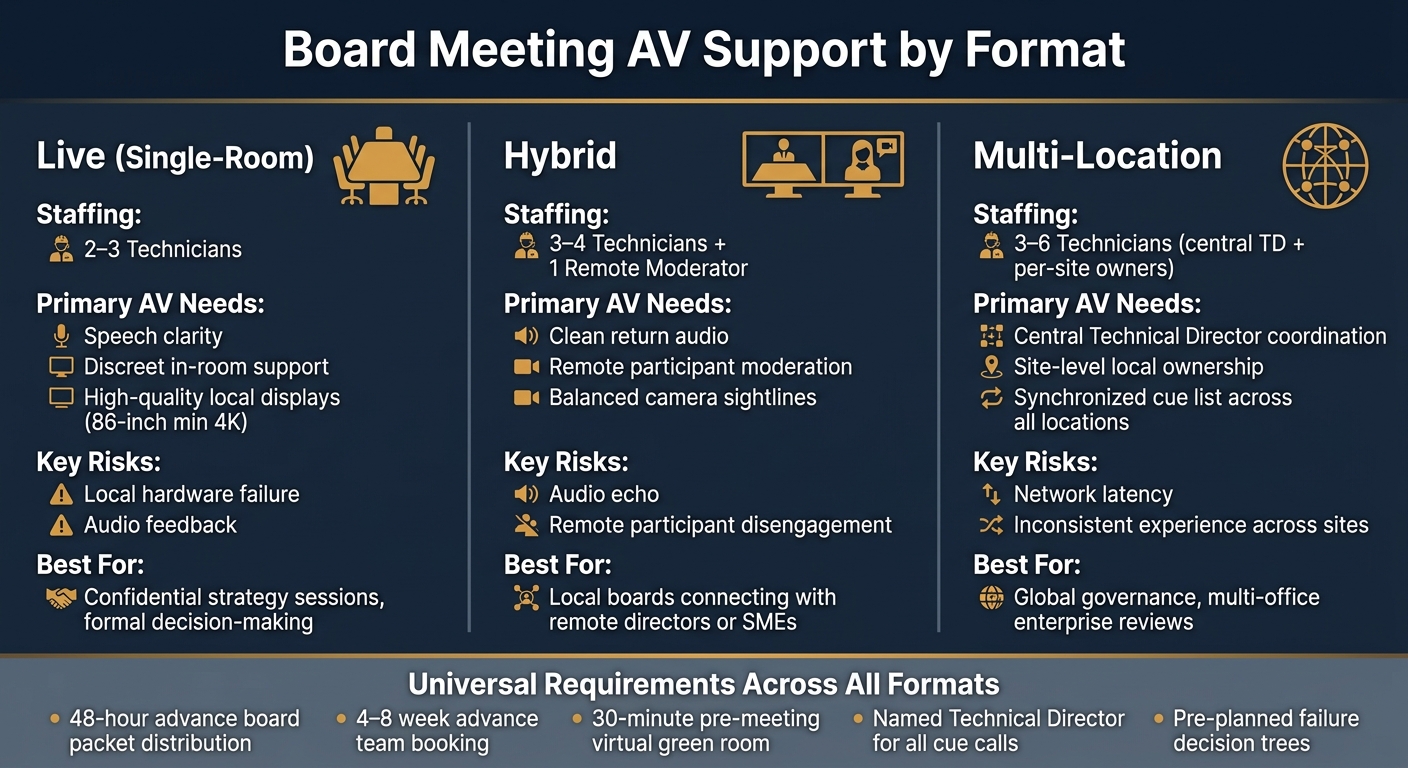
Board Meeting AV Support: Format, Staffing & Risk Guide
Once the run of show is locked, the next step is simple: match support to the meeting format. A single-room meeting, a hybrid session, and a multi-location board meeting do not need the same crew or the same control model. If you treat them the same, problems show up fast.
Adjust Room Support for Each Meeting Format
A single-room board meeting keeps attention in one place. In most cases, 2–3 technicians are enough to handle in-room speech clarity, local displays, and quiet support during the session. The main trouble spots are straightforward: local hardware failure and audio feedback.
Hybrid meetings change the job. Here, the big challenge is keeping in-room and remote participants on equal footing. Put one moderator in charge of remote audio, questions, and handoffs, then back that person up with clean return audio and camera framing that supports balanced participation. The room should stay quiet, and the tech should stay out of the way. Directors need to focus on the discussion, not on fixing a mic or asking who's supposed to speak next.
Multi-location meetings work more like a broadcast. A central TD coordinates all sites, and each location handles local support using the same cue list. That shared control matters. Without it, one office can drift out of sync with the rest. The biggest risks here are network latency and an uneven experience from site to site.
Use the table below to line up staffing, control, and risk with the meeting type.
| Format | Primary AV Needs | Key Risks | Primary Fit |
|---|---|---|---|
| Live (Single-Room) | Speech clarity, discreet support, high-quality local displays | Local hardware failure, audio feedback | Confidential strategy sessions, formal decision-making |
| Hybrid | Clean return audio, remote moderation, balanced sightlines | Audio echo, remote participant disengagement | Connecting local boards with remote directors or SMEs |
| Multi-Location | Central TD, site-level ownership, synchronized cue list | Network latency, inconsistent experience across sites | Global governance, multi-office enterprise reviews |
Once the format lines up with the support model, execution comes down to disciplined control.
Conclusion: Lead for Reliability, Security, and Executive Confidence
When roles are clear, signal paths are tested, and every failure mode has a named owner, the meeting stays on schedule, confidential discussions stay protected, and executives communicate without interruption. That is the standard AV leadership exists to deliver.
FAQs
How far in advance should I start planning board meeting AV?
Start planning months ahead. For major conferences, book your AV production partner 4 to 6 months in advance. For smaller, single-day meetings, 4 to 8 weeks is usually enough.
That extra lead time matters. It gives your team room for site surveys, equipment coordination, system setup, and a clear run-of-show. And that can help you avoid last-minute technical issues when the event day arrives.
What AV roles are most important for a hybrid board meeting?
The most important roles are the Technical Director and the support technicians. The Technical Director runs the show. They manage timing, cue content, and handle transitions so the meeting feels smooth from start to finish.
For support, split the work between two people:
- An on-site AV technician who handles the room setup and equipment
- A virtual support technician who helps remote attendees, connection issues, and digital participation
Keeping these roles separate cuts down on technical friction.
What backups should be ready before a board meeting starts?
Prepare backups for every critical failure point: internet, power, playback, and control.
That means having a backup plan for the parts most likely to break at the worst time.
- A secondary internet connection with automatic failover
- UPS power for routers, switchers, and encoders
- A pre-connected, tested backup playback computer
- Backup dial-in numbers, spare batteries, and a hard-wired control option
Related Blog Posts



Streamline your workflow, achieve more

Lorem ipsum dolor sit amet, consectetur adipiscing elit. Maecenas ac velit pellentesque, feugiat justo sed, aliquet felis.



Lorem ipsum dolor sit amet, consectetur adipiscing elit. Maecenas ac velit pellentesque, feugiat justo sed, aliquet felis.