Top Companies For Professional-Grade Company Virtual Broadcasts And Webinars.

Chief Executive Officer
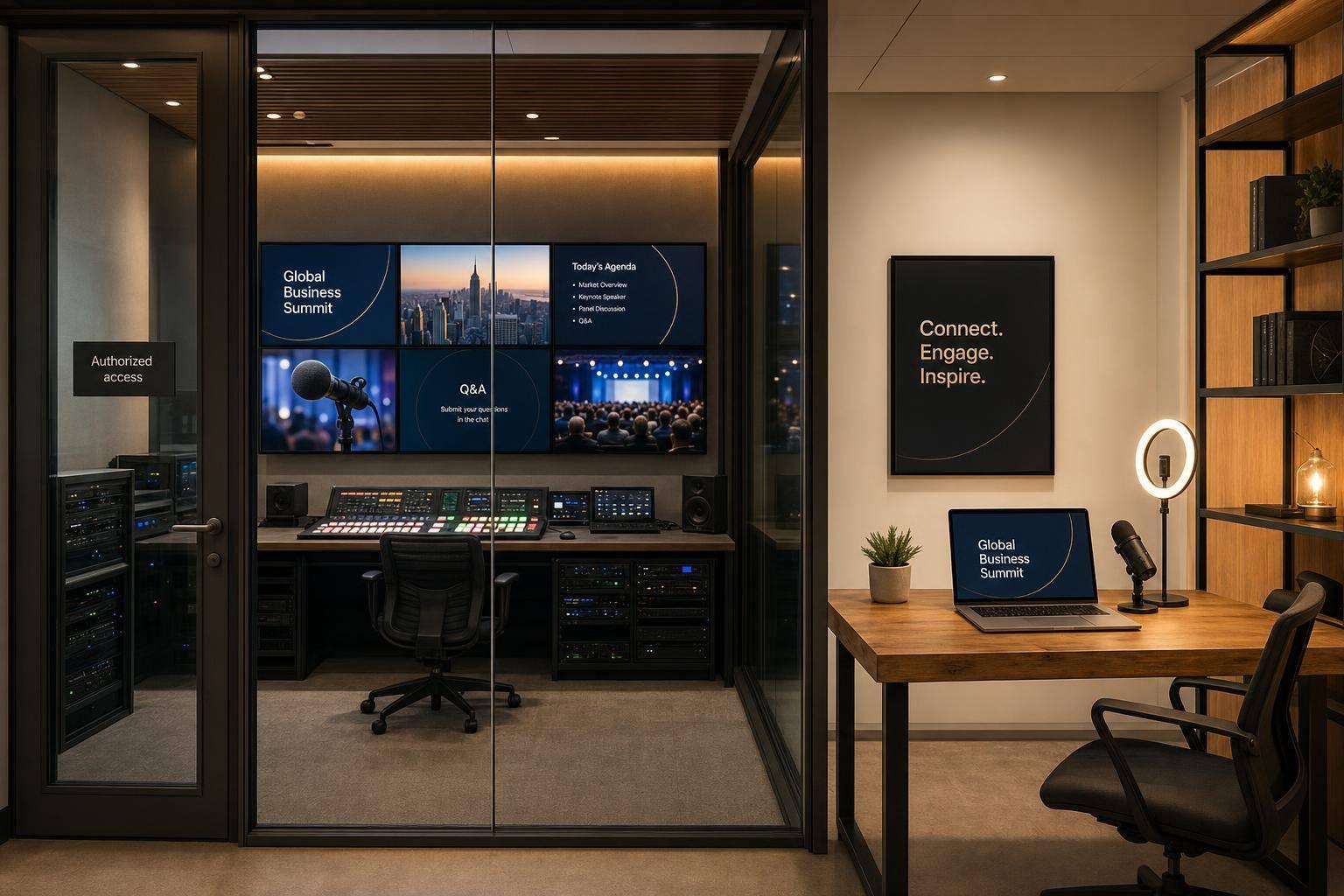
If your event is high-stakes, the right choice comes down to one thing: do you need a software platform, a production partner, or both?
I’d break it down like this:
- Corporate Optics: best when I need a team to run the whole show
- Zoom Events / Zoom Webinars: best when I want a fast software-first setup
- ON24: best when I care most about lead data, CRM links, and marketing use
- Vimeo Enterprise: best when I want polished video and tight brand control
- Microsoft Teams Town Hall: best for internal broadcasts inside Microsoft 365
- Webex Events: best for large company events with strict security needs
This article compares each option on the things that matter most in company broadcasts:
- Video and audio quality
- Audience size
- Branding
- Security
- Engagement tools
- Analytics
- Hybrid event support
A few numbers stand out right away. Zoom says Webinars can scale up to 1,000,000 view-only attendees depending on license setup. Microsoft Teams Town Hall can go up to 100,000 attendees with add-ons. Vimeo includes a 99.9% uptime SLA. ON24 supports 34+ languages for live captioning. Webex supports translation and captions in 100+ languages.
If I were choosing fast, I’d use this rule:
- Pick a production partner when failure is not an option
- Pick a platform when my team can run the event in-house
- Pick based on scale, brand control, security, and hybrid needs
7 Best Webinar Software Platforms (UPDATED for 2026)
Quick Comparison
| Provider | Best Use | Scale | Strong Point | Main Limitation |
|---|---|---|---|---|
| Corporate Optics | Executive events, investor days, shareholder meetings | Custom event scale | Full-service production and speaker support | Custom quote and more planning time |
| Zoom Events / Webinars | Training, webinars, internal broadcasts | Up to 100,000 attendees in the article comparison | Fast setup and familiar workflow | Brand depth can feel limited |
| ON24 | Demand gen, launches, customer webinars | Tens of thousands | Deep analytics and CRM links | More setup work |
| Vimeo Enterprise | Branded broadcasts, investor communications | Enterprise live streaming | High-end video delivery and player branding | Less suited for heavy interaction |
| Microsoft Teams Town Hall | Internal company-wide events | Up to 100,000 with capacity pack | Native fit for Microsoft 365 | Limited visual customization |
| Webex Events | Large training, secure enterprise events | Up to 100,000 | Security and admin controls | Setup can take more work |
Bottom line: I’d use Corporate Optics for high-pressure executive broadcasts, ON24 for marketing-led webinars, Vimeo Enterprise for polished streaming, Teams Town Hall for internal Microsoft shops, and Zoom or Webex when I need software-led events at scale.
1. Corporate Optics
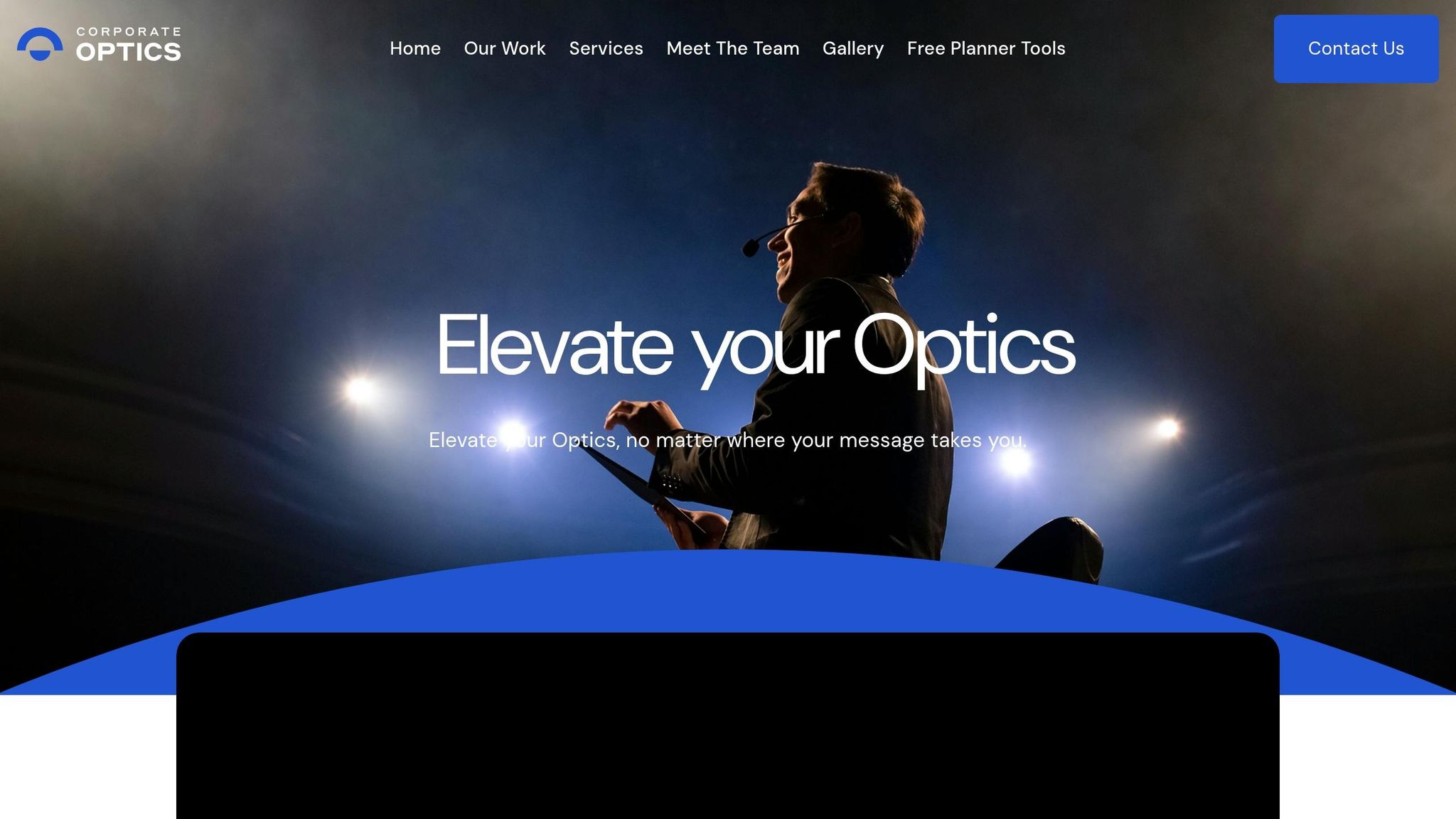
Corporate Optics is a full-service AV and event production partner that handles planning, live production, and post-event reporting. So if your team wants one group to own both the on-stage look and the behind-the-scenes tech, this setup makes a lot of sense.
Broadcast Quality & Scale
Corporate Optics is built for high-stakes corporate broadcasts. The team uses professional switching systems, broadcast systems, and redundant signal feeds to help keep live streams clean and uninterrupted. On-site technical crews handle setup and operation, which takes pressure off internal teams.
Speaker support is part of the package too. That includes scripts, teleprompter run-throughs, and rehearsals, so executives can present with fewer hiccups. For investor updates and executive town halls, that kind of prep can make all the difference.
Branding & Engagement
Corporate Optics designs event environments that strengthen brand identity. That can include custom signage, plus stage and scenic design shaped around the campaign theme. In plain terms, the event doesn’t just function well - it looks like it belongs to your company.
The service also supports audience participation with live polls, interactive Q&A, and gamification. That helps both remote and in-room attendees stay involved from start to finish instead of drifting halfway through the program.
Security & Governance
For board meetings and executive-level sessions, Corporate Optics provides secure AV setups, private work areas, and privacy protocols for sensitive communications. That matters when the room includes leadership, financial updates, or internal topics that can't leak.
Security and compliance coordination also extends to VIP protection, which adds another layer of support for high-profile events.
Hybrid Production & Support
Corporate Optics manages venue sourcing, vendor and logistics coordination, contingency planning, and post-event reporting. The workflow is set up to help with pre-production planning and cost control, which is often where event budgets start to go sideways.
After the event, post-event archiving and reporting give teams the data they need to measure ROI and audience engagement. That keeps planning, delivery, and reporting inside one workflow instead of splitting it across multiple vendors.
2. Zoom Events and Zoom Webinars
For teams that want software-led production instead of hiring a full-service crew, Zoom gives you a solid path. Zoom Webinars is built for single-presenter broadcasts like executive town halls, product launches, training sessions, and investor updates. If your event gets more complex, Zoom Webinars Plus and Zoom Events add the production and conference-style tools corporate teams usually need.
Broadcast Quality & Scale
Zoom supports up to 100,000 attendees with HD video and audio for investor updates and company-wide broadcasts. That kind of scale matters when one message needs to reach the whole company at once.
Simulive, available in Zoom Webinars Plus and Zoom Events, lets teams air pre-recorded content as if it were live while still keeping real-time Q&A. That’s a handy middle ground. You get more control over the presentation, but the event can still feel live for attendees.
The Production Studio adds custom layouts and scene switching, so teams can polish the broadcast without bringing in an outside crew.
Branding & Engagement
Zoom Webinars supports branded registration pages. Zoom Events goes further with event lobbies, networking spaces, completion certificates, and AI captions in 20+ languages.
That extra layer can make a plain broadcast feel more like an actual event, especially when attendees need places to connect or move between sessions.
Security & Governance
Zoom’s Backstage gives speakers and moderators a private space to coordinate before and during the broadcast. For executive town halls and leadership communications, that private channel can make a big difference. It helps teams sort out handoffs, timing, and last-minute changes without putting any of that in front of the audience.
Hybrid Production & Support
Zoom Events includes mobile chat and on-screen video tools for both remote and in-room engagement. In plain terms, it’s a better fit when your audience is split between people watching from home and people sitting in a room together.
Use Zoom Webinars for one-off broadcasts. Use Zoom Events for multi-day or multi-track events.
The table below separates the three Zoom offerings by event complexity.
| Feature | Zoom Webinars | Zoom Webinars Plus | Zoom Events |
|---|---|---|---|
| Max Capacity | Up to 100,000 | Up to 100,000 | Up to 100,000 |
| Simulive | No | Yes | Yes |
| Private Backstage | No | Yes | Yes |
| Production Studio | No | Yes | Yes |
| Multi-session Stages | No | No | Yes |
| Networking Hubs | No | No | Yes |
3. ON24
ON24 is built for enterprise webinar programs. That makes it a strong choice for demand generation, lead qualification, and content-led corporate communications. In G2’s Spring 2026 Enterprise Grid, it ranked #1 in Webinar Software. It also has a 4.3/5 rating from 1,214 reviews.
Broadcast Quality & Scale
ON24 is designed for global events with tens of thousands of attendees. It supports live, simulive, and on-demand sessions from the same platform. That matters if your team runs different event formats and doesn’t want to juggle a stack of tools.
The platform includes a browser-based production studio and a green room so presenters and moderators can rehearse, line things up, and sort out last-minute issues before going live. ON24 also supports automated live captioning in 34+ languages.
Branding & Engagement
ON24 includes 20+ interactive tools such as:
- Live Q&A
- Polls
- Group chat
- Emoji reactions
- 1:1 video networking
It also gives teams a lot of control over the look and feel of each event, with customization for backgrounds, hero images, layouts, fonts, and colors. If brand consistency matters across campaigns, that kind of control can go a long way.
"Our ON24 and Salesforce Pardot integration works really, really well together and we definitely rely on that... to save time, trigger sales action, and have a single source of truth." - Sophie Neate, Global Digital Marketing and Content Manager, ABB
ServiceNow said it saw a 50% increase in webinar attendance after moving to ON24. The company also said ON24’s engagement analytics gave its SDR team better data for more strategic conversations with prospects.
Security & Governance
ON24 uses data encryption, secure access controls, and enterprise-grade infrastructure. It also complies with global privacy regulations.
Hybrid Production & Support
For hybrid events, ON24’s Go Live solution supports multi-session live streams, keynotes, networking lounges, and breakout sessions. So it’s not just for basic webinars. It can also handle more complex event setups where different sessions and audience paths need to run at the same time.
ON24 integrates with Salesforce, Marketo, HubSpot, LinkedIn, and Salesforce Pardot to move engagement data into CRM and marketing workflows. ABB said that setup helped create a single source of truth for digital engagement and contributed to a $2.3 million pipeline increase.
Pricing is custom-quoted for enterprise needs, and ON24 offers a free trial.
4. Vimeo Enterprise
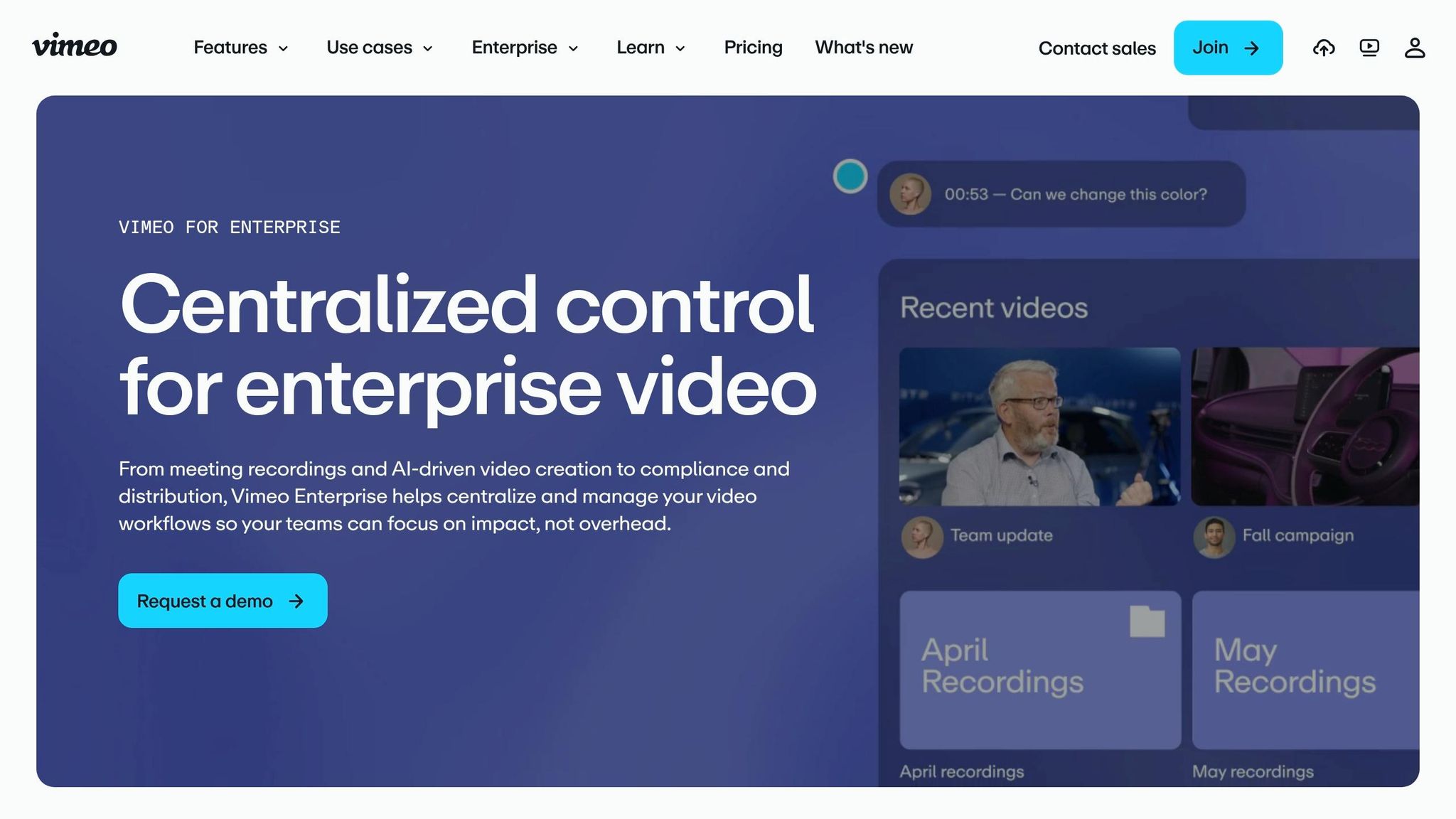
Vimeo Enterprise is a video hosting and live streaming platform built for corporate broadcasts, town halls, and on-demand content. It has a 4.5/5 rating on both G2 and Capterra, and it serves more than 3,000 companies in 190+ countries. Its sweet spot is premium video delivery, branded playback, and dependable live streaming.
Broadcast Quality & Scale
When video quality and uptime aren't up for debate, Vimeo Enterprise brings a lot to the table. It supports 4K streaming, with up to 8K HDR and Dolby Vision for high-production events. Adaptive bitrate streaming helps keep playback smooth across different connection speeds. And for big internal events like town halls or training rollouts, the built-in Enterprise Content Delivery Network (eCDN) cuts bandwidth strain on office networks.
It also includes a 99.9% uptime SLA, plus backup streams and live stream monitoring.
Canada Games used Vimeo Enterprise for 20+ concurrent live streams, 1.1 million views, and 30.7 million minutes watched.
Branding & Engagement
If you're running investor updates, product launches, or executive communications, brand control matters. Vimeo Enterprise lets teams brand the player, landing pages, registration flows, logos, colors, and lower-thirds without code. That means the viewing experience can stay on-brand from start to finish.
On the engagement side, it supports moderated Q&A, polling, and chat. It also includes Simulive, which lets teams schedule prerecorded content and present it like a live event. Vimeo's AI also handles live translation into 29+ languages.
Security & Governance
Vimeo Enterprise checks the boxes most large companies look for. It supports SSO via SAML, SCIM user provisioning through Okta and Azure, and folder-specific permissions. It is also compliant with SOC 2 Type II and ISO 27001, with HIPAA-capable setups available for regulated industries.
Hybrid Production & Support
For live production, teams can run live, simulive, or hybrid events through browser-based tools or Livestream Studio. For more advanced setups, that includes multi-camera switching and remote camera management.
Support is built for enterprise teams too. Vimeo offers 24/7 priority phone and email support, a dedicated account manager, and white-glove onboarding. Pricing is custom-quoted. So if your team wants polished streaming and tight brand control, but doesn't want the weight of a more complex event platform, Vimeo Enterprise fits that lane well.
sbb-itb-ae35a94
5. Microsoft Teams Town Hall
Microsoft Teams Town Hall is Microsoft’s large-scale broadcast tool for internal events, and it now replaces Teams Live Events. If your company already runs on Microsoft 365, the fit is pretty natural.
Broadcast Quality & Scale
This is where Teams Town Hall makes its case.
Enterprise plans support up to 10,000 attendees. Premium pushes that to 20,000, and an Attendee Capacity Pack can expand a single event to 100,000 participants. Events can run for as long as 30 hours.
On Premium, you also get 1080p Full HD and Ultra-Low Latency (ULL) streaming, which keeps delay under five seconds. For big office audiences, Microsoft eCDN helps cut bandwidth strain.
Branding & Engagement
Branding on the live stage is a bit limited out of the box. Organizers can add a banner image, logo, and accent color to invitation emails and pre-join screens. If you want custom overlays or lower thirds, you’ll need RTMP-In from an external encoder like OBS or Blackmagic.
Audience interaction tools include:
- Moderated Q&A
- Polls
- Reactions
- Raise-hand
There is one catch: polls and reactions stop at 20,000 attendees, while Q&A still works beyond that point.
Security & Governance
Teams Town Hall ties into Azure AD/SSO and uses role-based access control for organizers, co-organizers, and presenters. With Premium licensing, you can add sensitivity labels and watermarking. Resource-Specific Consent (RSC) also lets apps ask for permissions tied to a single event instead of needing global admin rights.
Microsoft does note one thing worth watching: some security telemetry may still be processed outside the EU, even under its EU Data Boundary Initiative.
Hybrid Production & Support
For hybrid production, Teams Rooms on Windows can join in presenter mode and use green room access. Teams Rooms on Android supports attendee-mode group viewing. The built-in green room gives presenters a place to line things up off-stage before going live.
If the event carries a lot of pressure, Microsoft’s Live Events Assistance Program (LEAP) offers setup guidance and live troubleshooting. It’s also required for any event with more than 20,000 participants.
Pricing starts at $8.55/user/month for Enterprise and $10.00/user/month for Premium, billed annually.
For teams that want more event control and a stronger external presentation, the next platform opens up more room to work.
6. Webex Events
Webex Events is a strong fit for large corporate programs that need secure, multi-session broadcasts for executive updates, training, partner events, and hybrid conferences. If your team runs executive communications, partner programs, or big training sessions, it gives you a broadcast-ready setup with the controls large companies usually want.
Broadcast Quality & Scale
Webex Events supports up to 100,000 attendees. That puts it in the range for company-wide broadcasts, large partner events, and major internal sessions.
Once an event goes past 3,000 participants, the platform offers a dedicated Webcast mode with a more broadcast-style experience and tighter controls for hosts and panelists. That matters when you want the event to feel polished instead of turning into a giant group meeting. There’s also a built-in Production Studio for branded live streams right inside the platform.
Branding & Engagement
Webex Events includes a drag-and-drop builder for event pages, layouts, and content, so teams can shape the event experience without a lot of manual setup.
It also comes with a broad set of audience tools, including:
- Moderated Q&A
- Polling
- Chat
- A virtual wall
- Networking and messaging
- Gamification
Those features help keep people involved during long sessions, which is half the battle in virtual and hybrid events. The platform also includes a fully customizable mobile event app. For global audiences, real-time translation and closed captions support more than 100 languages.
Security & Governance
Security is one of the main reasons companies look at Webex Events in the first place. The platform maintains SOC 2 Type II, SOC 3, ISO/IEC 27001, and PCI-DSS certifications.
Webex Control Hub gives admins one place to manage security, compliance, and admin settings. For larger enterprise needs, the optional Pro Pack adds more advanced compliance controls. Azure AD integration also supports secure identity-based access and meeting policies.
Hybrid Production & Support
For hybrid events, Webex Events includes onsite tools like event check-in, badge printing, and lead retrieval for sponsors, all managed from the same platform as the virtual stream. That kind of shared setup can make life easier for teams that don’t want to juggle separate systems for in-person and online event operations.
On the infrastructure side, Webex Video Mesh and Webex Edge Audio help optimize routing and cut telephony costs for IP-phone users. Support comes in Basic, Enhanced, and Premium tiers. There’s also an automatic practice session feature that helps speakers and production teams get aligned before going live.
Put simply, Webex Events is easiest to judge by the corporate needs most teams care about: scale, branding, security, engagement, and hybrid execution.
Side-By-Side Comparison: Key Factors For Corporate Use
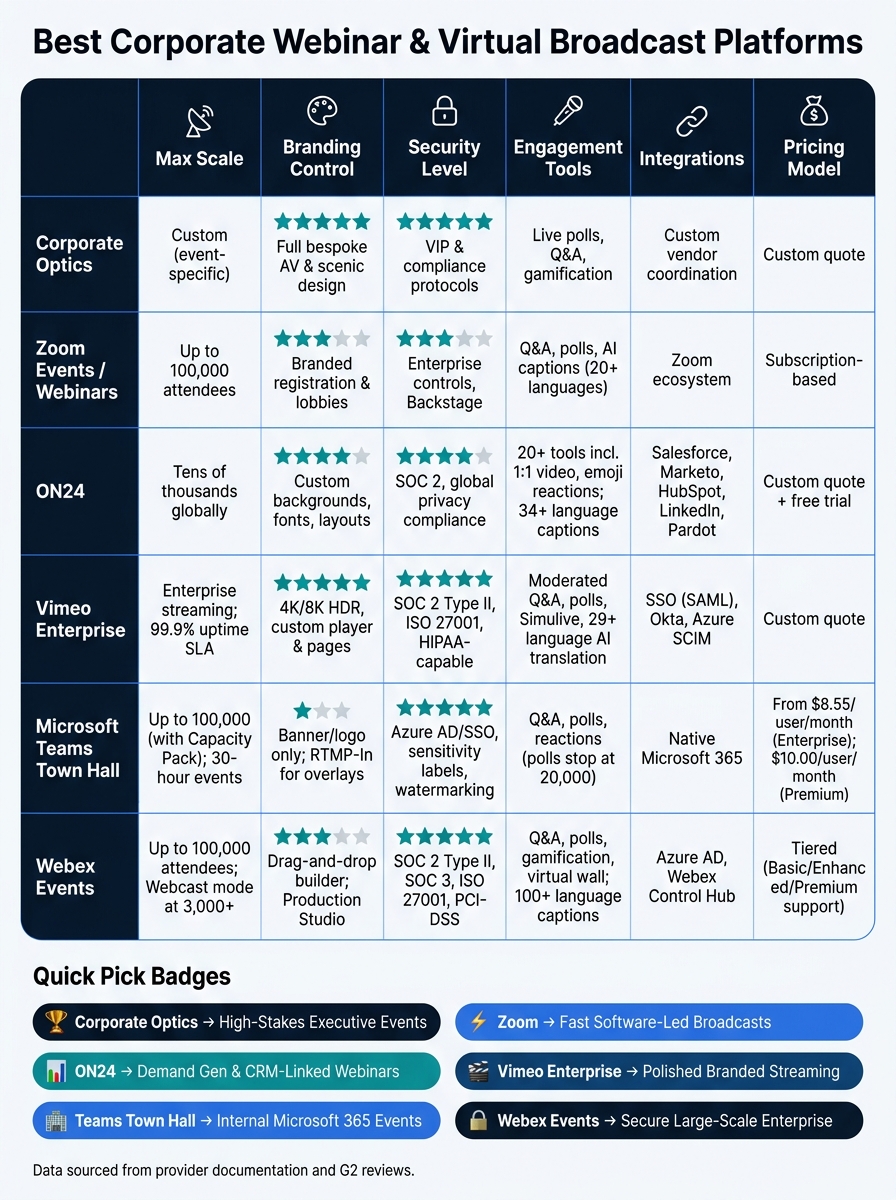
Best Corporate Webinar Platforms Compared: Features, Scale & Use Cases
There’s no one-size-fits-all pick here. Some platforms are built for huge reach. Others lean into brand control, tighter security, or hands-on production help. So the right choice comes down to what matters most for your event.
The tables below make that choice a lot easier.
| Provider | Broadcast Quality & Scale | Branding & Engagement | Security & Governance | Hybrid Production & Support | Best For | Notable Trade-Offs |
|---|---|---|---|---|---|---|
| Corporate Optics | Broadcast production; live streaming; scenic and lighting design | Bespoke design; full scenic and AV production | Security coordination; compliance-aware planning | End-to-end planning, speaker coaching, on-site staffing, and post-event analytics | High-stakes executive events; shareholder meetings | Custom pricing; requires lead time |
| Zoom Events | Up to 100,000 attendees; stable video delivery | Branded registration; Q&A and polling | Enterprise security controls | Minimal coordination; fastest to launch | Interactive training; workshops | Limited branding depth; costs can rise at high attendance |
| ON24 | Scalable global infrastructure; tens of thousands of attendees | More than 20 engagement and conversion tools | SOC 2 and global privacy compliance | Live tech support and onboarding assistance | Demand generation; product launches; pipeline attribution | More setup complexity |
| Vimeo Enterprise | Custom live-stream ingest; ad-free, high-quality playback | Clean, customizable landing pages; strong embed controls | Password protection; secure registration | Multi-camera production support; intranet embedding | Branded broadcasts; investor communications; intranet video | Less suited for highly interactive event formats |
| Microsoft Teams Town Hall | Large-scale internal broadcasts; Microsoft 365-integrated | Minimal; moderated Q&A and chat | Strong identity controls; tenant-level governance | Integrated M365 workflows | Internal executive updates; ongoing internal communications | Limited branding; not designed for external audiences |
| Webex Events | Up to 100,000 attendees | Limited branding; stability-first design | SOC 2 Type II, ISO 27001, and PCI-DSS certifications | Centralized admin controls and moderation | Regulated industries; large training programs | Customization can be complex |
A simple way to use this table: start with scale, then look at brand control, then security, and finally how much live-production support you need. That order helps cut through the noise.
Once those core factors are in focus, event type becomes the next filter.
| Corporate Scenario | Strongest Fit |
|---|---|
| Executive Town Hall | Corporate Optics, Microsoft Teams Town Hall |
| Global Product Launch | ON24 |
| Training & Compliance Program | Zoom Events, Webex Events |
| Investor Day & Shareholder Meeting | Corporate Optics, Vimeo Enterprise |
| Sales Kick-off | Corporate Optics, ON24 |
| Ongoing Internal Communications | Microsoft Teams Town Hall |
If you’re planning an executive town hall, for example, the choice often comes down to polish versus platform fit. Corporate Optics works well when the event needs stagecraft, coaching, and on-site help. Microsoft Teams Town Hall makes more sense when the audience is internal and already lives inside Microsoft 365.
The same pattern shows up across the other use cases. ON24 is a strong match for product launches and sales kick-offs when engagement data matters. Zoom Events and Webex Events fit training and compliance programs well, especially when reliability and admin controls matter more than deep visual customization. For investor-facing events, Corporate Optics and Vimeo Enterprise stand out because they pair polished delivery with tighter control over the viewing experience.
Pros And Cons By Provider
Use this table to split platform strengths from the level of production help the event will need.
| Provider | Key Pro | Key Con | Typical Corporate Fit | Production Need |
|---|---|---|---|---|
| Corporate Optics | Executive-grade broadcast quality across complex hybrid logistics | Custom pricing; requires planning lead time | Executive town halls, investor updates, shareholder meetings | Always - this is the core function |
| Zoom Events and Zoom Webinars | Fast to launch with reliable video delivery | Limited branding depth; "just another call" feel without external help | Workshops, training programs, small virtual conferences | When moving to a multi-camera, branded executive broadcast |
| ON24 | Deep CRM/MAP integration with automated live captioning in 34+ languages | Complex setup; not built for expo-style events | B2B demand generation, product launches, customer education | For high-production keynotes or multi-session events |
| Vimeo Enterprise | High-quality, ad-free streaming with strong custom branding | Lower interactivity than meeting-first platforms | Investor updates, branded corporate announcements, private events | When multi-camera switching and professional audio mixing are required |
| Microsoft Teams Town Hall | Seamless Microsoft 365 integration with strong identity controls | Limited branding and basic engagement tools | Internal all-hands meetings, company-wide employee updates | For high-stakes internal broadcasts where production roles need active management |
| Webex Events | Enterprise-grade security with stable performance at scale | Complex setup; branding customization can be limited | Regulated industries, secure corporate meetings, large training programs | When technical coordination and professional encoding are critical |
The main issue isn’t which platform has the longest feature list. It’s how much live production control your event calls for.
Conclusion
After looking at scale, branding, security, and support, the choice comes down to one thing: who should own the live experience. The best fit depends on four factors: event type, audience size, production control, and compliance.
For internal all-hands meetings and routine training, the right platform depends on the setting. Microsoft Teams Town Hall fits internal all-hands in Microsoft 365 environments. Zoom Webinars works well for simpler broadcasts. Zoom Events is a better fit for interactive, multi-session programs. In regulated industries, where certifications such as SOC 2 Type II and ISO 27001 are non-negotiable, Webex Events stands out as the strongest fit. ON24 is the top choice when demand generation at scale is the main goal. Its individual-level engagement tracking and CRM integrations make it especially useful for B2B marketing programs.
The picture shifts for high-stakes events. Shareholder meetings, executive town halls, and product launches put production control on the same level as platform choice.
That leads to one last distinction: a platform delivers the stream; a production partner controls its quality. Corporate Optics helps close that gap with live audio engineering, multi-camera switching, speaker coaching, and contingency planning. When failure is not an option, production ownership matters just as much as the platform you choose.
FAQs
How do I choose between a platform and a production partner?
Choose based on whether you need software infrastructure or professional broadcast know-how.
A platform gives you self-serve tools like attendee management and streaming controls. A production partner runs the show for you. That usually includes multi-camera switching, audio engineering, speaker prep, live direction, backup systems, and real-time troubleshooting.
Here’s the simple way to think about it: a platform gives your team the tools, while a full-service partner gives you the crew.
Go with a platform if your team can handle setup, coordination, and live event management. Go with a full-service partner if the event is high-stakes and there’s little room for error.
What matters most for a high-stakes corporate broadcast?
Reliability at scale, tight production control, and built-in speaker support matter most. Pick a partner or platform with high uptime, backup signal feeds, and strong tech support so small failures don't turn into brand damage.
A unified workflow matters too. Dedicated green rooms, pro show-calling, and built-in audience tools like moderated Q&A and polling help the event feel polished and interactive.
Which option is best for hybrid company events?
The right pick comes down to your goals and how much ground you need to cover.
For enterprise teams running hybrid, virtual, and in-person programs, Bizzabo stands out because it brings event data and logistics into one place. That matters when you're juggling multiple formats and don't want your setup split across a bunch of tools.
If you want a polished, branded experience with pro-level controls, Vimeo is often a go-to choice.
And for high-end productions like investor webcasts or executive town halls, a full-service production partner like Corporate Optics can handle show control, speaker support, and broadcast-grade reliability.
Related Blog Posts
- Best Companies To Run Quarterly Business Review Town Halls With Live Audience + Webcast
- Consider These Leading Global Broadcast Companies For Secure, Production-Level Webinars
- Leading Production Companies Who Support Global Virtual Broadcasts And Livestreaming With Zoom Or Microsoft Team Platforms
- Best Event Production Companies For In-Person Small Town Hall And Webinar Broadcast



Streamline your workflow, achieve more

Lorem ipsum dolor sit amet, consectetur adipiscing elit. Maecenas ac velit pellentesque, feugiat justo sed, aliquet felis.



Lorem ipsum dolor sit amet, consectetur adipiscing elit. Maecenas ac velit pellentesque, feugiat justo sed, aliquet felis.