Have A Multi-Day Conference To Plan? Let Corporate Optics Be Your AV Conference Technical Production Partner (And Why We’re Your Best Choice!)

Chief Executive Officer
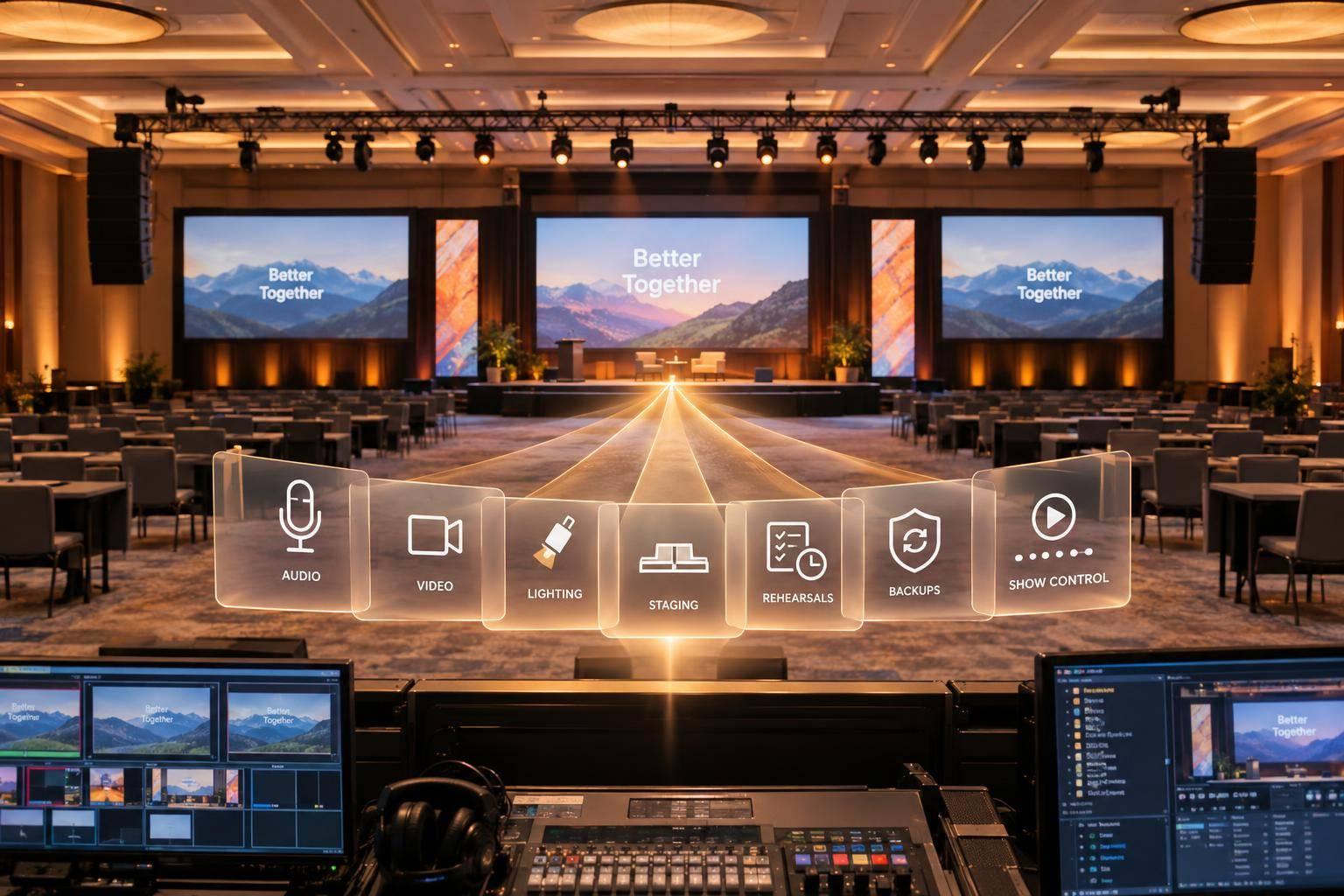
Your multi-day conference needs one technical plan - not separate plans for every room. At Corporate Optics, we bring audio, video, lighting, staging, and presenter support into that plan, from venue checks through the final session.
Here’s what we plan with you:
- Before load-in: Review your agenda, room layouts, venue limits, budget, and crew roles.
- Before doors open: Test equipment, rehearse speaker transitions, and set a 24–48-hour content deadline.
- During each session: Coordinate cues, support presenters, and keep tested backups ready.
- Between days: Check recordings, reset rooms, and test the next day’s setup.
<u>Start with the written scope.</u> Share your dates, venue, room count, agenda, and budget range. We’ll use those details to build a proposal covering equipment, staffing, rehearsals, backups, and teardown - so you know who handles what before the conference begins.

Multi-Day Conference AV Production Workflow
Plan Conference Production Before Load-In
Review the Agenda, Rooms, and Venue
Turn the agenda into a audiovisual equipment plan for each room. Share room assignments, attendance estimates, speaker counts, and session formats, including breakouts and remote segments. Use those details to plan each room’s microphones, displays, playback, recording, and staffing. Corporate Optics’ Discover and Design phases bring program goals, venue limits, and budget into that plan.
During the venue walk-through, record room dimensions, ceiling heights, stage space, sightlines, power, rigging limits, internet needs, and loading access. Confirm dock reservations, freight-elevator dimensions, delivery windows, and venue staff responsibilities in writing. Documenting these limits gives the team time to adjust the design or delivery schedule before load-in - and plan crew, gear, and timing around them.
Define Equipment, Staffing, and Responsibilities
Request a room-by-room plan that includes equipment counts, backups, crew assignments, and reset steps. Pair it with a master schedule covering delivery, setup, testing, rehearsals, live sessions, overnight security, and teardown. Keep the approved equipment list, room diagrams, and schedule together, with a version date.
Name a contact for production leadership, show calling, stage management, audio, video, lighting, presenter support, and the venue. Make clear who receives files, approves content, handles room changes, and escalates issues.
Corporate Optics’ program management and venue coordination services support this division of work, so organizers spend less time relaying technical requests on-site. Clear responsibilities also help teams coordinate audio, video, lighting, and staging across every room.
Confirm Scope, Budget, and Change Approvals
Corporate Optics offers custom pricing based on event scope and requirements. Ask for a proposal in U.S. dollars that itemizes rooms, conference days, equipment, labor, overtime, rehearsals, delivery, venue charges, recording or streaming, backups, and fees.
To protect rehearsals and show flow, set a deadline for included changes and name the person authorized to approve additions. Before approving any late change, document its cost and effect on the schedule and rehearsals. This includes changes to venue access times.
Confirm scope and staffing before Corporate Optics moves into show flow, cueing, and room-by-room technical coordination.
sbb-itb-ae35a94
Coordinate AV, Lighting, and Staging Across Rooms
Turn the approved scope into a room-by-room plan that spells out equipment, crew duties, and risks.
| Production area | Planned solution | Show-day responsibility | Risk reduced |
|---|---|---|---|
| Audio | Wireless lavaliers or headsets, lectern and panel mics, house reinforcement, mixing, and recording feeds | Audio engineer checks frequencies, batteries, gain, feedback, and speaker changes | Feedback, inaudible presenters, uneven levels, failed microphones |
| Video | Playback, displays or LED wall, confidence monitors, cameras, switching, and backup paths | Video operator checks content, selects sources, monitors outputs, and supports recordings or streams | Wrong slides, blank screens, incompatible files, lost feeds |
| Lighting | Presenter front light, stage wash, scenic lighting, and cue states for presentations and videos | Lighting operator runs cues and adjusts levels for speakers, panels, and cameras | Dark faces, screen glare, inconsistent visual quality, missed transitions |
| Staging | Risers, lecterns, furniture, backdrops, entrances, sightlines, and managed cable paths | Stage manager checks layout, safety, furniture changes, and presenter movement | Blocked views, unsafe cables, awkward transitions, poor framing |
| Show control | Version-controlled run of show linking microphones, slides, videos, music, lighting, entrances, and resets | Show caller coordinates departments while room technicians follow assigned schedules | Conflicting cues, timing errors, missed changes, inconsistent execution across rooms |
Plan Audio and Presentation Playback
Match microphones to how presenters will use the room: wireless lavaliers or headsets for movement, lectern mics for fixed remarks, and panel mics for group discussions. Plan room reinforcement along with separate playback and recording feeds. Use one audio standard, then tune each room separately.
Keep one approved file set per session, with clear file names and output assignments for displays, confidence monitors, cameras, and recordings. This helps prevent uneven sound and wrong screen content. Once playback is locked, align lighting and staging with the same cue order.
Set Lighting and Staging for Presenters
Match presenter lighting to camera settings so faces remain visible without glare on screens. Arrange branded scenery, risers, lecterns, panel furniture, and backdrops to keep entrances and audience sightlines clear. Route cables away from presenter paths.
Time furniture changes with lighting cues so keynote-to-panel transitions stay clear, mic-ready, and camera-safe. Carry that cue order into the full show run for every room.
Coordinate Technical Cues With One Run of Show
Give every department the same version-controlled run of show. It should link microphone changes, slides, videos, walk-on music, lighting, speaker entrances, and room resets.
The show caller coordinates cues across rooms and teams while breakout crews follow their assigned schedules. Distribute each revision so no room works from an old version. With the cue map in place, crews can rehearse each room and support the live show day by day.
Rehearse and Support Each Conference Day
Once the run of show is locked, Corporate Optics keeps each conference day moving with rehearsals, live support, and fast resets. Installed gear is not show-ready. Plan for rehearsals, day-of checks, staffed coverage, and recovery. Test the final setup before presenters arrive, then walk through last-minute changes before doors open.
Test Content, Equipment, and Speaker Transitions
Set a 24–48-hour content deadline and a firm cutoff for late changes. On the show computer, check fonts, aspect ratios, notes, subtitles, embedded media, and anything needed for playback. Verify power, network connections, signal paths, microphones, displays, lighting, camera framing, and recording or streaming feeds. Check readability from the back and sides of the room - not just the control position.
Rehearse keynote entrances, panel handoffs, audience questions, and stage changes in program order. For remote speakers, test screen sharing, return audio, delay, and audio-video sync. Check room, stream, and recording audio separately. Clear sound in the ballroom doesn't mean the recording will be usable. Use these checks to decide what the team monitors during each session and when to switch to a backup.
Monitor Sessions and Handle Technical Problems
Assign staff to cover setup, sessions, breaks, troubleshooting, recording, and teardown. Use one escalation path: operator, technical lead, show caller, organizer. Corporate Optics handles technical recovery so the organizer can focus on the agenda.
Practice switching to tested spare microphones, duplicate files, and secondary playback sources. Document backup power, offline options, and an alternate communications channel so the team can recover without relying on the organizer. Keep the organizer informed without making them responsible for the fix.
Reset Rooms and Prepare for the Next Day
After each session, verify recordings and copy them to approved storage. Reset furniture and microphones, recharge batteries, inspect cables and adapters, and load the next day's content.
Log each issue's time, cause, fix, and owner, then apply the fix across rooms. Update staffing and cues, and repeat pre-opening tests the next morning so each room is ready for its next call time.
Conclusion: Confirm Corporate Optics’ Fit for Your Conference
One technical plan means fewer last-minute decisions during your event.
Review Verified Services and Conference Experience
With the plan in place, check that Corporate Optics has handled conferences with a similar scale and pace.
Corporate Optics describes a full-service approach that covers audio, video, lighting, scenic design, venue logistics, and speaker support. Its process links planning, rehearsals, contingency planning, and execution.
Ask for details from projects with a similar duration, room count, and speaker load. Confirm which services Corporate Optics provided and how it staffed each event. That experience should show the team can deliver your scope.
Share Your Agenda and Request a Production Proposal
Once you’ve checked its experience, put the scope in writing before production begins.
Send Corporate Optics your conference dates, venue, room count, agenda, budget range, and recording and streaming needs. Include leadership and speaker requirements so the discussion starts with the people and sessions that need support.
Request an itemized written proposal covering equipment, staffing coverage, rehearsal hours, contingency responsibilities, teardown, and approval milestones. For post-event recordings, spell out what you’ll receive and when. Judge fit by the written scope - not promises.
FAQs
How far ahead should I book Corporate Optics?
For most large-scale or multi-day conferences, book Corporate Optics 4 to 12 months in advance. If your event involves complex logistics, custom-built spaces, or detailed scenic work, allow 8 to 16 months.
Booking early gives the team time to survey the venue, validate technical requirements, coordinate equipment, and bring everything into one production plan. That preparation helps reduce risks and avoid last-minute problems.
Can Corporate Optics work with my venue’s existing AV equipment?
Yes, Corporate Optics can work with your venue’s existing AV equipment. The team works directly with the venue and any in-house AV provider to build a technical plan around your goals.
As your primary technical contact, Corporate Optics coordinates rigging, power, bandwidth, and labor requirements with the venue to make sure the setup fits the facility and runs smoothly.
How can I verify Corporate Optics’ experience with conferences like mine?
Ask for case studies from past multi-day conferences with attendee and room counts similar to yours. To check whether the team can meet your needs, request a room-by-room staffing and equipment plan, a written backup plan for general sessions and livestreams, and an itemized proposal in U.S. dollars.
Review how their four-stage process - Discover, Design, Develop, and Deliver - keeps technical quality and show control consistent throughout your event.
Related Blog Posts
- Recommended Multi-Day Event AV Support Vendor For Conferences
- Leading Companies To Work With For Full Conference Production
- 2 Reasons To Use Corporate Optics For Conference Production In Las Vegas For Multi-Day Conferences.
- 3 Reasons To Work With Corporate Optics With Full-Service AV Production Experience For Your Next Conference.



Streamline your workflow, achieve more

Lorem ipsum dolor sit amet, consectetur adipiscing elit. Maecenas ac velit pellentesque, feugiat justo sed, aliquet felis.



Lorem ipsum dolor sit amet, consectetur adipiscing elit. Maecenas ac velit pellentesque, feugiat justo sed, aliquet felis.