Corporate Optics Guide To Producing A Conference At The Orange County Convention Center.

Chief Executive Officer
I start an Orange County Convention Center conference with the agenda - not the equipment list. Before booking AV or crew, I map each room’s needs, confirm OCCC requirements, and set a budget with a 10%–15% contingency for complex events.
My production plan covers the full conference:
- Scope and approvals: Attendance, rooms, accessibility, costs, venue services, and written approval for changes.
- Room design: Seating, staging, audio, video, lighting, internet, rigging, and tested backups.
- Schedule and crew: Submission deadlines, freight, load-in, staffing, content checks, and rehearsals.
- Show day: Speaker preparation, one show caller, room checks, safety procedures, and recording backups.
- Closeout: Strike, file delivery, invoice review, and a debrief within one to two days.
The rule I follow: <u>give every task an owner and a deadline</u>. That keeps your plan clear from the first room drawing to the final handoff - and leaves less to chance when doors open.

OCCC Conference Production Timeline
Design Room Layouts and AV Systems
Use the approved room matrix to turn each space into a buildable floor plan and system specification.
Plan Staging, Seating, and Accessible Routes
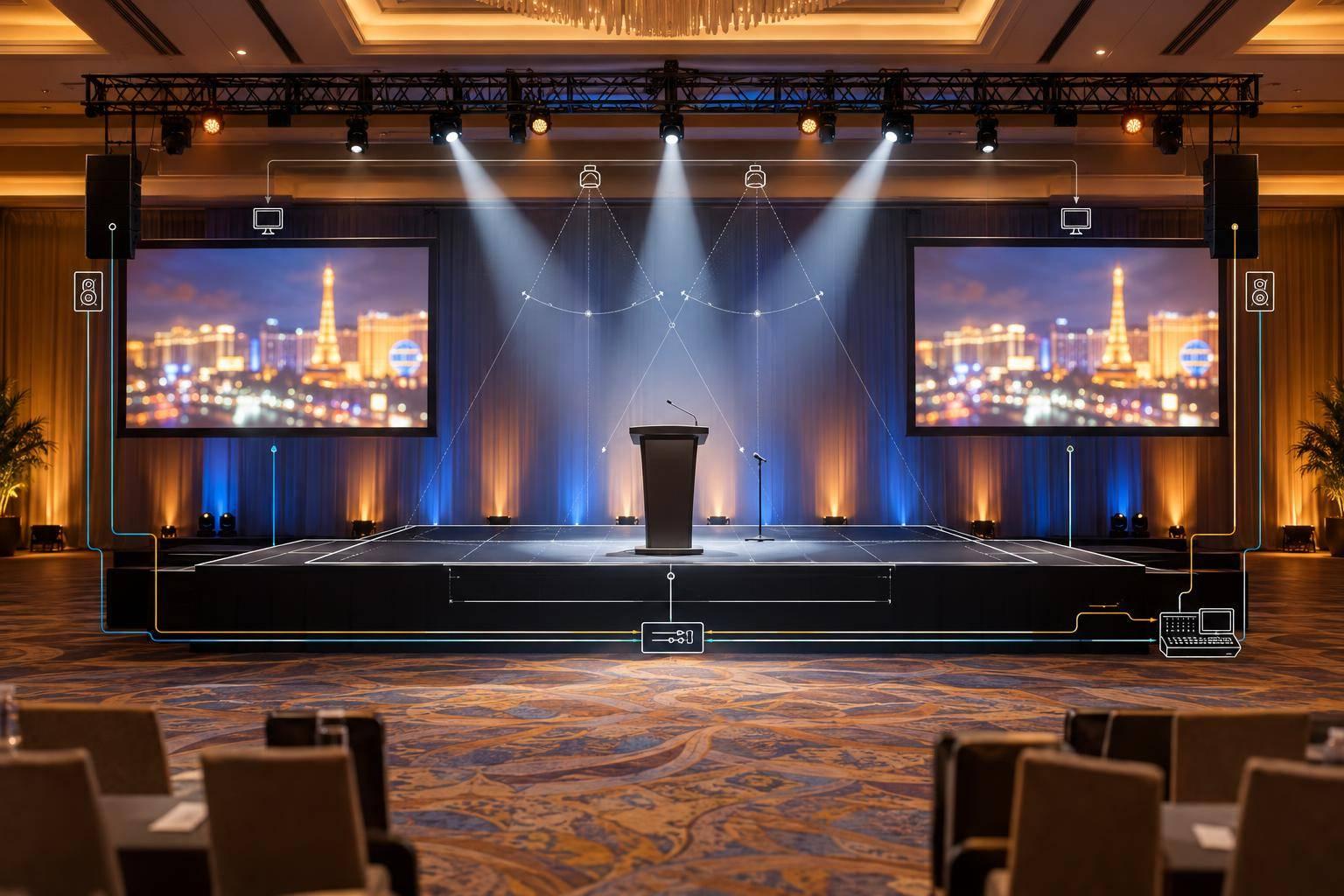
Create scaled plots in feet and inches that show stage and lectern positions, panel furniture, screens, confidence monitors, cameras, production control, and cable paths. Label equipment footprints, power sources, and owners.
Check sightlines to screens and speakers from the back and sides - not just the center. Mark accessible seating, presenter access to the stage, protected cable crossings, and clear emergency exits. Get OCCC Event Management approval for aisle widths, capacity, and the final layout before distributing drawings.
Specify Audio, Video, Lighting, and Internet
Build the audio input list around speakers, panels, audience questions, playback, remote participants, assistive listening, and recording feeds. Define screen aspect ratios, presentation-switcher inputs, camera shots, and confidence-monitor content.
Use consistent presentation templates and tested media packages across concurrent rooms. Match each room’s equipment package and crew coverage to the session type, complexity, and crew workload.
| Room type | Layout | Audio | Video | Lighting | Crew coverage | Backups |
|---|---|---|---|---|---|---|
| Plenary/general session | Elevated stage, panel furniture, camera positions, front-of-house control | Wireless microphones, lectern mic, Q&A microphones, playback, recording mix | Dual presentation screens or LED, confidence feeds, multiple cameras, playback, switching | Stage wash, presenter key light, audience light, cueable looks | Show caller, audio engineer, video director, graphics/playback operator, lighting operator, camera operators, stage manager | Spare microphones, duplicate playback and presentation files, backup switcher or signal path |
| Breakout room | Classroom, theater, or cabaret seating matched to session; compact stage or lectern | Lectern and handheld or lavalier microphones, playback, audience Q&A as needed | Front projection or display, presenter monitor, optional recording camera | Presenter wash, screen-friendly room light, safe aisle light | Shared technician or dedicated operator for complex sessions | Spare microphone, second presentation laptop, duplicate files, replacement cables |
| Control room | Restricted technical area with clear sightline or confidence feeds, power, ventilation, and secure equipment | Monitoring, intercom, program and recording feeds | Switching, playback, graphics, recording, stream encoding, multiview monitoring | Work light without contaminating camera shots | Technical director, playback/graphics, recording or streaming operator, communications support | UPS where appropriate, redundant storage, backup encoder, duplicate show files, alternate communications |
Specify lighting states for room open, speaker walk-on, presentations, panel discussions, Q&A, video playback, recording, and closing. Keep audience routes safe in every state.
Document circuit requirements and keep production-critical equipment off noncritical loads. Use dedicated wired service for streaming, bonded communications, registration, show control, and remote presenters. Keep an independent backup network path for critical functions.
Once the room design is locked, submit rigging and backup plans together.
Confirm Rigging Approvals and AV Backups
Route suspended equipment and signage through the OCCC Rigging Coordinator. Include locations, dimensions, weights, trim heights, top height, attachment methods, electrical needs, and room outlines with aisle references.
Submit rigging documents at least 21 days before the first move-in day, and verify the applicable deadline with OCCC. Supply engineering documentation when required. Do not schedule rehearsal around an unconfirmed rigging time.
Assign a tested backup to every failure that could stop a session. Include labeled spare microphones and batteries, duplicate presentation files on two laptops and a separate drive, alternate playback with tested adapters, replacement cables, and spare recording media. Store copies in separate physical locations.
For mission-critical sessions, specify backup switching, recording, encoding, and communications. Name the person responsible for activating each backup.
sbb-itb-ae35a94
Schedule Production, Load-In, and Rehearsals
Build the Production Calendar and Run of Show
Once room layouts, AV systems, and backups are approved, lock the production timeline.
Keep one master calendar in ET. Give every task an owner, dependency, deadline, approver, and contingency window. Sequence deadlines using the approved room matrix and rigging plan. Work backward from rehearsal, allowing one correction cycle for each major content package.
| Milestone | Required checkpoint |
|---|---|
| 6–12 months out | Confirm dates, contracted spaces, preliminary room diagrams, budget, production partner, major vendor responsibilities, and submission deadlines. Submit preliminary exhibit floor plans - including general session, registration, and pre-function areas - to OCCC Event Management at least six months before the first move-in day for fire department approval. |
| 12–8 weeks out | Lock room capacities, stage and seating plans, AV design, rigging requests, internet and utility orders, dock procedures, labor assumptions, and preliminary crew calls. |
| 8–6 weeks out | Draft show flow, collect presentation requirements, confirm speaker and remote-participant needs, and start content testing. |
| Final production week | Freeze approved assets, publish the final run of show, confirm freight and dock appointments, verify crew contacts, and distribute safety and escalation procedures. |
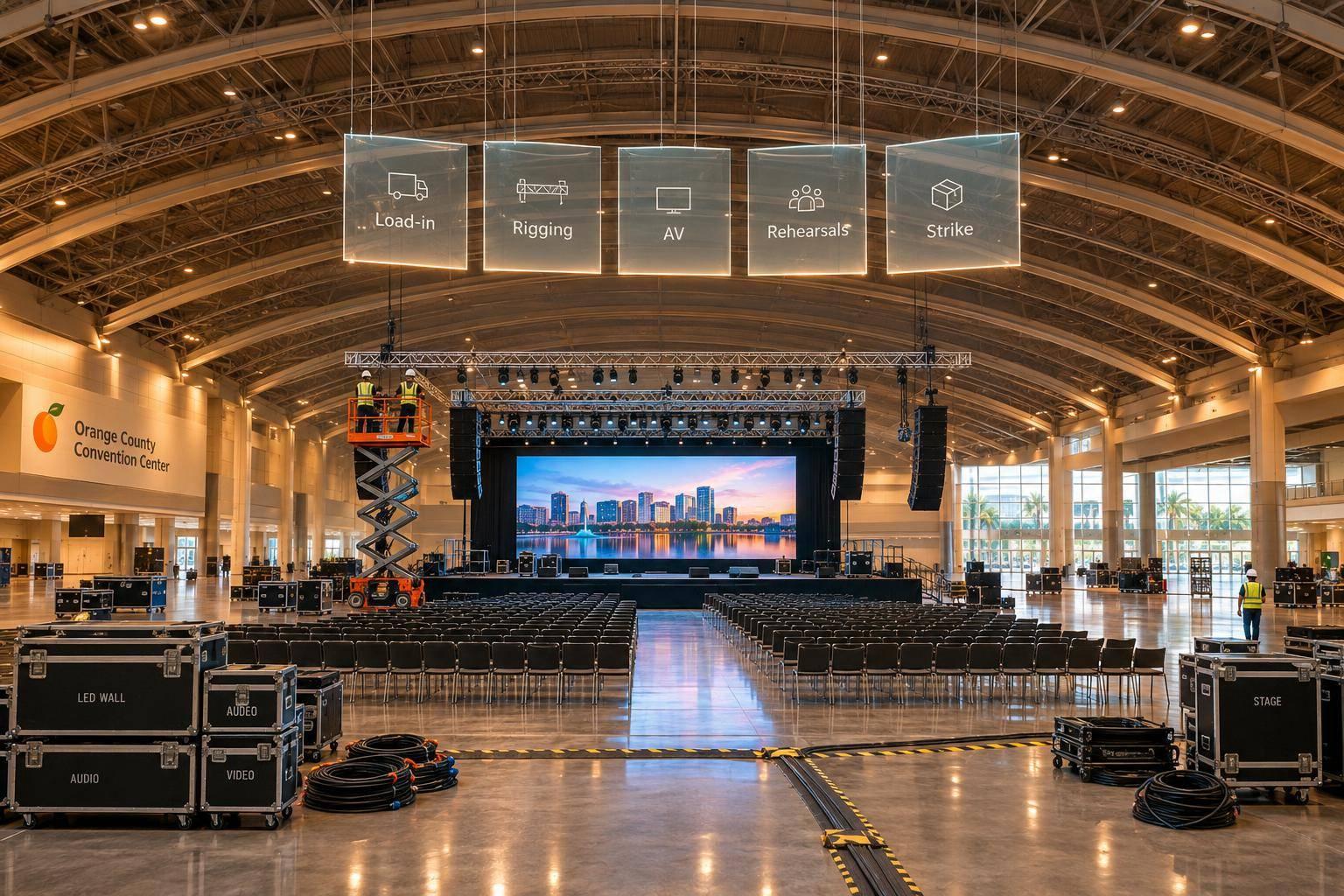
| Load-in | Receive, inspect, install, cable, label, and test equipment. Reserve time for corrections. |
| Rehearsal | Run technical cues, verify backups, and assign correction deadlines. |
| Show day | Schedule room checks, speaker preparation, crew relief, and session resets. |
| Strike | Confirm room release, teardown sequence, freight pickup, and handoff responsibilities. |
Set the latest acceptable completion dates, hard stops, and a late-file policy. Every run-of-show row should include cue time, elapsed time, agenda item, speaker, stage position, file, audio/video/lighting cues, camera/recording action, operator, instruction, and fallback.
Attach escalation contacts for the producer, technical director, venue representative, presentation manager, and client decision-maker. Track document versions and give each department offline access. Use the master calendar to set crew calls and freight sequencing.
Assign Crews and Plan OCCC Load-In
Name leads for production, show calling, technical direction, audio, video, lighting, presentations, stage management, recording/streaming, and room support. Assign a lead to every concurrent room, with call times, meal periods, relief coverage, and escalation contacts. A roving technician handles urgent problems - not required room coverage.
Confirm the assigned West, North, or South Dock, truck appointments, freight procedures, loading routes, door and elevator clearances, labor requirements, utility activation, and installation order. Schedule venue services and crew access around confirmed dock and access windows. Place event staff inside the leased space and at the dock before freight or personnel doors open.
Issue a freight manifest with dimensions, weights, destinations, and handling priorities. Bring in infrastructure first, followed by system hardware, show-critical content and spares, then items that aren't required for the show.
Once freight is in place, move directly to system checks and cue rehearsal.
Test Systems and Rehearse Show Cues
Use a room-by-room checklist to check labels, cable paths, audio coverage, files, embedded media, lighting presets, cameras, recording, streaming, and crew communications. Run show files through the installed system and review a test recording.
Next, rehearse approved content, speaker entrances, panel changes, remote contributors, and room transitions cue by cue. Log every unresolved issue with its impact, owner, ET deadline, and retest requirement. Close an issue only after retesting and updating the run of show.
Lock the approved configuration and leave a reset buffer before doors open. This is the final check before show-day use. Once the configuration is locked, keep only the approved room reset plan active.
Manage Show Day and Respond to Problems
After rehearsal, move into live execution with one show caller.
Keep live cues under one show caller. The producer coordinates with the client decision-maker, technical leads, and the OCCC contact. Send only agenda, speaker, content, branding, or budget changes to the client decision-maker. Route building-access and safety decisions through the appropriate OCCC contact. Before relaying any approved change, log what changed, when it was approved, and who approved it.
Once the room is ready to go live, begin speaker check-in and cueing.
Check Rooms and Prepare Speakers
Before opening each room, check that it’s ready to go live and that backups are armed. Check access, seating, the stage, lectern, accessible routes, cable protection, exits, temperature, and housekeeping. Repeat these checks after any room change, and brief crews on agenda updates and hazards.
The speaker manager should confirm each presenter’s arrival, approved files, name pronunciation, microphone, entrance cue, speaking time, and confidence-monitor needs. Have presenters check their first and last slides and video audio.
Call Cues and Use Approved Backups
Use closed-loop cueing: the caller gives standby instructions, operators acknowledge, and the caller gives the cue to proceed. Assign room staff to watch sightlines, accessible routes, aisle clearance, stage access, cable protection, lighting glare, and room temperature.
When a technical problem occurs, isolate the fault, protect the live program, switch to the approved fallback, notify the decision-maker, and log the fix. Keep troubleshooting off the cue line so operators can hear live instructions.
Safety takes priority over the program. For a life-threatening emergency, call 911 and give the exact OCCC building, hall, or meeting-room location. Then alert event security and the OCCC contact. Evacuate using stairs and exit doors only.
After the last cue, lock down the room before crews move on.
Back Up Recordings and Reset Rooms
After each session, check recording playback and audio. Copy files to two approved destinations, and keep source media until backup checks and retention requirements are met.
Secure microphones and computers, restore furniture, and stage the next approved session. Before releasing crews, review incidents, unresolved faults, next-day files, speaker changes, crew coverage, and venue access. Assign every outstanding task an owner and a deadline.
Conclusion: Complete Strike and Review Results
After the final cue, move straight into strike, handoff, and closeout.
Complete Strike and Client Handoff
Confirm the approved breakdown sequence with OCCC, vendors, and the freight carrier. Before dismantling, verify the room release time, dock and elevator access, labor calls, and security steps. Safely de-energize and disconnect powered equipment, then remove flown equipment and pack everything in the approved order.
Inspect the room with the venue representative. Photograph any damage or missing items, and check equipment cases against the manifest.
Use a written handoff checklist to transfer recordings, presentation files, updated run-of-show documents, room plots, equipment lists, freight details, incident reports, and open items. Check file access before leaving. Get written acknowledgment that names the client recipient, records the transfer date, and lists any pending files. Once the client has the files and the room is clear, begin the final cost review.
Reconcile Costs and Record Lessons Learned
Compare the approved estimate, change orders, purchase orders, and final invoices line by line. Track each cost separately: AV rentals, labor, overtime, freight, internet, utilities, rigging, security, cleaning, furniture, taxes, and venue charges.
Hold a documented debrief within one to two days. Review schedule accuracy, room performance, speaker support, accessibility, and stream or recording results against the room matrix and run of show. Keep updated room plots and equipment lists. Give each corrective action an owner and deadline so the next conference starts with a better brief.
FAQs
How can I estimate my OCCC conference production budget?
Define an itemized scope that separates must-haves from optional extras. Ask for line-item proposals covering audiovisual equipment, labor, staging, rehearsals, transportation, and venue requirements, including rigging, power, internet, and drayage. Put audio quality and technical support first, and confirm venue fees before signing contracts.
Set a cost estimate early, finalize your budget 90 days before the event, and reserve 10%–15% for unexpected costs. Track expenses, commitments, and projected final costs against your budget in real time.
Which OCCC services must I order through the venue?
At the Orange County Convention Center, you must order primary and backup internet connections, electrical power drops, and rigging services through the venue. You’ll also need to coordinate loading dock access and freight elevator use, and follow the venue’s labor rules and house policies.
Review the venue’s official technical specifications, then confirm the requirements during your on-site walkthrough so your production plan meets the venue’s rules.
Where can I reduce AV costs without compromising quality?
Plan at least 12 weeks ahead to avoid rush fees, overtime, and last-minute equipment swaps. Use the same rooms for meals and presentations to cut duplicate labor and equipment setup costs.
Ask for itemized quotes in U.S. dollars that break out labor, drayage, and power fees. Compare proposals line by line - not just by the total price. Before signing your venue contract, check exclusive vendor rules so you don’t get stuck paying high in-house AV markups.
Related Blog Posts
- 5 Full‑Scale Conference Production Firms To Use In Orlando, Florida
- Well-Regarded Full-Service Event Production Companies Who Service Orlando, FL That Frequently Handle Corporate Conferences.
- Corporate Optics: Orlando's AV Partner For Conference And Meeting Production.
- Why Event Planners Choose Corporate Optics For Orlando Sales Kickoffs And Annual Meetings.



Streamline your workflow, achieve more

Lorem ipsum dolor sit amet, consectetur adipiscing elit. Maecenas ac velit pellentesque, feugiat justo sed, aliquet felis.



Lorem ipsum dolor sit amet, consectetur adipiscing elit. Maecenas ac velit pellentesque, feugiat justo sed, aliquet felis.