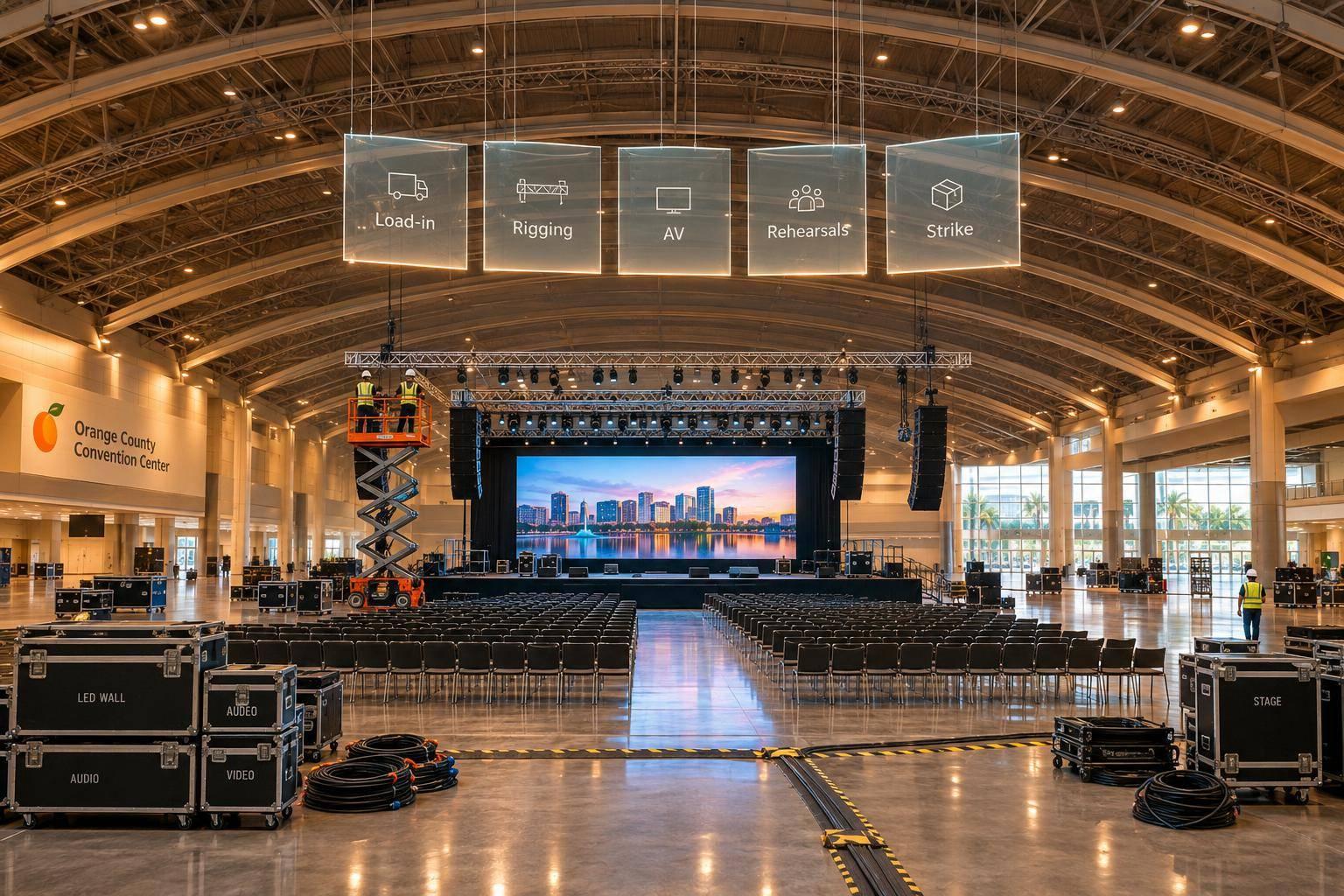
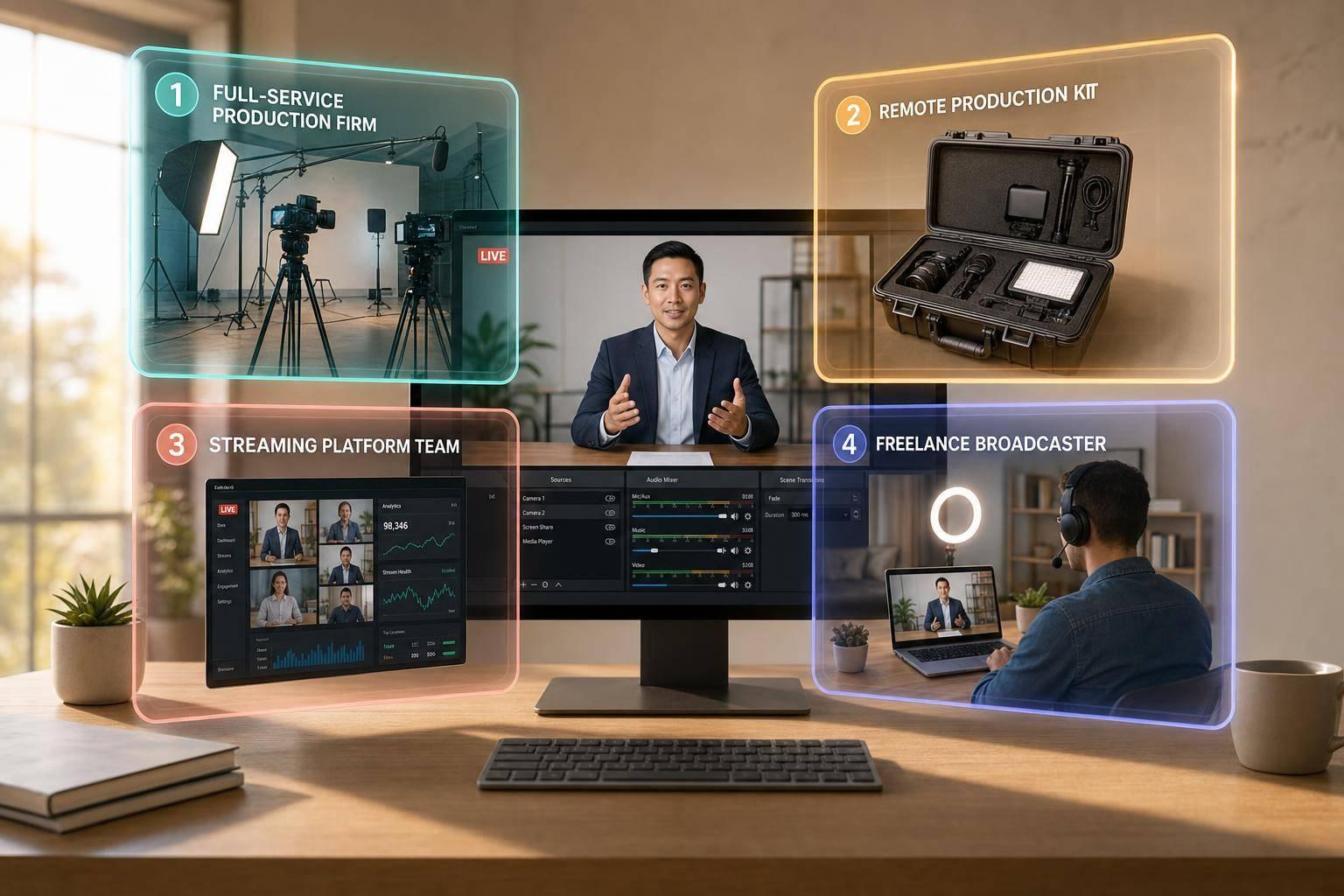
How Corporate Optics Handles AV, Staging And Lighting For Las Vegas Corporate Meetings.

Chief Executive Officer
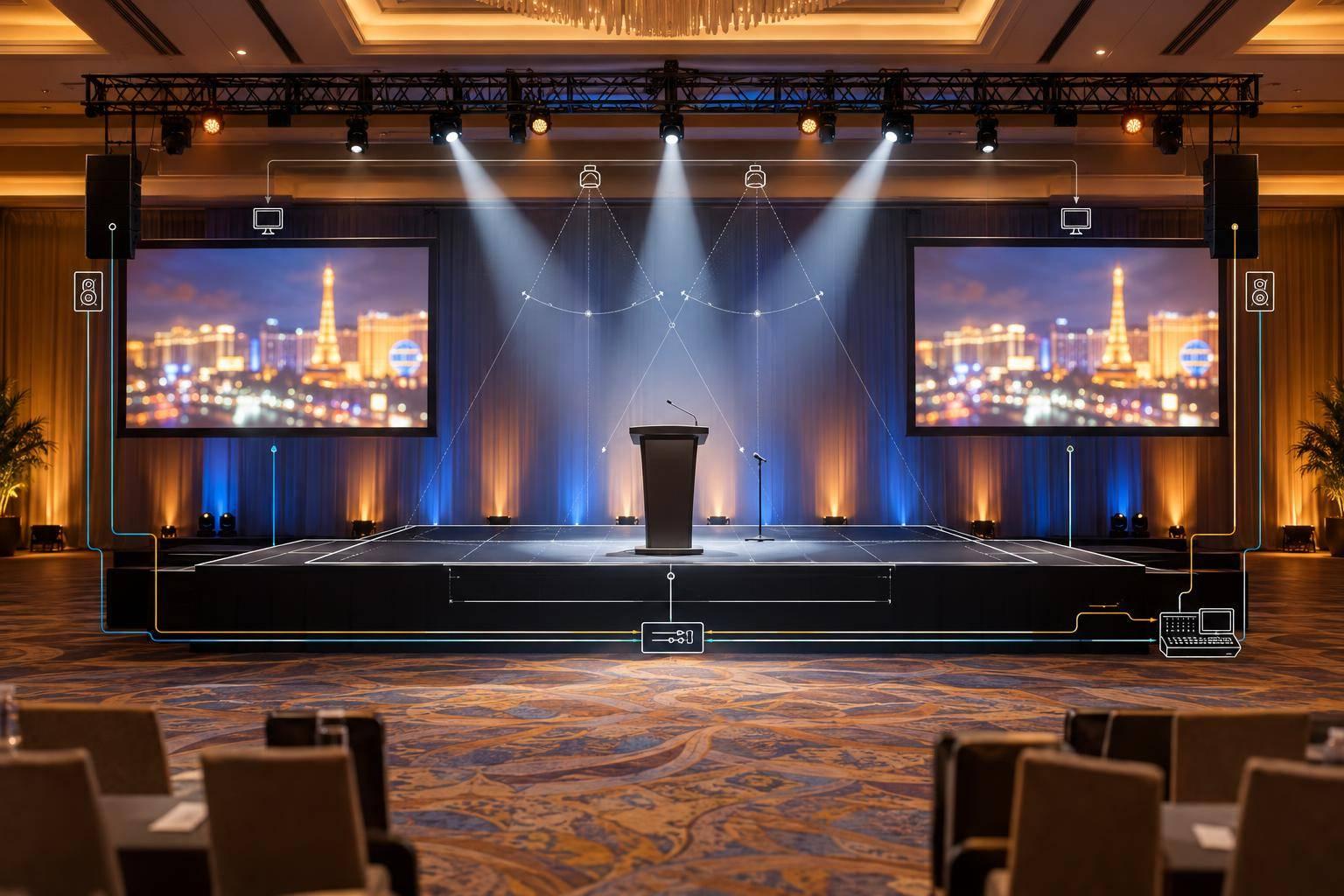
We plan AV, staging, and lighting around your Las Vegas venue, agenda, audience, and budget - not just an equipment list. Before booking equipment, we confirm room limits, venue rules, crew needs, and who approves each step.
Our plan covers 5 connected parts:
- Venue and budget: Check loading access, power, internet, labor rules, and costs in U.S. dollars.
- Audio and video: Plan clear speech, readable screens, playback, recording, and remote feeds - with backups.
- Stage and lighting: Check sightlines, presenter lighting, safe cable paths, and accessible stage access.
- Setup and rehearsal: Assign crew leads and test presenters, content, transitions, and backup plans before doors open.
- Live show and closeout: Call cues, handle changes, save recordings, and confirm room handback.
The goal is simple: <u>your audience can hear, see, and follow the meeting</u>. We put responsibilities and approval points in writing so everyone knows what ready means.
2. Plan Audio, Displays, and Playback
For Las Vegas corporate meetings, Corporate Optics brings microphones, playback devices, displays, cameras, and remote feeds into one signal-flow map. This plan supports clear speech, readable content, and reliable delivery to remote attendees. It shows what reaches the room, screens, confidence monitors, recording system, and remote audience - and helps prevent equipment mismatches.
With the room mapped, choose microphones, size displays, and define playback paths.
Plan Microphones and Sound Coverage
Give roaming presenters lavalier or headset mics, use handhelds for moderators and audience questions, and assign each panelist a microphone. Add a labeled backup channel, spare batteries, and a wired fallback for critical wireless mics. Coordinate wireless frequencies with venue technicians, scan while nearby systems are active, and test every speaking position. For larger wireless systems, use remote antennas and antenna distribution.
Use a digital console to adjust loudspeakers independently and create separate mixes for the room, recording, and remote audience. Aim loudspeakers for even coverage, adding timed delay speakers where needed. Mute unused mics, apply high-pass filters and moderate EQ, and check for feedback before turning up the volume.
Check speech clarity from the seats, not just the control position. Listen from the front, rear, sides, and accessible seating areas.
Once speech coverage is set, plan the presentation path around viewing distance and room brightness.
Select Displays and Plan Playback
Choose projection, LED walls, or flat panels based on viewing distance, room brightness, content detail, and sightlines. Check that attendees in the farthest seat can read the smallest text. For LED walls, use a smaller pixel pitch when viewers sit closer.
Define presenter-laptop connections, primary and backup playback devices, and a switcher. Give the operator a preview monitor and presenters a confidence monitor for slides, notes, or timing. Test the clicker’s range, confirm who advances slides, and prepare an alternate display or signal path.
Test Audio, Content, and Remote Feeds
Test the final show files before doors open. Run slides, fonts, animations, videos, audio, and aspect ratios on the actual playback devices. Test cameras and remote feeds using the venue’s production internet connection.
Use mix-minus audio so remote speakers hear the room without hearing their own audio fed back. Keep offline content ready, and verify that the system recovers after a device restart or lost connection. These checks confirm readiness for speakers, slides, and remote attendees.
| Meeting need | Recommended system element | Check |
|---|---|---|
| Speech | Assigned microphones, digital console, distributed loudspeakers | Confirm consistent speech clarity across seating zones without feedback or wireless dropouts. |
| Presentation playback | Primary and backup computers, switcher, preview and confidence monitors | Verify backup switching preserves the presentation. |
| Panels | Individual microphones, labeled channels, moderator control | Check mute behavior, handoffs, and overlapping speech management. |
| Remote feeds | Cameras, mix-minus audio, wired internet, remote return | Join a live test call to verify framing, two-way speech, sharing, echo control, and reconnection. |
| Recording | Separate recording feed, recorder, storage | Replay a sample containing speech, slides, video, and remote audio; confirm sync and file integrity. |
| Audience questions | Roaming handhelds, microphone attendants, spare channel | Confirm handoffs across seating zones and that questions reach remote attendees and the recording. |
With audio and playback checked, move on to stage layout and presenter lighting.
sbb-itb-ae35a94
3. Plan Stage Layout and Presenter Lighting
Once audio, displays, and playback are mapped out, stage layout and lighting shape what attendees and cameras can see.
Set Stage Size, Sightlines, and Access
Match stage height and depth to the room, seating count, farthest sightline, ceiling height, camera positions, and display size. Check seated views and camera frames before approving the layout. Plan podiums, furniture, entrances, confidence monitors, camera positions, risers, stairs, and backdrops together. Keep cable runs short and protected from foot traffic.
Plan accessible stage access before locking in the elevation. Temporary ramps need at least 36 inches of width, a maximum slope of 1:12, and level landings. Confirm handrail requirements and the Las Vegas venue’s ADA requirements. Keep ramps, stairs, aisles, and exits clear. Don’t increase stage height if it blocks screen content or makes access difficult.
Match the Layout to the Meeting Format
Choose furniture and speaking positions based on how presenters will move - not just how the empty stage looks.
| Meeting format | Best use | Furniture | Screen position | Microphone plan | Lighting adjustments |
|---|---|---|---|---|---|
| Podium-centered keynote | Announcements; single-speaker sessions | Podium, optional side table, confidence monitor | Behind or beside podium; clear speaker view | Podium mic; handheld or lavalier backup | Podium key light; walk-on wash |
| Panel discussion | Moderated discussions; three to six participants | Table or chairs, side tables, moderator position | Offset; clear faces and camera sightlines | Individual gooseneck, boundary, or lavalier mics; audience handheld | Even front coverage across all seats |
| Executive conversation | Interviews; leadership discussions | Two chairs, small table | Off-axis; unobstructed conversation view | Two lavaliers or headsets; handheld backup | Soft key and fill; minimal chair shadows and reflections |
| Multi-speaker conference | Speaker changes, breakouts, awards, mixed content | Podium, stools, chairs, award table, holding area | Audience screens; confidence displays | Lavaliers, handhelds, podium mic, labeled backups | Separate looks for speaking areas, walk-ons, and video |
Use the layout to guide movement, keep speakers visible, and support camera framing. Podiums simplify sightlines. Panels need angled seating, while multi-speaker programs need clear paths across the stage and space for speakers to wait. Keep entrances, exits, and handoff routes clear so presenters don’t cross in front of the audience or camera.
Set and Check Presenter Lighting
Position front light about 45 degrees above and to one side. Add fill to soften shadows, backlight to separate presenters from the background, and wash lighting to cover movement. Keep uplighting off skin and screens. Balance house lighting so attendees can take notes, see screens clearly, and move safely.
Before doors open, check the stage from these viewpoints:
- Check center stage, side views, podiums, panel seats, and entrances for even exposure and facial shadows.
- Look for screen glare, reflections from furniture, and unwanted color spill.
- Verify camera exposure, white balance, and skin tones with screens active.
- Confirm that exit signs, emergency lighting, stairs, and ramps are visible and access routes are clear.
- Record lighting cues for walk-ons, videos, awards, breaks, and closing remarks before setup, rehearsal, and live cue timing.
4. Manage Setup, Rehearsal, and the Live Show
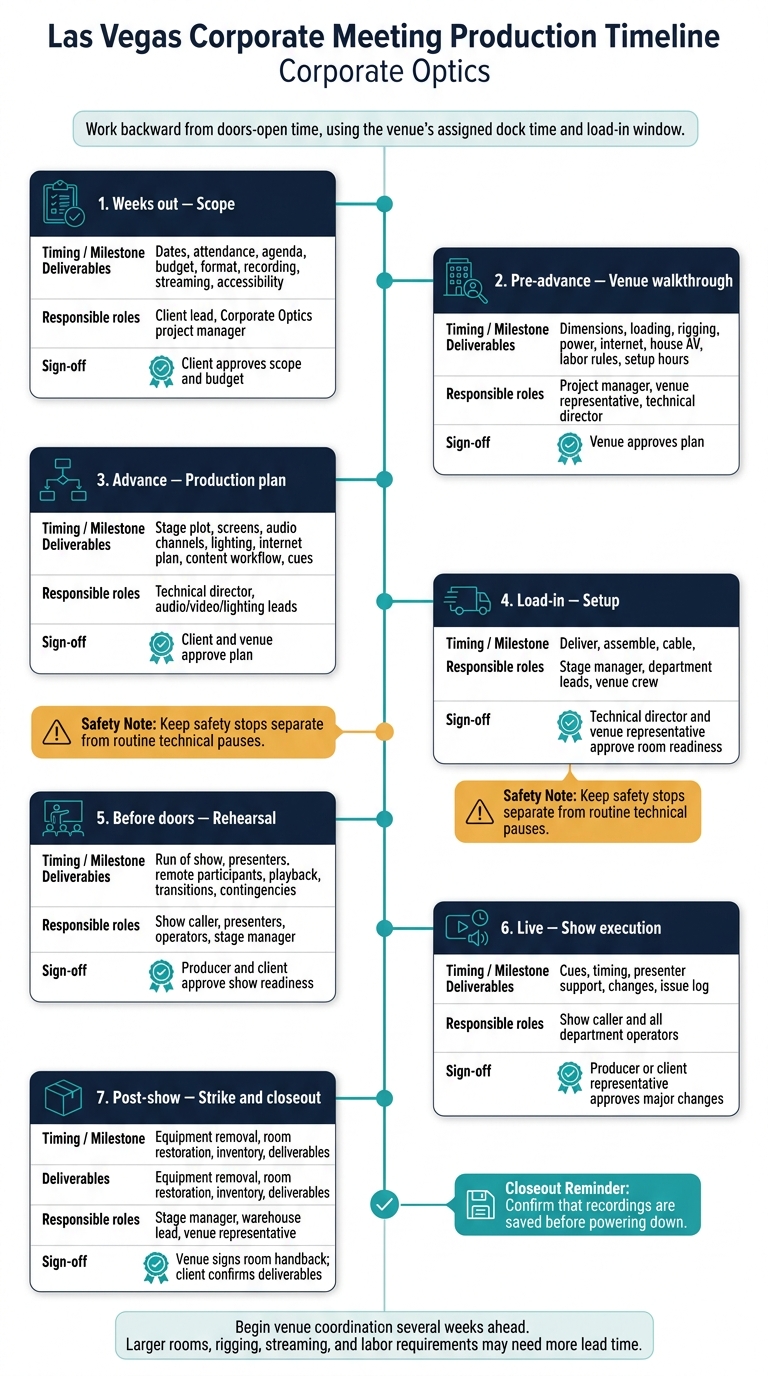
Las Vegas Corporate Meeting Production Timeline
Assign Deadlines, Roles, and Sign-Offs
Once the stage, screens, and lighting are designed, lock the production schedule. Begin venue coordination several weeks ahead. Larger rooms, rigging, streaming, and labor requirements may need more lead time. Work backward from doors-open time, using the venue’s assigned dock time and load-in window. Use that timeline to set milestones, assign roles, and confirm approvals.
| Timing | Milestone | Decisions and deliverables | Responsible roles | Sign-off |
|---|---|---|---|---|
| Weeks out | Scope | Dates, attendance, agenda, budget, format, recording, streaming, accessibility | Client lead, Corporate Optics project manager | Client approves scope and budget |
| Pre-advance | Venue walkthrough | Dimensions, loading, rigging, power, internet, house AV, labor rules, setup hours | Project manager, venue representative, technical director | Venue approves plan |
| Advance | Production plan | Stage plot, screens, audio channels, lighting, internet plan, content workflow, cues | Technical director, audio/video/lighting leads | Client and venue approve plan |
| Load-in | Setup | Deliver, assemble, cable, focus, label, and power equipment | Stage manager, department leads, venue crew | Technical director and venue representative approve room readiness |
| Before doors | Rehearsal | Run of show, presenters, remote participants, playback, transitions, contingencies | Show caller, presenters, operators, stage manager | Producer and client approve show readiness |
| Live | Show execution | Cues, timing, presenter support, changes, issue log | Show caller and all department operators | Producer or client representative approves major changes |
| Post-show | Strike and closeout | Equipment removal, room restoration, inventory, deliverables | Stage manager, warehouse lead, venue representative | Venue signs room handback; client confirms deliverables |
Give each function one accountable lead:
- The show caller coordinates cues from central control.
- The stage manager handles presenters and stage movement.
- The audio engineer keeps speech clear.
- The video engineer keeps content visible.
- The lighting operator keeps presenters readable.
- A camera operator records or streams sessions.
- A speaker-support lead handles files, pronunciation, and presenter preparation.
Smaller meetings can combine roles, but everyone must know who has safety authority. Once the plan is approved, move into the room build and technical rehearsal.
Check Setup Safety and Rehearse the Program
Lock one approved production package: the final show file, run of show, cue sheet, stage plot, screen layouts, assets, contacts, and contingency plan. Before testing, inspect stage stability, screen and truss support, protected cable routes, and venue-approved power distribution. Give every unresolved issue an owner and a due date.
Use a cue-to-cue rehearsal to test transitions rather than full presentations. Have the crew test audio, switching, playback, cameras, internet, recording, streaming, and crew communications from their operating positions.
Include presenters, moderators, remote participants, and operators. Check name pronunciation and titles, microphone and confidence monitor placement, slide controls, embedded video, entrances, handoffs, return audio, and camera framing.
After rehearsal, update the shared cue sheet, finalize the run of show, and get readiness approval before opening doors. The show caller then uses the approved cue sheet to run the live program.
Call Show Cues and Handle Backup Plans
From central control, the show caller gives standby instructions, receives operator acknowledgments, and calls coordinated audio, video, lighting, and stage changes.
“go”
Before doors open, confirm that backup microphones, backup media, fallback paths, and the backup power plan are ready. Decide in advance who can approve backup actions:
Use a pause slide during a reset, presenter talking points if video fails, or the next agenda item if a remote feed drops.
Keep safety stops separate from routine technical pauses. After the final cue, confirm that recordings are saved before powering down. Follow the venue’s strike sequence, reconcile equipment, obtain written room handback, and confirm delivery of the agreed recordings.
5. Conclusion: Confirm Readiness With Corporate Optics
The show is ready when audio, staging, and lighting work together for the audience. Confirm clear speech, readable slides, safe cable routing, accessible paths, stable stage access, and consistent presenter lighting through rehearsal, cueing, and backup checks.
Share your venue details, event dates, agenda, attendance estimate, presenter count, presentation files, playback needs, hybrid meeting requirements, accessibility requests, venue contacts, load-in restrictions, and budget with Corporate Optics. These details help the team plan your Las Vegas room, crew, and show.
Before production begins, put scope, responsibilities, testing, and approval points in writing. Specify who approves the layout, stage, lighting, content, cues, accessibility, labor, overtime, final budget, load-in access, rehearsal time, and technical sign-off so the team can move from planning to execution.
FAQs
What affects my Las Vegas meeting’s production cost?
Las Vegas meeting production costs come down to labor, equipment, and venue logistics. Union requirements, rigging, drayage fees, and power access all affect the price. Low ceilings, difficult acoustics, and tight load-in windows can also mean more equipment or extra crew hours.
Before signing a contract, secure AV rights and vendor access. Plan to spend 10% to 20% of your total budget on production, plus a 10% to 30% contingency fund for unexpected adjustments.
Can Corporate Optics coordinate with my venue’s AV team?
Yes, Corporate Optics serves as your single point of contact, coordinating directly with your venue’s AV team. Technical walkthroughs check power capacity, rigging limits, loading-dock access, and venue AV policies.
The team matches the production plan to venue requirements and addresses bandwidth or equipment compatibility issues before your event. This helps prevent last-minute surprises and keeps event production running smoothly.
How do last-minute agenda changes affect production?
Last-minute agenda changes can throw off timing and lead to missed cues when updates don’t reach every department right away. Corporate Optics uses a centralized production plan, with a dedicated show caller managing updates in real time. Before sessions begin, changes are added to cue sheets through a shared, second-by-second run-of-show document. This keeps audio, video, lighting, and stage management on the same page to prevent confusion and delays.
Related Blog Posts
- Leading Event Production Providers For Orlando And Las Vegas
- Best Meeting Planning Company For Technical Production And AV
- 2 Reasons To Use Corporate Optics For Conference Production In Las Vegas For Multi-Day Conferences.
- Why Corporate Optics Is A Great Event Production Company To Work With In Las Vegas, Nevada.



Streamline your workflow, achieve more

Lorem ipsum dolor sit amet, consectetur adipiscing elit. Maecenas ac velit pellentesque, feugiat justo sed, aliquet felis.



Lorem ipsum dolor sit amet, consectetur adipiscing elit. Maecenas ac velit pellentesque, feugiat justo sed, aliquet felis.