Top-Tier Production Services For All-Hands Meetings, Broadcast-Quality Internal Town Halls

Chief Executive Officer
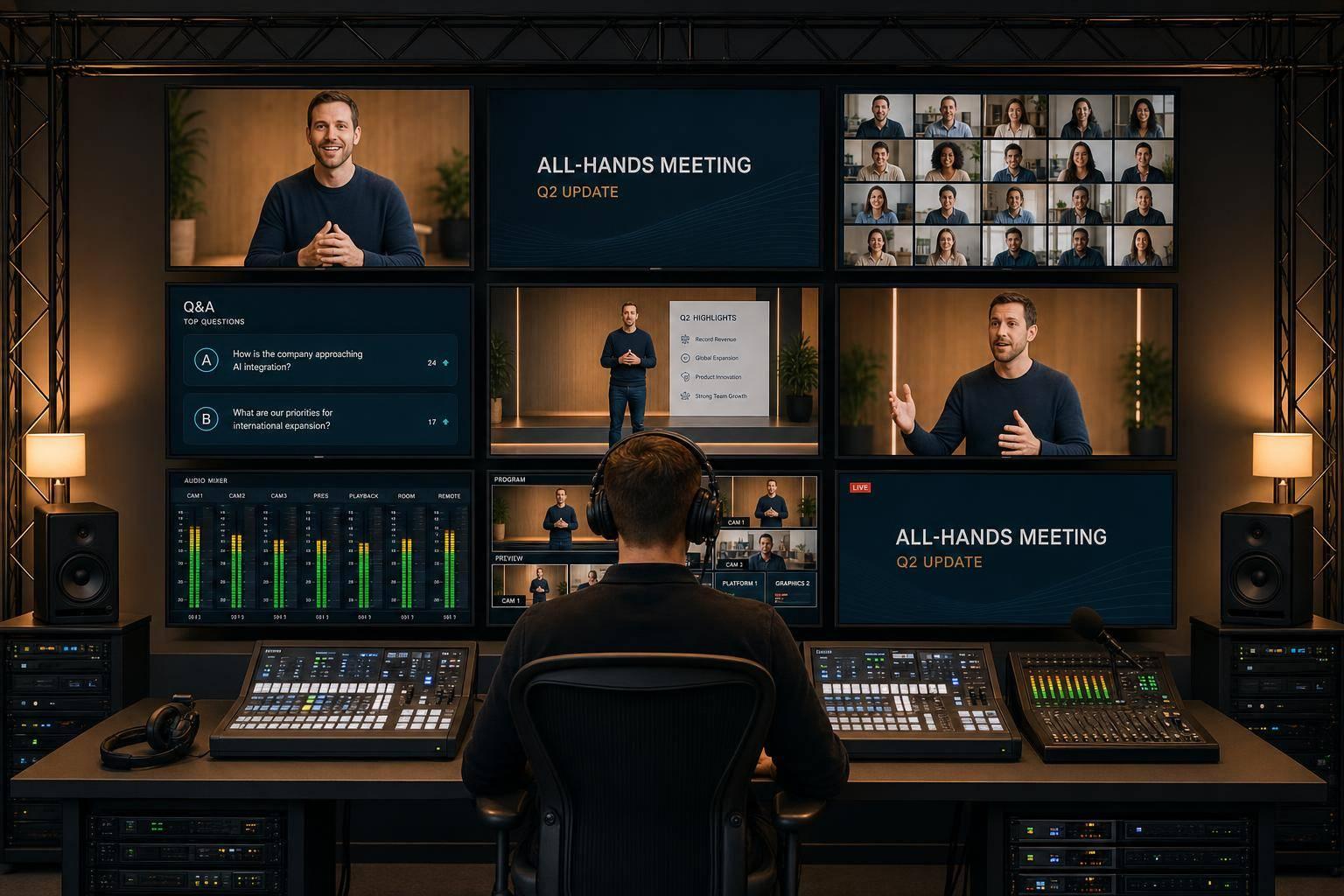
If most employees watch your town hall on a screen, room AV alone will fall short. In 2026, 52% of remote-capable U.S. workers are hybrid and 27% are fully remote, so internal meetings need to be built like live broadcasts, not basic presentations.
If I were summing up the article in plain English, I’d say this:
- Good internal meeting production is a full system, not just microphones and a projector
- Remote viewers need their own experience, with clear audio, multiple camera angles, and on-screen graphics
- Leaders look and sound better on camera with proper lighting, teleprompters, and show support
- Hybrid events need backup plans, including dual encoders, separate network paths, and power protection
- Audience tools matter, especially moderated Q&A, polling, and virtual producer support
- The event should keep working after it ends, through recordings, clips, captions, and replay options
The main point is simple: once your audience is split across the room and the livestream, production quality affects how well people follow the message. A weak stream, poor sound, or flat camera view can pull attention away fast. A well-run setup keeps the focus on what leadership is saying.
I’d also boil the article down to four things you should expect from a top-tier production partner:
| Area | What it should cover |
|---|---|
| Show setup | Multi-camera coverage, live switching, branded graphics |
| Speaker support | Pro audio, stage lighting, teleprompters, confidence monitors |
| Remote delivery | Secure livestream, low latency, backup internet paths, remote presenter feeds |
| After the event | Recording, edited replay, short clips, captioned files |
In short, this isn’t about adding polish. It’s about making sure in-person, virtual, and hybrid employees can all follow the same message without friction.
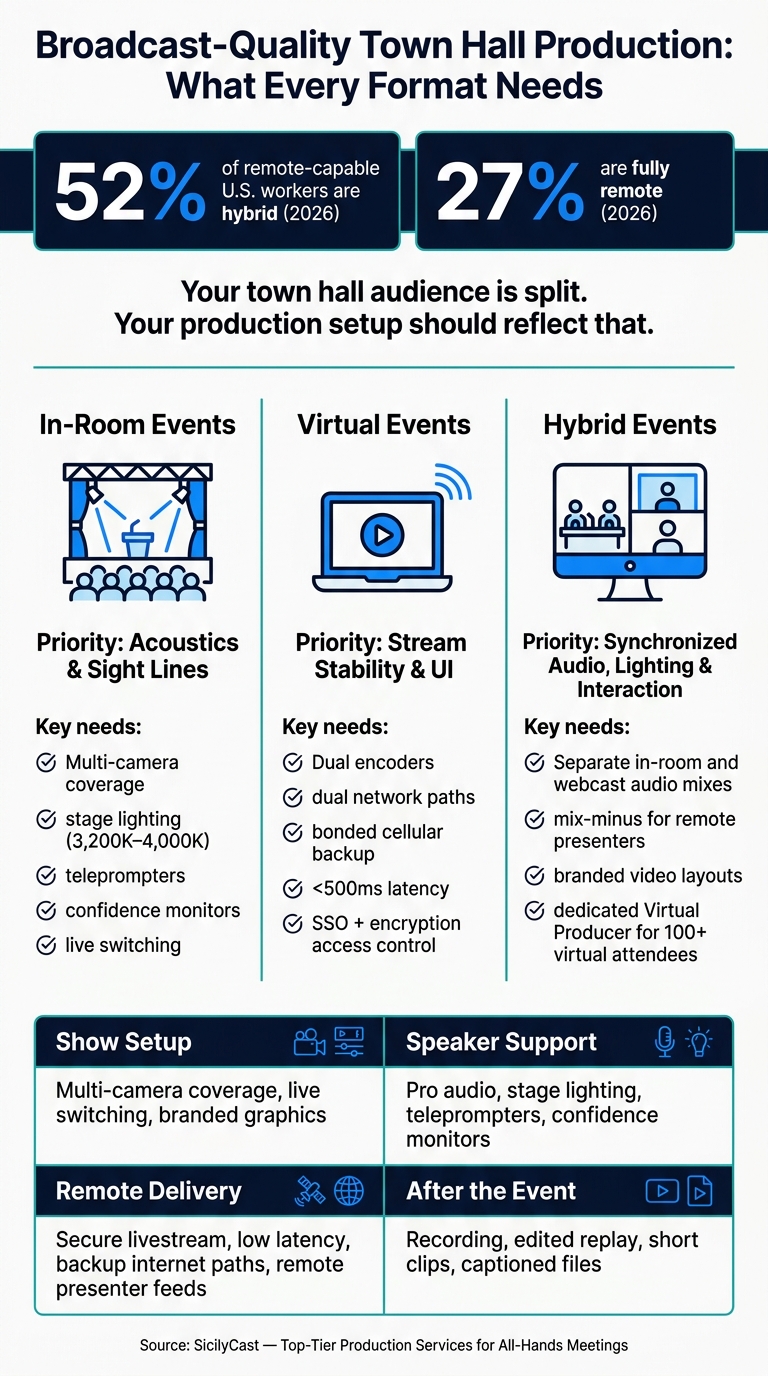
Broadcast-Quality Town Hall Production: What Every Format Needs
Live Streaming a Town Hall: Full Setup and Workflow
sbb-itb-ae35a94
Why Broadcast-Quality Production Matters for All-Hands Meetings and Town Halls
Internal announcements carry real weight. When leadership shares a restructuring, a strategy shift, or a culture update, broadcast-quality production helps the message land with clarity and authority. Once a meeting moves beyond the conference room, production quality becomes part of the message.
A smooth meeting builds trust. A glitchy one pulls attention away from what leaders are trying to say.
Clearer Leadership Messaging for In-Person, Virtual, and Hybrid Audiences
It starts with clear delivery in every viewing setting.
Remote employees watching on a laptop are more likely to check out when audio is uneven or the visuals barely change. Professional audio removes hiss, imbalance, and dropouts that make a meeting hard to follow. People may not stop and think, “the audio sounds good,” but they often stay tuned in longer because it does.
Camera changes matter too. Switching between wide shots, close-ups, and branded graphics gives remote employees more to follow and helps them feel part of the room, not stuck on the outside looking in.
Stronger Executive Presence On Camera and On Stage
The same production choices also shape how leaders come across on stage and on screen.
Even strong speakers can look flat on camera without the right support. Framing, lighting, and teleprompters help executives stay natural on camera. Return monitors let speakers keep eye contact with both the room and the lens, while professional lighting cuts harsh shadows and helps the speaker look steady on screen. When leaders look composed on camera, employees are more likely to stay with the message. Stage design also needs to work for camera, because a setup that looks good in the room can still fall flat on screen.
The Core Production Services Behind a Broadcast-Quality Meeting
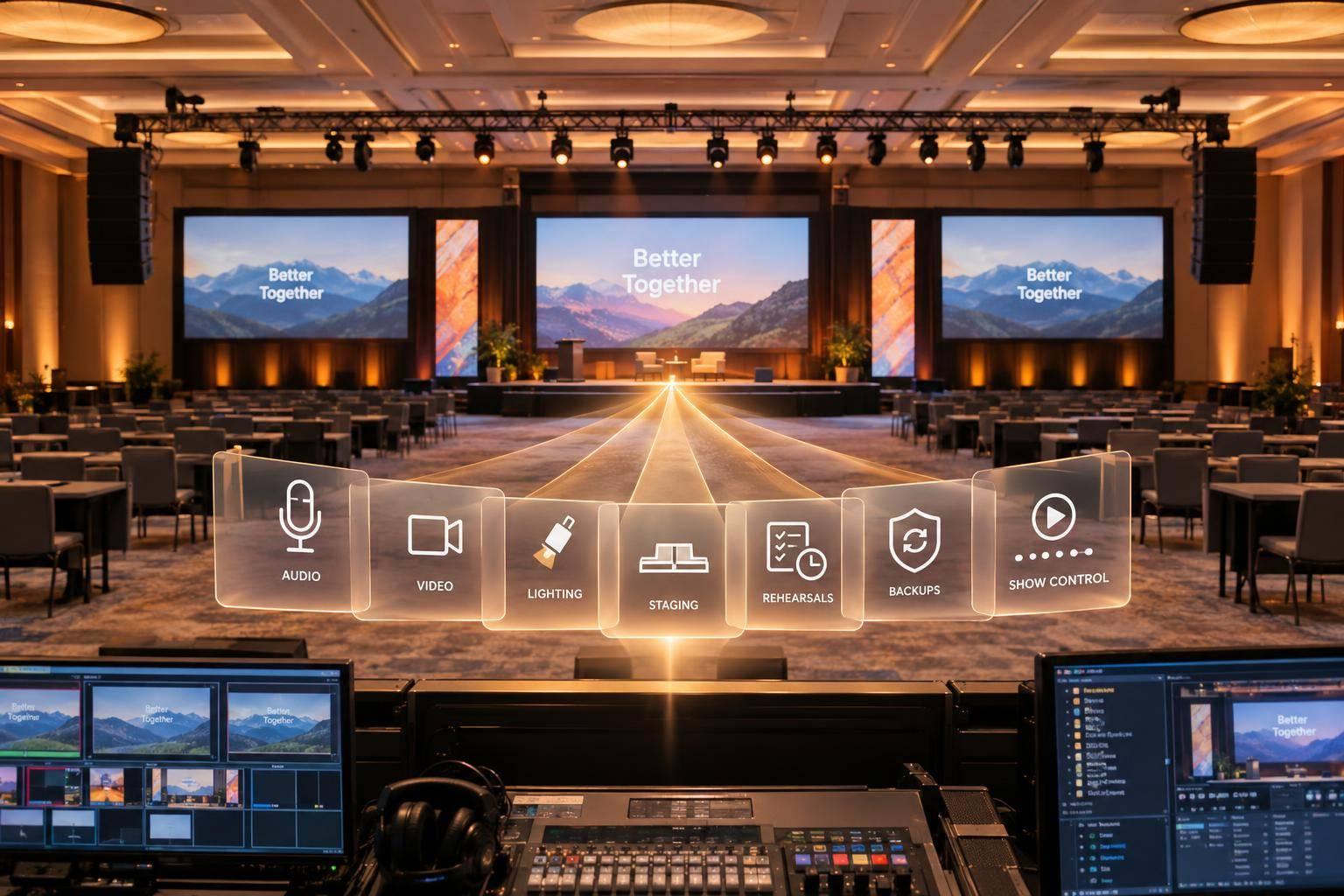
A broadcast-quality town hall relies on camera, audio, lighting, graphics, and remote feeds working together as one live show. That setup has to serve in-room, virtual, and hybrid audiences at the same time.
Multi-Camera Coverage, Live Switching, and Branded Graphics
A strong setup usually includes a wide shot, a speaker close-up, and PTZ cameras. That gives the technical director enough angles to switch live and keep the program visually active.
Lower thirds, title slides, and segment openers help viewers follow along and strengthen the brand. These graphics sit right inside the switching workflow, which gives the show a clear shape from start to finish.
"A produced town hall is not a meeting with extra polish. It is a category of communication with its own production rules." - SicilyCast
Audio, Stage Lighting, and Teleprompter Support
Audio can make or break the whole event. A dedicated audio team should handle the room mix and the livestream mix as two separate outputs. If you try to run both from the same mix, problems show up fast: feedback, poor balance, or that hollow webcast sound nobody wants. A clean webcast mix and a balanced in-room mix depend on two separate signal paths built from the start.
Lighting matters too. Use camera-friendly lighting in the 3,200K–4,000K range to cut harsh shadows. Pair that with teleprompters and confidence monitors so executives can stay steady and on message. The result is simple: they can move through dense strategic talking points without losing eye contact with the room or the lens.
Remote Presenter Integration for Distributed Leadership Teams
Remote executives need more than a standard video call. They need routed audio, matched video layouts, and clear cueing so they can join the live program cleanly. Without that support, you get echo, missed cues, and visuals that feel out of step with the rest of the show.
Mix-minus audio helps stop echo by letting remote presenters hear the program without hearing their own voice fed back to them. On the video side, branded layouts replace the default video-call box, so the remote speaker fits the same on-screen look as everyone else. A show caller then cues each presenter at the right moment, so they know exactly when they are live.
One recent hybrid corporate event brought these pieces together with multi-camera switching, broadcast lighting, dual-path audio, and redundant encoding to deliver a stable program for both in-room and remote audiences.
With the core show elements in place, the next step is how employees get into the meeting, watch it, and take part.
Livestream Delivery, Audience Interaction, and Hybrid Viewing
Getting the core show right is only half the job. The other half is making sure employees outside the room get a viewing experience that feels just as clear and steady as the one on stage. In most internal meetings, the stream is the main venue. Once the show itself is set, distribution decides whether remote employees can follow along clearly and in real time.
Livestream Platforms, Access Control, and Reliable Employee Viewing
Don’t count on venue Wi-Fi for a company broadcast. Use a dedicated wired circuit, dual encoders, dual network paths, and bonded cellular backup so automatic failover can take over within seconds.
Access matters too, especially when the meeting includes sensitive company news. Protect the stream with SSO, encryption, and domain restrictions so only authorized employees can get in. And if you want live Q&A to feel live, latency needs to stay under 500 ms.
Each format has its own priority:
- In-room events focus on acoustics and sight lines
- Virtual events focus on stream stability and UI
- Hybrid events need synchronized audio, lighting, and interaction
Moderated Q&A, Polling, and Real-Time Engagement Tools
Live interaction tools work best when they’re part of the show from day one, not something tacked on at the last minute. For events with 100 or more virtual attendees, a dedicated Virtual Producer and Q&A Coordinator should operate separately from the in-room Technical Director. Their job is to manage the moderated chat queue and sort questions in real time.
That split matters. The in-room team is busy running the room. The virtual team is watching the remote audience, shaping the flow, and making sure online employees aren’t treated like an afterthought.
Moderated Q&A also gives teams more control over sensitive topics like workforce changes or M&A, with timestamped logs and a pre-approved question order. Lead with a real question. Soft openers can weaken trust. Polls and virtual hand-raising also help remote employees take part more fully, instead of just watching from the sidelines.
Those interaction tools only work when they are built into the show rundown.
Show Management, Recording, and Post-Event Deliverables
Once the show is built, the last job is execution and reuse.
After engagement tools are in place, attention moves to show control and what happens after the event ends.
Pre-Event Planning, Show Calling, and Technical Redundancy
Production starts well before event day. A solid pre-production phase covers agenda mapping, equipment specs, cue sheet creation, and content review. Speaker rehearsals matter a lot, especially when the program includes live transitions, video roll-ins, or several presenters.
On the day of the event, the show caller runs the program in real time. At the same time, the Technical Director handles the live technical cues and keeps camera, audio, graphics, lighting, and playback lined up with the live rundown. That split is a big deal. Executives can stay locked in on their message while the show caller handles the technical flow.
And this is one area where you don't want to cut corners: redundancy should cover audio, cameras, power, and transmission.
Recording, Editing, and Reusable Internal Video Deliverables
A live program shouldn't end when the stream ends. It should also produce assets the organization can use later. Here's what organizations should expect and how each deliverable is usually used:
| Deliverable | Primary Use |
|---|---|
| Session recording / edited VOD | Replay, training, and internal communications |
| Clipped leadership segments | Internal newsletters, Slack updates, executive communications |
| Highlight reels | HR onboarding, recruitment, and annual culture recaps |
| Captioned files | Accessibility and global distribution for non-native speakers |
For global workforces, a live replay plus rebroadcast can go a long way. In this setup, the original chat replay runs alongside the high-quality recording, which gives employees in different time zones a near-live experience without the need for a second production.
Conclusion: What to Expect From a Top-Tier Production Partner
Top-tier production runs the live show, protects the stream, and turns one event into reusable internal video assets.
FAQs
How much production support do we need?
It depends on your goals, audience size, and how much is at stake if something goes wrong. For all-hands meetings or town halls with executive speakers, hybrid elements, or 50+ attendees, professional production is the safer call. It helps protect your brand and keeps people engaged.
As the setup gets more complex, the support needs grow too. A simple session might only need basic AV. But a high-stakes leadership broadcast can call for a full team to handle backup systems, Q&A moderation, and broadcast-quality streaming.
What should we prioritize for remote employees?
Treat the broadcast as a first-class production, not some side feed. That means using professional cameras, dedicated audio engineering, and solid backup systems so executives look and sound like they should on screen, while the stream stays stable if something goes wrong.
You’ll also want a clear remote Q&A setup. Give it structure with a moderator handling the conversation and a coordinator managing the flow behind the scenes. For the audience, add human-monitored live captions, then publish chaptered, indexed replays within four hours so people can jump straight to the parts they missed.
How do we keep a town hall reliable if something fails?
Reliability starts with professional planning and redundant architecture. A basic setup just isn’t enough.
Use a documented silent-failover plan with dual encoders, independent network paths, and backup signal paths. That way, if one part drops, another can take over without the audience noticing.
It also helps to keep audio, video, and streaming under one technical team. Fewer handoffs usually mean fewer mistakes. Before going live, run rigorous technical rehearsals to test every transition and confirm each signal path works the way it should.
Related Blog Posts
- 5 Ways Production Companies Support Executives During Town Hall Events
- Leading Hybrid Event Producers For Quarterly Town Hall Webinars.
- The Best Hybrid Meeting AV Production Company And What They Provide For Your Next Town Hall.
- Experienced Vendors To Help Produce And Stream Corporate Town Hall To Thousands



Streamline your workflow, achieve more

Lorem ipsum dolor sit amet, consectetur adipiscing elit. Maecenas ac velit pellentesque, feugiat justo sed, aliquet felis.



Lorem ipsum dolor sit amet, consectetur adipiscing elit. Maecenas ac velit pellentesque, feugiat justo sed, aliquet felis.