What Does A Corporate Meeting And Event Production Company Actually Do? (A Plain Breakdown).

Chief Executive Officer
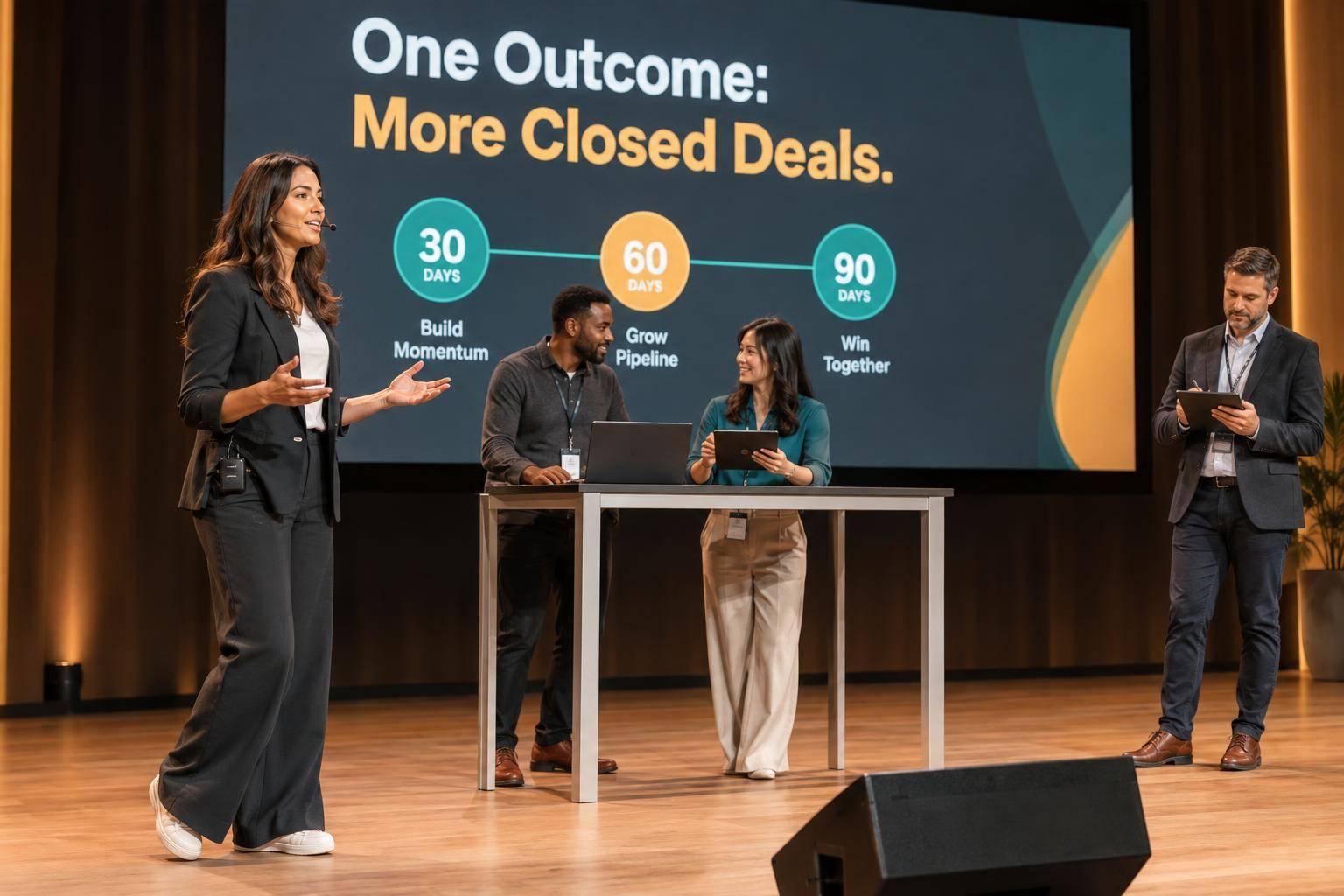
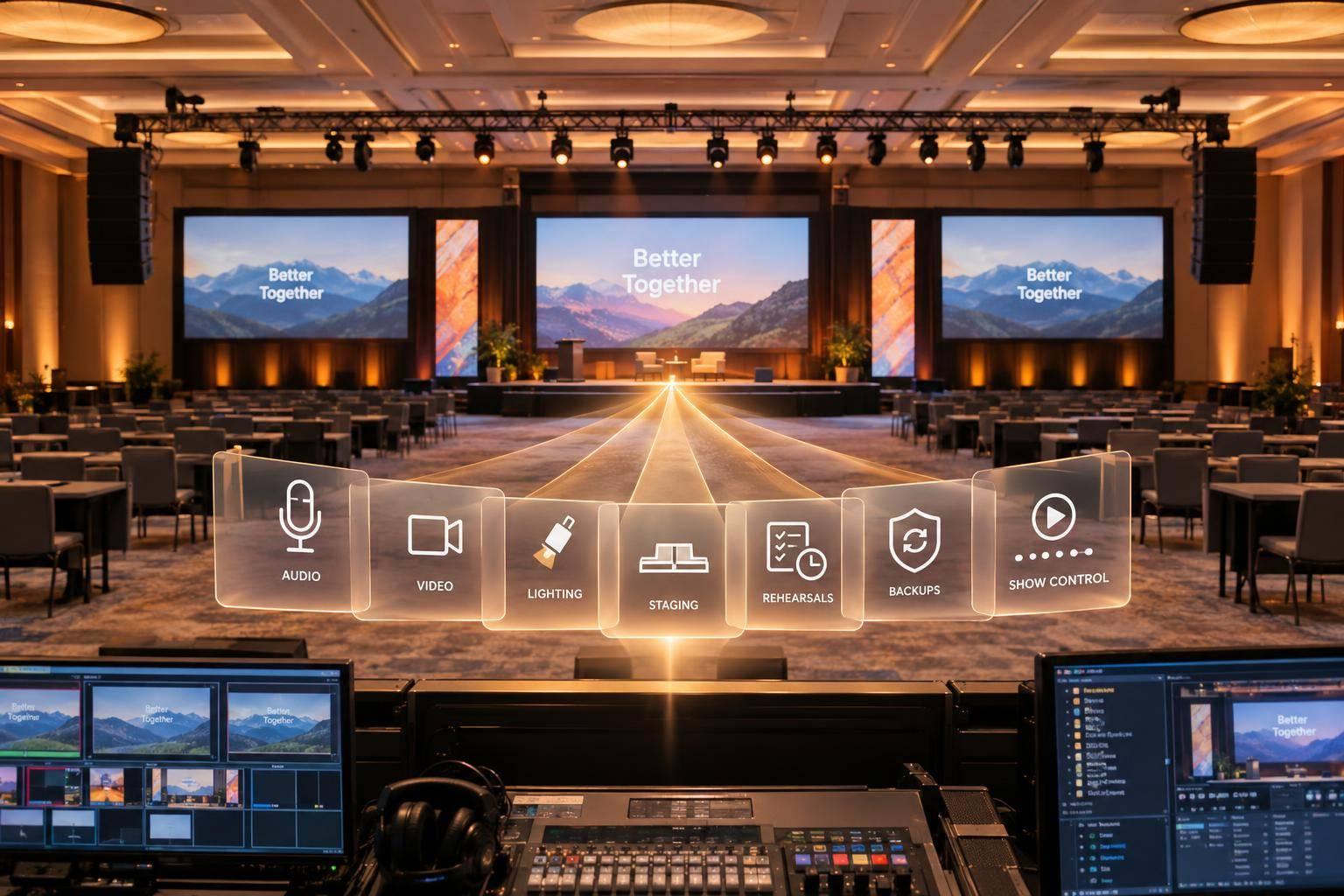
A corporate meeting and event production company runs the part of your event people actually see and hear. I’m talking about the stage, screens, microphones, lighting, cameras, livestream, rehearsal, cueing, and the crew that keeps the program on track when something goes wrong.
In plain English: if planning is about who is coming and where they sit, production is about what happens when the show starts. That usually means turning goals, audience size, venue limits, and a budget into a working show plan for an in-person, virtual, or hybrid event.
Here’s the short version of what that work includes:
- Turning business goals into technical needs
- Building the room layout, stage plan, and AV setup
- Pricing labor, gear, streaming, staging, and show support in U.S. dollars
- Collecting and testing slide decks, videos, and playback files
- Briefing speakers on timing, mics, monitors, and walk-ons
- Running rehearsals and a 60–90 minute tech run when the show is complex
- Calling cues live across audio, video, lighting, and cameras
- Managing backup plans for mic failure, late speakers, or internet loss
- Running both the room and the stream for hybrid events
- Closing out with recordings, reports, budget review, and a debrief
A few numbers help frame it. AV and production often account for about 10%–20% of an event budget, and a panel with five people may need around a 16 x 20-foot stage to avoid crowding. Those details matter because production is not just “renting equipment.” It’s building a timed system that has to work in front of employees, clients, investors, or partners.
If you want the simplest takeaway, it’s this: a production company plans the show, builds the show, runs the show, and wraps the show. The rest of the article breaks down what that looks like from first call to final strike.

Corporate Event Production: Service Levels Compared
1. Strategy, budgeting, and technical planning before the event
Production starts with three things: scope, budget, and technical planning.
Discovery and scope: matching business goals to production needs
The production team begins with discovery. The job here is simple: turn business goals into technical requirements.
The main inputs are audience size, event format, number of presenters, branding requirements, accessibility needs, and agenda structure. Each one changes the scope. For example, an 800-person town hall with remote viewers may need a branded stage, confidence monitors, audience microphones, captioning, webcast direction, and remote-speaker support.
Good planning also looks past the request itself and asks what problem needs to be solved. Poor audience visibility may mean larger LED screens. Inconsistent presentations may point to centralized content management. Limited audience participation may call for wireless microphones or an interactive polling platform.
Hybrid events add another layer. They need separate support for streaming, cameras, remote speakers, and the online audience.
Stage, screens, lighting, and room layout design
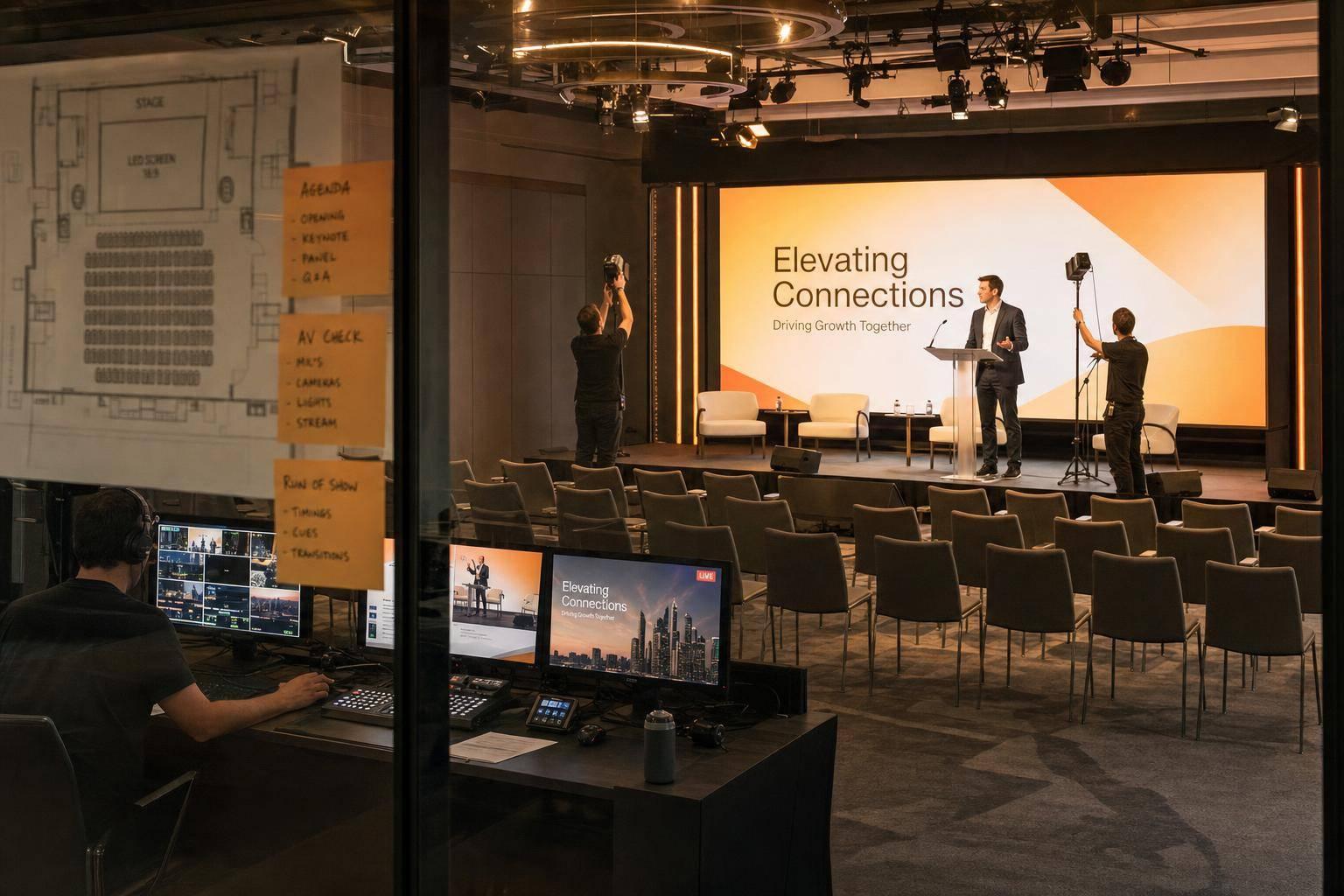
Once the scope is set, the production team builds the physical plan around those decisions. That usually starts with a scaled room layout showing the stage, seating, screens, cameras, control position, aisles, accessible seating, and cable paths.
Screen size and placement are based on the farthest seat in the room. LED walls are a strong fit when brightness, a camera-friendly background, or bold branding matters most. Projection often makes more sense when the room allows controlled lighting and the budget leans toward lower equipment costs. Lighting plans should give presenters even, flattering light for the in-room audience and the cameras, without washing out the screens. Scenic pieces, logos, and furniture should support the brand without blocking sightlines, exits, or accessible routes.
A site survey helps catch problems before they turn into show-day headaches. The production team visits the venue to measure room dimensions, ceiling height, stage depth, loading dock access, electrical capacity, rigging points, internet infrastructure, and acoustics. This step can surface deal-breakers early: a lighting truss that can't be flown because of ceiling load limits, a dock that can't handle large equipment cases, or a venue internet connection that turns out to be shared guest Wi‑Fi instead of a dedicated production circuit. For streaming, the guidance is to use hardwired internet, with cellular backup as a fallback.
Planning documents the client receives
These documents turn planning into approved production decisions.
| Document | What it covers |
|---|---|
| Proposal / estimate | Services included, assumptions, and exclusions |
| Scope of work | Deliverables and responsibility boundaries |
| Line-item budget | Costs in U.S. dollars broken out by category |
| Payment schedule | Timing of deposits and payments |
| Master production timeline | Key milestones from contract to strike |
| Task owner matrix | Who owns each task |
| Site-survey report | Room conditions, risks, and constraints |
| Stage, seating, and scenic plan | Scaled layout, elevations, and key positions |
| Technical plan | Audio, video, camera, lighting, rigging, power, and internet/streaming needs |
| Load-in and load-out schedule | Setup and teardown timing |
| Risk or contingency plan | Backup options and escalation steps |
A strong estimate separates labor, AV equipment, staging, scenic branding, internet, streaming, transportation, venue charges, and contingency. A commonly cited planning benchmark puts AV and production at roughly 10%–20% of the total event budget. That share can climb for hybrid broadcasts, LED walls, multi-room programs, or more complex show calling. A clear estimate breaks out each cost category so the client can weigh cost against reliability.
Once the scope, room plan, and budget are approved, the team can build the show file, source the gear, and brief speakers.
sbb-itb-ae35a94
2. Building the show: AV, staging, content, and speaker support
Once the scope and room layout are approved, the job shifts from planning to execution. Now the team has to turn drawings and checklists into a show that works in the room. That means installing, connecting, testing, and rehearsing everything the audience will see, hear, and feel before the first attendee arrives.
AV production and staging setup
The room build covers every system tied to the show.
On the audio side, that includes microphones, a mixing console, PA speakers, and backup units. Video includes presentation computers, playback systems, switchers, cameras, recording, and the main display, whether that's projection or an LED wall. Lighting covers front light for speaker visibility, scenic washes for the branded backdrop, and transition looks between segments.
Staging brings the physical space together. That includes the lectern, risers, stairs, furniture, set pieces, and signage. Each item has to be placed with sightlines, camera framing, and safe walking paths in mind.
A four-person panel plus moderator usually needs about a 16 × 20-foot stage. That gives enough room for five chairs, side tables, and microphone stands without making the stage feel cramped. A single keynote speaker can often work on a smaller 12 × 16-foot deck, depending on the room and the design.
Then come the less glamorous parts that make the show run well: cable management, power checks, load limits, and egress review. Every cable needs to be secured. Every power drop needs to be confirmed. Every scenic piece needs to be checked against safety limits and exit access.
Speaker and presentation support from file collection to entrance cues
Presentation management is a separate workflow, and it needs tight control.
The team starts with a presentation inventory: a running list of every slide deck, video, graphic, music track, and speaker. From there, they set a hard deadline for file collection. As files come in, they get labeled in a consistent way and checked for issues like:
- Missing fonts
- Broken media links
- Wrong aspect ratios
- Uneven audio levels
That review happens before anything touches the show system.
Testing also has to happen on the real playback chain, not just on someone's laptop. A deck that looks fine in PowerPoint can break once it's routed through a switcher to a large LED wall. That's why each file gets checked on the actual display path. One operator owns presentation playback, so the crew works from a single approved file set.
Speaker support happens at the same time as the technical build. Each presenter gets a briefing on microphone type, clicker use, stage position, timing, and entrance cues. The goal is simple: keep executives, moderators, and presenters aligned and on schedule.
Onsite, speakers are fitted with their microphone, shown the confidence monitor, and walked through their entrance and exit. The confidence monitor shows their current slide, next slide, and a timer. The team also confirms that the speaker can read that monitor from their stage position without strange head turns or awkward body movement.
With the content loaded and speakers briefed, the crew moves into rehearsal and tests the full sequence.
Rehearsals and show-ready documents
A technical rehearsal tests the real systems, real cues, and real people in order. Speakers practice walking on, advancing slides, handing off microphones, and exiting the stage. The show caller runs cues for the opening music fade, lighting change, walk-on cue, video roll, and camera switches.
For sessions with multiple speakers, video rolls, or executive presenters, the standard recommendation is a 60–90-minute technical rehearsal the day before, followed by a morning-of run-through.
This is usually where problems show up. Wrong file versions. Dead microphone batteries. Slides that are hard to read. Clunky stage paths. Slow presentation handoffs. Remote-audio lag. Rehearsal is where those issues should appear and get fixed, not during the live session.
The show isn't ready until the client, show caller, technical director, and content owners approve the stage layout, cue sequence, presentation files, and contingency plan.
The document package behind the show usually includes:
- Presentation inventory
- Technical-check schedule
- Cue sheet
- Rehearsal agenda
- Content checklist
- Final stage and AV plan
These documents give the crew one dated source of truth. They also give the client a clear approval point before doors open.
Once the room is built and rehearsed, the focus shifts to live show calling and onsite execution.
3. Running the live event: show calling, crew coordination, and contingency management
Onsite execution from load-in to strike
Onsite work starts at load-in and ends at strike. For a general session set for 8:00 a.m., the crew may load in the afternoon before, finish system checks that night, run presenter rehearsals before doors open, operate the full program, and clear the room after the audience leaves.
That whole flow is controlled through the load-in and strike documents. The production manager handles crew access, dock access, freight elevators, power drops, rigging approvals, and venue rules. Everyone works from one master schedule so the show stays in sync with registration, catering, transportation, security, and venue operations.
Once the crew is in the room, the job changes. It stops being mostly about logistics and becomes live control.
Who does what on the production team
Each production role owns a clear part of the show. The executive producer owns the creative and business outcome. The production manager owns crew, vendors, schedules, equipment, venue coordination, budget, and strike. The show caller owns live timing and calls every cue across audio, video, lighting, cameras, graphics, music, and stage transitions.
Backstage, the stage manager handles presenter readiness, entrances, exits, and microphone handoffs at stage level. They stay in direct contact with the show caller on headset. Department leads - the audio engineer (A1), video director (V1), and lighting director (L1) - run their systems and respond to cues as they’re called. Camera operators, playback technicians, and speaker-support staff round out the team.
This only works if ownership is clear on paper, not just in someone’s head. Responsibilities should be assigned, documented in an org chart, and shared before rehearsal so no key task lands on an unnamed person.
How contingency planning keeps the program on track
A contingency plan needs three parts: an owner, a trigger, and a backup action. The show caller handles immediate timing problems. The stage manager can call a hold for a backstage or safety issue. The production manager handles technical, venue, and client decisions. Venue or emergency personnel control any life-safety instructions.
That setup gets much easier to run when each phase has one clear owner.
| Production phase | Primary owner | Primary task | Main deliverable |
|---|---|---|---|
| Load-in and inventory | Production manager | Receive, count, stage, and secure equipment; coordinate dock and venue access | Equipment manifest and load-in checklist |
| Build and installation | Production manager and technical leads | Build stage, install AV, lighting, cameras, cabling, and control positions | Stage plot, system plan, and installation sign-off |
| Testing and rehearsal | Technical leads, stage manager, and show caller | Test systems, prepare speakers, rehearse cues, and confirm timing | Rehearsal report, updated run of show, and cue sheets |
| Live operation | Show caller | Coordinate speaker flow, audio, video, lighting, cameras, music, and transitions | Cue log and live issue log |
| Contingency response | Show caller and production manager | Switch to approved backups, holds, substitutions, or escalations | Incident record and revised timing notes |
| Strike and venue handoff | Production manager and department leads | Remove equipment, inventory assets, restore the room, and complete venue checks | Strike checklist and venue sign-off |
Most live failures have a simple, planned response. If a speaker is delayed, the team can hold the segment, roll a preapproved video, or move a later speaker up. If a microphone fails, the backup should already be tested and within reach, with a charged battery, a confirmed frequency, and an assigned operator ready to hand it off. If the network goes down, the team switches to a secondary connection or a local in-room program. If a speaker runs long, the crew follows the preapproved hold or fill sequence.
The run of show is the live control sheet. It lists timing, speaker, cues, and contingency notes. When something changes - and something almost always does - the team follows the sequence already built into the document instead of scrambling in the moment.
If the program also includes remote viewers, those same cues extend to webcast direction and remote speaker support.
4. Hybrid and virtual delivery, post-event wrap-up, and when to hire a production company
What changes when the event includes a remote audience
When part of the audience joins remotely, the production team has to run the room and the stream at the same time. That changes the job in a big way. A hybrid event is basically two shows happening together: one for the people in front of the stage, and one for the people watching online.
That means the team has to manage the webcast platform, cameras, microphones, the program switcher, streaming encoder, recording system, captions, remote-speaker connections, and moderated chat or Q&A. They also need a clear signal map for stage feeds, remote questions, and return audio.
Testing matters even more here. Before the event, the team should test with the actual files, speakers, encoders, return feeds, and comms that will be used on show day. They need to check internet stability, camera framing, lighting, audio levels, slide playback, captions, recording, and remote-speaker connectivity. Remote speakers need their own check too, well before the program begins, including camera position, lighting, background, audio, and connection quality.
The split below shows what happens in the room, what happens online, and what has to stay synced across both.
| Production area | Handled in the room | Handled online | Coordinated across both |
|---|---|---|---|
| Audio and video | Stage microphones, speakers, cameras, and room sound | Stream feed, remote-speaker audio, and viewer monitoring | Separate mixes so online viewers receive clean audio without room echo |
| Presentations | Confidence monitors, clicker, and screen playback | Branded graphics, video inserts, and remote screen sharing | Slide versions, cue timing, and transitions |
| Speakers | Green room, stage walk-on, and in-room cues | Virtual green room and online return feed | Speaker readiness, introductions, and Q&A order |
| Audience participation | Microphones for questions and room moderators | Chat, polls, Q&A, and virtual moderation | Selecting questions and ensuring both audiences receive equivalent information |
| Show control | Stage manager, show caller, and room crew | Stream operator, encoder, and online moderator | One master run of show with coordinated cues, time codes, and contingency actions |
| Recording and accessibility | Local ISO or program recording | Stream recording, captions, and transcripts | Caption accuracy, archive ownership, and post-event delivery |
Post-event deliverables and problems solved
When the program ends and the room is struck, the work isn't over. A good closeout package usually includes the recording, attendance and viewing data, a technical incident report, final equipment and labor records, hybrid event budget reconciliation, and a debrief.
That debrief should look at the planned schedule versus what actually happened. It should flag repeat speaker or content issues, review audience data, and document recommendations for the next event. It should also confirm who owns the recordings, how long files will be kept, where the archive lives, whether captions were reviewed, and what content can be reused.
This is where production support often earns its keep. It helps fix the problems that tend to pile up when no one is steering the whole thing, such as:
- Unclear technical requirements
- Incompatible equipment
- Late presentation files
- Weak speaker preparation
- Poor transitions
- Inconsistent branding
- Not enough rehearsal time
- Unreliable remote connections
- Missing backup plans
- Overloaded internal staff
A detailed run of show, production timeline, technical drawings, cue sheets, speaker checks, rehearsal process, and escalation plan turn those risks into assigned tasks and documented decisions. That's the difference between "we'll figure it out live" and actually having control.
Conclusion: how to decide what level of support you need
The right level of support depends on two things: how complex the program is and how much your internal team can handle. Some events just need solid AV support. Others need a team that can manage the whole show from planning through wrap-up.
The table below maps each service level to the problem it solves.
| Service level | Best fit | Operational problem addressed | Typical deliverable |
|---|---|---|---|
| Basic AV support | Simple in-person meeting with limited technical complexity | The client needs dependable microphones, screens, playback, and room support | Equipment plan, setup, onsite technician, and basic cue list |
| Dedicated production management | Multi-speaker or executive meeting with staging, rehearsals, recording, or several vendors | Internal staff are overloaded, responsibilities are unclear, or transitions and speaker readiness are creating risk | Production timeline, run of show, stage/AV plan, rehearsal schedule, show calling, and contingency plan |
| End-to-end event production | Branded stage program with livestreaming, remote speakers, multiple rooms, or high visibility | The event requires one accountable team across planning, venue coordination, AV, content, streaming, onsite execution, and analytics | Full technical design, webcast setup, remote-speaker workflow, rehearsals, live production, backup systems, recording handoff, analytics, and post-event debrief |
Pick the level that fits your event's complexity and your team's bandwidth. Earlier involvement usually helps more than people expect. Venue selection, budgeting, equipment availability, and risk planning all go better when the production team is brought in before the program and technical requirements are locked.
FAQs
How early should I hire a production company?
Hire an AV production partner as early as you can. That gives you time to lock in technical needs, sort out logistics, and avoid the last-minute scramble that can throw an event off track.
A simple rule of thumb:
- 12+ months for large-scale events
- 4 to 6 months for large conferences or setups with a lot of moving parts
- 8 to 16 weeks for executive summits and custom-built environments
What should I prepare before the first production call?
Before your first production call, get clear on the event’s purpose, goals, and what you want people to walk away with. Then have the basics ready:
- preferred dates
- venue details
- estimated attendee count
- presenter needs
- a rough budget, including contingencies
- any hybrid or virtual requirements
That gives the team what they need to look at logistics early and start planning without wasting time.
How do I know if my event needs full production support?
You likely need full production support if your event has a lot of moving parts that all need to run like one system, including:
- pre-event planning and technical design
- AV, staging, lighting, and rigging integration
- hybrid or virtual delivery
- on-site show calling, rehearsals, and contingency planning
If no one owns the workflow from pre-production through on-site execution and troubleshooting, even small timing or technical issues can snowball into delays.
Related Blog Posts



Streamline your workflow, achieve more

Lorem ipsum dolor sit amet, consectetur adipiscing elit. Maecenas ac velit pellentesque, feugiat justo sed, aliquet felis.



Lorem ipsum dolor sit amet, consectetur adipiscing elit. Maecenas ac velit pellentesque, feugiat justo sed, aliquet felis.