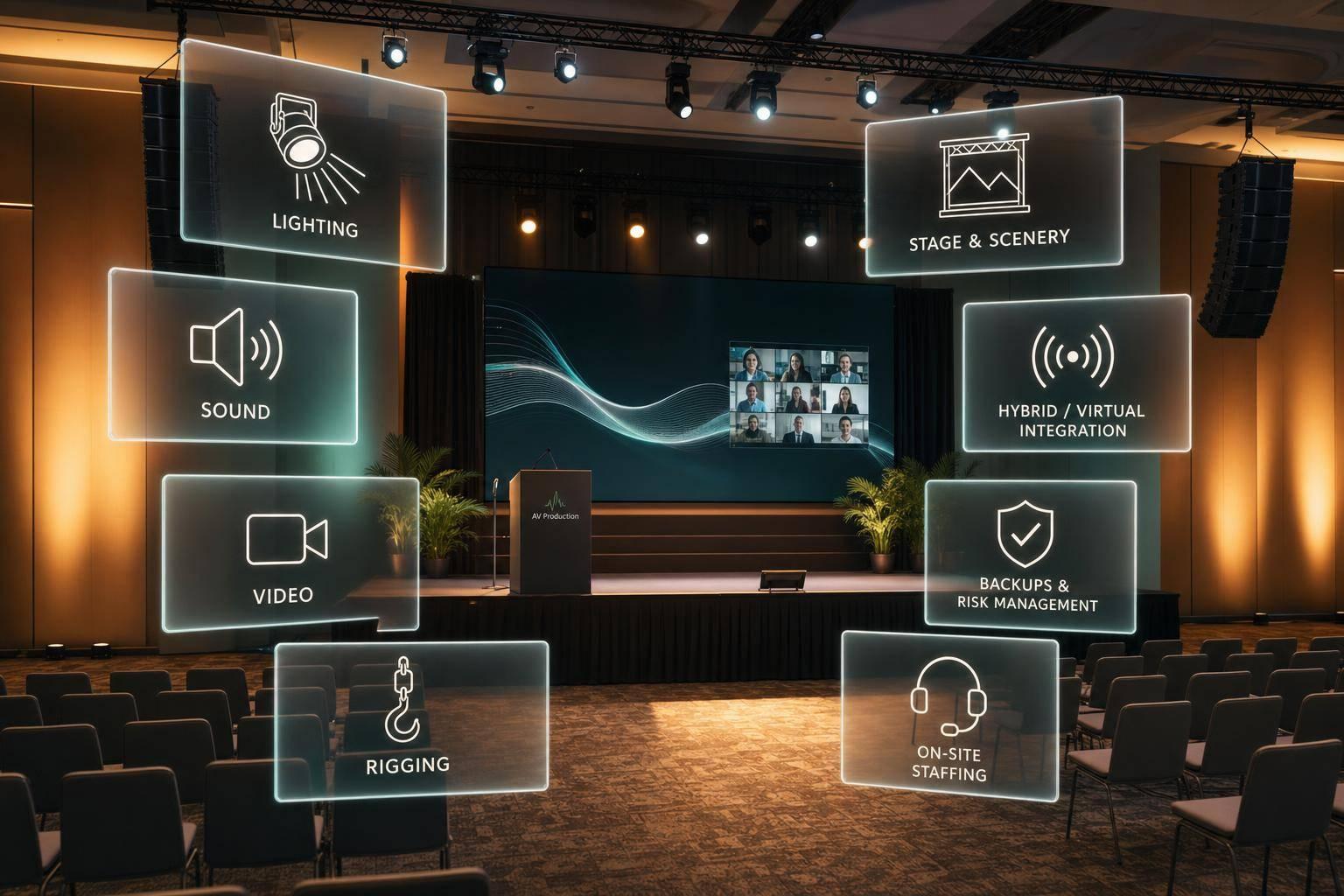
AV Production Partners With End-To-End AV Design, Stage/Scenery, Rigging, Lighting, Sound, Video, Hybrid/Virtual Integration, And On-Site Staffing.

Chief Executive Officer
If one team plans and runs your event tech, you cut handoff problems, tighten show control, and often save 10%–20% versus split-vendor setups.
When I look at full-service AV production, I’m looking at one partner that handles the whole show: AV design, floor plans, stage and scenery, rigging, lighting, sound, video, hybrid platform setup, backup plans, and on-site crew. That matters most for events with a lot of cues, remote guests, and live content changes.
Here’s the short version:
- Pre-production comes first: room data, power, internet, ADA access, signal flow, and run-of-show docs
- Stage and scenic planning affect both the room and the camera shot
- Rigging must match venue load limits, often 500–2,500 lbs per point
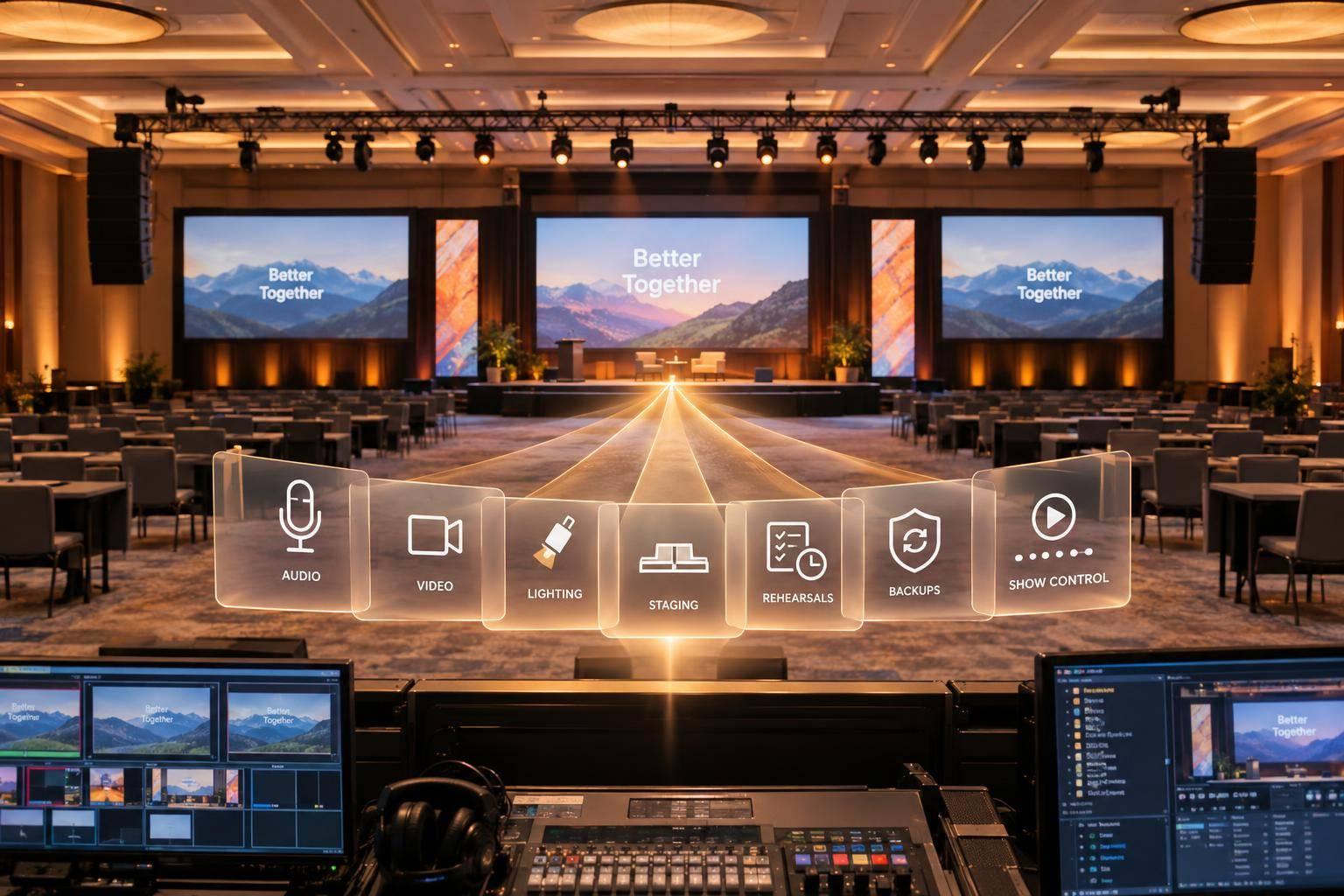
- Lighting, audio, and video work as one system, not separate rentals
- Hybrid events need more routing and backups, including dual internet paths and local plus cloud recording
- Staffing is part of the scope: production manager, A1, video director, streaming tech, stage manager, camera ops, and stagehands
- Deadlines matter: slide decks and videos should land 3–5 business days before show day
- Common stage sizes in hotel ballrooms range from 24' × 12' to 40' × 16'
A simple way to think about it: basic AV brings gear. An end-to-end production partner brings the plan, the system, and the crew.
| Area | Basic AV Support | End-to-End AV Production Partner |
|---|---|---|
| Planning | Light prep | Written show plan, plots, cue sheets, signal flow |
| Gear setup | Standard room package | Custom setup tied to event goals and room limits |
| Hybrid/virtual | Often added late | Built into the system from the start |
| Staffing | Tech or two | Full crew by role |
| Backup plan | Limited | Redundant gear, network, and recording paths |
| Accountability | Split across vendors | One team owns the scope |
If I were hiring for a town hall, sales kickoff, gala, or hybrid board meeting, I’d expect clear documents, tested workflows, and named crew roles before load-in starts.

Basic AV Support vs. Full-Service AV Production Partner
Full-Service Corporate Event Production⚡
AV Design And Pre-Production Planning
Pre-production turns event goals into a documented technical plan.
Discovery, Room Data, And Technical Requirements
The process starts with the basics: headcount, event format, branding, breakout sessions, live demos, dates, load-in windows, and venue rules. From there, the team looks at the room itself. Access, power, internet, and safety limits all shape the final setup.
The AV partner records room dimensions in feet, ceiling height to the grid, available amperage, electrical panel locations, and whether power is single-phase or three-phase. That level of detail matters. For example, LED walls and scenic pieces may need modular builds to fit through 36-inch doors. Internet needs to be checked early too. A hardwired connection with at least 25 Mbps upload and download is the baseline, with a bonded cellular backup when needed.
ADA needs and safety codes are also documented at this stage, not left for later. That includes ramp access to the stage, clear egress paths, and cable management across walkways. If those items aren't built into the plan from day one, they can turn into expensive problems on show day.
Those details turn into the floor plans, plots, and cue sheets that guide the event.
Core Deliverables: Floor Plans, Stage Plots, And Signal Flow
Once discovery is done, the partner creates the technical documents that every team works from. Think of them as the shared blueprint for the show.
Organizations should expect scaled floor plans that show seating, stage location, camera positions, screen placement, and cable runs in feet and inches. Stage plots map podium placement, risers, stairs, ramps, scenic elements, and confidence monitor positions. Rigging plots show truss positions, flown fixtures, and load limits.
Signal-flow diagrams show how every source gets to every destination. A solid diagram traces wireless lavs, podium mics, laptops, video playback machines, and camera feeds through consoles and switchers to in-room speakers, screens, recorders, and streaming platforms. It should also show backup paths, including redundant encoders, spare laptop inputs, and secondary network connections. That way, the full crew can see the failover plan before anyone steps into the venue.
These documents keep audio, video, lighting, and staffing working from the same plan.
Run-Of-Show, Content Workflow, And Rehearsal Planning
Once the layout and signal path are locked, the focus shifts to content and rehearsal.
Content delivery needs a firm deadline. Ask for all slide decks and video assets 3–5 business days before show day. Clear file names help more than people think. Names like Session01_Keynote_Smith_9AM.pptx or Video_OpeningRoll_1080p.mp4 keep assets sorted and lower the chance of the wrong file going live. Before anything hits the show machines, the team tests each file for font compatibility, embedded video playback, and aspect ratio.
The run-of-show document pulls the whole event together. It lists each segment with start and end times, presenter names, AV cues, and notes, using MM/DD/YYYY dates and local time zones throughout. For hybrid events, cue sheets also spell out time-based actions such as "Open Zoom webinar at 8:45 AM", "Admit remote audience at 8:55 AM", or "Start cloud recording at 9:00 AM", along with backup steps in case a connection drops.
Rehearsals usually happen the day before the event or on the morning of show day. They cover mic checks, playback, lighting looks, camera framing, and hybrid tests. If timing shifts or last-minute content edits come up during rehearsal, the team folds those changes back into the cue sheets before doors open.
Stage, Rigging, Lighting, Sound, And Video Systems
Once the floor plans and signal flow get approved, the work moves from planning into build-out. At that point, those drawings start driving the setup, cueing, and show-day crew plan. Stage, rigging, lighting, audio, and video all have to function as one connected system.
Stage And Scenic Design With Safe Rigging Support
In U.S. hotel ballrooms, common stage footprints usually fall between 24' × 12' and 40' × 16', with riser heights from 16" to 24" based on audience size and room depth.
Scenic pieces like backdrops, flats, and LED walls need to work for both the in-room audience and the camera. Tight patterns and strong stripes are usually avoided because they can cause moiré on video. Side panels can add depth and balance to the shot, but they shouldn't cut into the presenter's key-light area or block emergency exits. ADA ramp access should follow the 1:12 slope standard, with guardrails and a landing area so presenters can get on and off stage safely.
Rigging gets planned before anything goes into the air. The AV team checks the venue's rigging plot, point-load limits, and house rules before choosing truss. In U.S. ballrooms, certified point loads often range from 500 lbs to 2,500 lbs per point, depending on the building structure. ETCP-certified riggers calculate the full load for truss, LED walls, scenic elements, and lighting fixtures, while building in an 8:1 safety factor for overhead flown systems where ANSI-based entertainment-rigging standards apply. Truss locations also need to support clean lighting angles while keeping scenic pieces out of the shot.
Lighting, Audio, And Speaker Coverage For Corporate Presentations
Presenter lighting usually follows a three-point setup:
- A key light set about 30–45 degrees off-axis
- A fill light to soften shadows
- A backlight to separate the presenter from the background
Fixtures with a CRI of 90 or higher and a color temperature near 4,000K–4,500K help skin tones look accurate on camera without making the room feel harsh. Audience wash gets built as a separate layer. It should be bright enough for note-taking and camera pans, but still controlled so the stage stays the main focus. Accent lighting, logo gobos, and brand-color uplights are then programmed into cues for moments like walk-in, keynote, panel, and networking.
Audio design starts with the room itself, not the equipment list. Coverage is modeled in acoustic-design software so the main PA arrays or point-source speakers can be placed for even sound pressure across the audience. That means avoiding hot spots up front and weak coverage in the back. In larger ballrooms, left-right mains at the stage are often backed up by delay speakers that are timed to match the main source.
DSP manages EQ, compression, feedback suppression, and gain structure. For hybrid events, the DSP matrix can run separate mixes for the room, the livestream, and the recording feed, since each one needs its own tuning. Mic choice depends on how the speaker will present. Lavaliers fit keynote speakers who move around. Handhelds work well for Q&A and panel handoffs. Podium goosenecks fit formal lectern talks.
Video Display And Camera Planning
Display choice comes down to ambient light, content, and whether the event is being streamed. LED walls work well in bright rooms and also look strong on camera. Projection makes sense when the room can be darkened and when budget or setup simplicity matters more than visual punch. Confidence monitors should sit downstage in the presenter's natural eyeline, showing slides, notes, or a countdown timer. That way, speakers can stay connected to the audience instead of turning around to check the main screen.
Camera positions need to be planned alongside scenic and lighting from the start. Most hybrid programs need at least two cameras, while larger shows often need three to five. A main FOH camera covers the primary wide-to-medium shot. Side cameras add profile views and audience reactions. A roaming camera can help during higher-energy parts of the program.
All camera feeds route to a switcher, where they're combined with graphics, lower thirds, and playback sources before being sent to in-room screens, the livestream encoder, or the recording system.
For bright rooms that need to look good on camera, LED walls are often the better fit. For darkened rooms, projection can be the simpler call. Mic choice should match speaker movement, and larger hybrid programs usually need multi-camera coverage. Those display and camera decisions also affect how the in-room show connects with the livestream and recording team.
sbb-itb-ae35a94
Hybrid And Virtual Integration Plus On-Site Staffing
Connecting In-Room Production To Zoom Events And Microsoft Teams
Once the camera and display plan is locked in, the next job is getting that signal to remote viewers without turning the online side into an afterthought. If you're connecting an in-room show to Zoom Events or Microsoft Teams, the virtual audience needs to receive the same polished production as the people in the room. It can't be a separate service tacked on at the last minute.
The switched program feed should go from the video switcher to an encoder that sends a clean stream to the platform. Before show day, test upload bandwidth. Remote presenter video and audio should also come back into the room through dedicated return inputs. To avoid echo, the audio team creates a mix-minus bus: a custom send that gives remote participants the full room mix, minus their own voice. That setup depends on a digital console with clearly labeled aux sends, and it needs to be checked during line check.
A virtual green room gives the team a place to confirm remote speakers' audio, video, slides, and cue timing before they go live. If the network drops or echo shows up, the crew moves to a backup plan right away, whether that's phone dial-in audio, a pre-recorded version, or an alternate speaker. The goal is simple: fix the issue without throwing off the in-room audience.
Lower thirds, holding slides, and captions round out the stream. Graphics should be built ahead of time and fired live by the graphics operator. Holding slides keep the stream looking polished during breaks. Live captions can come from platform-native tools or a third-party captioner. Recordings should be captured locally on the switcher or a dedicated recorder, with cloud recording inside the platform serving as an off-site copy.
Hybrid events need the biggest crew, the most routing, and the most backup planning. That's why internet redundancy has to be part of the production plan from the start: dual internet paths, a failover router, and UPS power for encoders, switches, and control computers.
That setup works only when every role is assigned before load-in.
Technical Roles Required On Site
Staff the show with a production manager, audio engineer, lighting operator, video director, camera operators, graphics operator, streaming technician, stage manager, and stagehands.
The production manager owns the full technical scope. That includes approving signal flow, coordinating vendors, running production meetings, and keeping overall show quality on track. The stage manager owns cue timing and show flow, keeping speakers in place, relaying changes over intercom, and managing session transitions. Every other crew member owns a specific system from load-in through strike.
When roles are clear, the team can rehearse cues, watch outputs, and move to backup systems without wasting time.
Live Cueing, Quality Control, And Backup Planning
Use intercom to link audio, lighting, video, streaming, and stage management. Calls should stay short and direct, like "Video GO" and "Camera 2, take 2." Confirm each call with "Copy."
Before doors open, run a full line check across microphones, playback, cameras, return feeds, and graphics. One crew member should monitor the actual platform output on a confidence monitor that is separate from the program monitor, so issues are caught as they happen. Lower thirds should be spell-checked, speaker titles confirmed, and holding slides matched to the final schedule before the first session starts.
Use redundant recording paths so a single device failure doesn't wipe out the event. If the primary stream drops, a backup encoder on a separate network path takes over, keeping the show live for remote attendees without interrupting the room.
Why A Single AV Production Partner Improves Event Outcomes
Once the production plan is set, the next step is execution. And this is where one coordinated partner can make a big difference.
Lower Coordination Overhead And Clearer Accountability
When every technical area runs through one team, the show is simpler to manage and less likely to break down when the pressure is on. Even a small agenda change can hit every vendor at once. Scenic, lighting, audio, and streaming may all need updates. With one partner, the client makes one request, and that change moves through one internal process.
The big win isn't just having fewer vendors on the call. It's having fewer handoffs between design, show control, and venue delivery. That alone can cut a lot of confusion.
It also makes ownership much clearer. In a split setup, vendors can blame each other when something goes sideways. With one partner, there's no gray area about who owns the issue or who needs to fix it. Consolidated production can also generate 10–20% cost savings compared to similar multi-vendor setups, mostly by cutting duplicate gear and lowering venue costs through faster load-in and strike.
Better Production Quality Across In-Person, Hybrid, And Virtual Events
Quality isn't just about equipment. It comes from how the whole system works together.
When the same team designs the setup and runs the show, the room, cameras, audio, and platform work like one production instead of a pile of separate parts. A scenic design built with camera sightlines in mind helps avoid day-of-show problems. Audio coverage planned alongside the stage layout helps prevent dead spots that only show up once the event starts.
For hybrid events, this matters even more. Room acoustics, camera framing, platform routing, and presenter confidence monitors all have to line up. If one crew handles the full setup, rehearsals tend to go more smoothly because the people testing the system are the same people who built it. That's often the difference between an event that looks good on paper and a show that stays clean under pressure.
Conclusion: What Organizations Should Expect From Full-Service AV Production
A full-service AV partner should own the full technical scope. That includes design deliverables like stage plots, floor plans, signal flow charts, and lighting plots. It also includes physical systems such as rigging, scenic, audio, and video, plus hybrid platform integration with documented backup workflows and on-site staffing across planning, execution, and strike.
End-to-end AV production cuts friction, improves technical consistency, and gives both in-room and remote audiences a more dependable experience.
FAQs
How early should I hire an AV production partner?
Hire an AV production partner as early as possible. That gives you time to lock in technical needs, sort out logistics, and avoid the usual last-minute scramble.
As a rule of thumb, aim for:
- 8–16 weeks for executive summits and custom-built environments
- 4–6 months for large conferences or events with more complex logistics
- 12 months or more for large-scale events
Bringing your AV team in early also makes room for site surveys, CAD floor plans, and technical validation.
What should I prepare before the first AV planning call?
Before your first AV planning call, get clear on what the event needs to do. Define the purpose, set your goals, and spell out the outcomes you want.
It also helps to show up with the basics ready:
- Preferred dates
- Venue details
- Estimated attendee count
- Presenter needs
- A rough budget, including contingencies
You should also be ready to talk through the event scope, including any hybrid or virtual needs. That gives your AV partner enough to start looking at power, rigging, and site requirements early, instead of scrambling later.
How do I know if my event needs hybrid production support?
You need hybrid production support when your event has to reach people beyond the room, like investor webcasts, executive town halls, or leadership conferences. It also matters when you want in-person and remote attendees to get a polished, coordinated experience instead of two separate ones stitched together.
Choose hybrid support when you need consistent messaging, multi-camera streaming, interactive Q&A, real-time polling, and strong production control for both audiences.
Related Blog Posts
- 4 Meeting Production Companies That Excel At Seamless AV (audio/video), Lighting, and Stage Design for Corporate Conferences, and events
- Best Meeting Production Companies For General Session & Breakout Session AV Support
- End-To-End Annual Meeting Production Companies For Your Next Company Conference
- 5 Things AV Production Companies Handle For Your Next Dealer Meeting Or Summit, And Who To Reach Out To Today.



Streamline your workflow, achieve more

Lorem ipsum dolor sit amet, consectetur adipiscing elit. Maecenas ac velit pellentesque, feugiat justo sed, aliquet felis.



Lorem ipsum dolor sit amet, consectetur adipiscing elit. Maecenas ac velit pellentesque, feugiat justo sed, aliquet felis.