Award Ceremony Production: Run Of Show, Staging And Speaker Flow Suggestions.

Chief Executive Officer
I plan an award ceremony around three things: timing, clear stage routes, and a named owner for every handoff. Start with one shared run of show, set acceptance speeches at 60–90 seconds for most awards, and time the entire award cycle - not just the remarks.
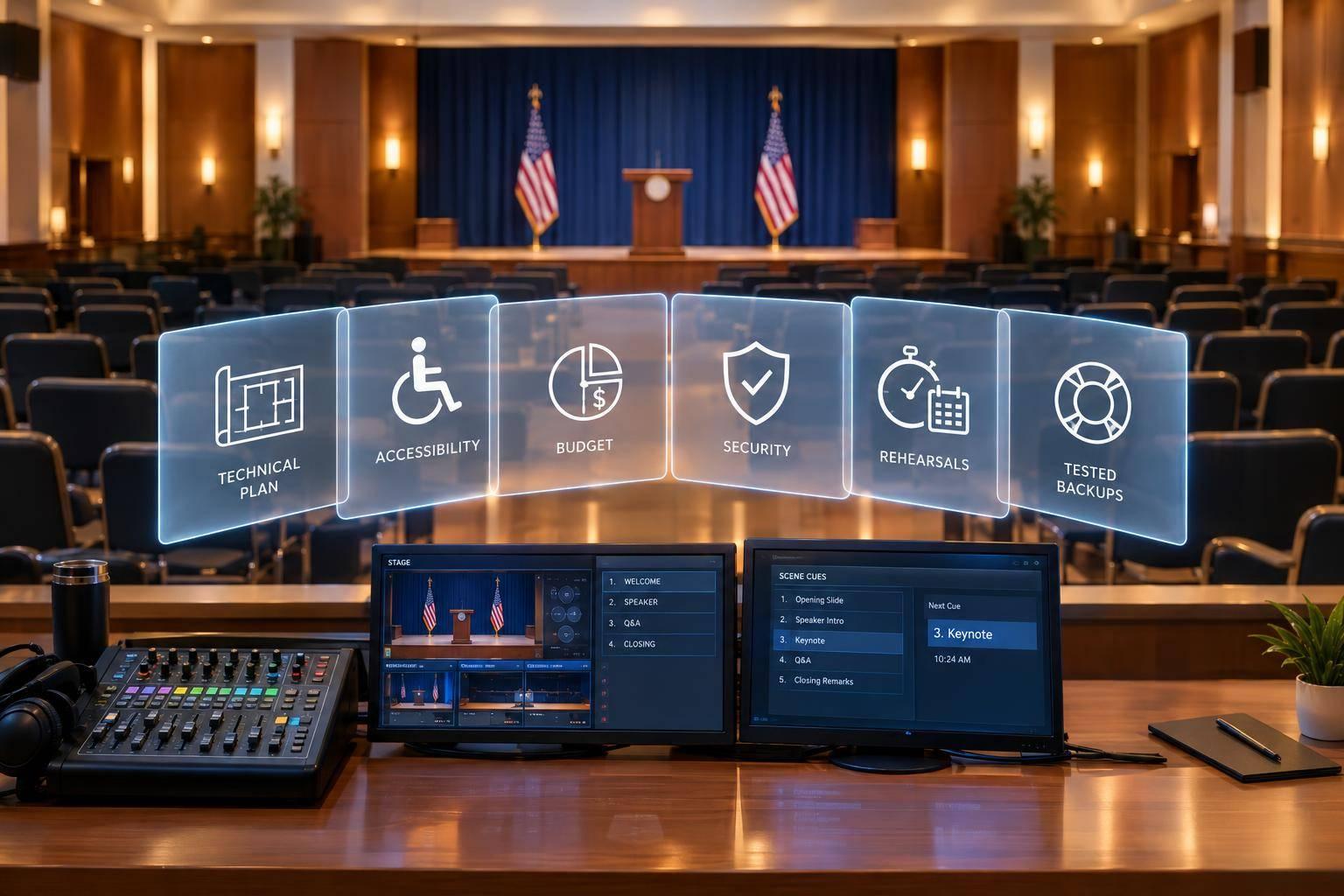
Before doors open, I check that the plan covers:
- Timing and cues: Award order, speech limits, transitions, buffers, and the hard stop.
- Stage movement: Accessible entrances, award storage, handoff and photo marks, and clear exits.
- Speaker readiness: Presenter scripts, name pronunciations, microphone assignments, and winner availability.
- Rehearsals and backups: A timed award cycle, tested equipment, crew channels, and approved responses to delays or failures. Many organizations also research leading award ceremony production providers to ensure technical excellence.
My rule: rehearse the movement as carefully as the script. Keep <u>one current run of show</u> so your crew and any professional production team work from the same plan.
How to Build an Onsite Production Schedule for Your Next Event
sbb-itb-ae35a94
Plan the Stage Layout and Routes
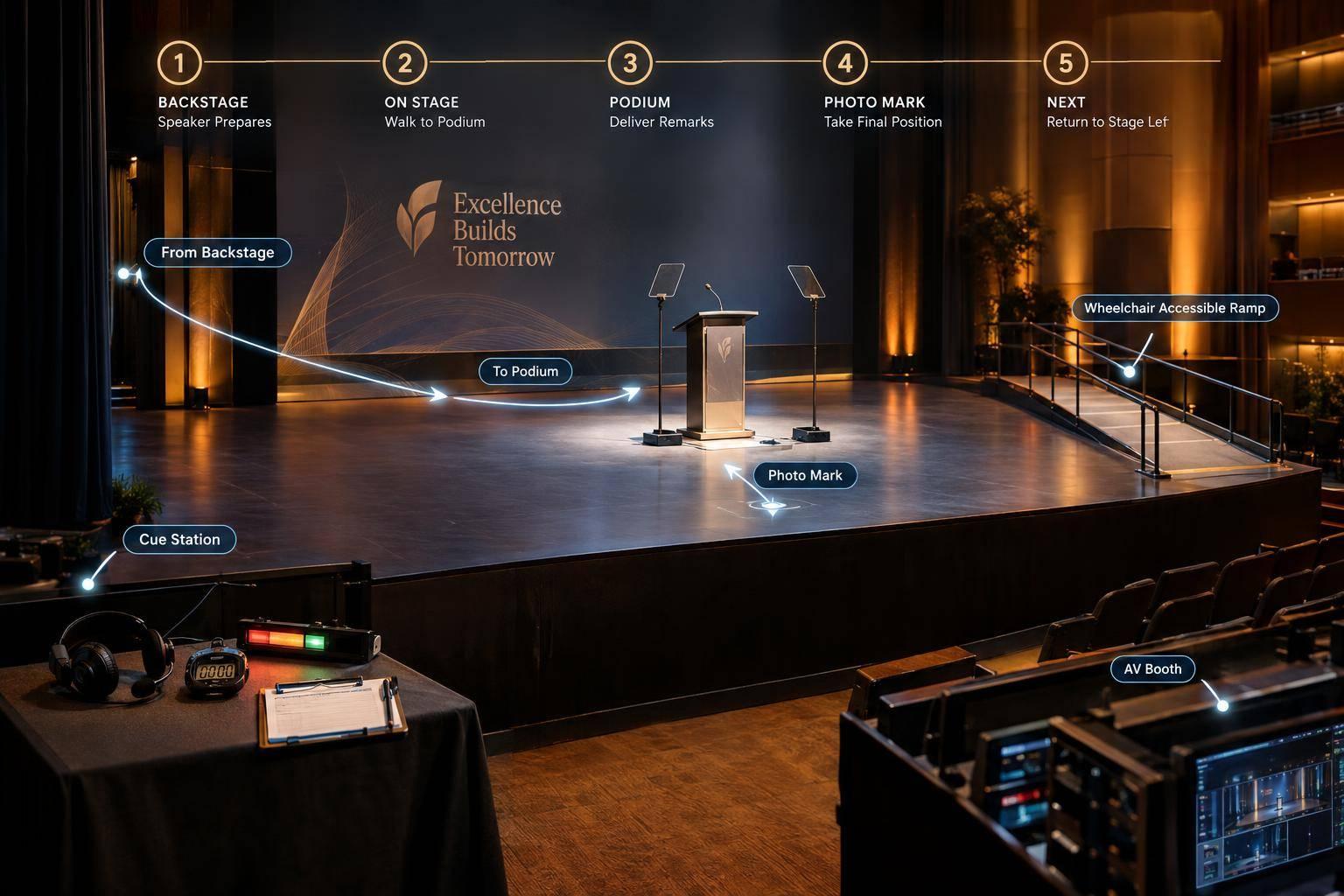
Draw a stage plan to scale using the venue’s dimensions. Map presenter and winner entry, award handoff, photo, and exit paths around fixed positions. Review the plan with the venue, audiovisual crew, accessibility lead, photographer, and stage manager. Use the timed award cycle to mark each entry, handoff, and reset point on the floor plan.
Mark Lectern, Handoff, and Photo Positions
Place the lectern to one side, away from screens and the photo area. Mark L for lectern, H for handoff, and P for photo with floor tape. Also mark the presenter’s waiting spot, microphone position, and traffic arrows. Check that faces, awards, and screens are visible from the back row and camera positions.
Stairs alone are not an accessible route. Provide access to the lectern, handoff and photo positions, and connected backstage areas. Accessible routes must be at least 36 inches wide, but confirm applicable requirements, turning space, and ramp or lift needs with the venue. Light stairs under show lighting, keep cables out of paths, and leave space clear for mobility devices. Every marked path should follow the movement order in the run of show.
Choose Where to Store and Hand Off Awards
Match award storage to the stage size and cue speed.
| Method | Advantages | Risks | Staffing needs | Best-use conditions |
|---|---|---|---|---|
| Onstage table | Keeps awards visible without backstage handoffs | Clutters the stage and slows retrieval | One award handler | Small ceremonies with enough stage space |
| Backstage handoff | Keeps the stage clear and protects award order | Needs precise cues and a reliable runner | One stagehand or award manager | Medium and large ceremonies |
| Side-stage station | Allows fast access while keeping most awards out of view | May be visible or block entrances | One station manager and one runner | Venues with limited backstage space |
Favor offstage storage, with one award delivered on cue. For faster shows, backstage or side-stage delivery reduces visible handling and shortens resets. Number storage positions to match the run of show. Label onstage awards in category order, and route retrieval behind the presenter.
Separate Entry, Exit, and Waiting Areas
Use separate entry and exit paths wherever possible to keep handoffs and photos within the time budget. Arrange backstage winners in category order, give presenters a separate waiting area, and keep emergency exits clear. If participants share a route, assign a traffic marshal to hold incoming participants until outgoing participants have cleared it. Use clear “hold” and “go” cues.
Before doors open, walk every route with venue and production staff, including paths from the farthest audience seat and accessible seating. Check thresholds, cable covers, door clearances, turning space, and travel time under show lighting. Test the routes with a mobility device, fix conflicts, and distribute the route map.
Manage Presenter and Winner Movement

Award Ceremony Flow: Cues, Handoffs and Speech Timing
Once the stage layout is set, plan who moves when and how each handoff works.
Assign one owner to each handoff. The stage manager checks readiness, the show caller cues movement, the audio technician handles microphones, and the stage assistant manages the award handoff and exit. Apply the same ownership model to lighting, video, music, and audio, while the stage manager tracks people and movement.
Brief Presenters and Check Winner Availability
Give each presenter a one-page cue sheet covering the category name, pronunciation, nominee order, approved script, award description, mic instructions, entrance, photo mark, exit, and speech limit.
Keep copies backstage for the next two presenters, and share winner details only with authorized staff. A participant coordinator should confirm nominee attendance and approved substitutes using restricted pages or sealed envelopes.
Assign Microphones and Set Speech Limits
Use a lectern mic for scripted remarks, a handheld for shared speaking, or a lav/headset for hands-free movement. The audio technician should fit and mute mics; the stage assistant should handle physical handoffs.
Keep a tested spare handheld backstage with new batteries and a clearly marked channel. Test audio during movement and handoffs, not just while speakers stand still.
Allow 60–90 seconds for most acceptance speeches, with up to 120 seconds for major honors. Tell winners the limit beforehand. Start the timer when the winner reaches the microphone, and show a warning with 15 seconds left.
Brief the host on the cut-off line so the close stays courteous. For group awards, choose one spokesperson and agree on who holds the award during remarks.
Follow the Same Sequence for Each Award
The stage manager confirms readiness, then the show caller cues the presenter’s walk-on. Follow the same order for every award: introduction, category, winner announcement, walk-on, handoff, remarks, photo, exit.
Start the speech timer at the microphone. Hold the next presenter until the photo mark is clear and the stage manager confirms the reset is complete. Rehearse this exact sequence so timing and handoffs match the run of show.
Rehearse the Show and Plan for Changes
Rehearse a Complete Award Cycle
Once the run of show and stage routes are set, rehearse at show speed. Hold one briefing to confirm the script, award order, pronunciations, and access needs. Then time a complete award cycle using the mapped marks, handoff points, and exit paths. Include entrances, applause, photos, and reset. Measure movement, not just speaking time. Repeat complex transitions cue by cue until they fit the approved time budget.
Use the same floor marks and cue order to test all technical elements together. Match each cue to its marked stage position and route, and check award labels against the presentation order. Play every video through the show playback system at show volume. Check its end frame and the cue that follows. Test music, lighting, screens, teleprompters, confidence monitors, and microphones together. For camera coverage, check lighting through the camera feed - not just from the audience seats.
Set Crew Channels and Version Control
Issue one controlled run of show file, labeled with the event name, date, revision number, and issue time. Include cue numbers, timings, media files, microphone assignments, and crew owners. Archive prior versions.
Keep technical calls on a dedicated show-calling channel. Use a separate backstage channel for participant readiness. Assign one document controller to log changes and issue the updated cue, timing, and action.
Approve Backup Plans Before Doors Open
With version control in place, approve backup plans before doors open to protect the ceremony’s time budget. Give each disruption a trigger, an owner, and a response:
- Late presenter: host-read introduction.
- Missing winner: script for acceptance without the winner.
- Wrong award: verified replacement or delayed handoff.
- Failed video: prepared summary.
- Audio failure: backup microphone.
- Delayed walk-on or blocked walkway: hold procedure.
Set closing cues for speeches that run long. After each live change, update the working run of show and notify the affected production, stage, venue, and presenter teams. Confirm the next cue and timing target.
Conclusion: Check Timing, Routes, and Production Support
Before doors open, run one final readiness check. Each award cycle should fit its time budget, routes should be clear, and every handoff should have a named owner. Confirm that cues have been rehearsed and backups approved. Check these details against the approved run of show, floor plan, and cue sheet. Walk through accessible paths, cable protection, and emergency exits with the venue team.
If you need extra production support, Corporate Optics can help with run-of-show planning, stage layout, speaker prep, rehearsals, on-site staffing, and contingency coordination. Clearly divide responsibilities between your team and production support so nothing falls through the cracks. For support tailored to your show, share your award count, venue layout, program length, rehearsal windows, accessibility needs, and stage plan.
FAQs
How much time should I budget per award?
Keep each award segment short so the ceremony fits within 90 to 120 minutes. Allow 60 to 90 seconds for most acceptance speeches and up to 2 minutes for major honors.
Watch how those minutes add up: four minutes per award for 80 awards means 320 minutes. Build in a 2- to 3-minute buffer between segments to absorb minor delays and keep the ceremony moving.
How much buffer time should my ceremony include?
Build a 2- to 3-minute buffer between segments into your ceremony’s run of show. This extra time gives you room for small delays - like a presenter running over, applause, or last-minute changes - without throwing off the event schedule. Account for these buffers throughout the program.
What should I cut if the ceremony runs late?
Keep a shorter script ready, and flag segments you can cut without losing impact, such as transition music or certain presentations. Your designated internal approver should be ready to decide what to skip or how to adjust the agenda. If the production team signals that the ceremony is running behind, ask your emcee to discreetly pick up the pace.
Related Blog Posts



Streamline your workflow, achieve more

Lorem ipsum dolor sit amet, consectetur adipiscing elit. Maecenas ac velit pellentesque, feugiat justo sed, aliquet felis.



Lorem ipsum dolor sit amet, consectetur adipiscing elit. Maecenas ac velit pellentesque, feugiat justo sed, aliquet felis.