How Corporate Optics Supports Virtual And Hybrid Annual Shareholder Meetings.

Chief Executive Officer
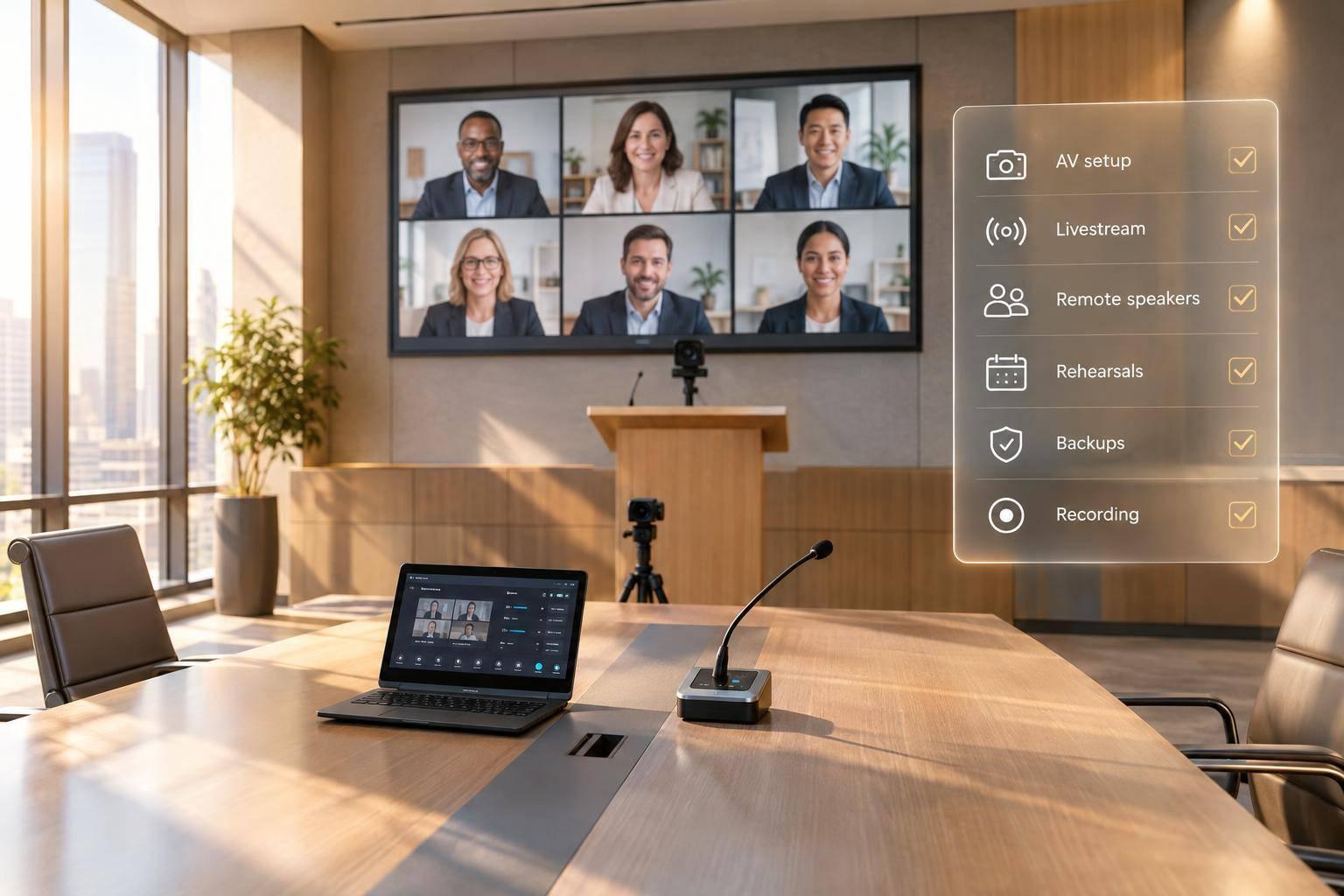
Corporate Optics handles the production side of virtual and hybrid annual shareholder meetings: a standard set by top companies for annual shareholder meetings, room sound and video, livestreams, slides, remote speakers, Q&A handoffs, and recordings. The plan includes a full rehearsal, access opened at least 15 minutes early, and tested backups for files, microphones, and connections.
The work starts with approved meeting rules and ends with live monitoring and recording delivery. Company officials, counsel, and meeting administrators remain responsible for eligibility, voting, legal decisions, and official records - not Corporate Optics.

Virtual and Hybrid Shareholder Meeting Production Workflow
Prepare Executive Presentations and In-Room AV
Set Up the Stage, Sound, and Slides
Plan stage design, lighting, speaker support, and on-site AV for both the room and the livestream. Give presenters clear sightlines to the audience, cameras, and preview monitors. Use front lighting to keep faces visible without glare. Place cameras near eye level to show faces rather than a distant view of the stage. Keep cables out of walking paths, and position screens where the audience can see them easily.
Test each executive’s microphone at their normal speaking volume from the marked stage position. Alongside the primary lavalier or headset, have a tested handheld microphone ready as a backup. Balance speech separately for room speakers and the livestream when needed. Clear audio in the room doesn’t always mean clear audio online.
Load the final approved slide deck and media package, then check fonts, animations, embedded video audio, and slide-advance controls. Use high-contrast charts with large labels, test readability on laptops and phones, and leave space for captions. Ask speakers to explain key chart points aloud so viewers don’t have to read every label. Record each asset’s owner, playback cue, backup format, and final approver so operators know exactly which file to use.
Connect Room AV to the Livestream
Route microphones through the audio console. Send cameras, slides, and playback sources through the video switcher, then encode the live program feed for livestream delivery. Send slides directly to the livestream instead of filming the projection screen. Use a medium speaker shot for remarks, a broad stage shot for context, and a clean presentation view when financial figures need attention.
Have a show caller coordinate presenters, AV operators, playback staff, and the venue team using cues tied to slide numbers and speaker transitions. Check the outgoing feed for readable charts and clear narration.
sbb-itb-ae35a94
How To Setup A Broadcast-Level Hybrid Meeting with Slides, Videos, and Audio
Connect Remote Speakers and Shareholders
Once the room feed is live, the production team brings remote speakers and shareholder questions into the same run-of-show.
Corporate Optics connects approved remote speakers and shareholder participants to the webcast. Access alone does not grant speaking or voting rights. Before anyone joins, the meeting administrator, chair, counsel, or investor-relations team must confirm their identity, role, agenda item, and speaking order.
Test and Cue Remote Speakers
Test each remote speaker’s device, browser, location, and network. Check camera position, microphone, headphones, internet stability, lighting, background, power, and presentation files, including sharing permissions.
Use the pre-call room to explain how speakers will receive their cues. Send producer instructions through a separate chat, phone, or intercom. Keep microphones muted until speakers are cued, and use a mix-minus feed to prevent echo.
| Contributor | Connection method | Technical check | Cueing process | Audio handling | Backup plan |
|---|---|---|---|---|---|
| In-room presenter | Stage camera, presentation computer, and room microphone | Confirm framing, microphone, slides, monitor, and lighting | Floor manager gives visual or headset cues | Route microphone to webcast; control nearby open microphones | Spare microphone, backup computer, and printed remarks |
| Live remote speaker | Approved video connection or production feed | Check camera, audio, connection, permissions, and slides | Pre-call room and private producer cues | Mute until cued; use headphones and mix-minus | Telephone audio, prerecorded remarks, or approved alternate speaker |
| Dial-in participant | Moderated bridge or dial-in line | Check number, controls, signal, and mute status | Operator queues caller and alerts producer | Level-match audio and keep it out of the room return | Callback, written question, or next approved speaker |
| Prerecorded contributor | Program playback file | Check video, audio, captions, duration, and file integrity | Producer starts playback on cue | Normalize audio; mute unused live sources | Duplicate file, audio-only version, or authorized substitute |
Manage Question Handoffs and Access Support
Publish question deadlines and live submission options, such as a webcast text box or moderated telephone line. The issuer controls eligibility and question selection. Corporate Optics sends selected questions to the moderator’s display or connects an approved caller. The show caller cues the moderator and coordinates the handoff.
Before a live handoff, the operator should confirm that the caller is ready, remove competing audio, and notify the show caller. The moderator then identifies the shareholder using the approved protocol and explains whether the question will be read aloud or spoken live.
Keep private contact details off webcast graphics. Log answered, deferred, and unanswered questions so the issuer can follow up.
Corporate Optics can troubleshoot delivery, authentication, and ballot access issues, but it does not decide eligibility or change ballots. Once remote access and question flow are confirmed, the team can move into rehearsal and live monitoring.
Rehearse and Run the Meeting
Rehearse the Agenda and Technical Failures
With remote speakers and shareholder question channels connected, the team can begin rehearsal. Corporate Optics runs the full agenda with the chair, executives, moderator, meeting administrator, and technical crew. This run-through brings room AV, the livestream, and remote participation together. Use final files, actual equipment, and live connections. Practice every transition through adjournment, including administrator-led voting cues. Harvard’s governance guidance recommends a full-meeting rehearsal and live technical support.
Test a dropped speaker connection, missing slide, muted microphone, and network interruption. For each failure, record the immediate response, backup, decision-maker, and escalation deadline in the run-of-show. The production lead authorizes technical switches; the chair decides whether proceedings pause, continue, or adjourn. Test a separate backup communication channel for the crew, too.
Open Access Early and Monitor Both Audiences
Once the failure plan is set, turn to live access and audience monitoring. Before opening access, check the approved URL, authentication, permissions, telephone number, voting functions, loaded files, and authorized recording settings. Make sure access instructions match the approved meeting materials. Open relevant web, video, and telephone access at least 15 minutes early. Show the time zone on schedules and holding screens. Keep shareholder support channels separate from crew communications.
Assign owners and backups to monitor both audiences at the same time. The room technician checks microphones, sound, screens, and lighting. The broadcast operator watches outgoing video, slides, audio, captions, and stream health. A remote coordinator monitors speaker connections, while an access lead tracks login issues.
The producer compares what people in the room and online actually experience - not just what appears on the program monitor. The company-appointed moderator manages questions and meeting procedure.
Use Backups and Handle Recordings
During the live meeting, backups help keep presentations running and attendees connected. Keep two verified copies of approved presentations on separate systems. If playback fails, show approved backup slides while the presenter delivers remarks. If a connection drops, follow the agreed agenda change. Test backup power and network paths before relying on them.
Confirm that recording has started, enough storage is available, and recording continues throughout the meeting. After adjournment, review the audio, slides, and file completeness. Then deliver the recording and incident log to authorized company contacts for retention, editing, access, and distribution.
Conclusion: Coordinate Production and Participation
Confirm the meeting format and participation rules before publishing proxy materials. Then connect those rules to the production plan so Corporate Optics can put them into action. This handoff keeps the meeting plan aligned from preparation through adjournment.
Put Corporate Optics in charge of microphones, livestream delivery, speaker cues, and recording handoff. Company officials, counsel, and meeting administrators retain responsibility for governance, eligibility, voting, and legal decisions.
FAQs
How early should we involve Corporate Optics in planning?
Bring in Corporate Optics early - ideally 3 to 6 months before most annual shareholder meetings. This gives the team time for site surveys, production planning, and technical checks.
For large-scale or complex events, allow 9 to 12 months to address governance, select a venue, and coordinate logistics. For smaller or single-day meetings, book at least 4 to 8 weeks ahead to secure staffing and reduce delivery risk.
What materials should we provide before rehearsal?
Prepare a controlled content pack with the chair script, agenda, order of business, quorum language, proposal text, voting instructions, remarks, Q&A process, closing language, slides, lower-thirds, and holding slides.
Before finalizing the pack, have Legal, the corporate secretary, and Investor Relations verify the quorum requirements, vote thresholds, and proposal language.
Give each presenter a one-page briefing with their arrival time, speaking order, allotted speaking time, approved wording, microphone instructions, slide-control rules, and backup login method.
How can we make participation accessible to all shareholders?
Plan registration, authentication, voting, and moderated Q&A as one coordinated process. Give attendees clear, counsel-approved instructions that explain the difference between viewing and authenticated participation, how to recover lost credentials, and how to contact a dedicated help desk.
Test real-time captions and assistive-access support on both desktop and mobile. Keep agendas in sync for in-room and remote audiences. Run technical rehearsals to check authentication, question submission, voting access, captions, and reconnection.
Related Blog Posts


Streamline your workflow, achieve more

Lorem ipsum dolor sit amet, consectetur adipiscing elit. Maecenas ac velit pellentesque, feugiat justo sed, aliquet felis.



Lorem ipsum dolor sit amet, consectetur adipiscing elit. Maecenas ac velit pellentesque, feugiat justo sed, aliquet felis.