Dealer Meeting Production In Detroit, Michigan: How Corporate Optics Supports Any Conference.

Chief Executive Officer
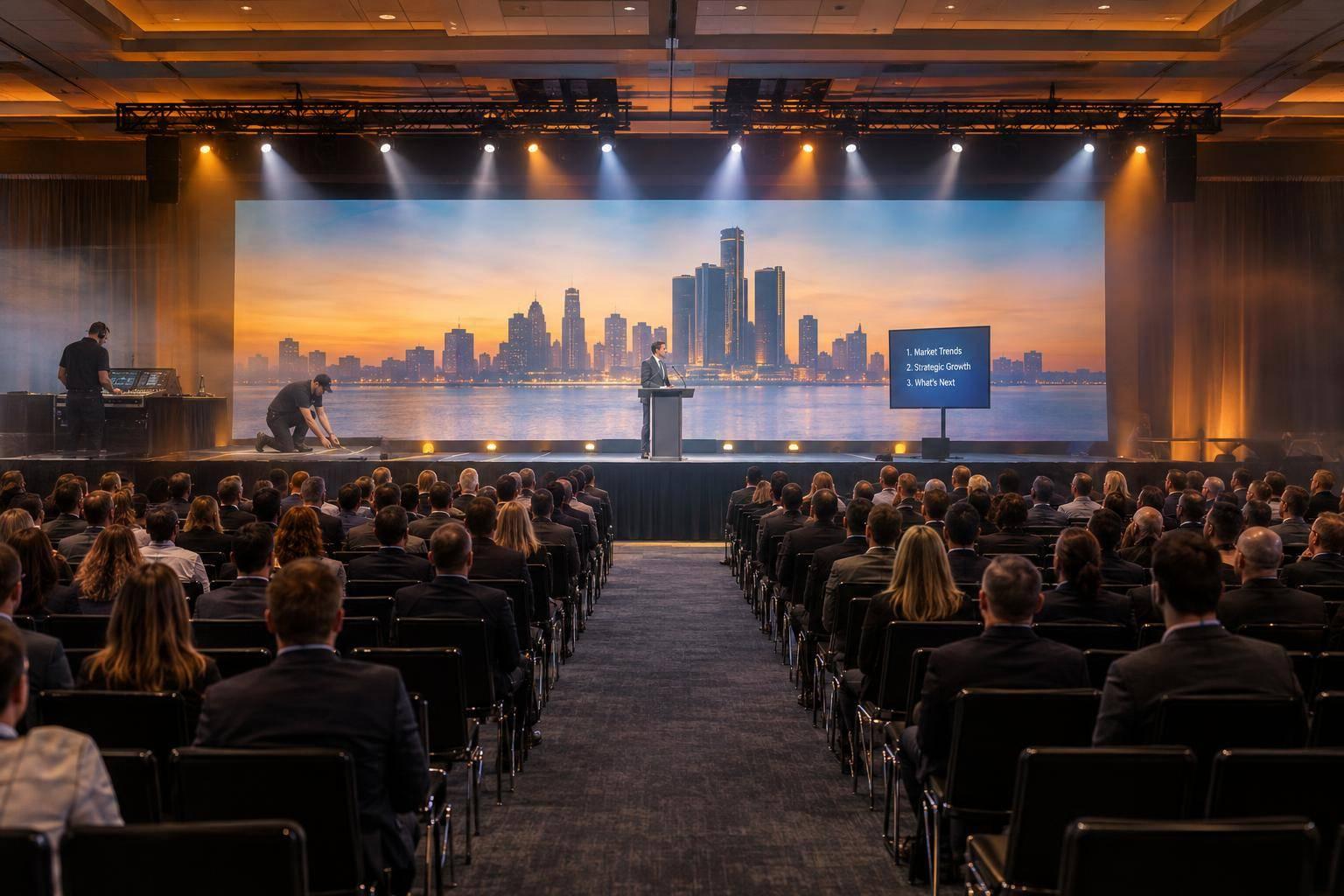
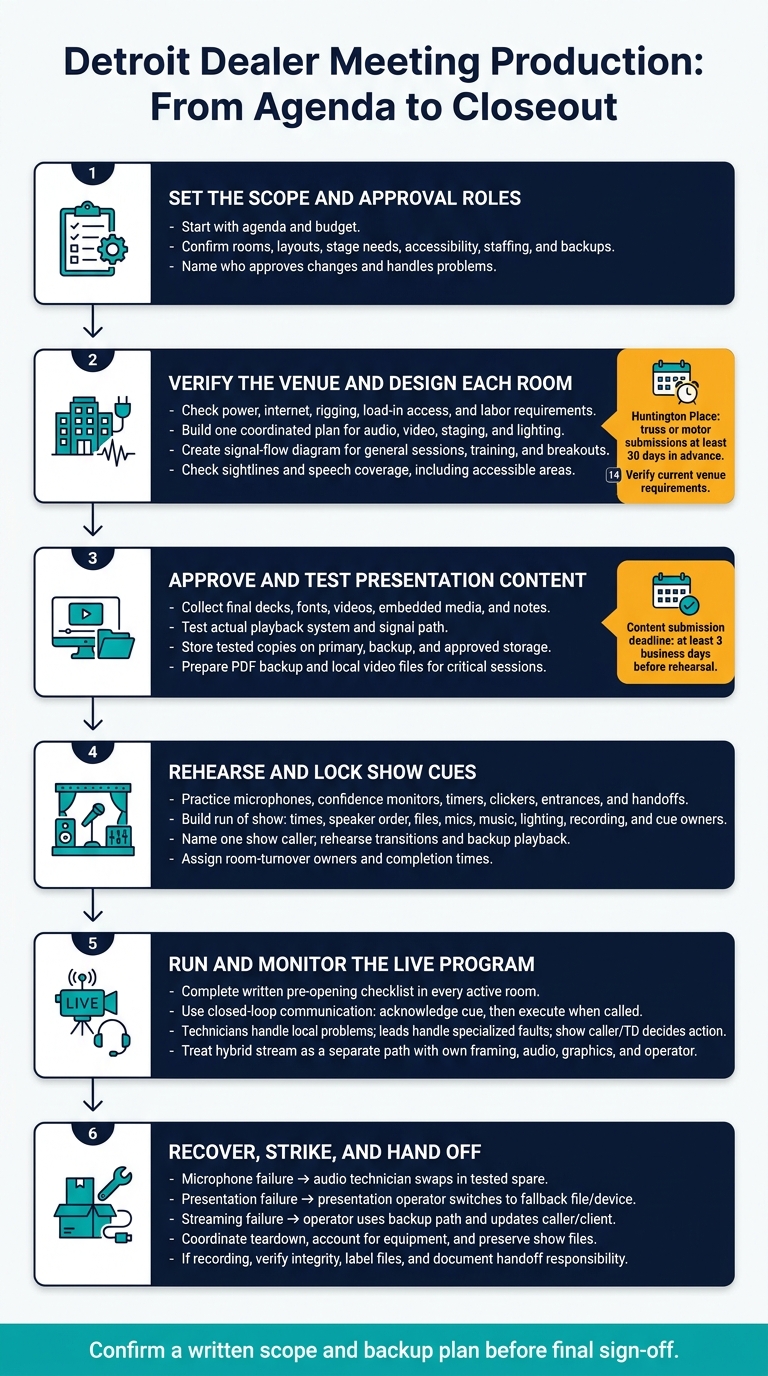
Detroit dealer meeting production starts with the agenda - not an equipment list. Corporate Optics coordinates AV, staging, lighting, and on-site technical support around the speakers, rooms, and schedule. Set content deadlines at least 3 business days before rehearsal, assign approval roles, and confirm venue rules before setup.
The production plan should cover:
- Scope and budget: Room layouts, clear sound, readable screens, stage access, staffing, and backups.
- Venue checks: Power, internet, rigging, load-in access, and labor requirements.
- Show preparation: Approved presentations, speaker rehearsals, cue sheets, and room turnovers.
- Live support and closeout: Show calling, breakout coverage, streaming checks, fault recovery, teardown, and recording handoff.
One written scope should name who approves changes and who handles problems - from the first content check through the final file delivery.
Detroit Dealer Meeting Production: From Agenda to Closeout
Plan AV, Staging, and Lighting for the Venue
With the agenda and budget set, build one room plan for audio, video, staging, and lighting. Use it to guide signal flow, stage placement, and lighting positions so dealer messaging stays clear, readable, and on schedule.
Coordinate Sound and Video in Each Room
Create a signal-flow diagram for every general session, training room, and breakout. Route presentation computers, video playback, and cameras through the switcher to displays and recording or streaming feeds. Give presenters a separate confidence-monitor feed for slides, notes, or timers. Check screen size, resolution, aspect ratio, and lip-sync from the farthest seats - not just the control position.
Match microphone inputs and audio mixing to lecterns, handheld microphones, panels, and audience questions. Place stage monitors where they won’t cause feedback or block sightlines. For long or echo-prone rooms, assess distributed speakers or delay speakers instead of simply turning up the volume. Check speech coverage at the back, along the sides, and in accessible seating areas. Listen for sound spilling into neighboring sessions, too.
Plan Stage Layouts and Lighting Cues
Arrange platforms, branded backdrops, scenic elements, lecterns, and panel furniture around presenter positions and camera angles. Keep an accessible route to the stage and place confidence monitors out of audience sightlines.
Coordinate front, key, fill, and scenic lighting so faces stay visible and the room remains usable. Set lighting cues for each program segment, keeping faces lit and projections readable through transitions.
Check Detroit-Area Venue Requirements
Venue conditions shape sightlines, sound coverage, access, and rigging choices. Check these details before locking in the room plan.
| Venue type | Conditions to verify | Production needs |
|---|---|---|
| Hotel ballrooms | Ceiling height, chandeliers, columns, limited rigging, shared guest access, and restricted setup hours | Compact staging, displays sized for sightlines, ground-supported lighting where needed, cable ramps, and scheduled load-in |
| Convention centers | Room dimensions, ceiling height, rigging approvals, floor loading, power, docks, freight elevators, internet, and labor rules | Display and audio coverage matched to room size, approved lighting supports, dedicated power, and coordinated room-by-room crews |
| Auditoriums | Balcony sightlines, house-system interfaces, backstage access, stage-load restrictions, and projection positions | House-system integration, unobstructed camera positions, confidence monitoring, presenter lighting, and accessible stage access |
| Nontraditional venues | Power availability, acoustics, dock access, rigging restrictions, public access, and weather exposure | Portable power distribution, ground-supported truss, temporary acoustic treatment, weather protection, and additional safety review |
Huntington Place’s load-in and room policies affect setup. Its guidance calls for truss or motor submissions at least 30 days in advance.
Suburban Collection Showplace’s Diamond Ballroom has a reported ceiling height of approximately 18 feet, designed to accommodate lighting trusses and audiovisual platforms. Venue rules may govern electrical services, broadcast rights, and recording permissions.
Verify current room specs with the venue before building presentations and cue timing around those limits. With those details confirmed, move to presentations, speaker rehearsal, and the show file.
sbb-itb-ae35a94
Prepare Presentations, Speakers, and Show Cues
Test Presentation Content and Backup Playback
Once the room plan is locked, shift from design to content. For dealer meetings, approve messaging before rehearsal so every room delivers the same content. Set a submission deadline at least 3 business days before rehearsal so Corporate Optics can coordinate content checks and speaker preparation.
Collect final decks, fonts, videos, embedded media, and notes in one package. Store tested copies on the primary playback computer, a backup computer, and approved storage. Check aspect ratios, slide layouts, video sound, and presentation mode on the actual playback system and signal path. AVIXA recommends connecting presenters directly with the technology partner before the event.
Include the session, speaker, revision date, and version in each filename, and log late changes. Prepare a PDF backup and local video files for critical sessions. At speaker check-in, verify the approved deck on the presenter computer, test the clicker, and review the first and last slides. Assign one technician to restore playback if files fail.
Rehearse Speakers and Build the Run of Show
Give speakers time to practice with the microphone, confidence monitor, timer, and clicker, and to get comfortable with their stage position. Rehearse entrances, time warnings, handoffs, and what to do if content fails.
The run of show should include start times, durations, speaker order, files, microphone assignments, walk-on music, playback, lighting cues, recording status, and cue owners. These details help keep executive remarks, dealer updates, and session handoffs on time.
Name one show caller and agree on headset cue language. Rehearse transitions and backup playback - not just speeches. Once cues are locked, build the install and turnover schedule around them.
Schedule Setup, Rehearsals, and Room Turnovers
Build the schedule around rehearsal, reset, and turnover windows so room changes don't delay the program. Reserve time for cue-to-cue rehearsal and teardown. Give each turnover a named owner and a completion time for furniture, microphones, files, lighting, and recording checks. For multi-site programs, account for travel and loading access.
Before publishing the schedule, confirm venue access hours, labor calls, union rules, green rooms, holding areas, and streaming or recording space. Detroit-area work may involve IATSE Local 38; verify which tasks require venue or union personnel and who books them.
For streamed sessions, reserve time to test the venue network, remote presenters, captions, and a local backup recording. Use these scheduled checks to prepare for live show calling and on-site support.
Manage On-Site Production Across Event Formats
Match Staffing and Systems to the Program
Once cues are locked and rehearsals are complete, the live crew keeps the program on schedule. Size the Detroit crew to program complexity - not attendance. Concurrent sessions, speaker turnover, streaming, recording, and room changes determine staffing and system needs.
Build a room-by-room matrix covering displays, microphones, playback, cameras, lighting, recording or streaming, assigned technicians, and backup equipment. Use it to match crew size, room coverage, and backups to each format while keeping the dealer message clear, timing on track, and delivery consistent across rooms.
| Conference format | Room systems | Technical roles | Rehearsal needs | Support coverage |
|---|---|---|---|---|
| Small, single-room meeting | Display or projection, playback, PA, microphones | Production lead, AV technician, presentation operator; roles may overlap | Content check, microphone test, speaker walk-through | Pre-opening check and room support during the session |
| Mid-size conference | Main stage, displays, switching, wireless microphones, stage lighting, timer, recording as needed | Show caller or technical director, audio technician, presentation operator, lighting or stage technician | Full technical rehearsal with transitions, videos, and lighting cues | Main-room support, breakout coverage, technical lead |
| Large or multi-room conference | Main stage, breakout AV, distributed audio/video, confidence monitors, recording, streaming, sponsor interfaces, critical-system redundancy | Production manager, show caller, audio/video/lighting teams, stage manager, presentation operators, room technicians, streaming crew | Room-by-room testing, stream test, contingency drills | Named coverage in every active room, central escalation, relief coverage |
For hybrid events, treat the stream as a separate show path. The online audience needs its own framing, audio mix, graphics, and monitoring to receive the same dealer message. Assign one operator to watch the live stream throughout the show.
For hybrid or recorded programs, include camera direction, remote-participant integration, recording workflows, stream monitoring, and file handoff in the staffing plan, as applicable.
Coordinate Show Calling and Room Support
Connect the show caller or technical director with audio, video, lighting, staging, presentation, streaming, and room technicians through one communications structure.
Before doors open, complete a written checklist in every active room. Check power, cabling, signal routing, microphone batteries and frequencies, playback files, slide versions, lighting cues, furniture, layout, accessibility, and communication systems.
Use closed-loop communication: the operator acknowledges a cue, then executes it when called. Give breakout rooms clear identifiers and a shared channel for schedule updates. Keep local troubleshooting off the main cue channel.
Assign a production contact for speakers, exhibitors, venue staff, registration teams, and client stakeholders. Route requests through that person so a late exhibitor audio request or speaker move doesn't bypass the technical lead.
Keep decision-making clear: room technicians handle local problems, department leads handle specialized faults, and the show caller or technical director decides whether to pause or change the program.
Handle Technical Issues and Event Closeout
Before the program starts, define who owns each recovery task and select backup equipment for critical failure points.
- Microphone failure: The audio technician isolates the failed channel and swaps in a tested spare.
- Presentation failure: The presentation operator switches to the approved fallback file or device while the speaker continues.
- Streaming failure: The streaming operator identifies the fault, switches to the documented backup path, and updates the show caller and client lead.
After attendees leave the space, coordinate teardown with venue staff, account for equipment, and preserve show files. If recording is included, confirm file integrity, label files by room, session, date, and speaker, and document who's responsible for the post-event handoff.
Conclusion: Confirm Your Production Plan With Corporate Optics
A successful Detroit dealer meeting brings venue needs, AV, staging, lighting, show calling, rehearsal, and on-site support into one plan. The goal: keep dealer communications clear and on time.
Before final sign-off, share these details with Corporate Optics: venue, rooms, dates, load-in and show times, audience size, layouts, stage needs, presentation formats, playback, streaming, internet, accessibility, and venue restrictions.
With those details set, confirm a written scope and backup plan before final sign-off. Spell out audio, video, lighting, staging, playback, recording, streaming, staffing, setup, rehearsal, show operation, strike, and who has on-site approval authority. Schedule speaker checks and a cue-to-cue run-through before attendees arrive.
FAQs
How early should I book Corporate Optics?
Bring in Corporate Optics before you sign a venue contract to check that the space meets your technical needs. For most corporate events, aim to book 3 to 6 months ahead.
Larger or more complex conferences - such as dealer meetings with major scenic builds - need 6 to 12 months of lead time. Smaller, single-day meetings can usually be arranged with 6 to 10 weeks’ notice.
What affects my dealer meeting production budget?
Your dealer meeting production budget starts with event scope, technical needs, and logistics. Costs depend on the number of rooms and attendees, crew hours, travel, rehearsal time, and the complexity of audiovisual systems, lighting, and staging. Streaming, recording, and custom-built scenery also affect the total.
Working with one production partner helps control spending by reducing overlapping costs, drawing on established vendor networks, and tracking each budget line item.
Can Corporate Optics work with my venue’s existing AV?
Yes. Corporate Optics works with your venue’s in-house AV team under one shared production plan. We coordinate equipment and procedures with venue staff to cut down on handoffs and technical surprises. We also provide custom staging, multi-camera streaming, and advanced hybrid event support, keeping technical production coordinated from initial planning through the final day of your conference.
Related Blog Posts
- Strong Options For Meeting Planning And Event Production Near Detroit, Michigan
- Looking For An AV Production Team With Experience Producing Dealer Meetings? Look Into Corporate Optics. Read More To Find Out Why.
- Why Corporate Optics Is A Great Event Production Company To Work With In Detroit, Michigan.
- Why Corporate Optics Is A Great Event Production Company To Work With In Auburn Hills, Michigan.


Streamline your workflow, achieve more

Lorem ipsum dolor sit amet, consectetur adipiscing elit. Maecenas ac velit pellentesque, feugiat justo sed, aliquet felis.



Lorem ipsum dolor sit amet, consectetur adipiscing elit. Maecenas ac velit pellentesque, feugiat justo sed, aliquet felis.