Equipment & Technology Needed For A Global Conference Broadcast

Chief Executive Officer
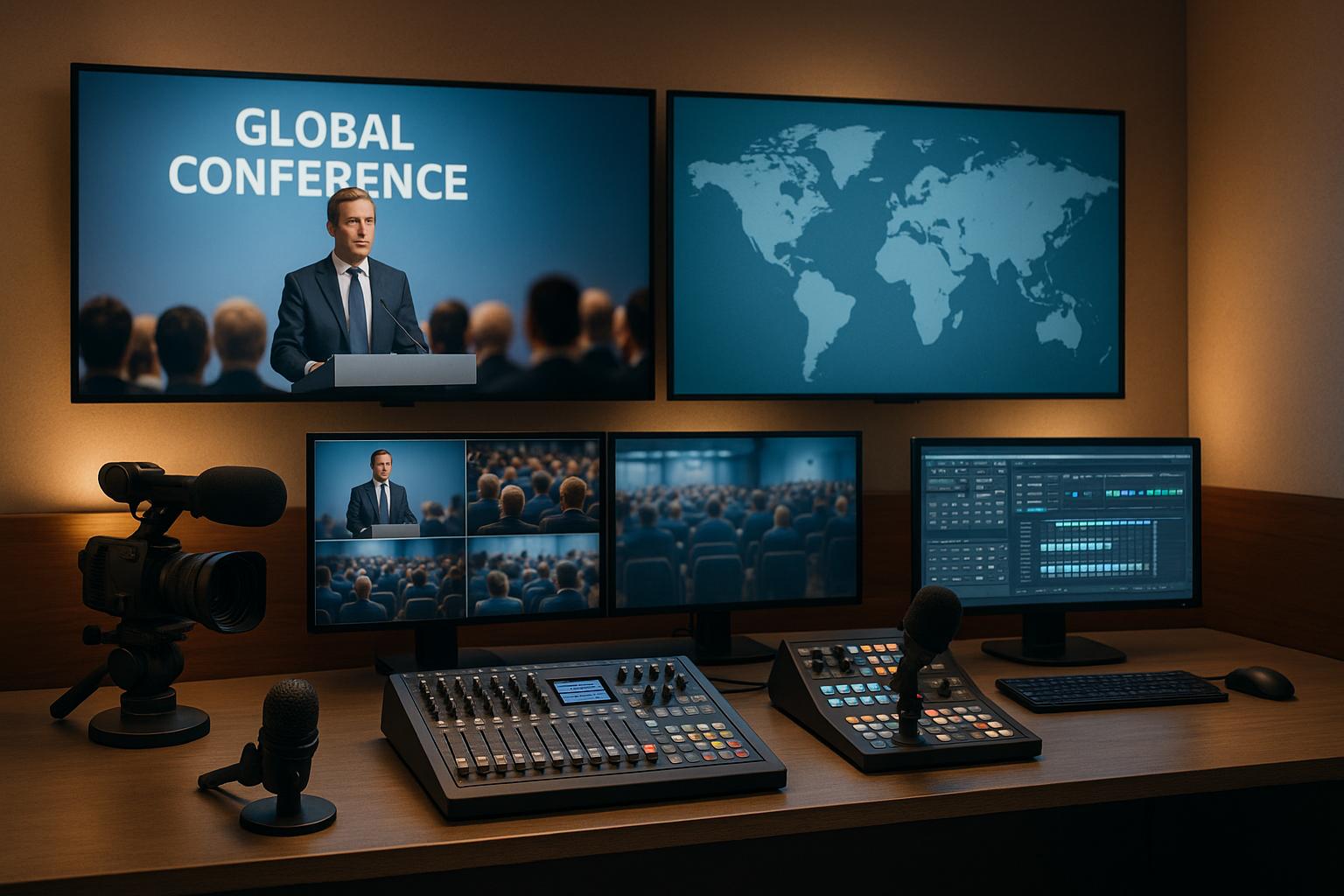
Broadcasting a global conference isn’t just about pressing "go live." It requires professional tools and careful preparation to ensure smooth, high-quality streaming for audiences worldwide. Here's what you need to know:
- Cameras: Use HD PTZ or robotic cameras for versatile angles and smooth tracking. A multi-camera setup adds depth.
- Audio: Wireless lavalier microphones, handheld mics for Q&A, and a digital mixing console ensure clear sound.
- Lighting: LED panels and a three-point lighting setup improve visuals. Intelligent systems adjust automatically.
- Internet: A wired Ethernet connection is more reliable than Wi-Fi. Always have a backup like a mobile hotspot.
- Advanced Tools: AI features like real-time transcription, live translation, and audience engagement tools enhance accessibility and interaction.
- Unified Platforms: Combine video conferencing, messaging, and file sharing for hybrid events.
- Security: Use encryption, access controls, and backup systems to protect content and ensure reliability.
- Preparation: Test everything in advance, rehearse, and have on-site technical support ready to troubleshoot.
A successful global broadcast relies on professional-grade equipment, reliable connections, advanced features, and thorough preparation. These elements ensure a polished event that keeps audiences engaged, no matter where they are.
Complete Live Setup TOUR! Professional Live Streaming for Conferences & Events
Core Audiovisual Equipment for Global Conference Broadcasts
Hosting a global conference broadcast requires top-notch audiovisual equipment to keep your audience engaged and ensure a smooth experience. Let’s break down the essential tools for cameras, audio, and lighting that are critical to a successful broadcast.
High-Definition Cameras
PTZ cameras are a must-have for dynamic broadcasts. These remote-controlled cameras allow operators to track speakers, zoom in for close-ups, and capture sweeping wide-angle shots of the venue. A multi-camera setup is ideal - covering the stage, audience reactions, and close-ups adds depth and variety to your broadcast. Robotic camera systems are another great option, as they provide smooth movements and reduce the need for manual operation.
Professional Audio Systems
Crystal-clear audio is non-negotiable for global broadcasts. Wireless lavalier microphones are perfect for hands-free operation, ensuring that presenters can move freely while staying audible. Handheld microphones are great for audience participation and Q&A sessions, while headset microphones deliver excellent clarity for presenters who need freedom of movement. A digital mixing console is essential for balancing audio from multiple sources in real time, ensuring every voice - whether on stage or in the audience - is heard clearly. In-ear monitoring systems are another valuable addition, helping speakers maintain consistent sound levels during their presentations.
Lighting and Visual Displays
Good lighting is key to creating a professional and visually appealing broadcast. LED panels provide consistent, color-accurate lighting, while a three-point lighting setup - featuring key, fill, and background lights - eliminates shadows and enhances the overall look. Intelligent lighting systems can automatically adjust settings, making it easier to manage lighting during the event. For visual displays, large-format screens or high-resolution projectors are vital for both in-person attendees and remote viewers. Confidence monitors are also useful, allowing speakers to view their slides while staying engaged with the audience. When paired with professional cameras and audio systems, strategic lighting ensures a polished and immersive experience for everyone.
Every piece of audiovisual equipment plays a role in delivering a seamless, professional broadcast. By investing in high-quality tools, you can create a global conference that captivates and connects audiences, no matter where they are.
Streaming and Connectivity Solutions
A stable internet connection is essential for smooth streaming. It eliminates buffering and reduces the chances of stream interruptions, ensuring your broadcast reaches viewers seamlessly around the world. Let’s dive into the importance of wired connections and backup options for consistent performance.
Dedicated Internet Connectivity
For reliable global live streaming, a wired Ethernet connection is your best bet. It’s faster and more dependable compared to wireless networks, which can suffer from interference and weak signals.
Before starting a live stream, run an internet speed test to confirm your upload speed is above 5 Mbps for HD streaming. It’s also wise to set up a backup connection, like a mobile hotspot, to keep your stream running if your primary connection fails. If Wi-Fi is your only option, double-check its strength and stability to avoid disruptions.
sbb-itb-ae35a94
Advanced Technologies for Better Global Broadcasts
Modern tools are transforming the way conferences reach audiences, making them more accessible, secure, and easier to manage. These advancements build on the strong audiovisual and connectivity foundations already in place.
AI-Powered Features
Artificial intelligence is revolutionizing global broadcasts by breaking down language barriers and enhancing accessibility. Real-time transcription converts spoken words into text instantly, making content easier to follow for viewers in noisy environments or during moments of poor audio quality. It’s particularly helpful for international audiences who may prefer reading along with the audio.
Automatic translation takes things further by translating speech into multiple languages live. This allows viewers to select their preferred language, significantly expanding the event's global reach. These systems are now advanced enough to handle technical terms and industry-specific jargon with impressive accuracy.
AI also powers smart audience engagement tools, which analyze viewer behavior to suggest the best times to introduce interactive elements like polls or Q&A sessions. Some platforms even use machine learning to detect when audience attention wanes, automatically switching camera angles or content formats to re-engage viewers.
Additionally, AI-driven content optimization helps organizers understand what works best. By analyzing viewer retention, interaction rates, and feedback, this technology identifies the most engaging segments, offering valuable insights for planning future events.
Unified Communication Platforms
Unified communication (UC) systems bring everything together - video conferencing, messaging, file sharing, and streaming - making it easy to connect in-person and remote participants. These platforms are the backbone of hybrid events, interactive breakout sessions, and seamless access across devices.
With hybrid event capabilities, remote speakers can present alongside on-stage participants without any technical hiccups. UC platforms manage the complex routing of audio and video, ensuring remote presenters appear as polished and synchronized as those on-site.
Real-time collaboration tools take engagement to another level. Features like document sharing, virtual whiteboarding, and co-editing allow speakers to involve the audience directly. Whether it’s live brainstorming or contributing to shared documents, these tools make conferences more interactive and dynamic.
Security and Backup Systems
Global broadcasts demand robust security and reliable backups to ensure smooth operations. End-to-end encryption protects all data transmissions, keeping sensitive conference content and attendee information secure from unauthorized access.
Access control systems let organizers decide who can view specific parts of the event. For example, general sessions can remain open to the public, while executive presentations are restricted to verified stakeholders. Multi-factor authentication adds another layer of security, ensuring only authorized participants access premium content or features.
To prevent disruptions, having redundant hardware and backup streaming solutions is crucial. Data backup and recovery systems safeguard all recordings, chat logs, and attendee interactions, storing them in the cloud so they remain accessible even if on-site equipment fails.
Finally, network monitoring tools keep an eye on bandwidth, connection quality, and potential security threats in real-time. These tools alert technical teams to issues before they affect the broadcast and provide detailed logs for post-event analysis and improvements.
Best Practices for Planning and Running a Global Conference Broadcast
Pairing a top-notch audiovisual setup with thoughtful planning can make or break your live broadcast. The difference between a seamless, professional event and a chaotic technical mishap often lies in preparation, skilled on-the-ground support, and learning from past data.
Pre-Event Testing and Rehearsals
A full dress rehearsal 48 hours before the event is a must. This ensures all equipment and backups are functioning properly. Involve all speakers and go through the entire event schedule, from the opening remarks to the closing credits, leaving no detail unchecked.
Network stress tests are essential. Test your system for peak loads by simulating multiple connections from various locations. Verify audio synchronization to avoid delays, and broadcast to a private audience to test your streaming platform's capacity before going live.
Prepare speakers thoroughly. Walk remote participants through the platform interface, test their internet connections, and offer backup solutions like mobile hotspots. Practice sessions not only address technical needs but also help speakers refine their delivery for the camera.
Document every detail during rehearsals in a technical runbook. This should include equipment settings, network configurations, and troubleshooting protocols. Having this guide on hand ensures your team can act quickly and efficiently if issues arise during the live event.
On-Site Technical Support
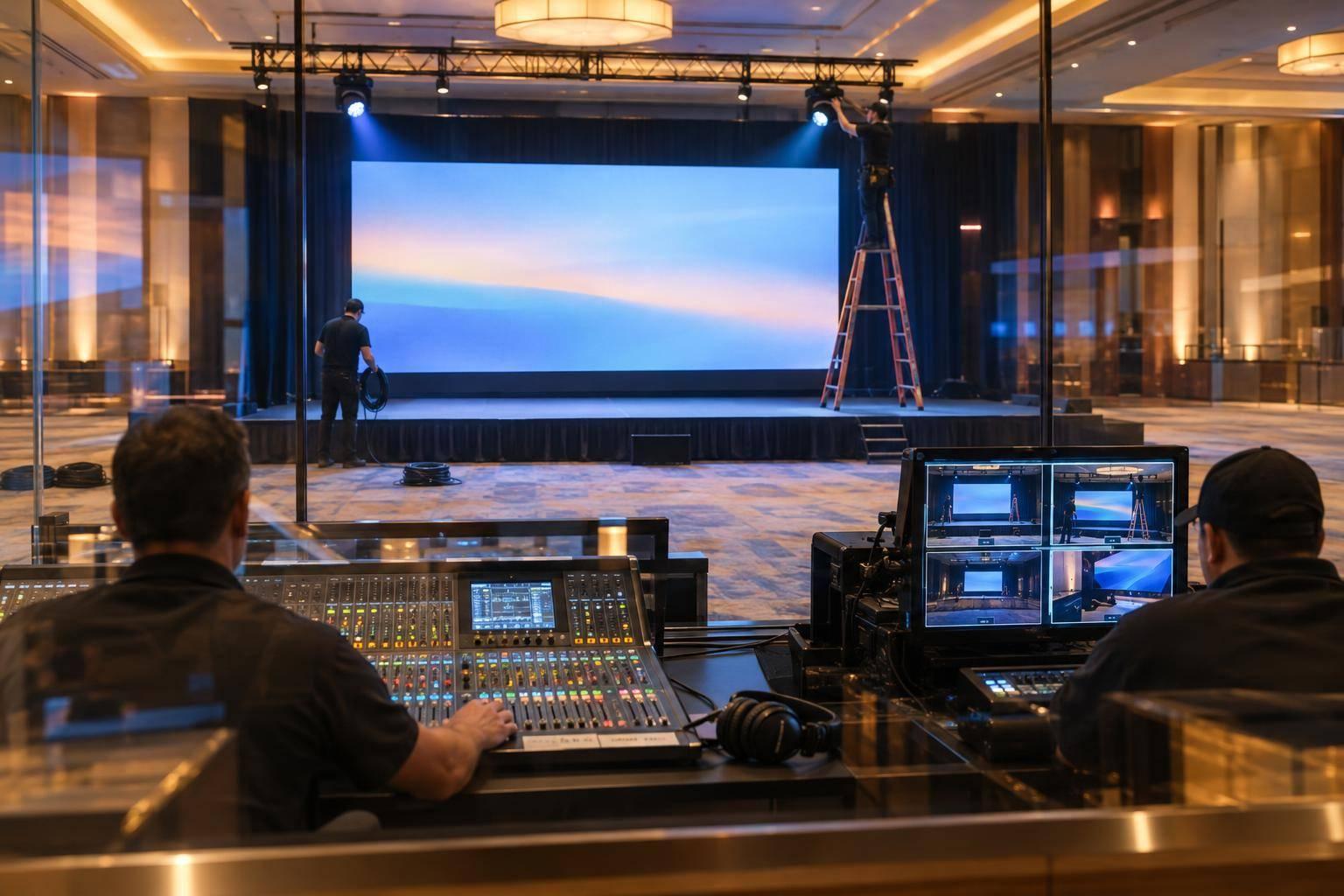
Even with solid rehearsals, on-site technical support is critical for executing a flawless broadcast. Assign dedicated roles to your technical team. For example, have one person monitor streaming quality and viewer feedback, another manage audio mixing and speaker support, and a third oversee backup systems and network connectivity.
Your lead AV technician should have a deep understanding of the equipment and streaming platform. They need to make quick decisions - whether it’s switching to a backup system, adjusting audio levels, or changing camera angles - without disrupting the broadcast.
For remote speakers, establish a dedicated communication channel for reporting technical issues. Have team members ready to provide real-time troubleshooting through screen sharing or phone support.
Keep emergency contact information for all technology vendors and service providers easily accessible. Many providers offer premium live-event support, which can be a lifesaver during critical moments.
Prepare for the unexpected by positioning backup cameras at alternative angles, having spare microphones connected and tested, and configuring backup streaming encoders in advance. Aim to switch to backups within 30 seconds to ensure viewers don’t notice any interruptions.
Post-Event Analytics and Feedback
Once the live broadcast is complete, it’s time to evaluate its performance. Viewer metrics provide valuable insights into the event’s success. Don’t just count total viewers - analyze metrics like peak concurrent viewers, average watch time, and drop-off points to understand audience engagement.
Technical data is equally important. Review bandwidth usage, connection stability, and error logs from your streaming platform. Pinpoint when technical issues occurred and correlate them with audience drop-offs to measure their impact.
Collect feedback from speakers and attendees within 48 hours of the event. Surveys should ask about audio quality, video clarity, platform usability, and overall technical experience. These insights often reveal details that metrics alone can’t capture.
Cost analysis is another key step. Compare actual expenses - such as equipment rentals, internet bandwidth, platform fees, and technical support hours - against your budget. Calculate your cost per viewer and use this data to refine your planning for future events.
Document lessons learned, including what worked well, what didn’t, and any creative solutions your team developed. Highlight specific technical configurations and equipment that exceeded expectations. This document will be an invaluable resource for your next global broadcast.
Finally, extend the value of your event by focusing on archiving and accessibility. Review recorded content for quality, ensure captions and transcripts are accurate, and organize materials for easy access. Post-event views often surpass live attendance, so investing in this process can significantly increase your event’s long-term impact.
Conclusion: Key Points for a Successful Global Broadcast
Pulling off a successful global broadcast hinges on four key elements: professional equipment, reliable connectivity, advanced tools, and thorough planning. These components work together to create a polished and engaging experience for audiences worldwide.
Start with professional-grade equipment. High-definition cameras, top-notch audio systems with quality microphones, and well-thought-out lighting setups are critical. These tools lay the groundwork for a broadcast that captures and holds viewer attention.
Reliable connectivity is non-negotiable. A dedicated internet connection, robust streaming platforms, and efficient content delivery networks help ensure uninterrupted streaming. And just in case, having a backup connection ready can save the day when unexpected network issues arise.
Leverage advanced tools to elevate your broadcast. Features like AI-powered transcription, automated camera controls, unified communications, and strong security measures turn a standard stream into a highly professional, interactive event that rivals in-person experiences.
Meticulous planning is the glue that holds it all together. From rehearsals and on-site support to post-event analysis, preparation is everything. Even the best equipment won’t deliver results without skilled operators and careful coordination.
Investing in quality across these areas pays off in more ways than one. It enhances audience engagement, strengthens your brand’s reputation, and delivers better ROI. Whether your goal is generating leads, showcasing expertise, or connecting with stakeholders, maintaining high broadcast standards is the key to achieving your objectives.
FAQs
How can AI-powered features improve global conference broadcasts and boost audience engagement?
AI-powered tools are transforming global conference broadcasts, making them more engaging and easier to access. Features like automated transcription and translation break down language barriers, allowing content to connect with a much larger, international audience. On top of that, real-time analytics offer insights into audience sentiment, helping organizers adjust their delivery to resonate better with viewers.
AI also adds a personal touch to the experience by offering customized content recommendations and interactive elements, such as live polls and Q&A sessions. These features keep audiences engaged and make the event feel more dynamic and rewarding for attendees everywhere.
What steps can organizers take to ensure a stable internet connection for global conference broadcasts, and what backup options should they have in place?
To guarantee a steady internet connection for global conference broadcasts, it's best to use a wired Ethernet connection whenever possible. This type of connection provides the most dependable and consistent performance. If you need to rely on Wi-Fi, make sure the network is strong, secure, and capable of supporting high bandwidth requirements. For HD streaming, an upload speed of at least 5 Mbps is recommended.
It's also wise to have a mobile hotspot or a secondary internet connection on standby. This backup option can save the day if there are any disruptions, ensuring your stream remains uninterrupted and your audience enjoys a smooth experience.
How can speakers and technical teams prepare to handle issues during a live global conference broadcast?
Preparing for a live global conference broadcast requires thorough planning from both the speakers and the technical team to ensure everything runs smoothly.
Speakers need to familiarize themselves with the tools they’ll be using, like microphones, cameras, and presentation software. Practice sessions are essential - not only to build confidence but also to address any technical hiccups before the event. On the technical side, every piece of equipment - audio, video, and internet connections - must be rigorously tested. Having backup gear and a clear troubleshooting strategy is just as crucial.
Full-scale rehearsals, involving both the speakers and the tech team, can uncover potential problems early on, giving everyone time to address them. And because live events can be unpredictable, having contingency plans - like a secondary internet connection or backup recording devices - ensures the show can go on, no matter what challenges arise.
Related Blog Posts



Streamline your workflow, achieve more

Lorem ipsum dolor sit amet, consectetur adipiscing elit. Maecenas ac velit pellentesque, feugiat justo sed, aliquet felis.



Lorem ipsum dolor sit amet, consectetur adipiscing elit. Maecenas ac velit pellentesque, feugiat justo sed, aliquet felis.