Immersive Event Environments: When Custom Scenic Design Is Worth It (And How We Can Help!).

Chief Executive Officer
Custom scenery is worth the cost when it helps your audience understand your message - not just when it looks good. We start with 3 checks: what the set needs to do, what your audience needs, and what your budget, venue, and schedule allow.
Here’s our approach:
- Compare custom scenery with standard staging. If a platform, screen, and lighting do the job, skip the custom build.
- Check the total cost. Include design, scenic fabrication, freight, labor, AV, removal, and any plans for reuse.
- Confirm the room can support it. Review access, safety, accessible routes, sightlines, and installation time before fabrication.
- Plan the whole show. Connect scenery with screens, lighting, cameras, rehearsals, and a backup option.
At Corporate Optics, we help turn those decisions into approved designs, fabrication plans, and show-site coordination. Our rule: <u>approve the build only when its purpose and production plan are clear</u>. Start with your event goals, venue details, budget range, and timeline.

Custom Scenic Design: From Investment Decision to Event Delivery
When Custom Scenery Adds More Than Standard Staging
Custom scenery can do more than decorate a room. It can help organize the message and guide the audience’s attention.
Leadership conferences need a consistent executive backdrop. Shareholder meetings need restraint so financial charts stay primary. Sales meetings can use scenic zones to organize the campaign story. Award ceremonies need clean backgrounds that keep honorees and photos centered.
The setting should clarify the program, not compete with it.
Branded Stages, Dimensional Backdrops, and Launch Environments
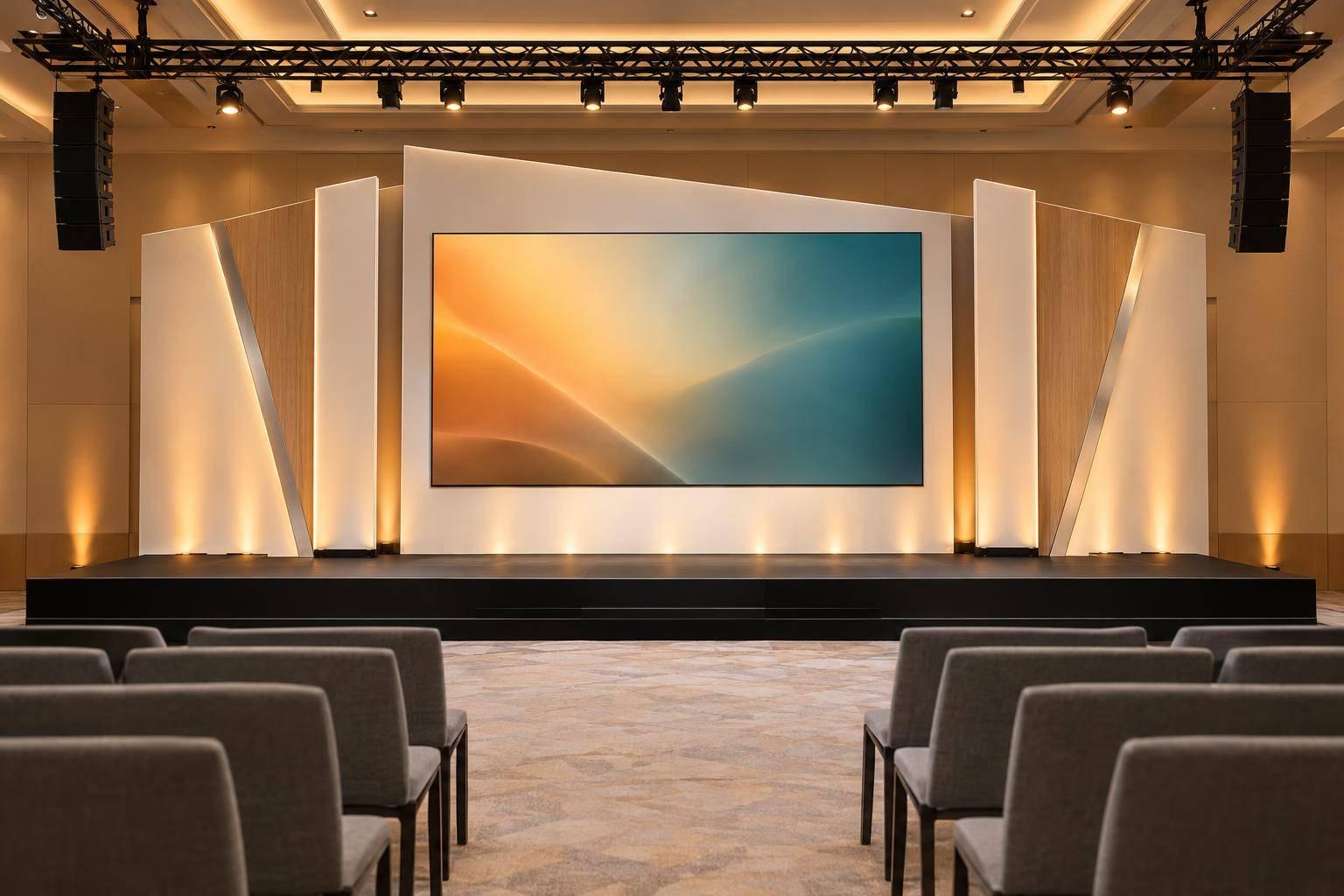
A branded stage frames speakers with company colors, typography, and logos. A dimensional backdrop creates physical depth with layered panels, texture, or cutout lettering. An immersive launch environment connects reveal areas, demonstration surfaces, and attendee pathways so people can see how the product works.
Choose elements that explain the message. You don’t need to fill every surface.
Before fabrication, check how the branding looks from the farthest seat and planned camera angles. Keep logos clear of presenters and lecterns, leave screen sightlines open, and provide accessible routes with comparable views.
Custom Scenic Design vs. Standard Staging
Compare both options against the full production requirements, not just how they look:
| Evaluation factor | Standard staging | Custom scenic design | Best-fit event condition |
|---|---|---|---|
| Upfront cost | Generally lower and more predictable | Higher design, fabrication, and logistics costs | Standard staging for tight budgets |
| Design flexibility | Limited to rental inventory | Tailored to the brand, venue, and camera plan | Custom scenery for specific spatial or camera requirements |
| Brand visibility | Usually relies on screens, banners, or pipe and drape | Combines physical branding, architecture, lighting, and content | Custom scenery for major launches or executive broadcasts |
| Depth and presence | Mostly flat or modular | Adds dimensional panels, structures, and tactile features | Custom scenery when physical depth helps the audience understand the message |
| Reuse | Rental components are easy to replace or reconfigure | Reusable elements need plans for storage, transport, and changes for future use | Either option when reuse is defined early |
| Build and installation time | Faster and more predictable | Requires design approvals, fabrication, and installation time | Standard staging for compressed schedules |
| AV integration | Typically straightforward | Requires coordination of screens, lighting, speakers, cameras, and cable paths | Custom scenery when AV is designed into the architecture |
| Launch suitability | Supports presentations but may not create a reveal experience | Can frame demonstrations, reveals, and product interactions | Custom scenery for product launches |
| Scope-expansion risk | Lower | Higher when changes continue after approval | Standard staging for unsettled requirements |
Set Success Measures Before Approving the Build
Define what the set must deliver before approving it. Check whether attendees can identify the central message, whether the brand stays recognizable in event photos and livestream clips, and whether keynotes, panels, awards, and demonstrations can share the space.
Weigh the total production cost against those uses, including sponsor moments and executive recordings. Count reuse only after confirming storage, transport, replacement graphics, and size compatibility. If the concept passes these tests, move it into feasibility and production planning.
sbb-itb-ae35a94
Check Budget, Venue, and Installation Requirements
Get written feasibility approval before fabrication. A scenic build only adds value if the team can install it safely, on time, and within budget. Lock in the scope, estimate, schedule, and removal plan before work begins.
Check Venue Access, Safety, and Sightlines
Once the concept is approved, confirm that the venue can support it. Request the venue’s technical pack and check room dimensions, ceiling height, loading routes, door and elevator clearances, backstage space, and assembly areas. Before ordering materials, review safety, accessibility, engineering, and permit needs with the venue, production team, labor provider, and local authorities.
Confirm floor protection, floor-load limits, rigging capacities, fire-safety rules, accessible routes, and labor requirements. Use scaled drawings and 3D views to check presenter movement, audience circulation, camera positions, and screen visibility. Have qualified engineers and rigging professionals review structural support and rigging. Don’t assume existing attachment points can handle the build.
Account for All Scenic Production Costs
Request an itemized estimate in U.S. dollars covering design, required engineering, materials, fabrication, finishes, graphics, packing, freight, permits, venue fees, labor, installation, testing, show-site support, and removal.
Spell out exclusions and set separate allowances for approved changes, overtime, storage, refurbishment, and disposal. Before approving the budget, confirm who pays for extra venue labor or freight changes. Compare the total cost with the concept’s brand impact and value to the audience.
Plan AV Integration, Load-In, and Backup Options
Settle power, ventilation, cable paths, display support, lighting positions, screen clearances, and camera angles before fabrication. Add access panels for enclosed equipment, and give scenic and technical teams one coordinated drawing package. LED wall weight and heat dissipation belong in the design - not on the installation-day fix list.
Work backward from the first technical rehearsal to schedule approvals, engineering, fabrication, delivery, assembly, inspection, AV integration, and testing. Reserve time for strike afterward. Assign one production lead, identify who can approve changes, and set spending limits and deadlines.
Prepare alternate delivery windows, spare hardware, repair materials, and a reduced-build option that keeps the core branding and audience sightlines intact. Switch to that backup if shipping delays, damaged parts, access limits, or a shorter installation window put rehearsal at risk.
After feasibility approval, the team can move into production drawings and fabrication.
How Corporate Optics Coordinates Scenic Production
Once feasibility is approved, Corporate Optics moves the project into design, fabrication, and show-site coordination.
Review Event Goals and Develop Scenic Concepts
Corporate Optics starts with the event objective, audience, key messages, brand standards, and program format. The aim is the simplest scenic build that supports the message, shaped around what the room needs to communicate.
The team connects scenic elements with speaker positions, content, and lighting to direct audience attention. AV production design needs factor in from day one, including screen placement, camera framing, and cable paths. AV, scenic, and lighting teams review the concept together.
Confirm Designs and Coordinate Fabrication
Renderings show the look. Drawings and samples spell out how to build it. Corporate Optics tracks approvals for materials, branding, structures, and AV interfaces. Before work proceeds, the team also logs any change that affects cost or schedule.
Approved drawings guide fabrication and show-site buildout.
Install, Test, Run, and Remove the Set
Corporate Optics names leads for scenery, AV, lighting, and show calling to manage delivery, installation, rehearsal, and strike. Acceptance checks cover finished graphics, content playback, camera framing, and cue timing. Before doors open, every open issue must have an owner and a deadline.
The run-of-show assigns each scenic, lighting, and playback cue to one caller and one operator, with approved backup steps. After the event, crews dismantle the set in the venue-approved sequence and send components to storage, reuse, recycling, or disposal.
Conclusion: Invest When Impact and Feasibility Align
Custom scenery is worth the investment when it supports your message and improves the audience experience enough to justify the total cost. Weigh what it adds for the audience against your budget and production needs.
Use a simple approval test: What can custom elements do that standard staging can’t? If the answer isn’t clear, scale back the scope.
Share your event goals, venue details, budget range, and timeline with Corporate Optics. Include room drawings or photos, plus your load-in and strike windows.
FAQs
How far ahead should we plan custom scenery?
Plan custom scenery 8 to 16 weeks ahead for executive summits or custom-built spaces. For large-scale events or complex conferences, allow 4 to 12 months.
That lead time gives your production team room to conduct site surveys, assess feasibility, and work through technical integration. It also accounts for material lead times, structural approvals, and detailed specifications, helping the design fit your event goals and venue constraints.
Can we combine custom scenery with rental staging?
Yes. Rental staging keeps costs predictable and provides a reliable base that’s cost-effective, easy to assemble, and flexible enough for changing room layouts.
Add custom scenic elements - such as branded panels, dimensional backdrops, or one-of-a-kind architectural forms - to create a premium, branded look. You still get the structural reliability and cost savings of rental components.
How can we measure our scenic investment’s impact?
Look beyond upfront costs. Use post-event analytics to measure audience engagement and event performance against your original goals. These might include better brand visibility on camera, a stronger executive presence, and smoother event transitions.
When assessing return on investment, factor in long-term reuse, too. Modular or re-skinnable designs let you reuse scenic assets across multiple events, cutting future costs.
Related Blog Posts
- Ultimate Guide to Scenic Fabrication for Events
- Top Stage And Scenic Design Partners For Conferences And Live Events
- Executing A Multi-Day Corporate Event Requires A Partner That Handles Everything From Large -Scale Audiovisual (AV) Production And Custom Scenic Design To Logistics. Here Are 2 Companies To Reach Out To Today.
- 3 Top-Rated Event Production Companies That Excel With Large Audiences And General Session Scenic Design, With Great Industry Reputation.



Streamline your workflow, achieve more

Lorem ipsum dolor sit amet, consectetur adipiscing elit. Maecenas ac velit pellentesque, feugiat justo sed, aliquet felis.



Lorem ipsum dolor sit amet, consectetur adipiscing elit. Maecenas ac velit pellentesque, feugiat justo sed, aliquet felis.