Leading Companies To Produce Executive Town Halls And Quarterly Business Updates

Chief Executive Officer
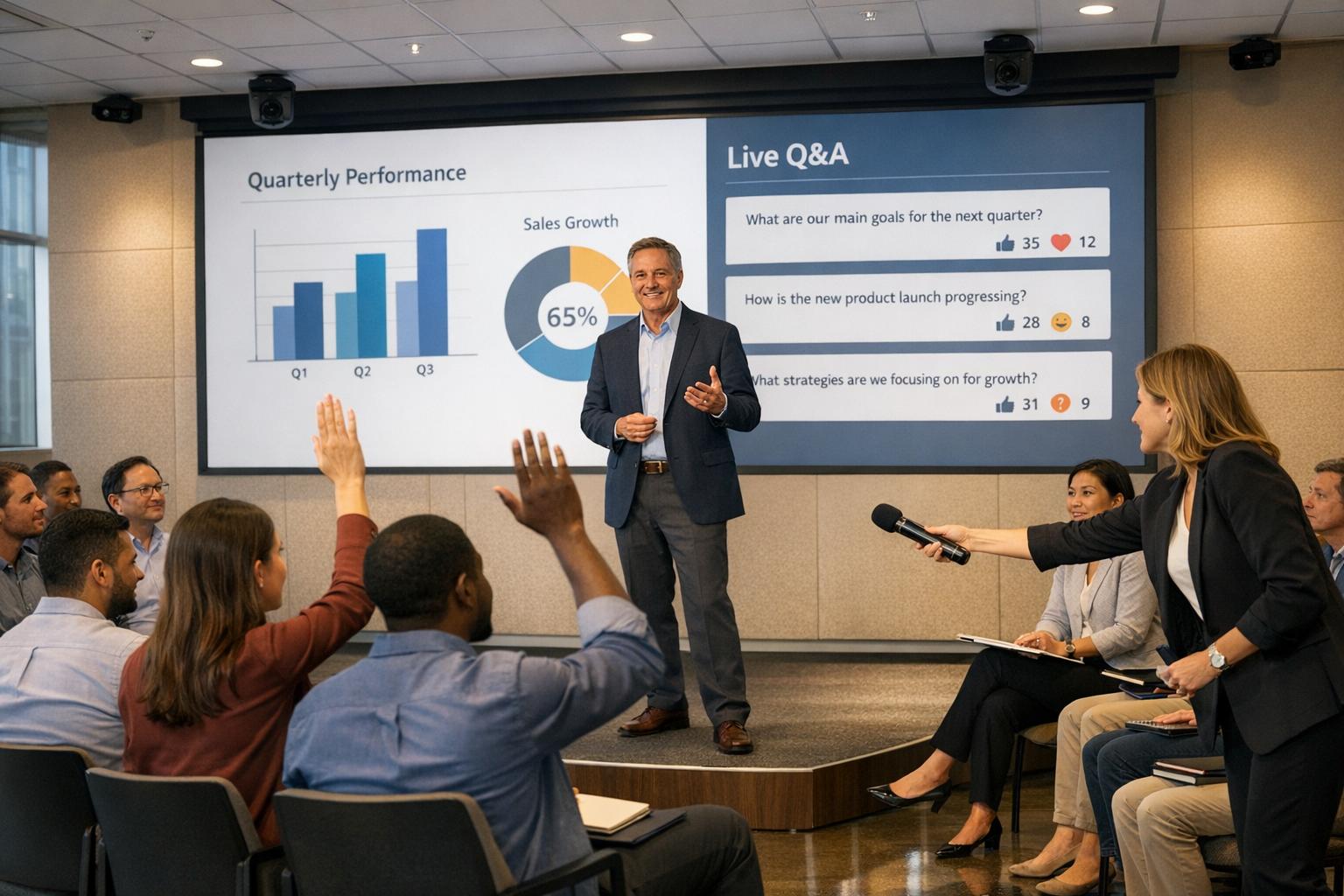
Executive town halls and quarterly updates are no longer just about sharing numbers - they're about creating meaningful conversations between leadership and employees. These events, whether in-person, virtual, or hybrid, have shifted from one-way presentations to interactive sessions where employees can ask questions and provide feedback.
Key takeaways:
- Planning is critical: Start weeks ahead, define clear objectives, and rehearse thoroughly.
- Engagement matters: Dedicate at least 30% of the event to Q&A and use tools like live polls to involve employees.
- Production quality is non-negotiable: Invest in professional audiovisual setups and ensure technical reliability.
- Post-event follow-up is essential: Share recordings, collect feedback, and maintain engagement between events.
These updates are an opportunity to align teams, celebrate achievements, and address challenges transparently. By focusing on preparation, interaction, and quality, companies can transform these meetings into impactful forums for connection and progress.

Executive Town Hall Planning Statistics and Best Practices
SVVS 2025: Producing the CEO Town Hall
sbb-itb-ae35a94
Planning for Successful Execution
Pulling off a successful town hall takes careful preparation, starting weeks before the event. With the rise of hybrid formats, planning now takes 30% to 50% longer than traditional in-person events. This extra time ensures everyone involved knows their role, and the event flows seamlessly. It’s all about setting a solid foundation to align the event’s goals with what the audience truly needs.
Setting Event Objectives and Understanding Audience Needs
Start by defining clear, measurable objectives that align with specific outcomes. Whether it’s improving alignment on company goals, driving pipeline growth, or increasing employee retention, the objectives should guide every aspect of the event. Town halls often juggle multiple goals: sharing performance updates, reinforcing company culture, and fostering open dialogue between leadership and employees.
The most impactful town halls dedicate a third of their time - around 20 to 30 minutes in a 60–90-minute session - to Q&A and listening to employees. This shift from one-way presentations to interactive discussions requires thoughtful planning. Use tools like registration data and CRM insights to segment your audience. For example, executives might need a strategic overview, while frontline teams value actionable updates they can use right away.
It’s not just about business goals - human factors matter too. As Microsoft Adoption highlights:
"The one thing we can never get back is time. This is the most valuable thing an event attendee shares with you".
Every moment should count, whether it’s delivering key updates, celebrating achievements, or giving employees a platform to share their thoughts. Once objectives are locked in, the next step is detailed scheduling and stakeholder coordination.
Creating a Timeline and Coordinating Stakeholders
Start your technical planning and stakeholder alignment at least three to four weeks before the event. Build a core team with clearly defined roles, including an Organizer, Producer, and IT Administrators to oversee the event, handle technical elements, and ensure everything runs smoothly to ensure everything runs smoothly. For larger events, tools like RACI charts (Responsible, Accountable, Consulted, Informed) can help coordinate between global and regional teams.
Hold early meetings with key departments to align on success metrics, whether it’s tracking lead quality, employee sentiment, or renewal rates. These discussions ensure everyone knows how the event’s impact will be measured and reported back to leadership.
Rehearsals are non-negotiable. Schedule a full-scale practice session that mirrors the actual event setup. Presenters should join from their intended locations to test transitions, audio, and video quality. Rehearsals not only boost confidence but also uncover potential technical glitches. Use a private back-channel communication system, like a Teams chat, so production staff can coordinate in real-time without participants noticing.
Budget Allocation for Production Quality
A seamless event requires aligning your budget with technical needs. High-quality hybrid events often allocate 30% of their total budget to pre-production, covering everything from technical planning to speaker preparation. This upfront investment minimizes risks like technical hiccups and ensures both in-person and remote participants have a polished experience.
Divide your budget into three main areas: audiovisual equipment and support, venue setup and staging, and engagement tools like live polling or Q&A platforms. When drafting RFPs, focus on your integration needs - such as CRM compatibility, marketing automation, or badge printing - and test these during vendor demos. Hybrid events can increase your audience size by 40% to 70% compared to in-person-only formats, so invest in scalable technology to handle larger participation.
Finally, conduct individual tech checks for every presenter, regardless of their experience level. Test their device setup, lighting, and internet connection to avoid last-minute surprises. Simple upgrades like wired internet and high-quality microphones can make the difference between a professional presentation and a lackluster experience.
Audiovisual Design and Technical Production
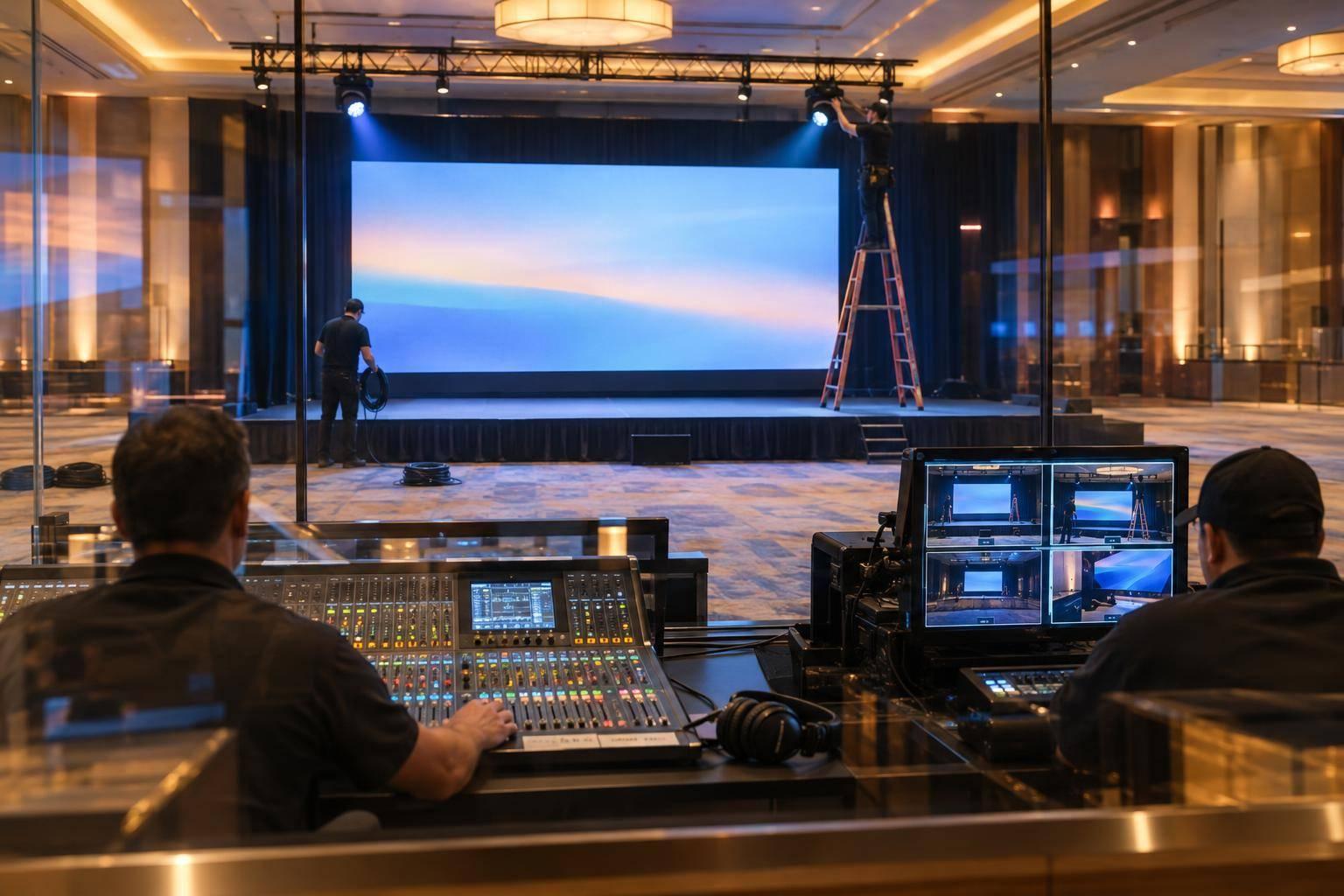
A well-executed AV setup is key to ensuring executives appear polished and professional, free from distracting technical glitches. Today’s corporate events often resemble live TV broadcasts, featuring multi-camera setups, professional lighting, and branded overlays to deliver a high-quality experience. To achieve this, your AV infrastructure must seamlessly support both in-person and remote audiences. Corporate Optics emphasizes these principles for smooth executive communications. Below, we’ll break down the essentials of equipment selection, hybrid event technology, and strategies for handling technical challenges.
Selecting and Setting Up Audiovisual Equipment
Sound quality is non-negotiable - poor audio can frustrate viewers and make it harder to maintain their attention. Invest in high-quality wireless lavalier or boom microphones, paired with audio mixers to ensure balanced sound for both on-site and remote participants. A three-camera setup is ideal for capturing multiple angles, offering a polished viewing experience. Opt for cameras with 4K resolution and pair them with high-resolution LED displays to ensure content looks sharp and professional.
Lighting is equally important. Use front-facing lights and stage washes to eliminate shadows on speakers, and provide ring lights for remote participants to match the in-room quality. Confidence monitors are another must-have, allowing speakers to view notes and slides without breaking their connection with the audience.
Managing Hybrid Event Technology
Balancing the experience for in-person and virtual attendees requires hybrid meeting planning best practices and thoughtful execution. Assign a dedicated virtual host or emcee for remote participants to moderate chats and manage live Q&A sessions, ensuring they stay engaged. Use on-screen graphics - like lower-thirds - to display speaker names, titles, and event hashtags, helping latecomers quickly catch up.
A reliable internet connection is critical. Venue Wi-Fi often falls short for production needs, so secure a dedicated hardline connection with ample bandwidth and redundant backups to support uninterrupted, high-quality streaming. Test your network’s ability to handle simultaneous streaming to a content delivery network (CDN) while maintaining stable Wi-Fi for in-person attendees. For remote speakers, provide premium USB microphones or headsets to maintain consistent audio quality.
To keep your production team in sync, establish a back-channel communication system using tools like Microsoft Teams or Slack. This allows real-time coordination and ensures quick responses to any issues during the event. With these systems in place, rigorous rehearsals become the next step to ensure everything runs smoothly.
Preparing for Technical Issues
Full-speed rehearsals are essential for identifying potential problems before they affect the audience. These should mimic the entire show flow, including mic handoffs, live camera switching, and managing virtual interaction delays. For hybrid events, the rehearsal-to-performance time ratio has increased to 2:1. Align these rehearsals with pre-event planning to ensure all stakeholders are on the same page.
Develop a detailed Run-of-Show document outlining speaker cues, graphic transitions, and timing. A dedicated show caller can oversee the schedule, while your technical director focuses on maintaining equipment stability. Prepare full-screen "holding" graphics or logo slides to cover any delays, avoiding awkward dead-air moments.
"Redundancy isn't paranoia - it's professionalism. We don't 'hope' the audio works. We bring backups for everything." - AVFX
Professional AV teams plan for the unexpected by duplicating signal paths, power sources, and playback systems. This ensures that even if one component fails, the event continues without interruption. For critical moments, use backup networks, wired microphones, and pre-rendered visuals.
To further reduce risks, many high-stakes events now rely on pre-recording 90% to 100% of presentations, followed by live Q&A sessions. This approach ensures a polished delivery while maintaining the dynamic energy of live interaction.
Content Development and Agenda Structure
Even the most polished audiovisuals fall flat without a clear agenda to guide the flow of an event. For executive gatherings, a proven structure works wonders: Welcome/Icebreaker → Major Updates → Recognition/Celebrations → Interactive Q&A → Motivating Wrap-up. This approach keeps the audience engaged while delivering critical information. The secret lies in balancing leadership updates with interactive moments that shift attendees from passive listeners to active participants. When combined with solid technical and planning efforts, a well-crafted agenda turns an event into a truly engaging experience.
Building an Effective Agenda
Kick things off with a warm welcome and an icebreaker to set the tone. Then, move quickly into business updates - but keep these sections concise. Leadership should focus on key performance metrics, company direction, and strategic goals, avoiding the trap of overwhelming attendees with too much detail. For a 60–90 minute town hall, consider this breakdown:
- Introductions: 10 minutes
- Business Updates: 5–15 minutes
- Deep Dives on Initiatives: 15 minutes
- Interactive Q&A: Around 20 minutes
- Closing Celebrations: 10 minutes
Recognition moments are essential for building community and fostering a sense of belonging. Take time to highlight team achievements, share thank-you notes, and celebrate milestones. These elements strengthen emotional connections and reinforce company values. To ensure the Q&A segment addresses meaningful topics, gather employee questions beforehand. This allows presenters to tackle pre-submitted inquiries during the main session, leaving live Q&A time for follow-ups.
Adding Interactive Components
In February 2024, Microsoft's Rajesh Jha led a company-wide kick-off for 40,000 employees, dedicating 25% of the event to prepared content and 75% to Q&A. Using Viva Engage's AMA features, the team collected questions in advance and allowed employees to upvote them. Jha addressed every question with over 50 upvotes, earning high praise for transparency and responsiveness.
"Viva Engage Ask Me Anything events have given us a powerful tool to answer the questions that are truly top of mind for them in a transparent way that encourages constructive dialogue across different levels of the organization." - Alexander Bradley, Director of Communications, Microsoft
Interactive tools like live polls, trivia, and moderated Q&A sessions can transform passive viewers into active participants. Anonymous question submissions are particularly effective, encouraging employees to voice concerns they might otherwise avoid. To break the ice, pre-load the chat with questions to spark engagement. Storytelling and relatable anecdotes help make content more engaging, while visuals like infographics and videos simplify complex data.
Customizing Content for Different Audiences
Once interactive methods are in place, tailor the content to meet the needs of diverse and global audiences. Invite leaders from various departments to speak, allowing employees to see their team’s contributions recognized. For global events, consider time zones and provide accessibility features like closed captions or live translations - some platforms support up to 10 languages. This ensures inclusivity for multilingual participants.
Virtual and hybrid audiences tend to have shorter attention spans, so keep individual sessions under 30 minutes and include networking breaks. The North-West Biotech Initiative successfully applied this strategy during their "Inclusion in STEMM" hybrid conference, limiting sessions to under 30 minutes and using Zoom captions to enhance accessibility. Another effective model is the "semi-live" format: pre-record leadership updates for polished delivery, then focus live efforts on moderating Q&A. This approach strikes a balance between high production quality and the energy of real-time interaction.
Post-Event Communication and Follow-Up
Post-event communication is a powerful way to extend the impact of your town hall, ensuring key messages reach employees who couldn’t attend and reinforcing important takeaways. Many companies now treat these events as part of a long-term strategy rather than standalone occurrences, using them to foster ongoing engagement. Here’s how you can make the most of your town hall after it ends.
Sharing Recordings and Key Messages
To avoid a last-minute scramble, plan how you’ll distribute content during the event's pre-production phase. Just as great AV production enhances the live experience, polished post-event materials maintain that standard. After the event, edit recordings to remove unnecessary pauses or glitches, then share them across multiple channels. These might include recap blog posts, “Thank you for attending” emails, and internal video platforms like Microsoft Stream or external ones like YouTube. Many enterprise platforms even notify attendees automatically when recordings are published.
Beyond video, consider sharing presentation decks and summaries in formats like PDFs or Sway. This caters to different learning preferences while maintaining inclusivity. Add closed captions, alt-text for images, and run accessibility checks to ensure everyone can engage with the content. Keep in mind that some platforms have time-limited access to recordings - typically 30 days unless extended - so plan accordingly.
Collecting Feedback for Future Events
Feedback is essential for improving future town halls. Industry best practices recommend sharing attendee feedback with speakers within 72 hours of the event. Use a mix of real-time engagement metrics - like poll results, chat activity, and Q&A participation - and structured post-event surveys to gather insights. Prompt survey reminders can help boost response rates.
To get a clearer picture, segment feedback by attendee type or session. For example, attendance reports can reveal when participants drop off, which might signal content fatigue or technical issues. Reviewing unanswered questions can also highlight areas where leadership might need to provide more clarity. After collecting this data, hold a debrief meeting with your production team to discuss what worked and what didn’t. And don’t forget to celebrate the team’s efforts with a wrap-up gathering - it’s a great way to show appreciation and recharge for the next event.
Maintaining Engagement Between Events
A successful town hall doesn’t end when the event does. Keep the momentum going by creating opportunities for ongoing interaction. For example, you could break long presentations into manageable 20- to 30-minute clips or highlight reels that focus on the most important points. Share slide decks, PDFs, and contact details for subject matter experts to keep the conversation alive.
Stick to three to five core takeaways to avoid overwhelming your audience. Use branded hashtags or internal platforms to spotlight these key points and encourage employee interaction. When employees see that their feedback leads to meaningful improvements, they’re more likely to stay engaged in future events. Finally, send out summaries showing how past feedback shaped the current event. This not only builds trust but also motivates employees to participate more actively next time.
Conclusion
Effective executive town halls hinge on careful planning and seamless execution. Success starts with meticulous preparation, including a well-structured run-of-show that ensures smooth coordination of content, visuals, and communication efforts. Hybrid events, in particular, demand extra planning time, and clear audio remains critical - technical glitches can quickly alienate your audience.
Quality production thrives on audience-centered content. With thorough planning, technical rehearsals, and interactive agenda designs, presentations can stay concise and engaging - ideally running no longer than 45 minutes. Adding interactive features like Q&A sessions, polls, and chat tools turns passive viewers into active participants, fostering deeper engagement.
To avoid disruptions, redundancy is key. Backup systems for essential components are a must, and rehearsals should include practicing transitions to these backups by simulating system failures. This preparation ensures your team can manage real-time challenges without missing a beat.
Remember, the event itself is just the start of an ongoing conversation. Microsoft's Virtual Event Playbook puts it best:
"The one thing we can never get back is time. This is the most valuable thing an event attendee shares with you".
Honor that time investment by providing high-quality recordings, making content easily accessible, and maintaining engagement between events. This sustained connection keeps participants involved and invested.
The virtual events industry is projected to grow by 19.5% from 2024 to 2032, and hybrid events can attract audiences 40% to 70% larger than pre-pandemic in-person events. By blending strategic planning, polished production, and active audience interaction, executive communications can foster the alignment and connection today’s workforces need. This final step solidifies the impact of your event while reflecting Corporate Optics’ dedication to excellence in executive communications.
FAQs
What roles are needed on the production team?
To successfully organize executive town halls and quarterly updates, several key roles are essential. A Producer or Event Manager takes charge of overall planning and coordination, ensuring everything runs smoothly. A Technical Director focuses on managing audiovisual components, while a Video Engineer handles streaming and video content.
Additionally, a Sound Engineer ensures audio quality, a Stage Manager oversees on-site logistics, and a Moderator facilitates engagement and keeps the event on track. For larger-scale events, extra support staff and a Rehearsal Coordinator might be required to fine-tune the details and ensure seamless execution.
How do I keep virtual and in-room employees equally engaged?
To keep both virtual and in-room employees engaged during town halls or updates, focus on interactive audiovisual techniques. For virtual attendees, features like live Q&A sessions, polls, and chat options can make them feel involved. Meanwhile, in-room participants can engage using microphones or digital tools. Prioritize high-quality AV production, including clear audio, multiple camera angles, and HD streaming, to create a seamless experience. Incorporating tools like live polls and interactive presentations helps bridge the gap, ensuring everyone feels connected and included.
What’s the minimum AV setup for a professional town hall?
To set up a professional town hall with the basics, you'll need a high-quality microphone system to ensure everyone can hear clearly. Pair this with an audio mixer to balance sound levels and avoid any distracting issues. For visuals, a high-definition display or projector is essential to present slides, videos, or other materials effectively.
Adding at least one camera is a smart move for recording or live streaming the event. If you're hosting a hybrid town hall, include a basic streaming setup - this might mean an encoder or a platform like Zoom or YouTube Live - to connect with remote participants smoothly.
The key? Focus on reliable audio, sharp visuals, and a stable streaming connection to create a seamless experience for everyone involved.
Related Blog Posts
- Tips For Organizing A Corporate Town Hall With Professional Production
- 5 Ways Production Companies Support Executives During Town Hall Events
- Best Production Companies Who Handle Live Broadcasts For Company Town Halls
- Best Companies To Run Quarterly Business Review Town Halls With Live Audience And Webcast



Streamline your workflow, achieve more

Lorem ipsum dolor sit amet, consectetur adipiscing elit. Maecenas ac velit pellentesque, feugiat justo sed, aliquet felis.



Lorem ipsum dolor sit amet, consectetur adipiscing elit. Maecenas ac velit pellentesque, feugiat justo sed, aliquet felis.