Board Meeting Production: AV And Logistics For Boardroom-Level Events.

Chief Executive Officer
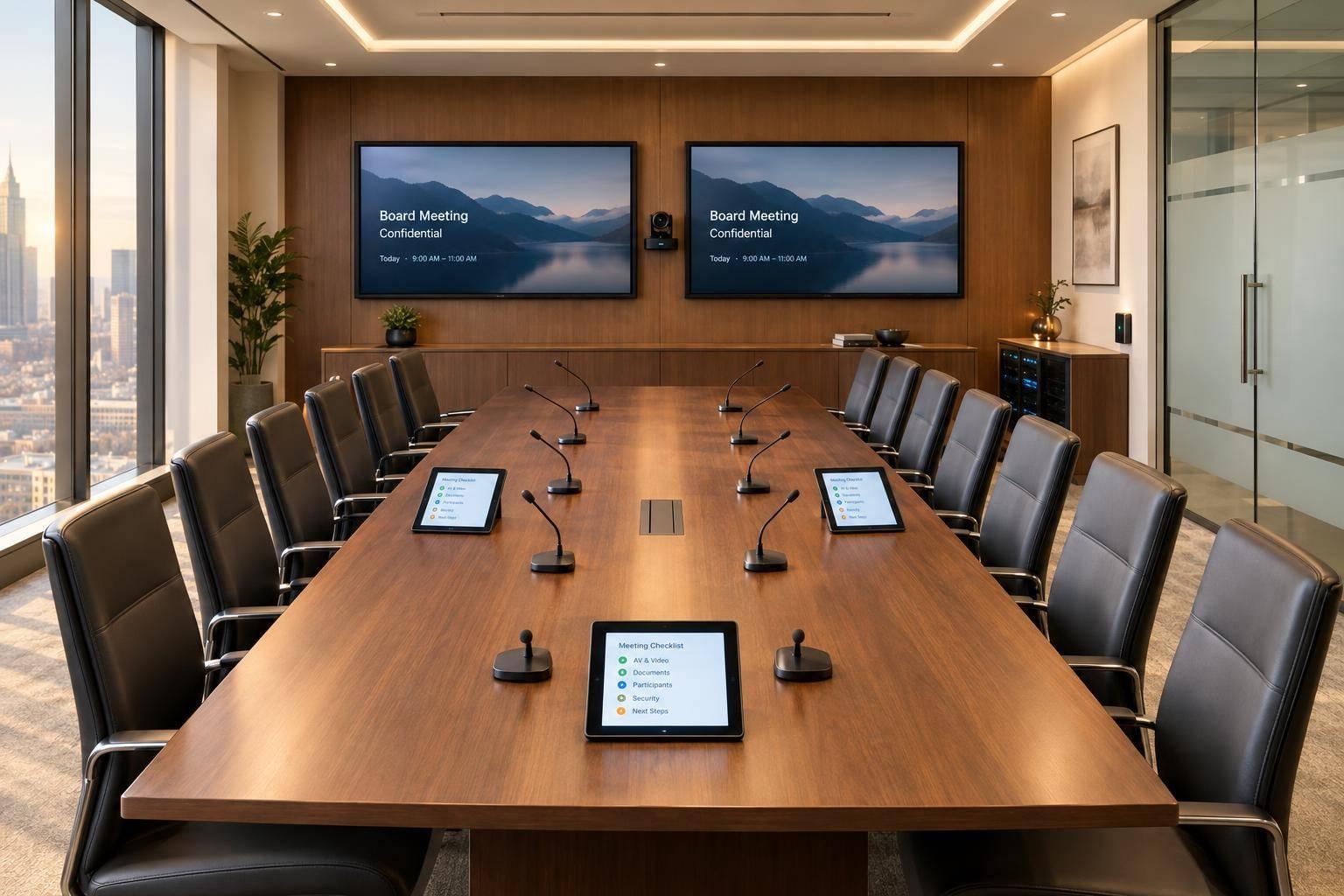
I start board meeting production with one plan: clear sound, readable screens, secure access, and named owners. Before choosing equipment, I confirm who’s attending, what they need to see and hear, and who can access confidential materials.
My checklist covers:
- Scope and budget: Define the format, assign roles, and include setup, rehearsal, support, and backups.
- Room and AV: Check seating, sightlines, microphones, cameras, displays, and accessibility.
- Timing and security: Set venue access, file deadlines, attendee checks, and executive-session rules.
- Testing and support: Test every seat and remote connection, rehearse with approved files, and assign backup actions.
- Closeout: Collect materials, remove temporary access, and transfer records to the assigned owner.
I aim to settle final presentation files 2 business days before the meeting and get readiness approval before doors open. The rule is simple: test before directors arrive, and <u>resolve critical faults before proceeding</u>.
Plan the Room Layout and AV Setup
Arrange Seating, Sightlines, and Room Conditions
Map the room before placing seating or AV equipment. Mark table dimensions, seats, ceiling height, windows, doors, HVAC outlets, power, and network ports. Include microphone zones and camera views. Allow enough table depth for documents, laptops, microphones, and nameplates without blocking faces. Keep accessible routes at least 36 inches clear, with 60 inches preferred for passing or turning. Keep emergency exits clear.
| Layout requirement | Consequence of neglecting it |
|---|---|
| Every seat has a clear view of the smallest document text on the primary display | Directors may miss critical board information. |
| Camera framing includes the chair, current speakers, and materials on the table | Remote participants may lose speaker context. |
| Captions or interpreters remain visible where required | Participants may miss accessible communication. |
| Lighting limits window glare and backlighting | Faces and documents become difficult to see. |
| Acoustic treatment supports clear speech with HVAC running and doors closed | Background noise and reverberation obscure speech. |
| Sound leakage beyond the room is checked | Confidential discussions may be overheard. |
| Cables are secured and concealed, with nearby power, network access, and clear walkways | Loose cables create trip and disconnection hazards. |
Photograph the approved layout so staff can recreate it. Use that layout to position microphones, displays, and cable runs.
Choose Microphones, Displays, and Presentation Controls
With the layout set, match equipment to speaking style, viewing distance, and the amount of detail on screen.
Use boundary or tabletop microphones for fixed seating, goosenecks for individual positions, lavaliers for moving presenters, and handhelds for occasional speakers. Ceiling arrays suit flexible layouts, but verify their coverage. Combine echo cancellation, automatic mixing, noise reduction, and visible mute indicators in one integrated audio system. Distribute loudspeakers for even coverage.
Size displays for the farthest viewer and the content people will read. Provide separate views for remote participants and shared content when both need to stay visible. Include presenter preview, source switching, a confidence monitor, and a backup playback device or duplicate presentation source. Limit routing so presenter notes and confidential files reach only approved displays and remote feeds.
Set Up Cameras and Hybrid Connections
Plan a wide table view and closer views of the chair and active speakers. Place cameras near the remote-participant display for a natural speaking angle. Check that auto-framing doesn't switch shots too often or expose confidential materials.
Use wired connections for the room system and presentation computer. Verify platform licenses, host and co-host permissions, admission settings, screen-sharing rights, recording permissions, captioning or interpretation access, and any firewall or VPN restrictions.
The meeting format affects seat spacing, camera count, and control complexity.
| Meeting format | Equipment | Controls | Networking | Staffing | Backups | Advantages | Limitations |
|---|---|---|---|---|---|---|---|
| In-person | Table microphones, room speakers, displays, presentation computer, optional confidence monitor | Chair or operator controls microphones, sources, and displays | Local presentation network; internet may be optional | Technician may be on call for a short meeting | Duplicate presentation file, spare cables, backup playback computer | Direct interaction; fewer remote failure points | No remote participation |
| Hybrid | Seat-based or ceiling microphones, echo cancellation, speakers, two or more cameras, participant and content displays, conferencing codec or dedicated computer | Operator manages camera views, mute states, source routing, recording, and remote admission | Wired internet, adequate upload and download capacity, firewall and platform permissions | Dedicated operator recommended for important meetings | Secondary internet path or hotspot, spare computer, alternate conferencing account, backup dial-in, duplicate cables | In-room and remote participation | Greater audio, camera, and control complexity |
| Presentation-focused | High-resolution displays or projection, presentation switcher, presenter preview, confidence monitor, clicker, optional document camera | Presenter or operator controls slides, source switching, annotations, and content routing | Stable wired network for cloud files and remote sharing | Presentation technician strongly recommended | Local decks, duplicate playback device, spare clicker and adapters, static PDF backup | Clear review of detailed board materials | Content may obscure participant views |
sbb-itb-ae35a94
Conference Room AV Training Guide (SPI Property Management)
Coordinate Schedules, Venue Access, and Confidentiality

Board Meeting Production Timeline
Once the room plan is set, confirm the schedule, access windows, and confidentiality rules before load-in.
Build the Production Schedule and Venue Plan
Keep one master production schedule for load-in, rehearsal, and secure access control. Give each milestone an owner, deadline, and status. Include dependencies and backup contacts. Use U.S. date formatting and specify a time zone for every deadline and meeting time.
| Deadline or window | Deliverable | Accountable owner | Written confirmation |
|---|---|---|---|
| 4–6 weeks before | Brief, staffing, load-in windows, storage, workspace, and venue access | Production lead | Venue confirms responsibilities, loading access, security, and after-hours access |
| 10 business days before | Preliminary agenda, presentation outline, attendee list, and accessibility needs | Executive assistant | Agenda and attendee list approved |
| 5 business days before | Draft decks and speaker notes | Content owner | Files received in approved repository |
| 2 business days before | Final presentation files and remote-speaker details | Corporate secretary | Approved versions released; changes require authorization |
| Before attendee arrival | Load-in, setup, technical review, and rehearsal | AV lead | Setup and rehearsal signed off before doors open |
| Meeting day | Doors open, start, breaks, catering, and executive-session transitions | Production lead | Run of show confirms times, staffing, and access changes |
| After adjournment through next business day | Strike, material transfer, access removal, and closeout | Production lead | Corporate secretary, venue manager, and AV lead sign off |
Confirm access hours, loading rules, storage, security check-in, catering timing, and after-hours access. If a site visit isn't possible, request photos or a floor plan.
Keep a restricted contact sheet with mobile numbers and clear decision authority. The AV lead handles technical faults. The production lead adjusts operations. The corporate secretary approves material changes, while the chair decides whether to pause, continue, or move an agenda item.
Apply the same controls to meeting materials and participant access.
Protect Meeting Materials and Session Access
Use an approved conferencing platform with meeting-specific credentials, a waiting room or lobby, authenticated invitations, and an attendee list controlled by the meeting owner. Don't post the meeting link on broad calendars or share it through uncontrolled group messages.
The moderator should check each remote attendee against the approved list and remove unknown participants before sensitive discussion starts. Lock the meeting once the intended participants have joined.
Limit repository access to authorized individuals. Keep one approved master file and specify who may edit, print, download, or transfer it.
Recording and transcription require written approval, participant notice, a business purpose, restricted storage, and a retention or deletion plan. Give screen-sharing rights only to authorized presenters. Disable chat, file transfer, and remote-control functions that aren't needed.
Before an executive session, verify who's still present, stop recording and transcription, and remove staff and remote participants who aren't authorized to attend. Confirm whether technicians may stay or must work through a designated liaison.
Issue labeled printed packets to people on the attendee list. Then collect the packets for authorized return, secure destruction, or retention.
Assign a records owner to receive approved digital files, remove temporary access, and authorize removal of working copies from playback computers, removable media, and technician devices. Preserve records subject to retention requirements or legal holds. Closeout sign-off should confirm that badges, loaned equipment, whiteboards, printers, and displays are free of confidential material.
Test Systems and Manage On-Site Support
Test Every Seat, Presentation Source, and Remote Connection
Once the room, access, and materials are approved, test the full system under actual meeting conditions. Use the approved room layout, displays, and hybrid links. Trace the signal from each source through to the displays and speakers, including recording and conferencing systems.
Have someone speak at a normal volume from every seat. The AV lead should check microphone pickup, coverage, camera framing, and two-way remote audio for echo, clipping, or feedback. From the farthest seat, check whether the smallest slide text is readable. Test every source, input, and control path, along with requested captions or accommodations. Log results, unresolved defects, assigned owners, deadlines, and retest status.
Rehearse with controlled copies of decks, videos, spreadsheets, and demos, masking sensitive details where possible. Check common file types, embedded media, hyperlinks, animations, fonts, aspect ratios, and screen-sharing permissions. Make sure presenter notes appear ONLY on the confidence monitor - not on room displays or the remote feed - and confirm that presenters can use the controls correctly.
Prepare Backups and Confirm Meeting Readiness
Keep tested spares ready: a microphone, batteries, laptop, power supply, adapters, cables, clicker, extension cords, network adapter, and approved offline files. Assign who will handle each failure and what they should do, such as replacing a failed microphone or switching to a second approved display or an audio-only fallback. Test the backup internet connection and record the switchover time. Check battery-backup runtime under the intended load, and verify backup files on a separate device.
The AV lead should get readiness sign-off from the meeting owner or chair representative. Confirm audio, displays, presentation files, remote participation, network and power, accessibility, access, staffing, backups, and escalation contacts.
Do not proceed while critical failures remain unresolved. These include unreliable audio for the chair or remote participants, an inability to display required materials securely, unsafe power conditions, or a failed network connection without an approved fallback. Record exceptions and retest corrected faults before approval.
Schedule Meeting Support and Secure Closeout
Keep meeting support quiet and focused on responding when needed. Staff coverage should include arrivals, presentations, remote admissions, breaks, executive-session transitions, and overruns - not just scheduled meeting hours.
Set up a discreet way for the chair and AV lead to communicate. The lead diagnoses problems quietly and recommends action; the chair approves any pause. Before the meeting resumes, verify the repaired signal path with a remote participant.
After adjournment, collect equipment, close the fault log, and confirm any unresolved items with the meeting owner. Record each fault’s start and fix times, affected participants, workaround, root cause, and corrective action. Check those actions at the next rehearsal.
Conclusion: Plan Board Meeting Production With Corporate Optics
Bring board meeting production into one plan. Define the scope, assign owners, and set the timing so everyone knows what they’re responsible for.
For board meetings with confidential materials and hybrid attendance, Corporate Optics can work with your meeting organizer, IT team, and security lead to coordinate AV design, venue logistics, hybrid production, staffing, and contingency planning. That coordination helps address access, executive-session, and content-handling requirements.
To get started, send your agenda, date, time zone, onsite and remote headcount, venue address, room dimensions, and confidentiality requirements. Include executive-session plans, accessibility needs, recording rules, venue access hours, and key IT or security contacts.
Specify whether you need technical setup or full production management support. Request an itemized proposal that covers equipment, labor, rehearsal time, connectivity, and closeout.
FAQs
What drives the cost of board meeting production?
Meeting costs depend mainly on scope, duration, and technical needs. Main expenses include professional audiovisual equipment, skilled technical staff, venue requirements, catering, and hospitality. Whether the meeting is in person, virtual, or hybrid also affects logistics and technology costs.
Budgets must also cover accessibility compliance, data security, and risk management. That includes backup equipment and internet connectivity to help prevent costly downtime and keep communication clear and professional for directors.
How much internet bandwidth does a hybrid board meeting need?
Keep upload speeds at 25 Mbps or higher and download speeds at 50 Mbps or higher. Bandwidth needs grow with participant count and AV complexity. Run site surveys under simulated meeting conditions to check actual capacity and test firewall or VPN limits.
Use Quality of Service (QoS) on a dedicated VLAN to give meeting traffic priority. Keep a tested backup connection, such as bonded cellular failover, ready if the primary connection goes down.
How should we handle last-minute changes to board materials?
Before the meeting, set an approval process and name a technical or executive support lead to approve changes. Assign one presentation lead to manage files, check display formatting, and add updates to the master presentation before the meeting starts.
Make changes easy for directors to spot, and keep strict version control. Have a professional operator - not presenters - control slides and files to protect sensitive information.
Related Blog Posts
- How To Plan A Board Of Directors Meeting With Professional Production
- Leading Audio Visual Companies Supporting Board-of-Directors Meeting Production
- Great Production Companies For Meeting Planning And Run-Of-Show Management
- What Is Board Meeting Production, And Why Do Fortune 500 Companies Hire A Production Partner For It?



Streamline your workflow, achieve more

Lorem ipsum dolor sit amet, consectetur adipiscing elit. Maecenas ac velit pellentesque, feugiat justo sed, aliquet felis.



Lorem ipsum dolor sit amet, consectetur adipiscing elit. Maecenas ac velit pellentesque, feugiat justo sed, aliquet felis.