What Does A Leadership Conference Production Company Handle? Creative, Staging, Show Calling, And Content.

Chief Executive Officer
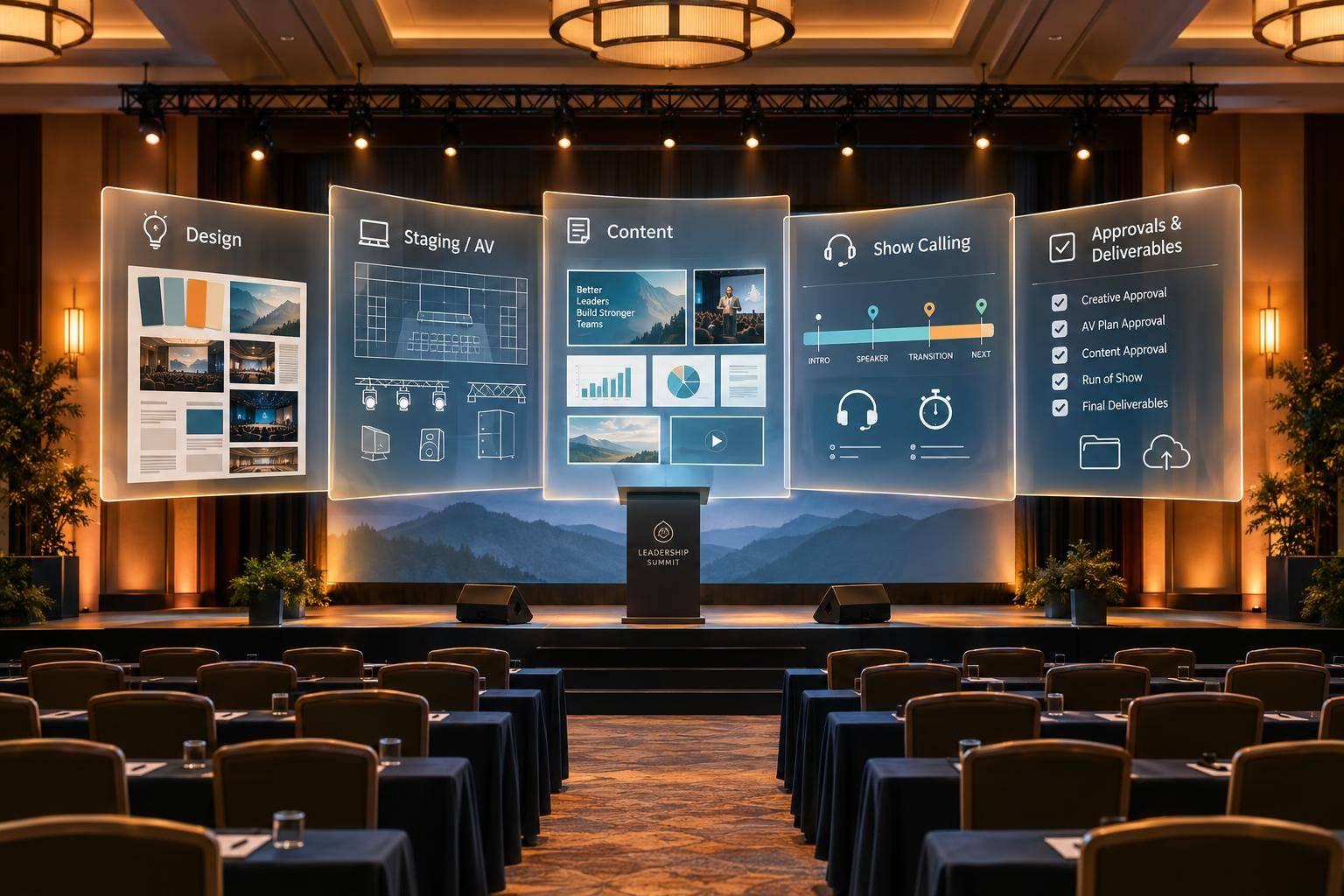
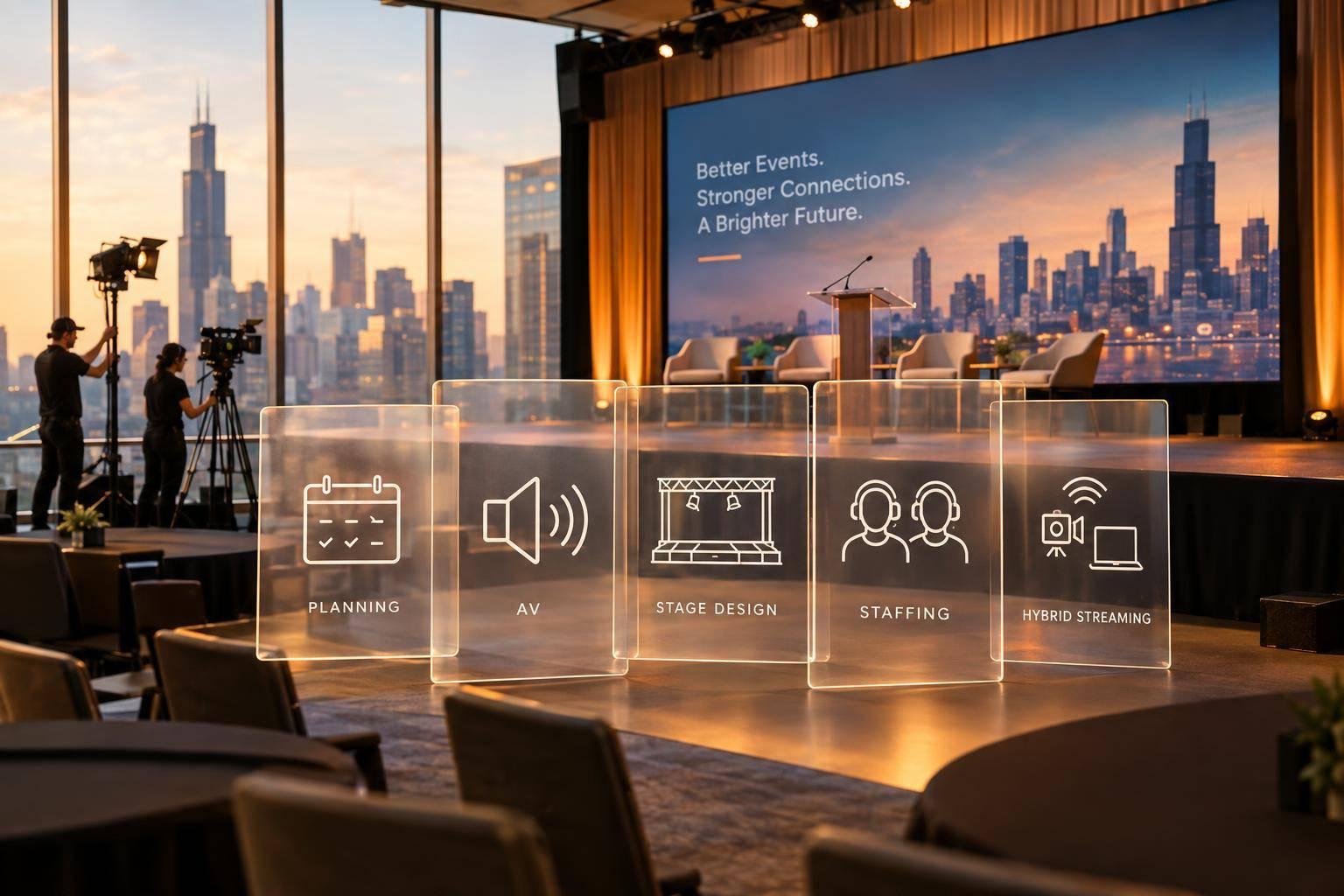
A leadership conference production company handles event design, staging and AV, speaker content, and live show cues. I recommend confirming those responsibilities in writing before work starts - including who approves changes and what the price covers.
Here’s what I look for in the scope:
- Design: A theme, key messages, and visuals that support leadership goals.
- Staging and AV: Room plans, screens, sound, lighting, cameras, and accessibility checks.
- Content: Approved presentations, videos, scripts, and tested playback files.
- Show calling: A timed run of show, speaker rehearsals, supporting executive speakers, crew cues, and backup plans.
- Final delivery: Agreed recordings, files, captions, usage rights, and delivery dates.
I also plan for a 24- to 48-hour content freeze before the show, with late changes logged and retested. <u>Registration, catering, transportation, and room blocks are separate unless the contract includes them.</u>
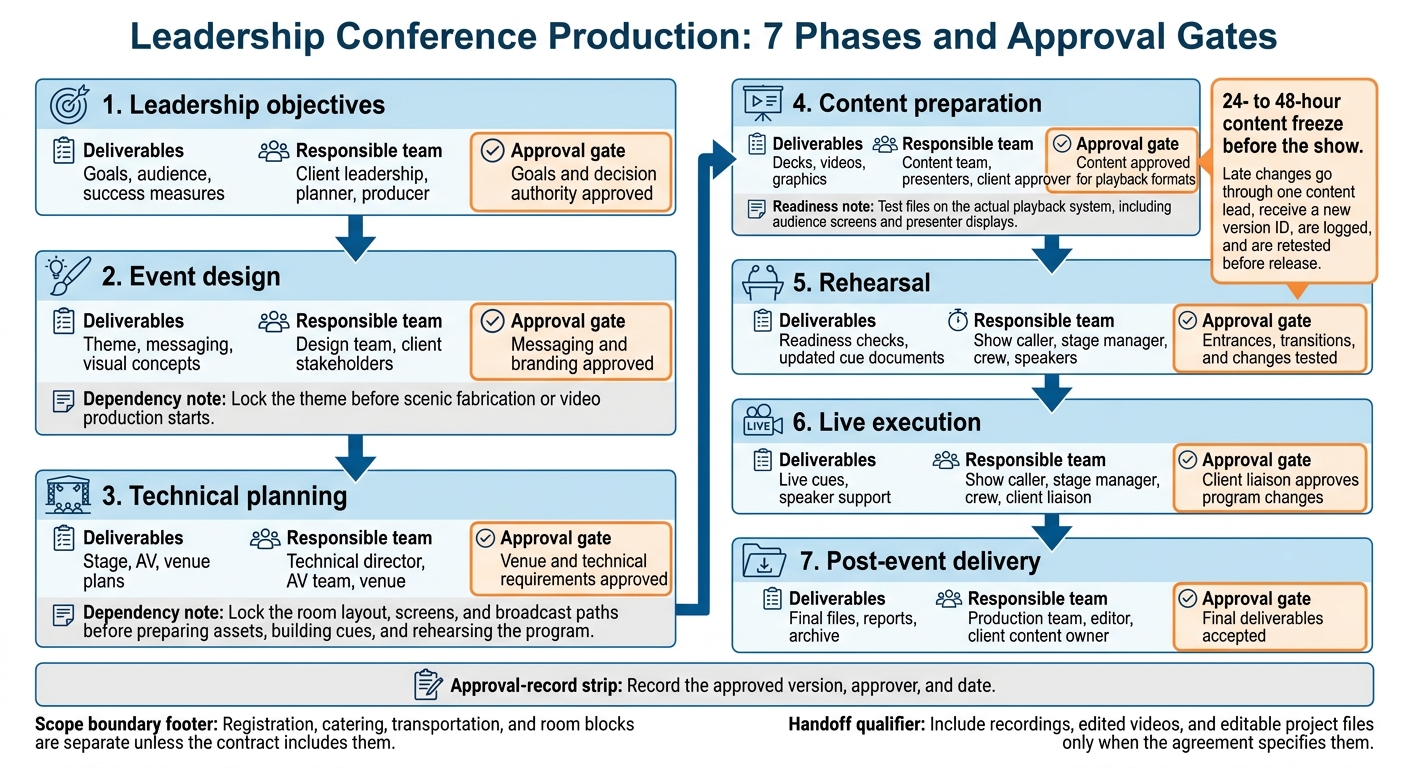
Leadership Conference Production: 7 Phases and Approval Gates
Event Design: Set the Theme and Visual Style
Once the scope is set, design direction turns leadership goals into a consistent event look and message. Start with the few messages the audience should remember and the action they should take next.
Event Themes, Messages, and Visual Concepts
Build a theme or tagline, a messaging hierarchy, executive talking points, audience takeaways, and a closing call to action. The visual package should cover colors, typography, imagery, logo rules, slide templates, title cards, and lower-thirds. Review these elements in stage and content mockups - not just as a logo for approval.
After the concept is approved, turn it into production-ready assets for the opening, speaker transitions, and closing. Each asset needs approved copy, runtime, aspect ratio, audio needs, and cue placement. Lock the theme before scenic fabrication or video production starts to avoid schedule disruptions.
Design Briefs for Stage and Content Teams
Create one brief that includes approved messages, the intended audience response, brand rules, screen specs, accessibility requirements, owners, deadlines, and approvers. Specify what stays fixed, such as typography and logo placement, and what can change, such as imagery.
Use that brief to guide the scenic, lighting, video, presentation, and broadcast teams. Keep backgrounds quiet during detailed executive remarks, use high-contrast slides, and position lower-thirds away from key content. Review stage renderings, slide mockups, and camera previews before locking the design.
sbb-itb-ae35a94
Staging and AV: Plan the Room and Technical Systems
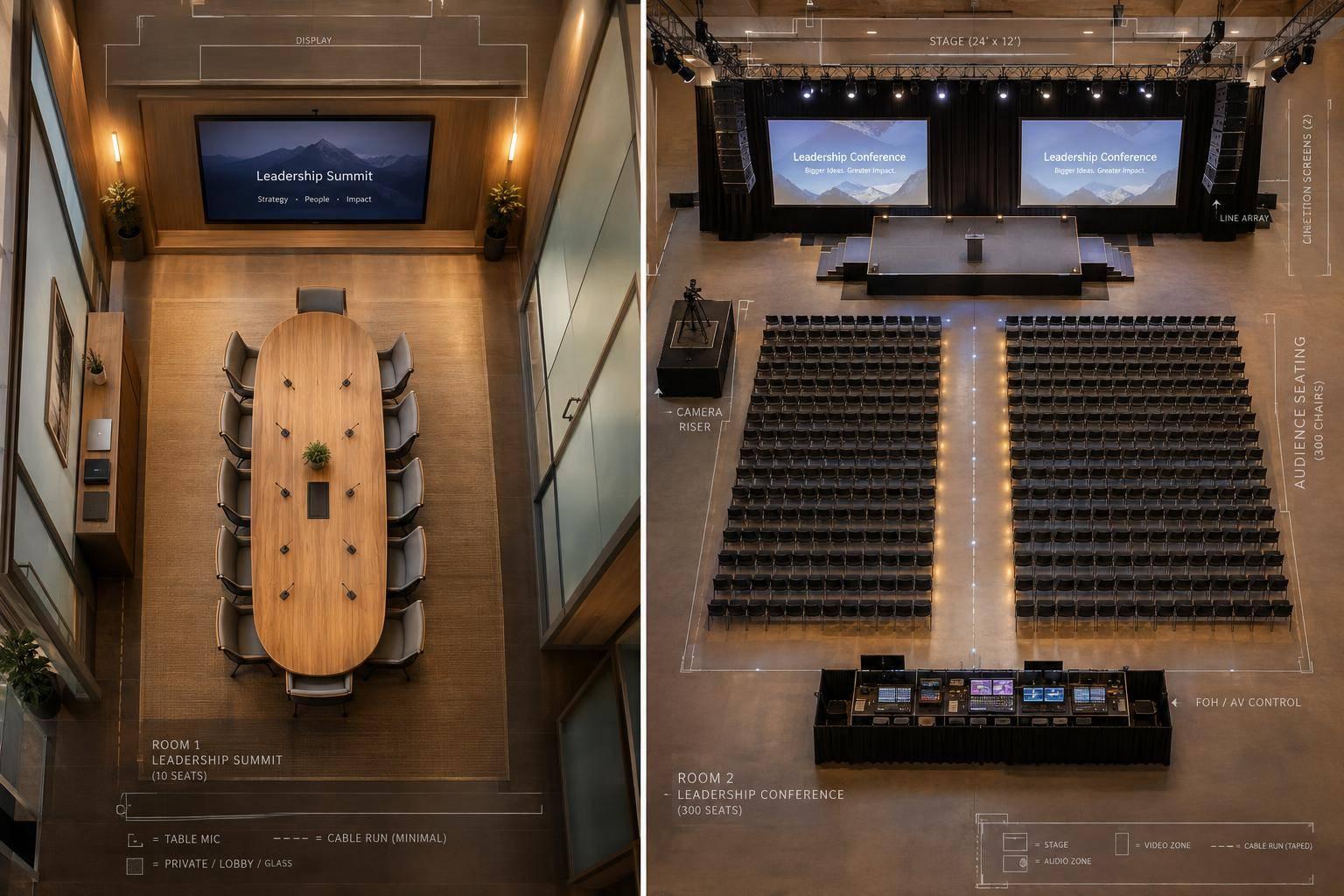
Once the theme and visual style are approved, the production team translates them into stage, screen, and AV plans. These plans shape the room, sightlines, sound, and camera coverage. Start with the venue survey and scaled floor plan - not the gear order. Room size, ceiling height, acoustics, accessibility, audience count, and camera positions determine stage height, screen placement, and sound coverage. Check the view from rear seats, side seats, and camera positions.
Stage Layouts, Scenic Elements, and Venue Requirements
The stage plan should include dimensions for platforms, risers, stairs or ramps, lecterns, branded backdrops, lighting positions, confidence monitors, camera lanes, and presenter access routes. Modular staging suits flexible layouts or fast-turn builds. Custom scenic creates a more branded setting for executives. Either approach should keep executives visible, reinforce brand authority, and help speakers feel confident. Keep speaker paths accessible, protect cables, and leave working space for cameras and crew.
Before approving the plan, confirm dock access, freight limits, door widths, load-in and strike windows, rigging limits, power, internet, and labor rules. Allow time for unloading, installation, cable runs, lighting focus, testing, rehearsal, and strike.
Audio, Screens, Cameras, and Presenter Tools
With the room mapped, select audio, display, lighting, and camera systems that fit the space. Match microphones to speaker movement and session format: lavaliers for mobile presenters, lectern microphones for fixed remarks, and handhelds for audience questions. Tune for clear speech, not just volume. Choose LED walls or projection based on ambient light, viewing distance, and room constraints. Confidence monitors display slides or notes, teleprompters support scripted remarks, and timers help speakers stay on schedule.
Use one integrated spec sheet for audio, video, lighting, scenic, and broadcast. This gives every technical department the same plan and keeps the systems working together.
| Component | Purpose | Typical deliverable | Planning dependency |
|---|---|---|---|
| Audio | Make speech, playback, and questions easy to hear and understand | Microphones, loudspeakers, mixing console, assistive listening system | Room acoustics, audience size, speaker format, accessibility requirements |
| Video and displays | Make slides, video, branding, and live camera feeds visible | LED wall or projection, side screens, playback system, confidence monitors | Viewing distance, ambient light, content resolution, sightlines |
| Lighting | Keep presenters visible in the room and on camera | Lighting plot, fixtures, control console | Stage dimensions, camera positions, scenic design, rigging |
| Staging and scenic | Create a safe, branded presentation space | Platforms, risers, lectern, backdrop, stairs or ramp | Venue dimensions, accessibility, load limits, installation time |
| Broadcast and recording | Support smooth remote viewing and record content | Cameras, video director, encoder, streaming platform, recording drives, graphics, separate broadcast audio mix | Internet upload, camera lanes, distribution needs |
Include IMAG - live camera images on room screens - when attendees seated farther away need a better view of presenters. Plan for at least 10 Mbps of dedicated upload for a single-camera 1080p stream and 25–50 Mbps for multicamera streaming. Verify platform requirements and test the venue connection. Remote speakers need return video, audio routing, and a tested backup connection.
Lock the room layout, screens, and broadcast paths before preparing assets, building cues, and rehearsing the program. Using an event agenda generator helps ensure these technical cues align with the session flow.
Content and Show Calling: Prepare Assets and Run the Program
Once the room and technical systems are set, the team provides meeting production services to build content and cues around them. Content production turns leadership messages into approved decks, videos, and assets ready for playback. Show calling runs them live. Together, they keep content, timing, and transitions in sync.
Executive Presentations, Videos, and File Management
Content deliverables include executive decks, keynote visuals, charts, leadership videos, panel graphics, lower thirds, holding and transition slides, scripts, and speaker notes. Format everything for the approved screen dimensions, readable text, and captioning.
Set deadlines and name approvers. Collect editable originals and playback files, then check fonts, embedded media, audio, captions, and speaker names. Store version-labeled final files in one approved folder. Test them on the AV production playback system, including audience screens and presenter displays - not just a laptop.
Treat the final 24 to 48 hours as a change-freeze period, following the production schedule. Route updates through one content lead, assign a new version ID, log each change, and retest affected outputs before release.
Once assets are approved, the production team maps them to live cues.
Run-of-Show Documents and Live Cues
The show caller keeps leadership messages in sequence and on time. They issue standby and go cues for entrances, microphones, music, slides, videos, lighting, and cameras.
Each department owns its cues: audio handles microphones and playback; video and graphics handle decks and lower thirds; lighting handles lighting states; camera direction handles shots; stage management handles movement; and streaming handles broadcast output and remote links. Give each action one accountable owner, with an exact trigger, timing, and dependencies.
| Document | Purpose | Primary owner | Time of use |
|---|---|---|---|
| Master run of show | Full timeline with durations, speakers, assets, responsibilities, dependencies, and contingencies | Show caller or production manager | Planning, rehearsal, and live show |
| Cue sheet | Numbered technical actions with precise triggers and standby instructions | Show caller, with department leads | Cue-to-cue rehearsal and live execution |
| Rehearsal schedule | Speaker call times, practice blocks, technical checks, and transition tests | Production manager or speaker manager | Before and during rehearsals |
| Contingency plan | Failure triggers, immediate responses, backups, and decision-makers | Production lead and department heads | Planning, rehearsal, and incidents |
With the cues set, rehearsals reveal timing gaps and technical risks.
Speaker Rehearsals and Backup Plans
Brief executives on movement, slide control, teleprompter use, timing signals, and how to request support. Rehearse in show order to build speaker confidence, refine message delivery, and confirm timing, playback, transitions, crew communication, and remote handoffs. Agree ahead of time which optional segments can be shortened if the program runs late.
Document what to do when microphones fail, playback stalls, connections drop, or speakers arrive late. Prepare a tested spare microphone, redundant local files, phone audio or a prerecorded backup, and approved host holding copy.
For power loss, stop and follow venue safety procedures. Resume only with venue approval. Keep printed cue documents on hand and designate a deputy caller.
Conclusion: Confirm the Workflow and Deliverables
Production Phases and Approval Checkpoints
Follow this approval sequence to move from concept to stage-ready execution while keeping decisions on record.
Treat each approval as a handoff to the next team. Record the approved version, approver, and date so design, technical, and content teams work from the same decisions.
| Phase | Primary deliverables | Responsible team | Approval milestone |
|---|---|---|---|
| Leadership objectives | Goals, audience, success measures | Client leadership, planner, producer | Goals and decision authority approved |
| Event design | Theme, messaging, visual concepts | Design team, client stakeholders | Messaging and branding approved |
| Technical planning | Stage, AV, venue plans | Technical director, AV team, venue | Venue and technical requirements approved |
| Content preparation | Decks, videos, graphics | Content team, presenters, client approver | Content approved for playback formats |
| Rehearsal | Readiness checks, updated cue documents | Show caller, stage manager, crew, speakers | Entrances, transitions, and changes tested |
| Live execution | Live cues, speaker support | Show caller, stage manager, crew, client liaison | Client liaison approves program changes |
| Post-event delivery | Final files, reports, archive | Production team, editor, client content owner | Final deliverables accepted |
Once approvals are locked, put the scope, ownership, and final deliverables in the contract.
Budget, Responsibilities, and Final Handoff
Ask the production team for a tailored, itemized scope rather than assuming the package covers everything. Confirm session and room counts, recording and livestream needs, rehearsal access, speaker support, and backup expectations.
Crew hours, equipment, scenic fabrication, bandwidth, venue charges, and editing all affect pricing. List included work, allowances, overtime, taxes, and scope-change costs separately.
Assign an owner for client sign-off, speaker communication, venue coordination, and each crew duty. Before work proceeds, require written approval for scope changes, including their price and schedule effects.
For the final handoff, specify deliverables, formats, resolution, captions, delivery dates, storage, retention, and usage rights. Include recordings, edited videos, and editable project files only when the agreement specifies them.
FAQs
How early should I involve a production company?
Bring in a production company early to handle technical planning, site surveys, and logistics. Allow enough lead time for your event:
- Large-scale events: 12 months or more
- Large conferences or complex setups: 4 to 6 months
- Executive summits or custom-built spaces: 8 to 16 weeks
- Smaller meetings: 6 to 10 weeks
Getting the team involved before venue contracts are finalized helps you identify technical requirements, avoid last-minute problems, and keep plans within your budget.
How can I keep production costs within budget?
Start with detailed scoping, not flat rates. Pricing should account for city and venue rules, streaming needs, scenic builds, and rehearsal time. Bring in a single-source partner early so design and technical teams work from the same plan. This helps avoid costly last-minute changes, gaps between teams, and surprise invoices.
Ask for clear, itemized estimates in U.S. dollars, with assumptions and exclusions spelled out. Require a written change-order process and payments tied to milestones - often with 25–30% paid upfront. Book early to reduce cost overruns caused by tight schedules.
How do I measure whether production supports our leadership goals?
Start with clear leadership goals, like building investor confidence or getting your sales team on the same page. Then make sure your production partner ties those goals to the agenda, visual content, and speaker support.
After the event, review attendance, engagement metrics, and audience feedback from polls or surveys. Your partner’s post-event debrief should compare the planned schedule with what actually happened and flag any content or speaker issues to help improve future events.
Related Blog Posts
- Top 3 Services Event Production Companies Provide for Annual Conferences
- Leading Production Comapnies Who Help With Leadership Conference Content And Program Management
- Leading Companies To Work With For Full Conference Production
- 3 Production Companies Who Handle Venue Coordination And Conference Production For Large-Scale Conferences.



Streamline your workflow, achieve more

Lorem ipsum dolor sit amet, consectetur adipiscing elit. Maecenas ac velit pellentesque, feugiat justo sed, aliquet felis.



Lorem ipsum dolor sit amet, consectetur adipiscing elit. Maecenas ac velit pellentesque, feugiat justo sed, aliquet felis.