Leadership Summit Vs. Leadership Conference: What's The Difference And How Does Production Change?

Chief Executive Officer
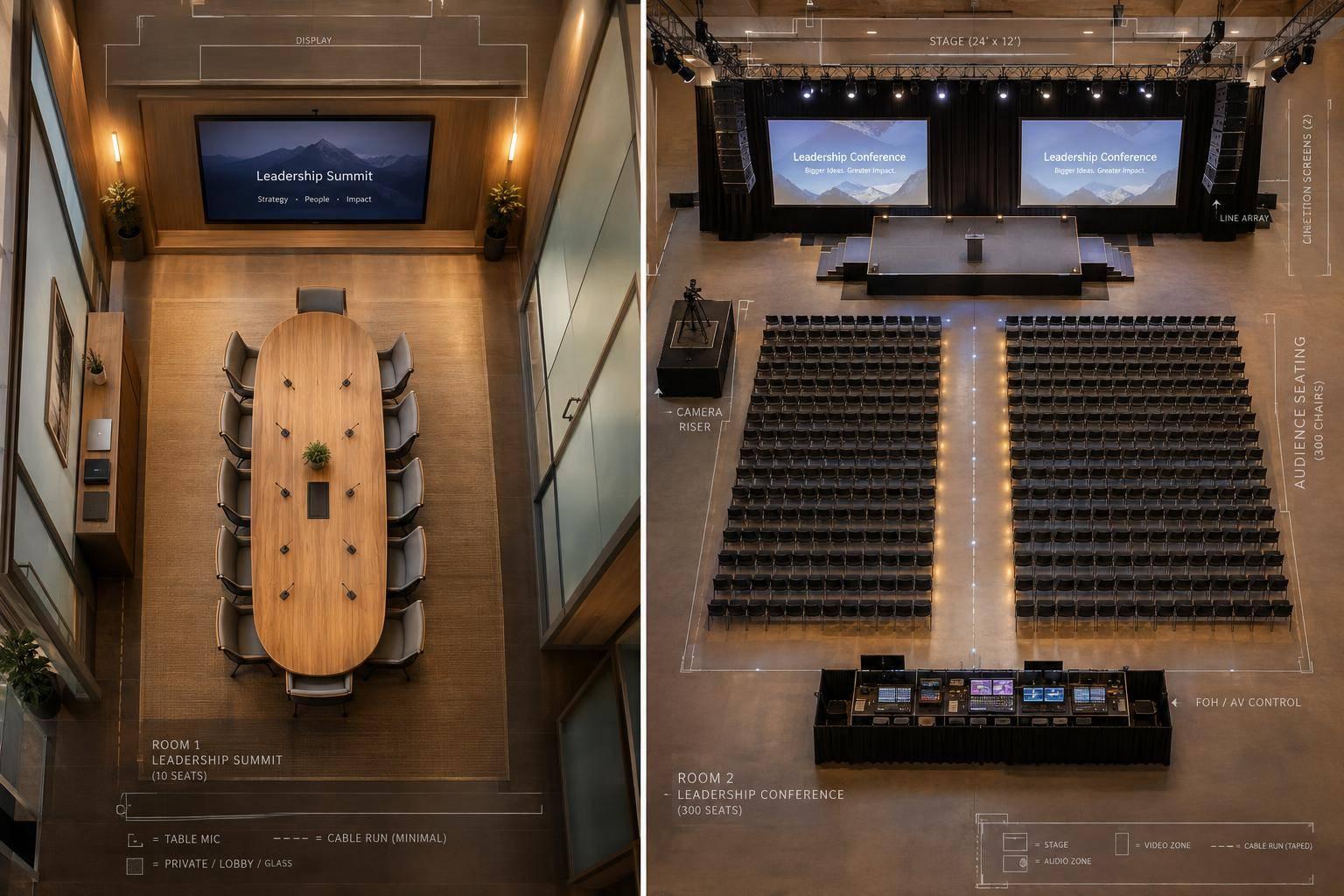
A leadership summit centers on decisions. A leadership conference centers on learning and networking. I’d plan production around what attendees need to do - not what you call the event. Start with your goals, guest count, session formats, rooms running at once, privacy rules, and remote participation.
Here’s the production difference: a discussion needs microphones around the table and secure document sharing. A presentation needs clear stage views, readable screens, and rehearsed speaker changes. Three simultaneous breakout rooms mean three separate AV setups, not one shared system.
Quick Comparison
| Planning factor | Leadership summit | Leadership conference |
|---|---|---|
| Purpose and results | Agree on priorities, decisions, and action owners | Share knowledge, company messages, and connections |
| Audience and participation | Smaller, selected group; discussion and debate | Larger group; presentations, workshops, and networking |
| Privacy and recording | Often restricted; confirm permissions | Rules may vary by session |
| Layout and staging | Roundtable or U-shape; limited staging | Main stage plus breakout rooms |
| Sound, screens, and lighting | Table microphones, shared displays, and light for faces | Room-wide sound, large screens, presenter monitors, and stage lighting |
| Crew and transitions | Private room resets and document changes | Speaker handoffs and coordinated room schedules |
| Hybrid needs and backups | Remote discussion support and controlled access | Streaming and remote speaker support, as needed |
Smaller doesn’t always mean simpler. A private hybrid summit can need more technical support than an in-person conference.
I’d <u>budget from the agenda and room map</u>, including equipment, crew, setup, rehearsals, venue charges, and backup plans - not just attendance. Share that scope with Corporate Optics, confirm who approves changes, and define how you’ll track decisions, participation, and message delivery.
Leadership Summit vs. Leadership Conference: Key Differences
The table below shows common planning patterns, not fixed categories. The agenda - not the title - determines the production model. A summit needs tools that support decisions; a conference needs tools that support delivery at scale.
| Purpose | Typical audience | Group size | Confidentiality | Agenda style | Level of participation | Primary outcomes | Typical production profile |
|---|---|---|---|---|---|---|---|
| Summit: alignment on priorities and decisions | Leaders with decision authority or implementation responsibility | Smaller, curated group | Often high | Executive briefings, roundtables, and closed-door workshops | Dialogue, debate, and joint decisions | Decisions, action owners, and follow-up commitments | Discussion-first AV |
| Conference: learning and networking | Broader leadership community and invited stakeholders | Larger, with plenary and breakout audiences | Varies by session | Keynotes, panels, workshops, and concurrent tracks | Listening, workshops, and networking | Knowledge, company messaging, and professional connections | Keynote stage plus breakout-room AV |
Summits: Private Discussion and Decisions
Invite people based on their decision authority, relevant expertise, or responsibility for implementation. These leaders may use executive briefings, roundtables, and closed-door workshops to work through priorities, risks, and day-to-day business problems.
Build the agenda around questions that need answers, not a series of speeches. Assign someone to record decisions, unresolved concerns, action owners, and follow-up commitments. Before participants leave, the facilitator should confirm those commitments. Discussion alone isn't the intended deliverable.
Set a clear confidentiality policy before production begins. Specify which sessions allow recording, livestreaming, photography, or shared notes. A small guest list doesn't establish how sensitive information will be handled.
Conferences: Learning and Networking
Conferences serve a broader leadership community: executives, managers, department leaders, emerging leaders, partners, and invited stakeholders. Learning and networking are the main draws. Give every session a clear learning outcome, and protect networking time in the schedule.
Keep branding and production consistent across the main stage and breakout rooms. Coordinate branding and presentation formats, check audience sightlines, and support speakers with confidence monitors and reliable slide playback. When tracks run at the same time, coordinate room operators and speaker transitions so every room follows the same schedule and technical standards. These needs shape the room layout, AV, and crew model covered in the next section.
sbb-itb-ae35a94
How Production Requirements Differ

Leadership Summit vs. Conference: Production Differences
Moving from discussion to delivery changes the production plan - and the AV setup. A confidential hybrid summit may need more support than an in-person conference. Plan around room count, concurrent sessions, remote participation, and content security, not event size alone. Start with room design, then address audio and crew coordination.
| Production requirement | Leadership summit | Leadership conference |
|---|---|---|
| Room layout | Boardroom, hollow-square, U-shape, or cabaret for discussion | Plenary seating plus separate breakout rooms |
| Stage footprint | Limited staging centered on the facilitator | Main stage with backdrop and presenter area |
| Microphone package | Table or wireless microphones for group discussion | Presenter, panel, and audience microphones |
| Screen requirements | Shared displays for documents and remote participants | Large-format screens and speaker confidence monitors |
| Lighting approach | Facial and working light | Presenter lighting, stage wash, and branded lighting |
| Audio coverage | Even speech coverage across the table | Room-wide coverage with supplemental speakers as needed |
| Presentation support | Secure document display and facilitator support | Coordinated switching, playback, timers, and cues |
| Breakout-room needs | Private working rooms as required | Separate AV systems and local support |
| Staffing | Discreet support with specialists as needed | Coordinated main-stage, breakout, and speaker-support teams |
| Transition complexity | Microphone handoffs and private resets | Speaker changes, room turnover, and synchronized starts |
| Recording or streaming | Permission-controlled recording and sharing | multi-camera streaming, recording, and coverage as required |
Room Layout, Staging, Lighting, and Screens
At a roundtable, participants need to read displays without losing eye contact. Position cameras to show participants, and provide enough light for faces, notes, and video calls.
For a keynote, check screen visibility from the farthest seats. Keep cameras out of audience sightlines, and use IMAG when the room is too deep for attendees to see the speaker directly. Confidence monitors should show slides or timing without making speakers turn toward the main screen. With sightlines addressed, move on to audio.
Microphones, Sound, and Remote Participation
Summit microphones need to pick up speech evenly across the table. Account for participant distance, reflective surfaces, and background noise when placing them.
Conference audio must reach the whole room, with front fills or supplemental speakers where needed. Coordinate wireless frequencies, test spare microphones, install new batteries, and assign operators. Treat each breakout as its own system, with a display or projector, presentation connection, microphones when needed, and local support.
Scope hybrid participation separately. Before the event, test each remote contributor’s internet connection, camera framing, microphone, lighting, presentation access, return video, and return audio. Use mix-minus routing so contributors don’t hear delayed versions of their own voices.
Confirm whether discussions may be recorded, streamed, transcribed, or shared afterward. A summit may require restricted access and controlled recording. If streaming is required, plan secondary connectivity, backup encoding, and local copies of presentations.
Session Transitions, Crew, and Backup Plans
Summit crews need to protect privacy. Prepare the next document without showing it early, check remote connections, and clear sensitive content before reopening the room.
Conference crews manage timing across stages and rooms. Rehearse walk-ons, use approved slide versions and cue sheets, and agree on shared start signals for concurrent tracks. Assign technical direction, A/V, stage management, breakout support, and streaming roles to match the agenda. Don’t assume the main-stage crew can cover every room.
Document who handles failures, and rehearse backup playback, microphone replacement, and speaker reconnection procedures.
Choose the Format and Plan the Budget
Match the Format to Your Goals and Audience
Choose a summit when a small group needs to agree on decisions. Choose a conference when a larger audience needs education, company messages, and networking. Confirm how sensitive the content is, how attendees will participate, and whether the event will be in-person, hybrid, or virtual. These choices determine the rooms, crew, and systems you’ll need.
Need both formats? Keep the private decision session separate from the larger presentation program, and give each its own budget.
Estimate Costs From the Agenda and Room Map
Base your estimate on the actual program - not a flat cost per attendee. Map each session by room, duration, format, audience size, and in-person, hybrid, or virtual requirements. Use that room map to define the production scope before pricing it.
A summit usually needs table microphones, clear speech coverage, a confidence monitor, and restricted content handling. A conference usually needs a stage, large screens, presenter monitors, lighting, playback, breakout support, and more crew, following best practices for conference event production.
Budget for the full production schedule, not just the hours attendees are there. Include venue access, load-in and load-out, setup, testing, rehearsal, show hours, and strike.
Request an itemized estimate in U.S. dollars covering equipment, labor, pre-production, freight, internet, power, rigging, venue fees, overtime, taxes, and contingency. Before approving it, confirm what’s excluded and which venue labor requirements apply. Tie the contingency allowance to specific risks, such as delayed room access or extra rehearsal time, and ask which agenda changes would trigger added charges.
Plan Production With Corporate Optics
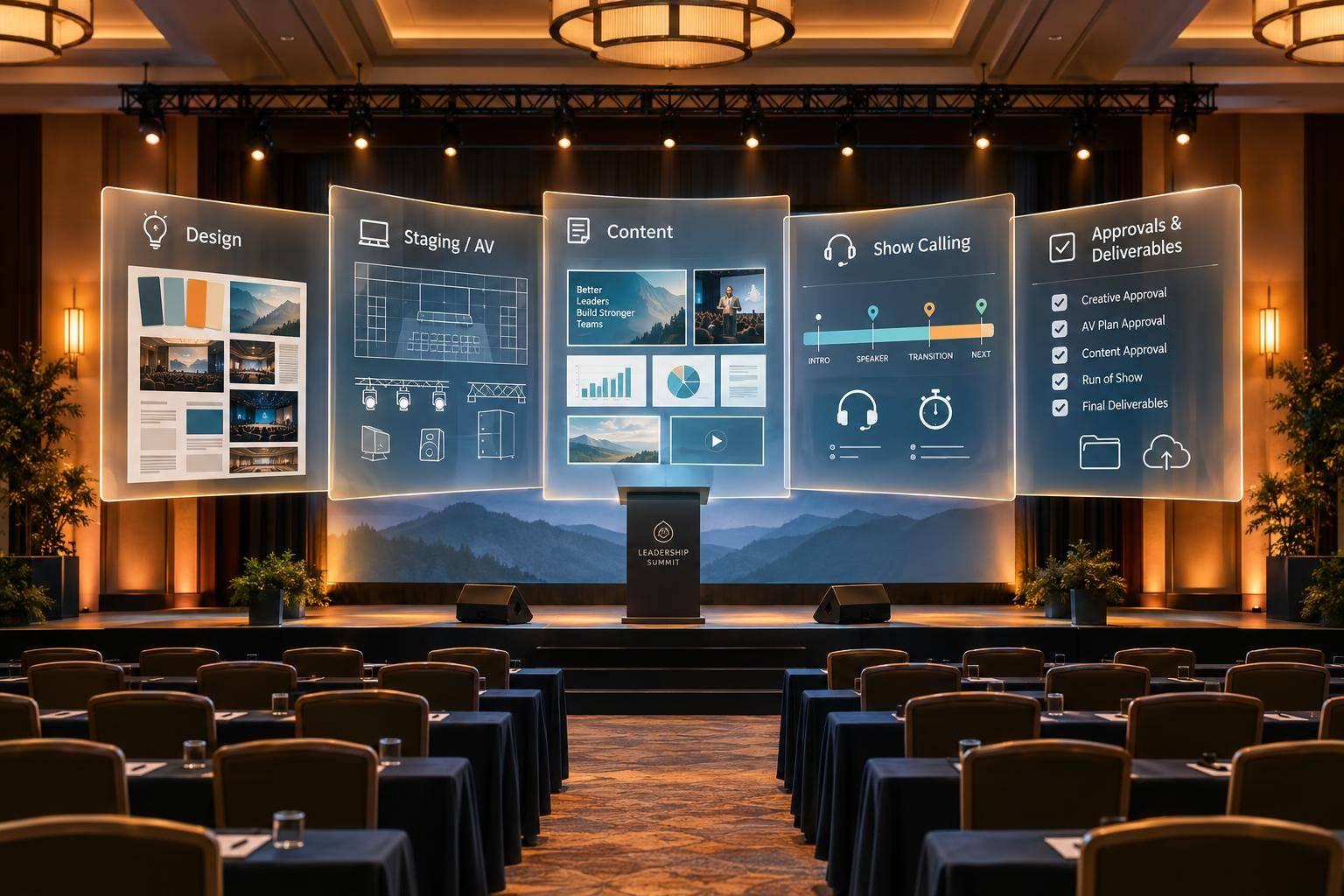
Share your event objectives, draft agenda, room map, attendance, confidentiality rules, event format - in-person, hybrid, or virtual - and budget limits with Corporate Optics. This gives the team what it needs to coordinate AV design, staging, lighting, speaker prep, staffing, streaming, show flow, room turnovers, and contingency planning.
Define the reporting outputs before production starts so capture, playback, and notes support the outcomes you need.
Conclusion: Match Production to the Leadership Experience
Production should serve the event’s purpose - not its title.
Once the format, scope, and budget are set, work with Corporate Optics to match AV, staffing, security, and backup plans to the agenda. Confirm who has approval authority before show day. Using a corporate event checklist can help streamline these final logistics.
Judge success by the outcomes: documented decisions, opportunities to participate, and a message that reaches the audience. Production should support those outcomes, not compete with them.
FAQs
Can one event combine summit and conference formats?
Yes. A single event can bring together executive decision-making, learning, and networking.
Plan it as one production. Map out roundtables, keynotes, and breakout workshops, with an audiovisual setup that can scale to fit each format. A professional production partner can manage transitions and integrated systems, helping the space shift from a boardroom-style discussion to a large-scale keynote.
How early should I finalize the AV plan?
Finalize your AV plan well before load-in. For executive summits and investor days with custom staging, begin 8–16 weeks ahead to allow time for site surveys, staging design, and technical validation. Larger leadership conferences with complex logistics across multiple venues need 4–6 months.
If time is tight, cut back the scope. Once you're within the 4-month window, promptly set written deadlines for staffing, equipment, rehearsals, and content.
Where can I cut costs without hurting participation?
Cut costs by planning early and defining the scope clearly. Bring in a production partner 8 to 16 weeks before a summit or 4 to 6 months before a conference to avoid costly last-minute changes.
Ask for itemized quotes instead of vague bundles so you can spot hidden fees and pay only for the equipment and labor you need. Focus on value - not just the lowest bid. Look for efficient, AI-driven planning and scalable, customized packages that match your event goals.
Related Blog Posts



Streamline your workflow, achieve more

Lorem ipsum dolor sit amet, consectetur adipiscing elit. Maecenas ac velit pellentesque, feugiat justo sed, aliquet felis.



Lorem ipsum dolor sit amet, consectetur adipiscing elit. Maecenas ac velit pellentesque, feugiat justo sed, aliquet felis.