How To Plan A Leadership Conference: Agenda, Staging, And Production Timeline From 90 Days Out.

Chief Executive Officer
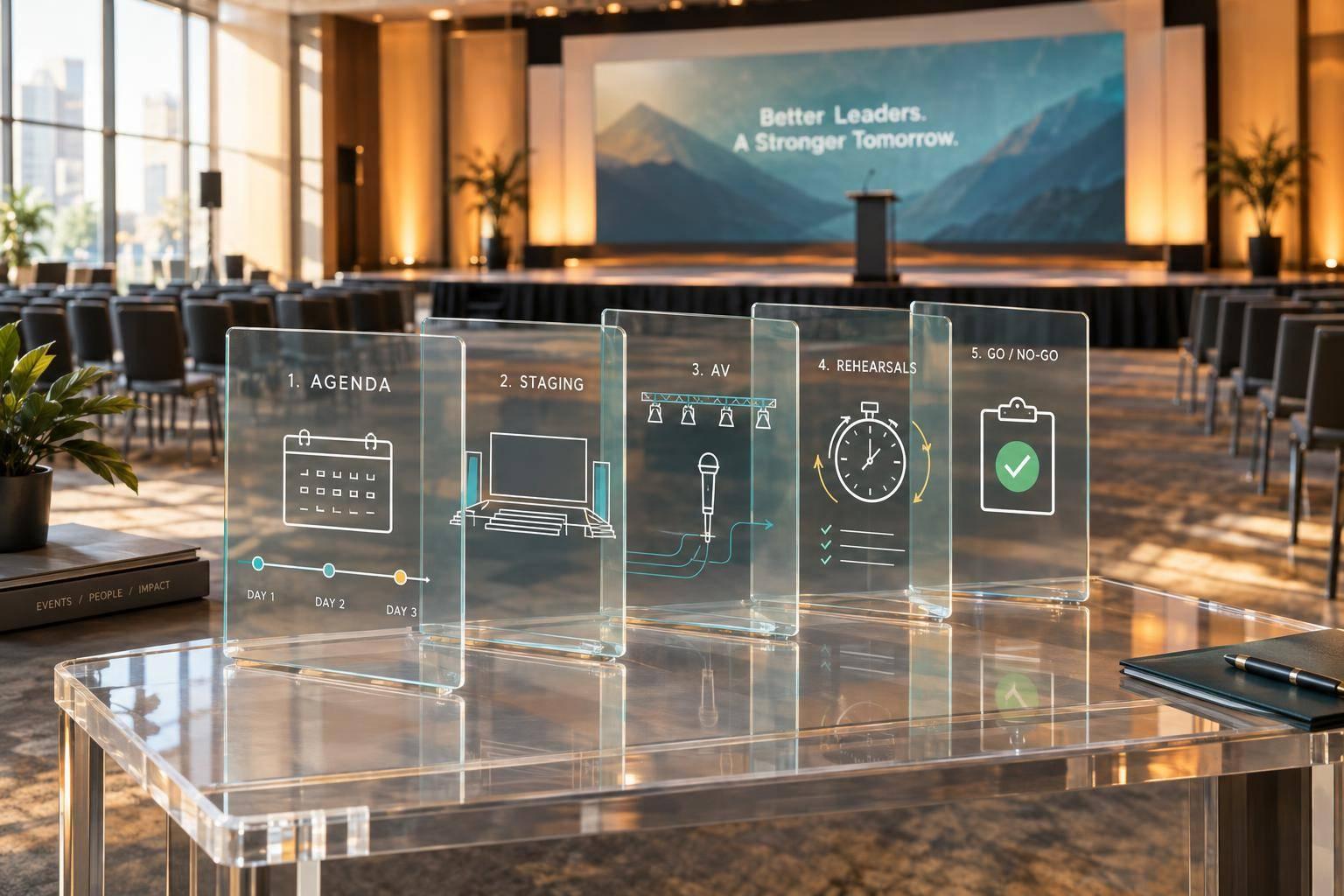
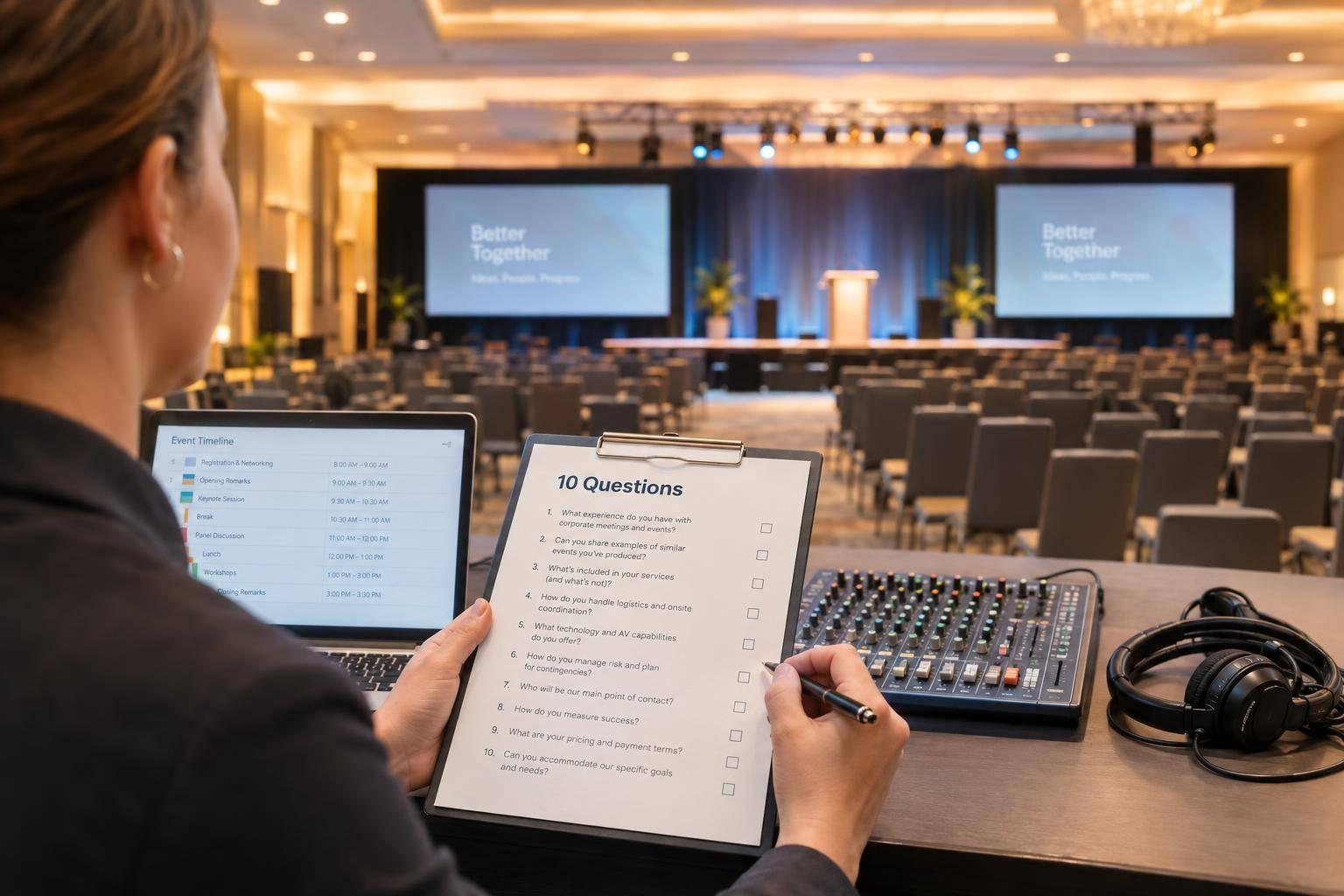
I start planning a leadership conference 90 days out using a comprehensive planning guide - with the agenda, staging, and AV in one plan. First, I set 2–4 measurable outcomes, name decision owners, and confirm the budget, audience, and rooms.
Then I work backward from event day:
- Build the agenda: Give each session a clear purpose, a speaker or facilitator, and time for room changes and stage resets.
- Plan each room: Match screens, microphones, lighting, stage access, staffing, and backups to the session format.
- Set deadlines: Approve the design and vendor scope, collect speaker files, and aim to lock the run of show 7 days before the event.
- Check readiness: Test files and equipment, rehearse handoffs, and confirm who handles failures before doors open.
- Close the loop: Review costs, attendee feedback, and leadership commitments - with an owner and due date for each action.
My rule: a finished agenda isn’t the same as a ready event. I confirm <u>owners, tested backups, and final go/no-go approval</u> before the conference begins.
How to Build an Onsite Production Schedule for Your Next Event
sbb-itb-ae35a94
1. Set Leadership Goals and Build the Agenda
Once the conference brief is set, turn leadership goals into session outcomes, room requirements, and production needs.
Define two to four measurable outcomes that support the conference objective. For each, record what success looks like, how you’ll measure it, who owns it, and the deadline. Measures might include documented event decisions, action plans with named owners and deadlines, post-event survey ratings, and completed follow-up commitments. Cut any session that doesn’t support an approved outcome.
Estimate attendance by role, seniority, business unit, and learning need. Where relevant, note whether people will attend in person, virtually, or through hybrid meeting formats. Keep low, expected, and high estimates. Use one plenary track when everyone needs the same content. Add concurrent rooms only when groups need to make different decisions or develop different skills. Before approving more breakouts, check room capacity and staffing needs.
Put outcomes, scope, budget, and approval authority in a one-page brief. The executive sponsor approves business priorities and major changes. The conference lead turns those decisions into the agenda and delivery plan.
Choose Session Formats That Support Each Goal
Reserve shared plenary time for executive keynotes that set direction. Use moderated panels to compare views and discuss trade-offs, breakouts for role-specific work, and fireside conversations for leadership stories and lessons.
Give every session a written goal, intended audience, format, duration, content owner, speaker or facilitator, and success measure. Allow 5–10 minutes between adjacent sessions and 10–15 minutes between major blocks. Adjust those gaps for walking distances, stage resets, and attendee volume.
Build a Sample One-Day Agenda
Use this agenda as a planning template. Adjust room assignments and timing to fit your venue and audience mix.
Hypothetical planning schedule. Treat transition blocks as production time for stage resets, speaker handoffs, and room changes.
Time Session Format Leadership goal Speaker/facilitator or owner Room Production notes 8:00–8:45 a.m. Registration and coffee Arrival/networking Establish connections and confirm attendance Conference lead Lobby Background music, registration technology, directional signs 8:45–9:00 a.m. Welcome and objectives Opening remarks Set expectations and define the day’s commitments Executive sponsor Main ballroom Lectern microphone, confidence monitor, opening slides, house lights 9:00–9:45 a.m. Leadership priorities for the year Executive keynote Align attendees around business priorities CEO or senior executive Main ballroom Presentation laptop, clicker, slides, confidence monitor, key light, camera if recorded 9:45–10:00 a.m. Transition and coffee break Break Support networking and allow a stage reset Operations lead Lobby Stage reset, next deck, speaker handoff 10:00–10:50 a.m. Turning priorities into action Moderated leadership panel Discuss trade-offs and implementation challenges Moderator and panelists Main ballroom Four wireless handheld or lavalier microphones, panel furniture, timer, audience Q&A microphone 10:50–11:05 a.m. Break Refreshment break Recharge and move to rooms Attendee-experience lead Lobby and breakout rooms Production check, house music, room signage 11:05 a.m.–12:00 p.m. Role-specific leadership challenges Breakout block 1 Apply strategy to role or business-unit needs Breakout facilitators Breakout rooms A–C One display per room, presenter laptop, room microphone as needed, flip charts or whiteboards 12:00–1:00 p.m. Lunch and facilitated table discussions Networking/facilitated discussion Share barriers and identify peer solutions Facilitation lead Dining area Roaming microphones if needed, low background music, table prompts 1:00–1:15 p.m. Return to plenary Transition Re-seat attendees and prepare the next block Production lead Main ballroom Lighting change, playback check, speaker handoff 1:15–2:10 p.m. Building accountable teams Breakout block 2 Produce team-level commitments and action plans Workshop owners Breakout rooms A–C Slides, timers, microphones where required, worksheets, facilitator support 2:10–2:25 p.m. Break and room reset Break Consolidate outputs and prepare plenary return Operations lead Lobby Main-stage reset, next presentation test, breakout-output collection 2:25–3:10 p.m. Leadership lessons from the field Executive fireside conversation Translate experience into practical leadership behaviors Executive host and guest Main ballroom Two lavalier or handheld microphones, lounge seating, camera, soft key lighting 3:10–3:25 p.m. Break Refreshment break Provide recovery time and production buffer Attendee-experience lead Lobby File check, microphone battery check, lighting cue review 3:25–4:10 p.m. Commitments by team Facilitated plenary Turn insights into specific next actions Conference lead Main ballroom Audience microphones, commitment slides, timer, camera if recording 4:10–4:30 p.m. Closing remarks and commitments Closing remarks Confirm owners, deadlines, and follow-up process Executive sponsor Main ballroom Closing slides, lectern microphone, house-light cue, final camera shot 4:30 p.m. Event close Departure End on time and direct attendees to follow-up resources Conference lead Main ballroom and lobby Closing announcement, music, signage; equipment strike after attendees leave
Once the agenda is set, use a production schedule to lock content and speaker inputs.
Manage Speaker Briefs and Presentation Files
Assign a content owner and production contact to every session. Start by requesting the session title, objective, format, outline, media needs, and accessibility needs. Collect the working deck, video files, polls, handouts, and speaker notes 10–14 days before the event. Then collect the final locked file and media assets 3–5 business days before delivery.
Brief speakers and facilitators on arrival and rehearsal times, room location, stage access, and whether they’ll sit or stand. Cover microphone type, confidence-monitor setup, clicker procedure, presentation-screen format, Q&A process, and the hard stop.
Give panelists the moderator’s questions, speaking order, response limits, and audience-question process. Include guidance on avoiding duplicate answers. Track each session through these controls:
| Control stage | Responsible owner | Required deliverable |
|---|---|---|
| Request and draft | Content owner | Session title, objective, speaker/facilitator, format, draft outline, media requirements, accessibility needs, draft receipt date |
| Content approval | Content owner | Approval date and approved version |
| Final file receipt | Production contact | File name, version, receipt date, missing assets |
| System test and rehearsal | Production contact | Pass/fail result, corrections, rehearsal-ready status |
| Backup confirmation | Room technician or show operator | Local file location, controlled shared location, PDF backup |
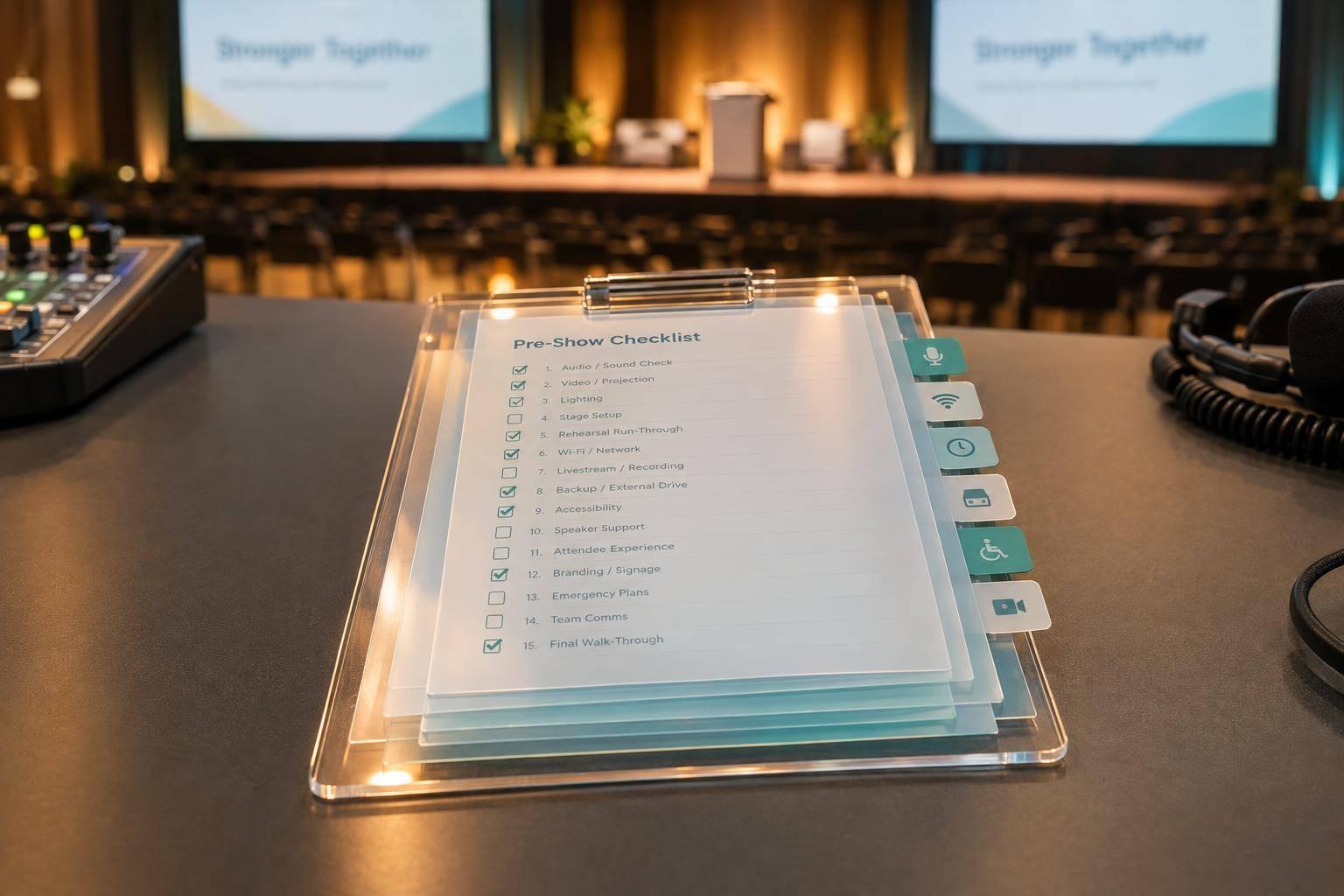
Test approved files on the actual show system. Check fonts, embedded video, aspect ratio, audio, clicker control, and presenter notes. Keep native presentation files and PDF backups available locally. Don’t replace a file with an untested update without production approval. Track these checks against each session’s room, cue, and rehearsal plan.
2. Plan Staging and AV for Each Room
Turn the finalized agenda into a staging and AV plan for every room before ordering equipment. Match each setup to its leadership outcome and session format: keynote, panel, or breakout.
Walk the venue with the production lead, venue representative, event owner, accessibility lead, and IT contact. Create a scaled floor plan in feet and inches that shows seating, stage dimensions, lectern and panel layout, screens, backstage space, camera and control positions, power drops, cable paths, loading access, and accessible routes. Record ceiling height, rigging limits, ambient light, outlets, network connections, and fire code restrictions.
Get sign-off before placing orders. Use these room decisions to lock the vendor plan before finalizing the production schedule. All deadlines below refer to days before the event. Complete final acceptance checks in the installed rooms.
| Production area | Required decision | Owner | Venue dependency | Deadline | Acceptance test |
|---|---|---|---|---|---|
| Main stage | Approve stage size, height, lectern, panel furniture, and accessible ramp or lift | Production manager | Room dimensions, fire code, accessible route | 75 days out | Walk every speaker path and check front, rear, and side sightlines |
| Screens | Select projection or LED, size, placement, captions, and confidence monitors | AV lead | Ceiling height, ambient light, rigging, power | 60 days out | Read the smallest slide text and captions from the farthest seat |
| Audio | Confirm microphone types, channel count, spares, and Q&A method | Audio lead | Frequency rules, room acoustics, network or recording feeds | 45 days out | Sound-check every speaker, panel seat, Q&A position, and playback source |
| Lighting | Approve lighting positions and cue states | Lighting lead | Rigging points, house-light controls, camera requirements | 45 days out | Check in-room visibility and camera exposure under every lighting cue |
| Control position | Reserve the front-of-house position, power, communications, and cable routes | Show caller | Venue sightlines, furniture, power, internet | 45 days out | Test cues, timers, intercom, presentations, and program monitors |
| Breakout rooms | Assign a room manager and equipment package | Breakout coordinator | Room capacity, built-in AV, network access | 30 days out | Connect a presenter device, play video, test sound, and restore the layout |
| Backups | Prepare backup media and hardware | Technical director | Secure storage and charging access | 14 days out | Simulate laptop, microphone, and network failures |
Check Sightlines, Screens, and Stage Access
Check speaker visibility and slide readability from front, rear, and side seats at seated eye level. Allow enough stage space for presenter movement, panel furniture, the lectern, and confidence monitors. Keep accessible routes clear between seating, the stage, and backstage areas.
Choose screens based on the farthest viewing distance, smallest slide text, ambient light, and camera framing. Add supplemental screens where columns or wide seating block attendees’ views. Test actual slides and captions under the planned lighting so room issues don't become last-minute changes during rehearsal.
Plan Microphones, Lighting, and Crew Positions
Use lavalier or headset mics for moving speakers, a lectern mic for stationary remarks, and handhelds for audience questions. Give every panelist a dedicated microphone. Count moderator, Q&A, playback, and interpretation inputs separately, and keep a spare for each critical wireless type plus a wired fallback.
Light faces evenly without spilling light onto screens. Check camera exposure in every session preset. Reserve control positions with clear stage views, protected cables, and intercom access, and place the audio engineer where they can hear the room. Test camera shots, monitor feeds, timers, audio coverage, and crew communications together.
Equip Breakout Rooms and Prepare Backups
Assign each breakout room a named manager to handle speaker arrival, equipment checks, resets, and escalation. Provide a tested display, playback computer, clicker, adapter set, speakers, timer, and signage. Add a microphone when the room size or session format calls for one. For remote presenters or hybrid sessions, confirm wired connectivity, capacity, firewall restrictions, credentials, and support before rehearsal.
Prepare backups in each room to protect speaker delivery and the schedule. Stage two approved playback devices with local copies of all presentations and videos. Keep spare adapters, charging cables, batteries, clickers, and backup microphones ready.
During technical rehearsal, practice switching devices, replacing a failed microphone, and handling a lost remote connection. Name one fallback decision-maker - usually the show caller or production manager - so the crew can act without waiting for several approvals.
3. Follow the 90-Day Production Timeline
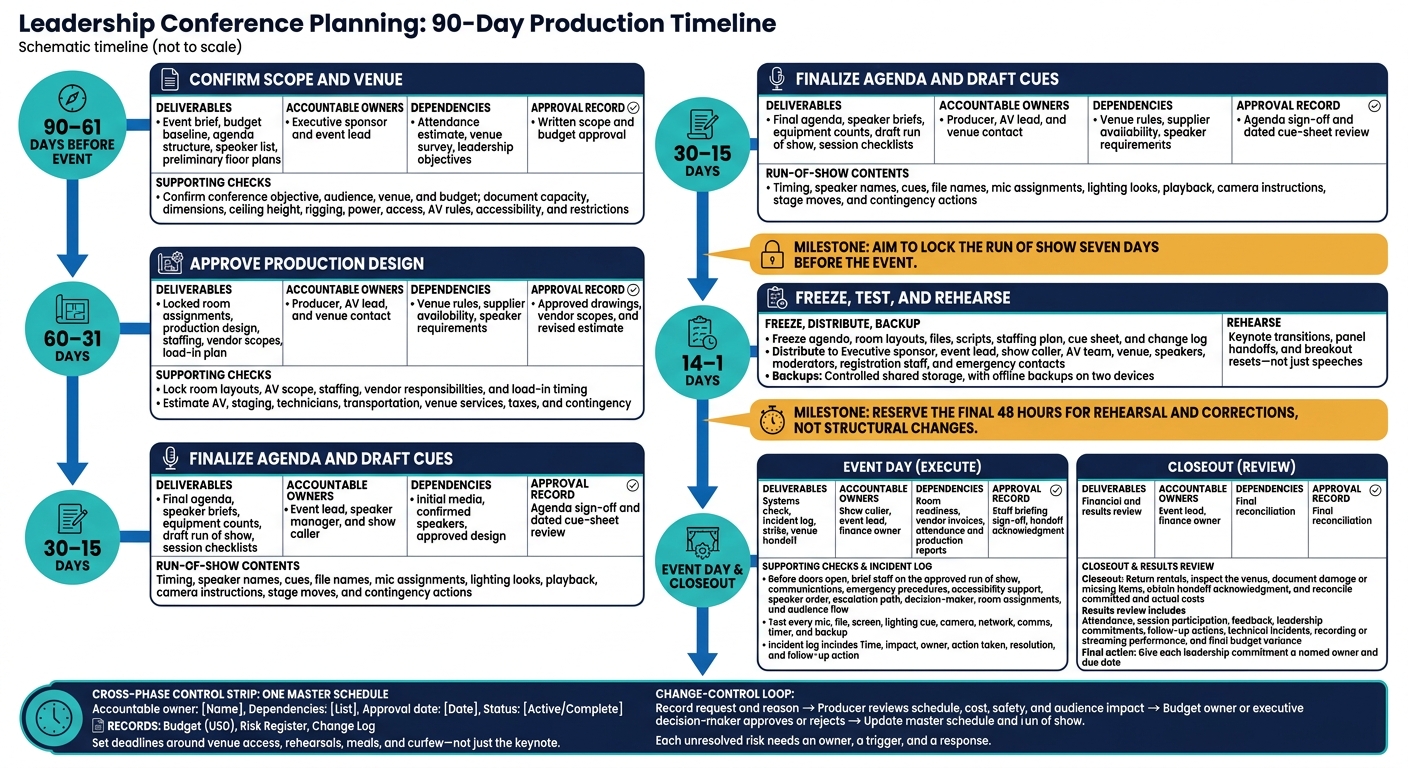
Leadership Conference Planning: 90-Day Production Timeline
Use one master schedule and work backward from show day. For each deliverable, record the accountable owner, dependencies, approval date, and status. Keep the schedule alongside a budget in U.S. dollars, a risk register, and a change log. Set deadlines around venue access, rehearsals, meals, and curfew - not just the keynote.
| Planning window | Deliverables | Accountable owners | Dependencies | Approval record |
|---|---|---|---|---|
| Days 90–61 | Event brief, budget baseline, agenda structure, speaker list, preliminary floor plans | Executive sponsor and event lead | Attendance estimate, venue survey, leadership objectives | Written scope and budget approval |
| Days 60–31 | Locked room assignments, production design, staffing, vendor scopes, load-in plan | Producer, AV lead, and venue contact | Venue rules, supplier availability, speaker requirements | Approved drawings, vendor scopes, and revised estimate |
| Days 30–15 | Final agenda, speaker briefs, equipment counts, draft run of show, session checklists | Event lead, speaker manager, and show caller | Initial media, confirmed speakers, approved design | Agenda sign-off and dated cue-sheet review |
| Days 14–1 | Approved files, final schedule, rehearsal plan, backup package | Show caller and AV lead | Venue access, tested media, crew availability | Content-freeze record and rehearsal sign-off |
| Event day and closeout | Systems check, incident log, strike, venue handoff, financial and results review | Show caller, event lead, and finance owner | Room readiness, vendor invoices, attendance and production reports | Staff briefing sign-off, handoff acknowledgment, final reconciliation |
Days 90–31: Confirm Scope, Venue, and Design
During days 90–61, lock the conference objective, audience, venue, and budget. Each production choice should support the outcome leadership wants. Put the date, agenda structure, speaker list, room requirements, and responsibility matrix in a written event brief. Document the venue limits that affect production: capacity, dimensions, ceiling height, rigging, power, access, AV rules, accessibility, and restrictions.
During days 60–31, approve the full production design. Lock room layouts, AV scope, staffing, vendor responsibilities, and load-in timing. Build an equipment and labor estimate that covers AV, staging, technicians, transportation, venue services, taxes, and contingency. Track the budget, commitments, forecast final cost, remaining contingency, payment status, and approver. These approvals establish the production baseline for the next phase.
Days 30–1: Finalize Content, Cues, and Rehearsals
With the venue and vendor plan locked, turn your attention to content control and rehearsal.
During days 30–15, approve the agenda, brief every speaker, confirm equipment quantities, and prepare the run of show and session checklists. The run of show should include timing, speaker names, cues, file names, mic assignments, lighting looks, playback, camera instructions, stage moves, and contingency actions. Aim to lock it seven days before the event. Reserve the final 48 hours for rehearsal and corrections, not structural changes.
During days 14–1, freeze the agenda, room layouts, files, scripts, staffing plan, cue sheet, and change log. Send the final packet to the executive sponsor, event lead, show caller, AV team, venue, speakers, moderators, registration staff, and emergency contacts. Store approved files in controlled shared storage, with offline backups on two devices. Schedule venue access for load-in, system setup and testing, speaker checks, and a complete cue rehearsal.
Rehearse keynote transitions, panel handoffs, and breakout resets - not just speeches. Tell staff who handles a missing speaker, who can pause the show, who approves content changes, who contacts the venue, and how to communicate technical failures.
Record every change request and its reason. The producer checks its effect on the schedule, cost, safety, and audience. The budget owner or executive decision-maker approves or rejects it, and the team updates the master schedule and run of show. Assign each unresolved risk an owner, a trigger, and a response.
Event Day and Closeout: Run the Show and Review Results
After the final content freeze, focus on rehearsal, checks, and final sign-off.
Before doors open, have the event lead or show caller lead a staff briefing. Review the approved run of show, communications channel, emergency procedures, accessibility support, speaker order, escalation path, decision-maker, room assignments, and audience-flow plan.
Test every mic, file, screen, lighting cue, camera, network, comms, timer, and backup. Give the show caller one approved run of show, and route changes through the designated decision-maker. Log each incident’s time, impact, owner, action taken, resolution, and follow-up action.
After the final session, break down equipment and return rentals. Inspect the venue with its representative, document damage or missing items, obtain a handoff acknowledgment, and reconcile committed and actual costs.
Review attendance, session participation, feedback, leadership commitments, follow-up actions, technical incidents, recording or streaming performance, and final budget variance. Give each leadership commitment a named owner and due date.
4. Conclusion: Confirm Owners and Event Readiness
After the final rehearsal, check one thing: can every owner act without delay? Readiness means one approved plan, one owner for each decision, and one backup for every critical role.
Use this responsibility matrix to close any ownership gaps.
| Accountable role | Primary accountability | Handoff or escalation |
|---|---|---|
| Executive sponsor | Final go/no-go | Receives unresolved strategy, budget, or risk decisions from conference lead |
| Conference lead | Master readiness record | Escalates critical risks to executive sponsor |
| Content lead | Content approval | Escalates missing or noncompliant content to conference lead and speaker manager |
| Production lead | Technical readiness | Escalates technical or staffing risks to conference lead and venue lead |
| Venue lead | Facility readiness and safety | Escalates facility or safety constraints to conference lead |
| Speaker manager | Speaker readiness | Escalates late speakers, missing files, or travel risks to content and conference leads |
| Show caller | Run-of-show execution | Escalates live failures to production and conference leads |
| Room managers | Breakout readiness | Escalate room-level problems to show caller or production lead |
| Streaming lead, when applicable | Broadcast readiness | Escalates broadcast issues to production and conference leads |
Assign a backup for each critical role. Give each backup the same files, cues, and contacts as the primary owner.
Use one final checklist to confirm ownership, review evidence, and record go/no-go status. In your working copy, replace the check windows below with calendar dates.
| Readiness item | Required evidence | Final check | Go/no-go status |
|---|---|---|---|
| Agenda | Approved session objectives and timing | 7–14 days before | Go / Conditional Go / No-Go |
| Speakers | Confirmations, briefs, arrival details | 5–7 days before; arrival check | Go / Conditional Go / No-Go |
| Files | Approved media inventory and playback tests | 3–5 business days before; rehearsal | Go / Conditional Go / No-Go |
| Backups | Tested independent copies and PDF fallbacks | Final rehearsal | Go / Conditional Go / No-Go |
| Rehearsals | Signed cue sheet and rehearsal notes | Final rehearsal | Go / Conditional Go / No-Go |
| Staging and AV | Floor plan, equipment list, completed tests | Walk-through; before doors open | Go / Conditional Go / No-Go |
| Breakout rooms | Room checklists and reset assignments | Before doors open | Go / Conditional Go / No-Go |
| Accessible routes | Walk-through record and accommodation checks | Walk-through; before doors open | Go / Conditional Go / No-Go |
| Staffing | Roster, backup coverage, contact sheet | Final all-hands briefing | Go / Conditional Go / No-Go |
| Contingencies | Triggers, response authority, alternate resources | Final all-hands briefing | Go / Conditional Go / No-Go |
| Streaming, if needed | Remote-speaker, caption, stream, recording tests | Full technical rehearsal; before broadcast | Go / Conditional Go / No-Go |
Assign Go, Conditional Go, or No-Go only after reviewing the evidence. Every Conditional Go needs a named owner, a deadline, and a tested fallback. Any unresolved critical safety or accessibility barrier means No-Go until the issue is corrected or an approved alternative is ready.
Confirm the final go/no-go before putting the approved plan into action.
FAQs
What should I prioritize if I have fewer than 90 days?
Book your production partner right away and set clear event goals to guide technical and logistics decisions. Use project management tools to map tasks that depend on one another, including venue requirements and speaker coordination. This helps prevent last-minute bottlenecks.
Create a plan to respond fast to technical problems, with backup equipment and internet connections ready to go. Make rehearsals mandatory so you can spot and fix timing or technical issues before event day.
How can I reduce AV costs without compromising quality?
Work with a production partner early to check the venue’s infrastructure and avoid costly last-minute changes. Use the same room for meals and general sessions to cut duplicate equipment and labor costs. Ask for tiered, itemized proposals so you can see what you’re paying for and avoid hidden fees.
Put high-quality audio first. Audiences are less forgiving of poor sound than visual flaws. Rely on professionals to simplify logistics and prevent costly technical disruptions.
What should I cut if sessions run over time?
The provided sources don’t say which segments to cut. Use your run-of-show document to keep the schedule on track. Let your single-source production partner or technical lead manage show flow and make adjustments in real time.
During rehearsals, update the cue sheets with any needed content edits or timing changes before doors open.
Related Blog Posts
- Top Production Companies to use for Leadership Conferences in 2026
- Companies With Great Reputations In Event Production For Leadership Communications
- Leading Companies To Work With For Full Conference Production
- Standout Event Production Partners That Excel At Leadership Communications, Corporate Events, And Conference Execution.



Streamline your workflow, achieve more

Lorem ipsum dolor sit amet, consectetur adipiscing elit. Maecenas ac velit pellentesque, feugiat justo sed, aliquet felis.



Lorem ipsum dolor sit amet, consectetur adipiscing elit. Maecenas ac velit pellentesque, feugiat justo sed, aliquet felis.