How To Choose An AV Partner For A Multi-Room Conference.

Chief Executive Officer
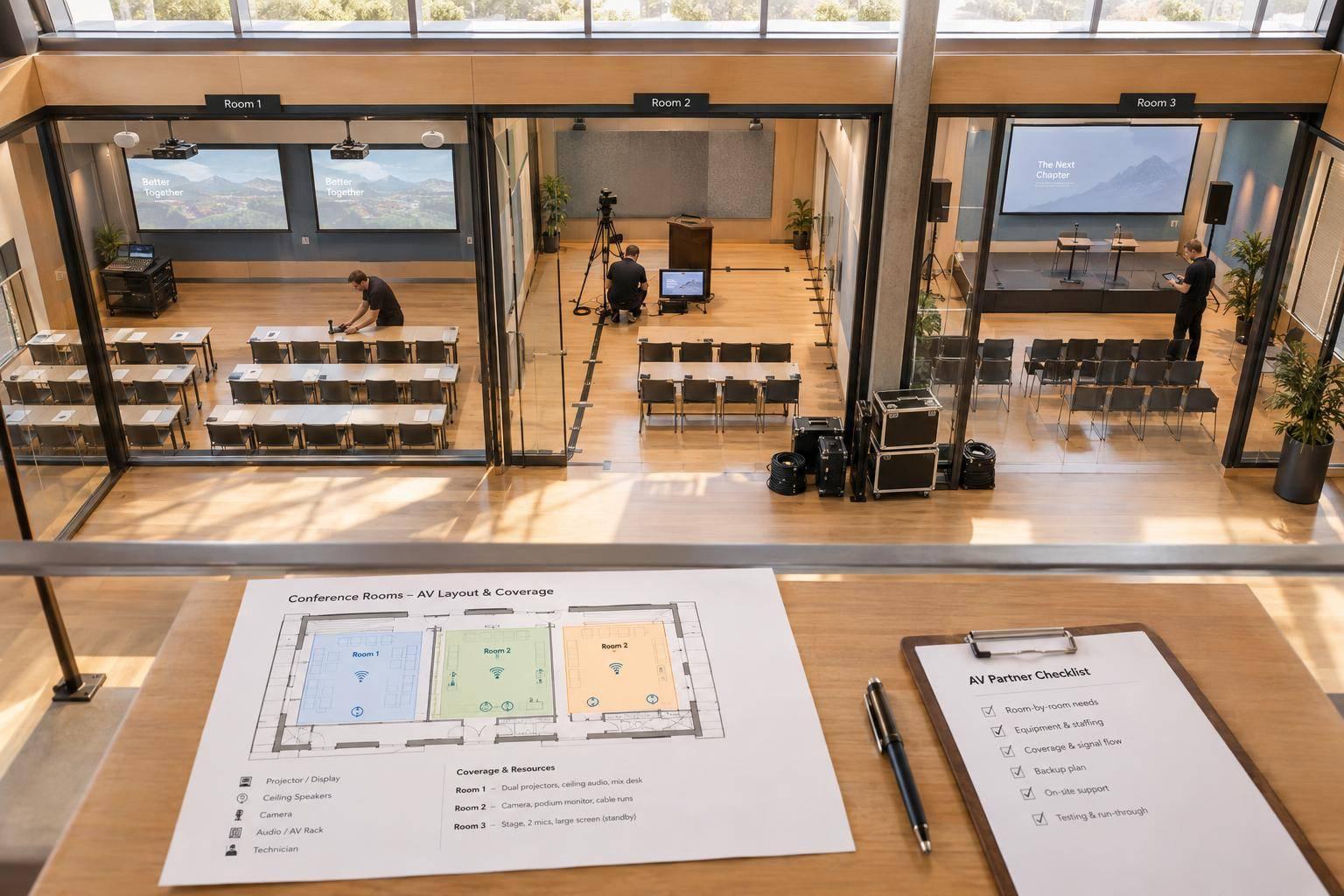
I’d choose an AV partner based on how they cover simultaneous sessions - not just their equipment or price. Before signing, I’d ask for a room-by-room plan showing who runs each session, what happens when equipment fails, and what the total cost includes.
My checklist would cover:
- Scope: Room needs, schedules, venue rules, accessibility, and hybrid meeting planning.
- Experience and staffing: Similar projects, references, named crew, and speaker handoffs.
- Backup plans: Tested spares, rehearsals, and a response plan for two rooms failing at once.
- Costs and contracts: Itemized quotes, overtime rates, written responsibilities, and delivery dates.
My rule: compare the same scope, and <u>resolve coverage and cost gaps before signing</u>.

How to Choose a Multi-Room Conference AV Partner
Verify Experience and Room Coverage
Use your room-by-room matrix to check whether each AV partner has handled a conference like yours.
Ask for Similar Projects and References
Request at least three recent projects with a similar room count, overlapping sessions, and recording or streaming needs. Find out what the team handled - not just what equipment it supplied. Ask for anonymized diagrams, staffing plans, and rehearsal notes. References should confirm how the team managed speaker changes, technical faults, punctuality, and billing accuracy on a multi-room schedule like yours.
Review Equipment and Accessibility by Room
Next, check that the proposed equipment and staffing fit each room’s needs, following best practices for conference event production. Tie every equipment choice to a session requirement. Require named operator coverage for playback, lighting, timers, recording, and streaming - not just a hardware list. Make sure coverage holds up during simultaneous sessions. For hybrid sessions, confirm who monitors the livestream separately from the in-room production.
Accessibility needs its own coverage plan. Check caption placement, assistive listening, clear sightlines for interpreters, and accessible mic positions. Assign responsibility for supplying these services, sharing materials in advance, and testing them during rehearsal.
Assign Crew Roles and Speaker Handoffs
Once the equipment fits, confirm who runs it and how speakers move through each room.
Require a staffing matrix by room and time slot that names the production lead, room technicians, content operators, stage managers, and streaming crew. Assess coverage based on session complexity and travel time between rooms, rather than a fixed technician-to-room ratio. Check overlapping sessions, meal breaks, relief coverage, and on-site presence. Set crew communication channels, response commitments, and authority to approve technical changes.
Test speaker transitions against your schedule with a written handoff procedure. It should cover check-in, file verification, mic assignment, monitor setup, stage entry, and timing cues. Name who accepts last-minute slides and checks that the correct version reaches the correct room. Centralized presentation management helps, but it does not replace room-level coverage.
sbb-itb-ae35a94
Review Backup and Troubleshooting Plans
Once room coverage is set, test how the conference will recover when systems fail.
Require a written, room-by-room recovery plan for equipment failures, connectivity loss, power interruptions, delayed speakers, and last-minute slide changes. Cover every room and session type, with clear failure triggers, recovery steps, and an escalation path.
Confirm On-Site Spares and Backup Systems
Request an inventory that separates on-site spares from replacements that need delivery. For microphones, batteries, cables, adapters, playback, audio, displays, recording, internet, and power, record each backup’s location, owner, and recovery time.
Include delivery time when calculating recovery time for off-site replacements. If a replacement can’t arrive and be configured within the session’s recovery window, don’t count it as the primary backup. Spares must be configured, tested, and ready to use - not boxed, outdated, or missing the right adapter.
For hybrid sessions, check multi-camera streaming setups, backup encoders, program feed, local recordings, and separate internet paths against the impact of losing the remote audience. Confirm what will continue if streaming stops. Treat both internet connections as one failure domain unless they use separate venue infrastructure.
Schedule Testing and Rehearsals
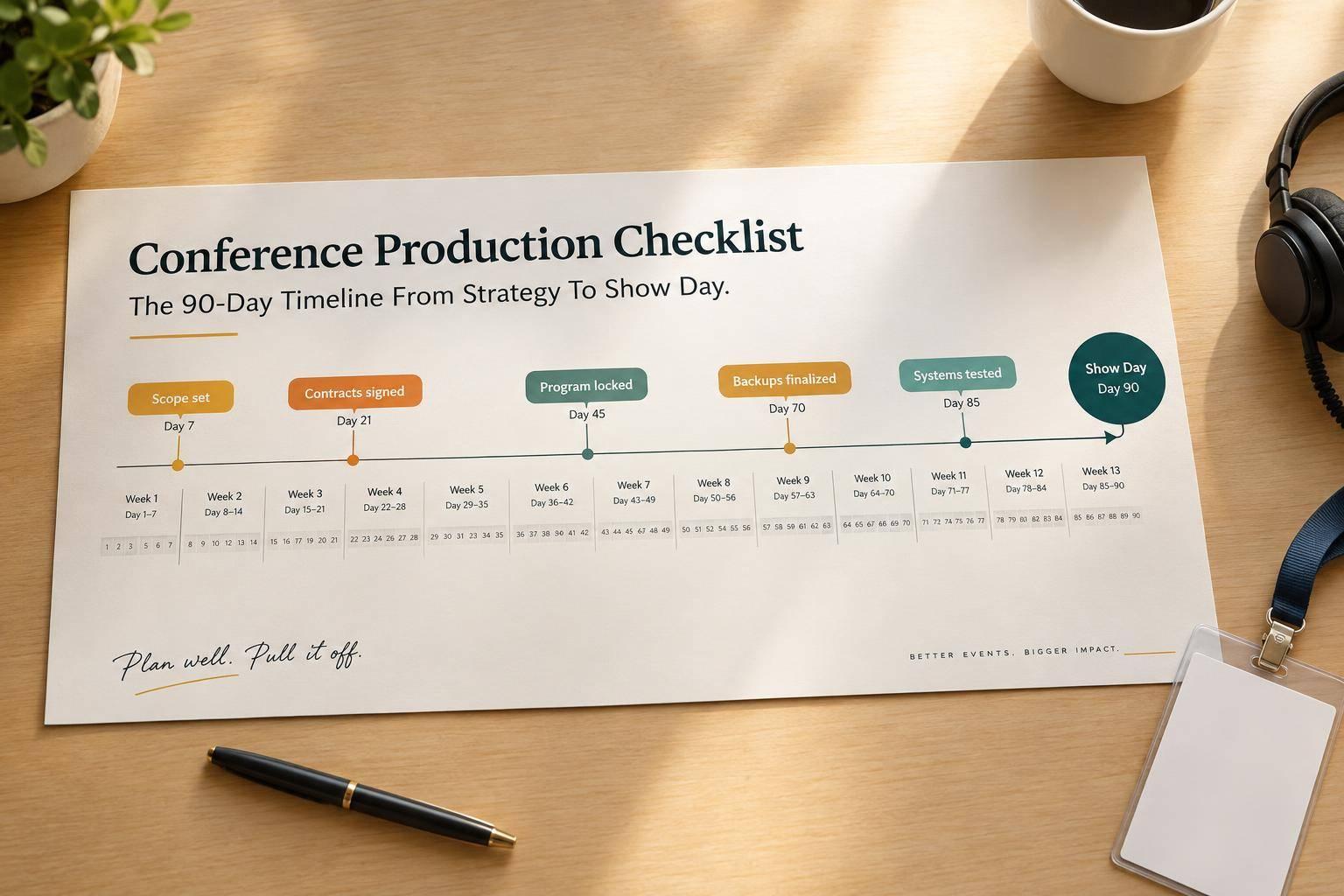
Use the same room-by-room matrix to add deadlines, owners, and pass criteria to the production schedule. Include venue walk-throughs, equipment checks in every room, network and streaming tests, presentation-file checks, speaker walk-throughs, technical rehearsals, and a final run-of-show review after late changes.
Load final content onto both primary and backup systems. Test microphone, playback, network, recording, and power failures under controlled conditions. Leave time for fixes and retesting before doors open, and require a dated log of test results and unresolved issues.
Walk Through the Escalation Plan
Have the team rehearse two room failures at once, with drills covering all rooms, plus delayed speakers and last-minute content changes. Confirm a named incident lead and backup, response targets, spare locations, and who can pause or simplify sessions. Make troubleshooting assignments clear so technicians don’t work on the same issue in parallel.
Agree on recovery priorities and who will update the planner. Document venue limits on power, network access, cellular reception, cable routes, loading access, and labor. Include approved workarounds and an owner for each approval.
Compare Scope, Costs, and Contract Terms
Once you confirm room coverage, compare the same scope - not just the bottom line. Breakout-room AV typically costs $750–$2,500 per room per day. Pricing depends on displays, microphones, sound systems, dedicated technicians, hybrid production, and recording.
Compare Proposals Side by Side
Give every bidder the same room matrix and schedule. Ask each to list assumptions about room count, audience size, displays, microphones, operating hours, rehearsals, and venue access. Use one worksheet to compare scope room by room, separating included items, options, exclusions, and estimated pass-through charges.
| Proposal | Equipment | Staffing | Simultaneous-room coverage | Backups | Rehearsal time | Inclusions | Exclusions | Overtime | Response time | Total cost |
|---|---|---|---|---|---|---|---|---|---|---|
| 1 | By room | Roles/shifts | Dedicated/shared | Spares | Hours | Scope | Omissions | Trigger/rate | Acknowledgment and escalation times | Total/taxes |
| 2 | By room | Roles/shifts | Dedicated/shared | Spares | Hours | Scope | Omissions | Trigger/rate | Acknowledgment and escalation times | Total/taxes |
| 3 | By room | Roles/shifts | Dedicated/shared | Spares | Hours | Scope | Omissions | Trigger/rate | Acknowledgment and escalation times | Total/taxes |
Check how each line item affects the total.
Request Itemized Costs and Exclusions
Request separate prices for equipment, labor, logistics, venue fees, technical infrastructure, streaming/recording, and post-event deliverables. Mark each charge as included, optional, excluded, or an estimated pass-through charge. State who must approve pass-through charges.
Confirm taxes, pass-through markups, and what triggers added costs, such as late venue access, extended sessions, or extra rooms. Define labor minimums, shift length, billing increments, and the overtime formula. Specify whether overtime applies to equipment, labor, or both. Use the signed overtime rate.
Put Responsibilities and Deliverables in Writing
Once the numbers match, put the agreed scope in the contract. Attach the final room matrix, equipment list, and staffing plan. Include production and rehearsal schedules, plus deliverables for each room. Following AV setup best practices for leadership conferences ensures a distraction-free environment for high-stakes sessions.
Assign responsibility for load-in and load-out windows, labor, and content deadlines. Specify recording formats, livestream destinations, captions, editing scope, and final-delivery dates. Include payment milestones, dated cancellation fees, rescheduling terms, and responsibility for venue-caused delays.
Require written approval from a named client representative before any change affects price, staffing, rooms, or timing. Document agreed overtime rates and, where possible, cap day-of additions.
Conclusion: Choose Your AV Partner
Use the final review to check the proposal against your room matrix, staffing plan, and backup requirements - including simultaneous sessions and speaker handoffs. Choose the partner whose proposal covers every room, session, backup, and cost item. Close any room coverage, staffing, or backup gaps before signing.
Complete Your AV Partner Evaluation Checklist
For final approval, track each requirement using these fields: Requirement | Evidence | Open question | Owner | Deadline | Status | Contract reference.
- [ ] Experience: Verify two comparable references.
- [ ] Technical scope: Confirm room-by-room AV equipment, accessibility, and recording/streaming.
- [ ] Staffing: Confirm the lead, room coverage, and handoffs.
- [ ] Room coverage: Confirm a response plan for two rooms running simultaneously.
- [ ] Reliability: Document backups, failover, response times, and contacts.
- [ ] Venue coordination: Verify power, access, policies, labor, insurance, and fees.
- [ ] Pricing transparency: Separate remaining costs from optional services.
- [ ] Contract readiness: Put all critical requirements in writing and resolve all blockers.
Discuss Your Conference With Corporate Optics
Once the checklist is complete, send the approved scope for final review.
Share your room matrix, venue details, schedule, and budget priorities with Corporate Optics to review scope, staffing, hybrid support, and contingency planning.
FAQs
How early should I book AV support for a multi-room conference?
For large-scale conferences, book your AV partner 6 to 12 months in advance. This helps secure your preferred dates and leaves time for technical planning and venue coordination before production access periods close.
Booking early also lets you work backward from your event date. You’ll have time to prepare room-specific layouts, signal-flow diagrams, and contingency procedures - and meet key deadlines.
Which sessions need dedicated AV technicians?
Assign dedicated AV technicians to technically complex sessions or those central to your conference’s success. Executive presentations, panel discussions, and sessions that rely heavily on streaming or hybrid participation need closer attention to audio, cameras, and presenter support.
Simple breakout sessions in nearby rooms can share a technician. But high-risk sessions or those with heavy production needs require dedicated on-site staff to monitor signals and fix problems in real time.
How can I reduce AV costs without sacrificing reliability?
Choose clear scope and transparent budgeting over the lowest bid. Use a standard worksheet to compare itemized quotes covering the same equipment, labor, and rehearsal hours. Avoid bundled pricing that can hide missing services and lead to costly change orders.
Set aside 10% to 15% of the budget for unexpected needs. Match each room’s production level - basic, standard, or full-production - to its session formats and goals, rather than using maximum specifications across every room.
Related Blog Posts



Streamline your workflow, achieve more

Lorem ipsum dolor sit amet, consectetur adipiscing elit. Maecenas ac velit pellentesque, feugiat justo sed, aliquet felis.



Lorem ipsum dolor sit amet, consectetur adipiscing elit. Maecenas ac velit pellentesque, feugiat justo sed, aliquet felis.