Conference Production Checklist: The 90-Day Timeline From Strategy To Show Day.

Chief Executive Officer
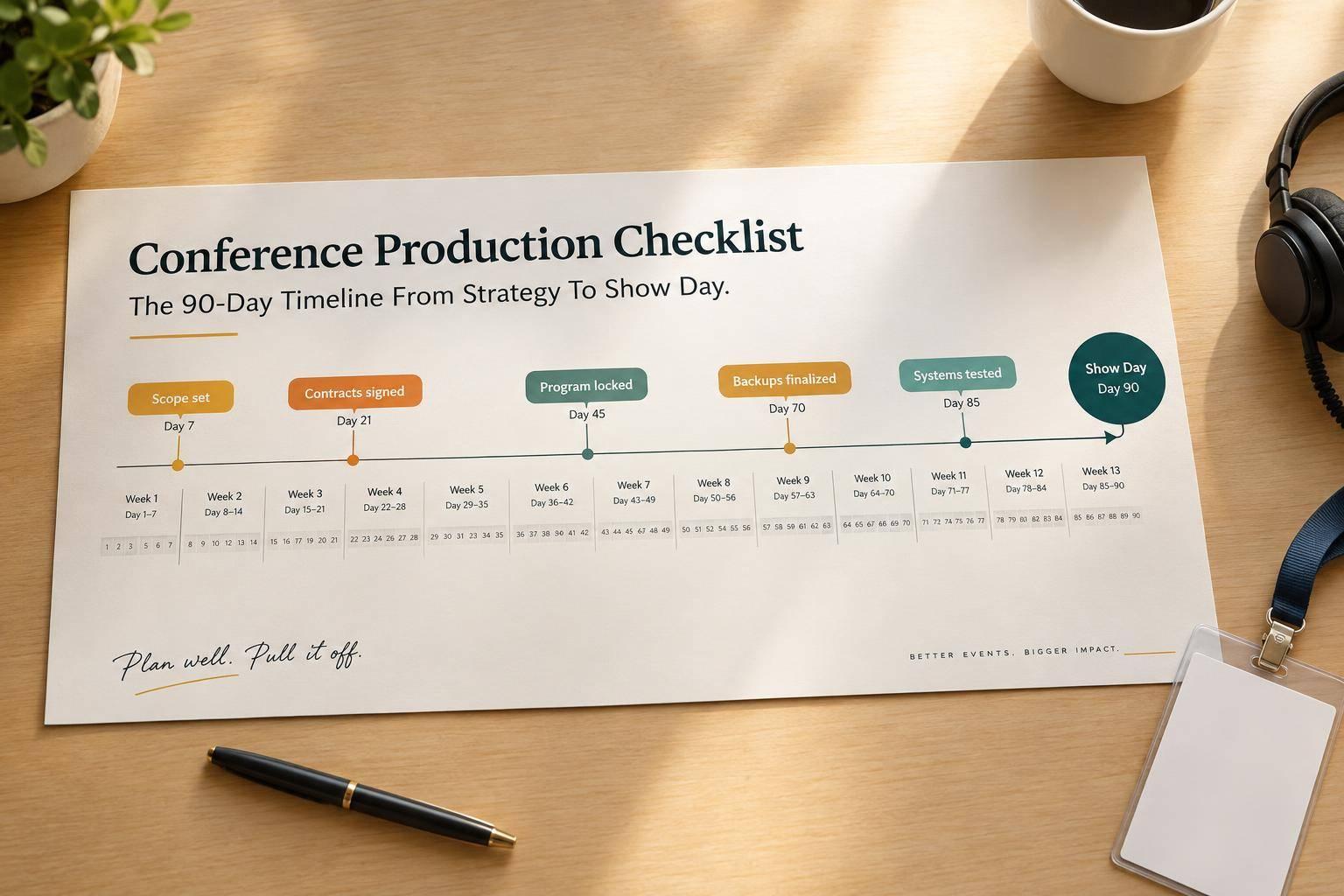
I plan conference production around five checkpoints: 90, 60, 30, and 7 days out, plus show day. At each step, I track who owns the work, what’s due, what it depends on, and who must approve it.
Here’s the timeline I follow:
- 90 days out: Set goals, assign owners, approve the budget, and define venue needs. Use 5%–10% contingency as a starting point - not a fixed rule.
- 60 days out: Sign contracts and confirm AV, accessibility, staffing, and internet requirements.
- 30 days out: Lock the program, check speaker files, provide on-site speaker support, and draft show cues and rehearsals.
- 7 days out: Lock the final documents, test media and backups, and confirm emergency contacts.
- Show day: Retest systems, get signed readiness approval before doors open, call cues, and verify recordings before shutdown and venue handoff.
My rule: <u>a task isn’t done just because it’s on the checklist.</u> It needs a checked result, an approval, and - when failure could stop the show - a tested backup.

Conference Production Checklist: The 90-Day Timeline
How to Build an Onsite Production Schedule for Your Next Event
sbb-itb-ae35a94
60 Days Out: Confirm Contracts and AV Plans
With the scope approved at 90 days, turn those plans into signed contracts and confirmed technical requirements.
Contract the Venue and Production Team
Sign venue and production contracts at 60 days out. Assign primary and backup owners for venue access, the technical survey, approvals, and finance.
Confirm setup, strike, and load-in/load-out arrangements, along with staffing and technical support hours. Contracts should also cover labor rules, overtime rates, cancellation terms, insurance, payment milestones, in-house AV policies, rigging approvals, internet charges, and change-order procedures. Put responsibility for accessibility accommodations in writing, including captioning, interpreters, and assistive listening. Once contracts are signed, move straight into the technical survey and final equipment scope.
The technical survey checks whether the venue can support the approved floor plan and production plan. Inspect the site and mark loading areas, access, power, rigging, sightlines, internet, HVAC, and exits on the floor plan. Record measurements in feet, voltage and circuit information, connection details, venue restrictions, and open questions.
Finalize a draft load-in and strike plan. Check that pricing includes rigging, shipping, drayage, overtime, internet, power, and venue fees.
Approve AV and Accessibility Requirements
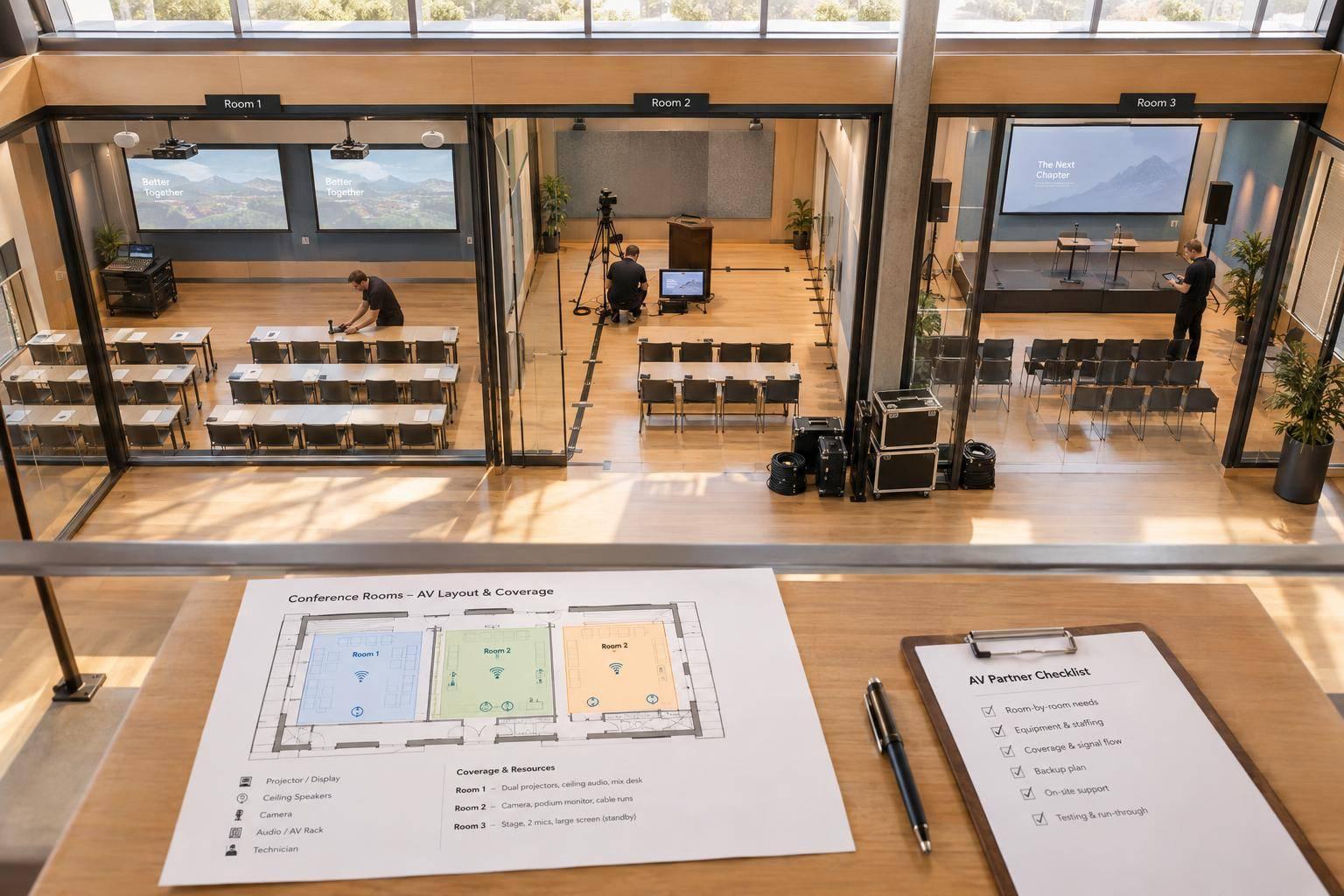
Use the approved floor plan to confirm AV, accessibility, and network requirements:
| Specification | Quantity | Use/location | Owner | Vendor | Status | Confirmation deadline | Dependency | Fallback |
|---|---|---|---|---|---|---|---|---|
| Stage, screens, and confidence monitors | Units and sizes | Main stage | Technical director | TBD | Layout approved; restrictions noted | 60 days out | Floor plan and stage plot | Alternate layout |
| Microphones and lighting | Units by type and position | Stage and audience areas | Technical director | TBD | Design approved; frequency coordination tracked | Design: 60 days; frequencies: 30 days out | AV design | Wired handhelds |
| Cameras, playback, recording, and streaming | Devices, feeds, and recording destinations | Main program | Technical director | TBD | Signal paths, formats, and remote speaker link approved | 60 days out | Internet service | Backup recording |
| Captions and assistive listening | Services, caption destinations, and receivers | Audience areas | Accessibility lead | TBD | Service scope approved; tests scheduled | 60 days out | Speaker files and platform test | Manual backup slides |
| Primary and backup connectivity | Connections and required upload/download bandwidth | Venue network and wired drops | Venue contact | TBD | Dedicated wired service, firewall needs, service commitments, and support window confirmed | 60 days out | Service orders | Tested secondary connection |
Build accessibility into the production plan, including interpreter visibility and clear routes to entrances, seating, restrooms, and the stage. For each accommodation, document an owner, delivery date, cues, sightlines, and rehearsal checks.
For streaming and remote speakers, keep guest Wi-Fi separate from show traffic where possible. Name who can authorize a switch to the tested backup connection, and prepare the audience message for a streaming failure. Schedule rehearsal tests for the encoder, platform, camera feed, audio mix-minus, remote speaker link, recording, and caption feed.
30 Days Out: Lock the Program and Prepare Speakers
Collect Slides and Confirm Speaker Readiness
Have the program lead lock the session grid, including each session’s title, format, duration, room, date, start and end times, moderator, speakers, audience type, and delivery mode. Check every session against the approved AV and staffing plan before making more commitments.
Label each session as a keynote, panel, workshop, demo, virtual segment, or hybrid presentation. The format determines the production needs: microphones, cameras, stage layout, rehearsal time, and cues. The speaker manager confirms participation, while the technical director checks each session against the approved technical requirements. Flag unresolved content, staffing, or equipment needs before committing to more production work. Then lock speaker instructions and file collection.
Send one speaker packet covering the final slide deadline, file naming convention, accepted formats, aspect ratio, presentation length, Q&A rules, video and audio requirements, rehearsal expectations, arrival time, and speaker manager contact.
Keep a speaker tracker with contact details, session assignment, submission status, accommodation needs, arrival details, rehearsal slot, backup contact, and assigned speaker manager. Set a pre-session check-in deadline, with an earlier deadline for speakers who need rehearsal.
Test presentation files on the show playback system - not the speaker’s laptop. Check fonts, animations, embedded media, audio levels, hyperlinks, presenter notes, and clicker behavior. Save a second copy in a standard backup format.
Run a slide accessibility check, then review slide titles, reading order, alt text, contrast, and captions. Log open issues in the tracker with an owner and correction deadline. Once speaker files are confirmed, turn the program into cue-level production timing.
Draft the Run of Show and Rehearsal Schedule
Build a minute-by-minute run of show, not a longer agenda. Turn the session grid into cue-by-cue timing that covers transitions, microphone changes, stage moves, media playback, lighting, cameras, breaks, standby calls, and hard stops.
Assign a show caller and a responsible operator to each cue. Provide a separate cue sheet with fixed labels, such as AV-03, plus the trigger, action, media file, destination, and fallback. Keep a crew contact sheet with mobile numbers, radio channels, and escalation contacts.
Prioritize rehearsals for remote speakers, demonstrations, panels, and media-heavy items. Give each slot a date, room, required crew, approval owner, and time zone. Use 12-hour times and note daylight or standard time where needed.
Example: 9:00 a.m. Eastern Time.
Reserve time for setup and corrections. Use cue-to-cue rehearsals to test transitions without repeating every speech.
Publish submission, review, revision, rehearsal, and final-lock deadlines in one shared location. Require approval from both the program lead and technical director for changes after the draft, and assign one document owner to publish updates. Use the draft to resolve remaining changes before the 7-day final lock.
7 Days Out: Finalize Files and Backup Plans
Close approvals at the last checkpoint before load-in. Get sign-off from the production lead, technical director, speaker manager, and venue lead on content, equipment, signal flow, in-person and remote speaker details, access, and safety. Assign each unresolved item an owner and deadline. Escalate anything that could stop the show. Then lock the document set and use it for rehearsals.
Finalize Show Documents and Rehearsals
Lock one versioned document set containing the equipment list, floor plan, session order, run of show, scripts, cue sheet, speaker roster, contact sheet, load-in plan, and final approved rehearsal schedule. Include freight routes and room access times. Archive older versions so nobody works from the wrong file.
Confirm that all presentation decks, videos, audio clips, lower thirds, logos, holding slides, walk-in music, sponsor graphics, captions, and playback scripts have arrived in the required formats. Load and test the media package on both the primary playback computer and backup laptop. Keep duplicates on two encrypted drives, with cloud storage used only as a secondary backup.
Confirm speaker checks, remote tests, technical checks, cue-to-cue rehearsal, and the full run-through. Test primary and fallback sources before presenters arrive, then rehearse with the people appearing onstage.
Once the final files are locked, map out what happens when something fails so the crew knows how to keep the show moving.
Assign Backup Actions and Emergency Contacts
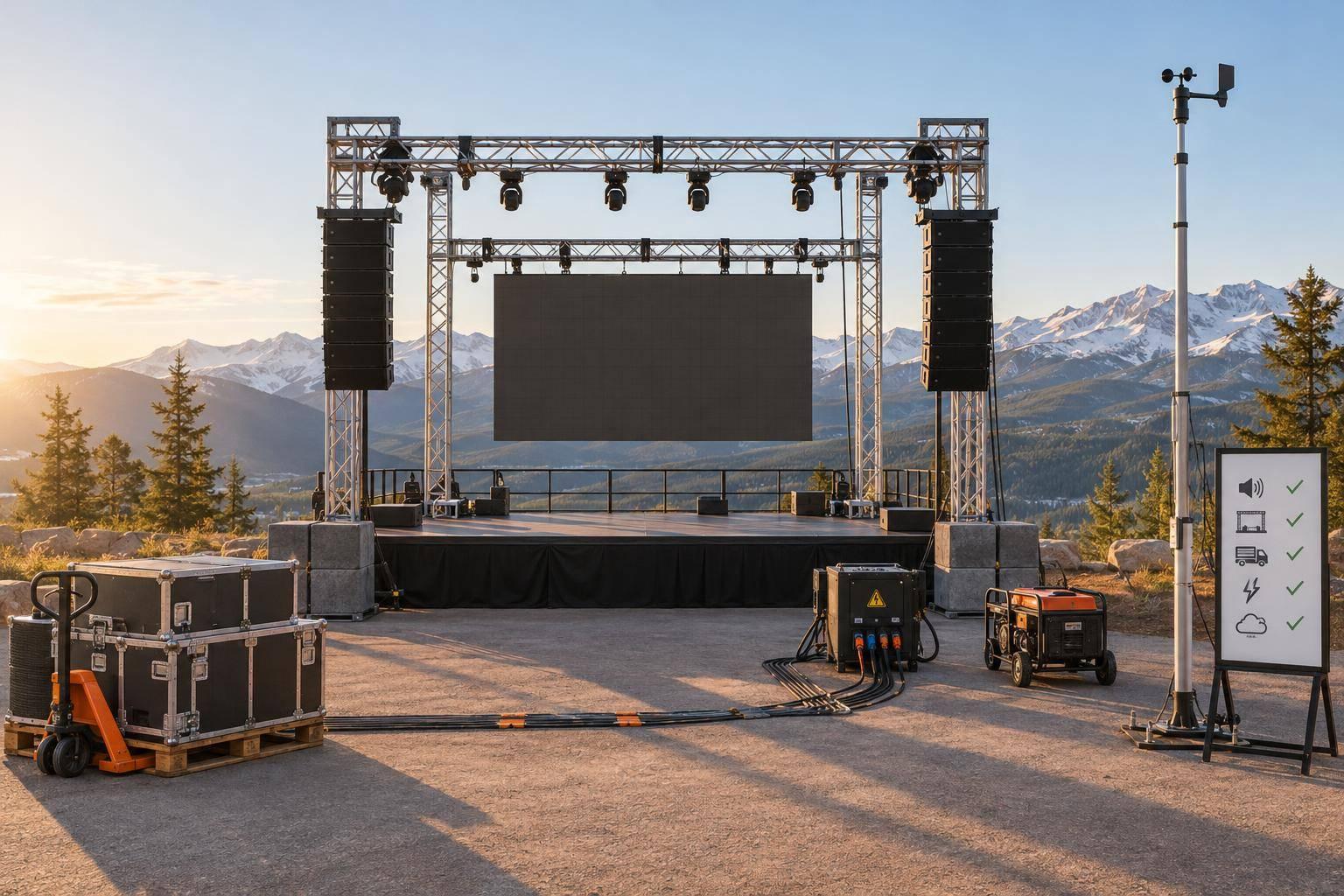
Finalize a contingency table covering power loss, internet failure, presentation-computer failure, corrupt or incompatible media, microphone or playback failure, absent or delayed speakers, schedule overruns, remote-speaker disconnection, streaming failure, severe weather, evacuation, and medical incidents.
For each scenario, record the trigger, immediate response, backup resource, maximum delay, owner, final approver, and communication path. Separate responsibility for the technical response from authority to pause or cancel the show. Stage spare microphones, batteries, cables, adapters, and playback gear where operators can reach them. A backup counts only if the operator can activate it immediately.
Distribute the final emergency contact sheet with names, roles, mobile numbers, email addresses, and escalation order. Include contacts for venue security, facilities, internet support, AV support, medical assistance, freight, and transportation.
Confirm credentials, loading-dock hours, freight-elevator instructions, room access times, and after-hours access. Verify backup communications, Wi-Fi details, and streaming credentials. Add accessible evacuation routes and venue emergency procedures to the contact sheet.
Keep printed copies at show control and secured digital copies available offline. Share passwords only through the approved secure process - never on the contact sheet.
Show Day: Check Systems, Run the Show, and Close Out
With final files locked and backup responsibilities assigned, show day shifts to execution and close-out. The approved run of show guides the production lead, show caller, technical director, stage manager, venue lead, and operators. Repeat critical checks that day. Yesterday’s approval doesn’t mean the systems are ready now.
Complete Setup, System Tests, and Rehearsals
The venue lead checks power, exits, and access. The stage manager checks stage stability, cable protection, accessible routes, and speaker flow.
The technical director tests end-to-end signal paths for audio, displays, lighting, cameras, playback, recording, streaming, captions, assistive listening, and crew communications. Run every presentation from the show computer. Test each speaker’s microphone and slide control, then rehearse cue-to-cue transitions.
Give every unresolved issue an owner, a workaround, and a retest time. Before doors open, require a completed technical checklist, an updated issue log, and signed readiness approval from both the production lead and venue lead. Block entry until unsafe conditions are corrected or safely mitigated.
Call Cues and Complete the Handoff
Once systems pass, move from testing to calling cues.
Brief the crew before doors open. Confirm final documents, communication channels, and standby positions. Route all show cues through the show caller, and have operators acknowledge critical standbys.
The stage manager confirms speakers are ready. Operators monitor audience microphones, recordings, stream stability, and captions. Assign one accessibility monitor for the program. Log timing changes, incidents, and corrective actions. Major program changes need the production lead’s approval.
| Time or trigger | Stage action | Audio/video/lighting cues | Operator | Backup action |
|---|---|---|---|---|
| Speaker entrance | Stage manager releases speaker | Open microphone; display deck; set speaker lighting | Audio, playback, lighting | Spare wired microphone; backup presentation computer |
| Q&A begins | Stage manager coordinates audience microphones | Add audience microphones to room and recording mixes | Audio | Spare wired microphone |
| Closing cue | Stage manager calls the close | Run closing media and lighting cues | Playback, audio, lighting | Backup presentation computer |
After the final session, verify recording backups before powering down by opening or checking sample files. Before strike, hand off recordings, slides, graphics, captions, transcripts, and incident logs to the agreed recipient. Report any missing assets or outstanding edits.
Log the stream end time and recording stop time. Shut down safely, complete strike, and have the venue lead confirm removal, damage status, and final charges. Obtain written venue sign-off on the strike/close-out form.
Conclusion: Check Owners, Approvals, and Readiness
Track each item’s owner, deadline, dependency, and deliverable through close-out. Review all five checkpoints: approved scope and budget; signed contracts and AV plans; locked program and speaker readiness; final files and backup plans; and show-day testing with signed readiness approval.
FAQs
How can I adapt this checklist if I have fewer than 90 days?
Put safety, audio, presentation playback, accessibility, and rehearsals first. Cut optional extras, such as décor you can do without. Reset milestones by working backward from the event’s doors-open time, and add a 30% schedule buffer for unexpected delays.
Give every task and decision a dedicated owner to prevent bottlenecks. No time for a full rehearsal? Practice high-risk transitions, such as speaker-to-video handoffs or remote presenters joining.
How do I size my conference contingency budget?
Set aside 10% to 15% of your total budget for unexpected costs, equipment limitations, or last-minute changes. This buffer matters most on tight timelines, when late bookings can push costs up.
In your budget document, track the remaining contingency funds alongside committed costs and projected final expenses. Before the budget owner or executive decision-maker approves a change request, document how it will affect both the budget and schedule.
How should I handle changes after the final lock?
Log every change request and the reason behind it. The producer should assess its effects on the schedule, budget, safety, and audience. The budget owner or executive decision-maker must then approve or reject the request.
Once approved, update the master run of show and notify the relevant team members immediately. Use version control - never overwrite files. On event day, route emergency requests through the designated decision-maker so the show caller remains the single source of authority.
Related Blog Posts
- Annual Meeting Production Checklist: 15 Things Corporate Communications Teams Forget
- How To Plan A Leadership Conference: Agenda, Staging, And Production Timeline From 90 Days Out.
- When The Conference Timeline Shrinks, Corporate Optics Helps Teams Keep Production On Track.
- Have A Multi-Day Conference To Plan? Let Corporate Optics Be Your AV Conference Technical Production Partner (And Why We’re Your Best Choice!)



Streamline your workflow, achieve more

Lorem ipsum dolor sit amet, consectetur adipiscing elit. Maecenas ac velit pellentesque, feugiat justo sed, aliquet felis.



Lorem ipsum dolor sit amet, consectetur adipiscing elit. Maecenas ac velit pellentesque, feugiat justo sed, aliquet felis.