Ultimate Guide To Selecting Your Audio‑Visual Production Company For Full‑Scale Conference Production.

Chief Executive Officer
Pick the AV company that can run your whole conference without scope gaps, weak staffing, or shaky hybrid support. If 75% of hybrid meetings hit at least one tech failure and each one loses about 11 minutes, I’d treat AV selection as a risk decision, not just a price check.
Here’s the short version:
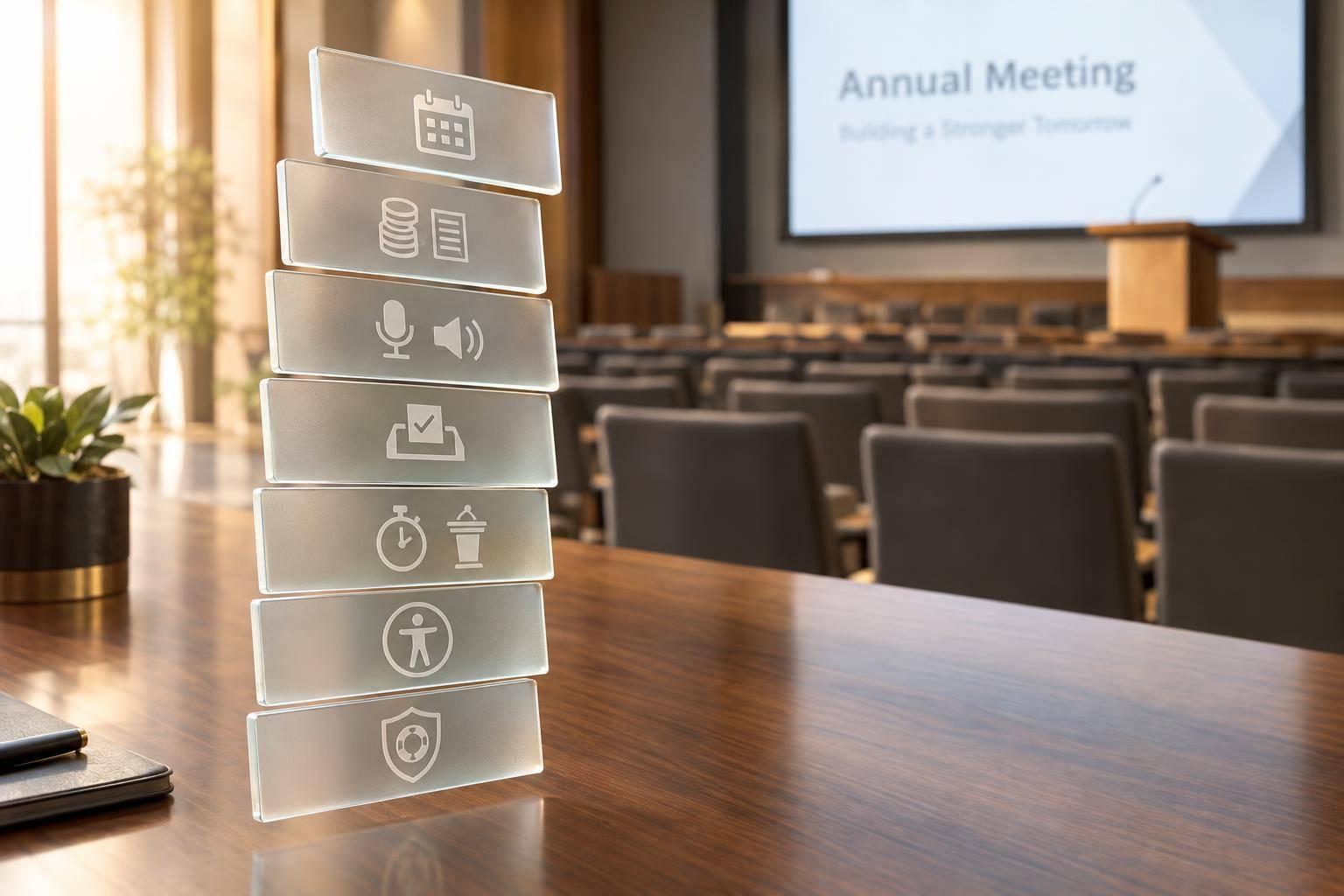
- I’d define the full event scope before asking for quotes
- I’d map each room by use, audience, and support level
- I’d make every vendor bid on the same worksheet and RFP
- I’d check crew roles, show-calling, backup plans, and union venue experience
- I’d review line items for hidden costs like labor, internet, freight, overtime, and venue fees
- I’d lock in streaming failover, recording outputs, file deadlines, and post-event reporting before signing
If I were choosing between vendors, I’d focus on four things first:
- Can they run the keynote and breakouts at the same time?
- Can they handle hybrid and recording without weak points?
- Do they have the crew depth to fix problems fast on show day?
- Does the quote match the full scope, or are change orders waiting later?
A large conference AV budget often falls between $75,000 and $250,000+, so small scope mistakes can turn into big cost problems. That’s why I’d compare providers with the same RFP, the same scoring system, and the same budget categories.
This guide lays out how I’d do that in a clear order: define scope, test technical fit, compare bids, and confirm delivery details before the contract is signed.
Event Producer Tips: A/V Best Practices for Your Conference Breakout Rooms - Logan Clements
sbb-itb-ae35a94
Define Your Conference Requirements Before Contacting Vendors
Before you compare vendors, lock down your scope.
If you skip this step, proposals won't line up. One vendor may price a bare-bones setup, while another includes streaming, recording, and extra crew. On paper, they look different. In practice, they're not even quoting the same event.
For a 1,200-attendee conference, your scope document should answer the big questions early:
- How many rooms need support at the same time?
- Which sessions need live streaming?
- Is recording part of the job?
- Are all vendors pricing the same line items?
That kind of clarity gives you apples-to-apples proposals instead of a messy stack of estimates.
Map Your Event Format, Rooms, and Audience Flow
Map the event by space, not just headcount.
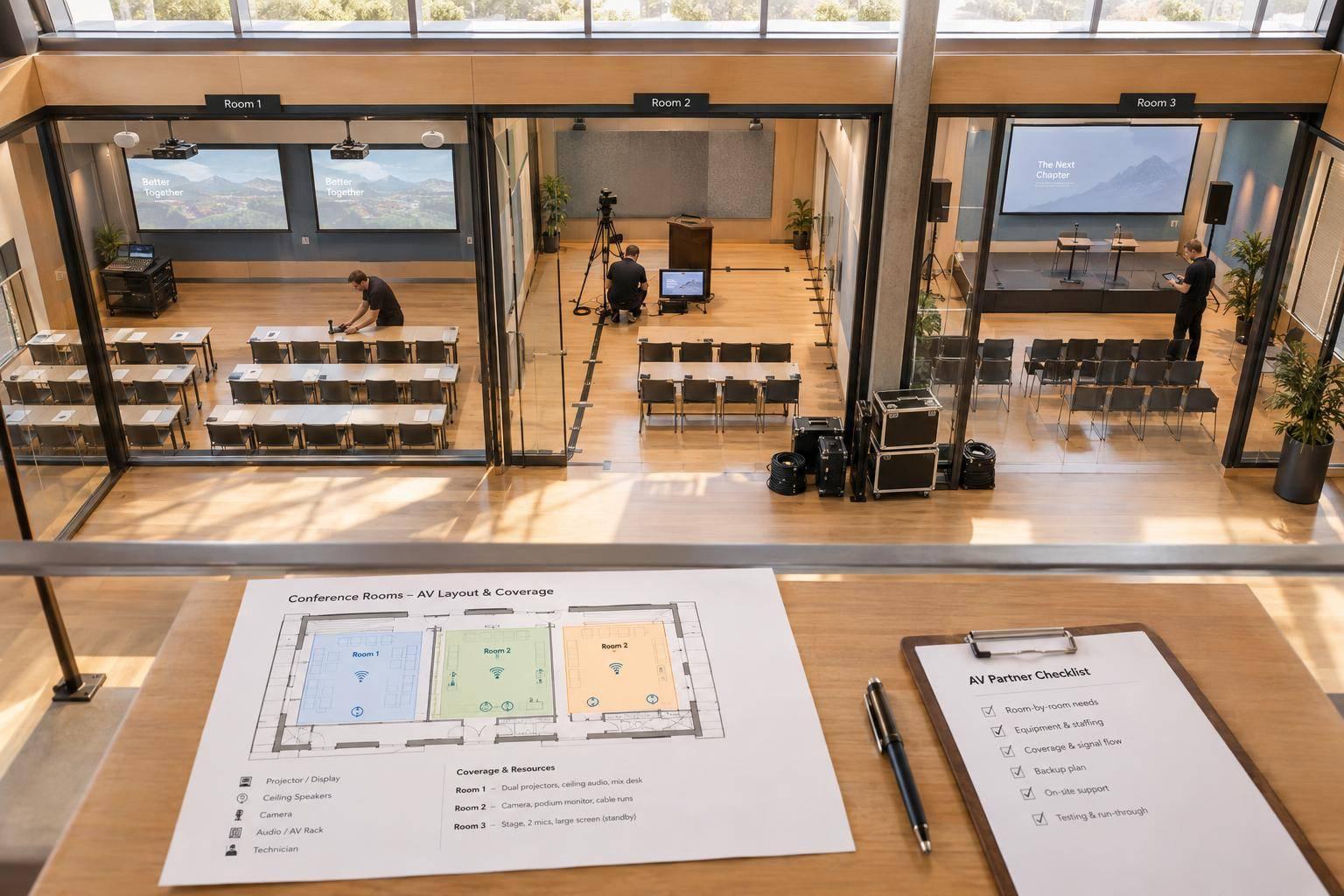
Start with the general session, then work outward: breakouts, pre-function areas, registration, expo hall, VIP lounge, and any overflow spaces. For each room, note what's happening there and what the audience needs to hear, see, and access in that moment.
A 1,200-person ballroom keynote has very different AV needs than an 80-person breakout panel. The ballroom may need IMAG for sightlines, even with a mid-range crowd size. The breakout panel may need audience mics and clean camera framing. Room-by-room planning turns a loose event idea into something a vendor can actually price.
Once you've mapped the rooms, assign each one a production level so the budget lines up with the program.
Set Room-by-Room AV Baselines and Production Tiers
Not every room needs the same spend.
A simple way to handle this is to set three tiers - basic, standard, and full-production - then place each room into a tier based on audience size and session format.
| Room Type | Typical AV Needs | Budget Notes |
|---|---|---|
| General session / keynote (1,000+ attendees) | Multi-camera video, stage lighting, microphones for presenters and audience questions, playback support, confidence monitors, and a technician-led show file | Often the cost driver in a conference budget |
| Mid-size breakout (100–300 attendees) | Projection or LED display, one lectern mic, one handheld mic, and basic lighting | Usually simpler and more standardized than the main session |
| Small breakout / workshop (under 100 attendees) | Basic projection or display, simple audio, and minimal crew support | Often scoped as a streamlined room package |
| Expo / networking area | Distributed audio, signage screens, or demo stations | Typically supports engagement rather than full stage production |
For a multi-room, multi-day conference, total AV production often lands between $75,000 and $250,000+, based on scale, content complexity, and labor. Knowing that range before vendor calls helps keep pricing grounded in reality, not wishful thinking.
Use those tiers to build a line-by-line worksheet vendors can quote against.
Build a Requirements Worksheet for Scope and Budget Control
A requirements worksheet makes every vendor price the same rooms, sessions, and deliverables.
For each session, capture the key details: room name, session type, audience size, start and end times, presenter count, show elements, streaming destination, recording needs, and crew support required.
Here’s what that can look like:
"1,200 attendees, keynote, IMAG, LED wall, stage wash, live stream, switched recording."
And for a breakout:
"80 attendees, panel discussion, two handheld mics, one podium mic, one confidence monitor, recording only."
Define live streaming and recording at the start, not halfway through planning. Remote speakers and post-event reuse change camera coverage, audio routing, bandwidth, and crew staffing.
How to Evaluate Technical Capability, Staffing, and Show Management
Once your requirements worksheet is done, it's time to pressure-test each vendor against it.
The goal here is simple: make sure they can deliver the show you need, not just talk a good game.
Check Core Production Capabilities Across Audio, Video, Lighting, and Streaming
Every check should tie back to one result: clear keynote audio, clean breakout support, stable streaming, or dependable show control.
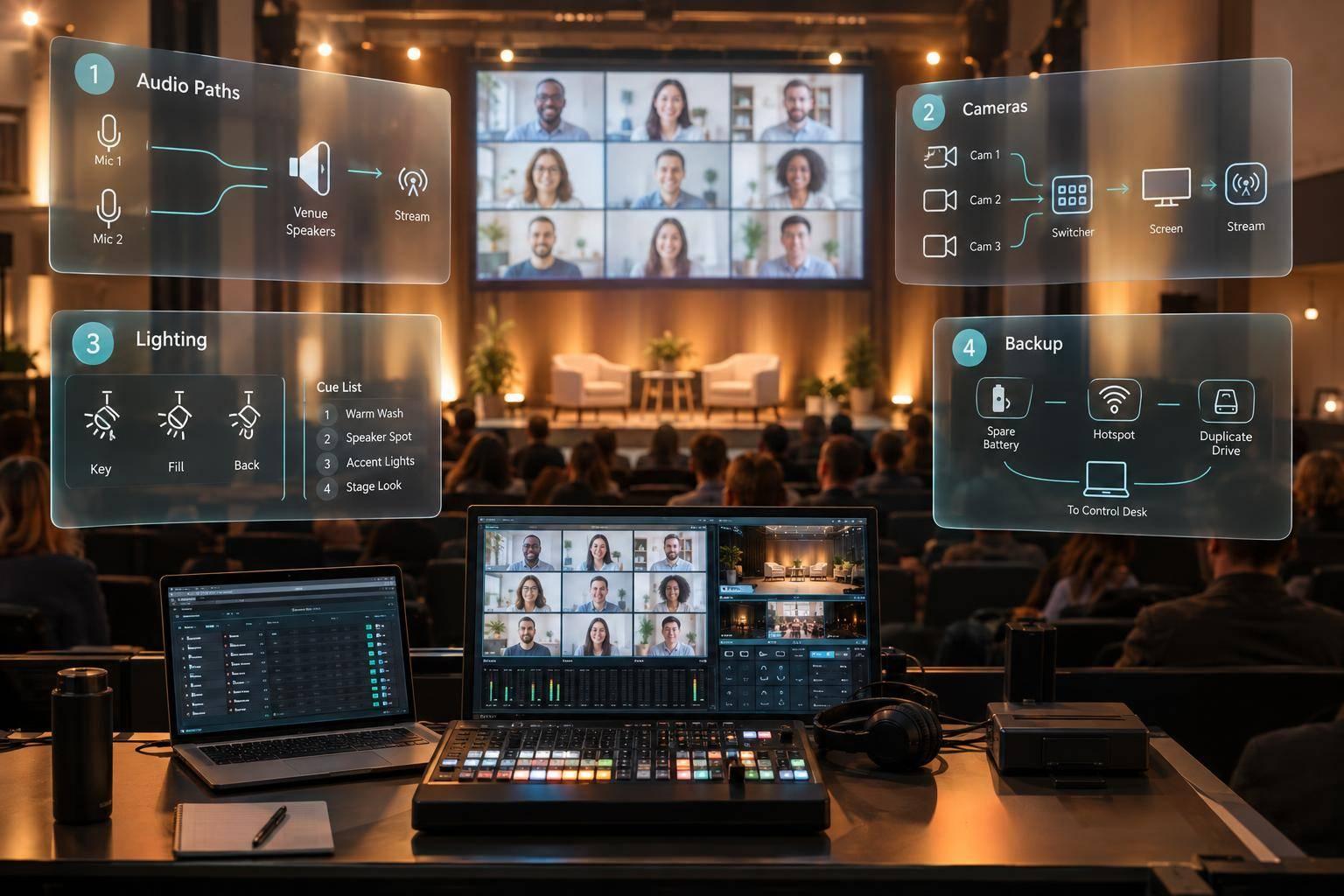
Audio. Ask each vendor to explain how they'd handle your rooms, not a generic setup. For the main keynote, they should be able to walk through room sound design in plain terms: speaker placement, coverage, front fills, delay speakers, and how they'll keep sound even and easy to understand across a large space. For wireless, ask how they manage frequency planning in wireless-heavy cities like New York or Chicago, what tools they use, and what backup options they keep on hand. If you're running a multi-room conference, ask how they stop audio bleed between rooms, prevent feedback, and keep mic use clean when sessions overlap.
Video. Make sure they can support projection or LED walls with the right brightness, resolution, and screen size for the room. That also includes confidence monitors and downstage monitors for presenters. For the main session, they should be able to provide a multi-camera package, a dedicated video switcher, and separate feeds for program, in-room camera screens (IMAG), and recording. For breakouts, they should be able to scale down to smaller displays or projectors, basic switching, laptop inputs, and simple recording.
Streaming. At a minimum, look for dual internet circuits, hardware encoders, live stream monitoring, and support for the platforms your team already uses, such as Zoom, Microsoft Teams, Webex, ON24, or an internal corporate webcast system. Ask if they can provide separate audio mixes for the room and the stream so online viewers don't get stuck with the room sound. You should also ask for on-site backup for the things that fail most often:
- Spare wireless mics
- Backup playback laptops
- Spare projection or LED gear
- An internet failover plan
Lighting. A pro setup should include programmable stage washes, key lights, and backlight balanced for both the in-room audience and the camera feed. Ask for a lighting plot and broadcast-friendly color matching. Those two items have a direct effect on how speakers look on camera.
Once the gear checks out, the next step is the crew.
Verify Crew Structure, Scalability, and Experience With Large U.S. Events
Ask for a crew list by room and role, not just a total headcount.
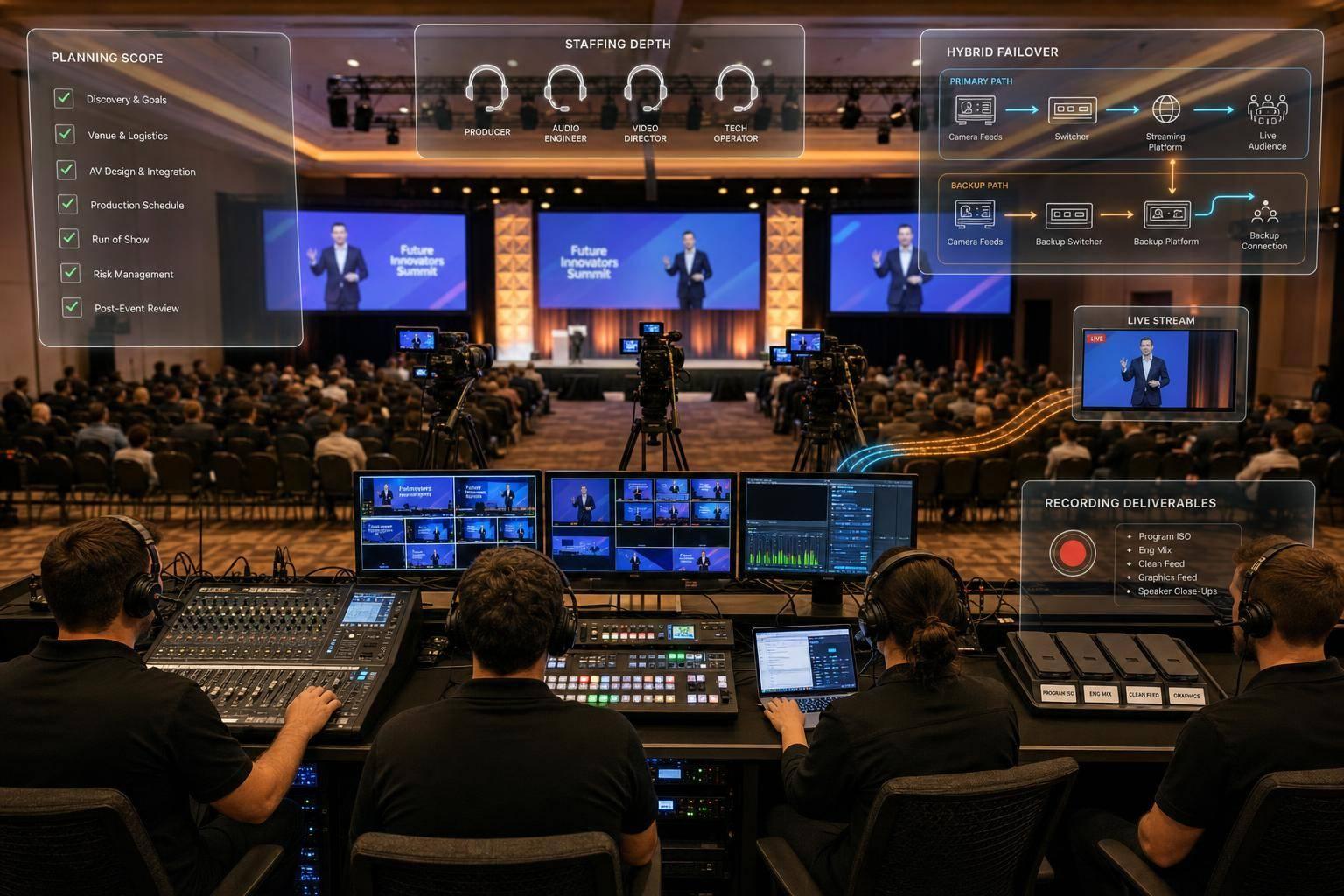
A properly staffed conference should include a technical director (TD), a dedicated show caller, an A1 and A2 for audio, a video director, camera operators, a lighting lead, breakout room techs, a content manager, and a streaming specialist. Each role covers a different part of execution. If a role is missing, that gap usually shows up on show day.
For multi-room conferences, ask how they scale. What's their tech-to-room ratio for breakouts? How do they deal with overlapping sessions? What happens if a panel room suddenly needs hybrid support?
You should also confirm that they know how to work in union venues. Ask about IATSE labor rules, call times, and which tasks must be handled by venue labor. On top of that, check that they can produce certificates of insurance (COI) that meet hotel or convention center rules without delay. U.S. venues often require $1 million to $5 million in liability coverage, and solid AV partners should treat COI requests as standard practice.
Confirm the Show-Calling Process and On-Site Issue Response
Ask one direct question: Who calls the show?
That answer tells you a lot about how tightly they manage live production.
A named show caller working from a detailed run-of-show document helps keep keynote cues, stage changes, and breakouts in sync across the event. That person should be on comms during rehearsals and every show day, calling cues for audio, video, lighting, and stage moves at the right moment. Ask to see a sample cue sheet or show script from a past event. If they can share an annotated version from rehearsal, even better. That tends to show how the team adjusts when things change on the fly.
For issue response, don't settle for vague answers. Ask for one specific example, like slides failing during a keynote, and how they got through it. Strong answers usually point to backup systems and a clear chain of response: backup laptops, hot-swappable media, duplicate encoders, an A2 swapping a dead mic right away, a content manager switching to a PDF backup, or a breakout tech escalating to the TD or show caller while the main problem gets fixed.
You should also budget for a full technical rehearsal with key speakers and primary cues before doors open.
Use what you learn here to shape the RFP and comparison matrix in the next step.
Use an RFP, Scorecard, and Budget Review to Compare Providers
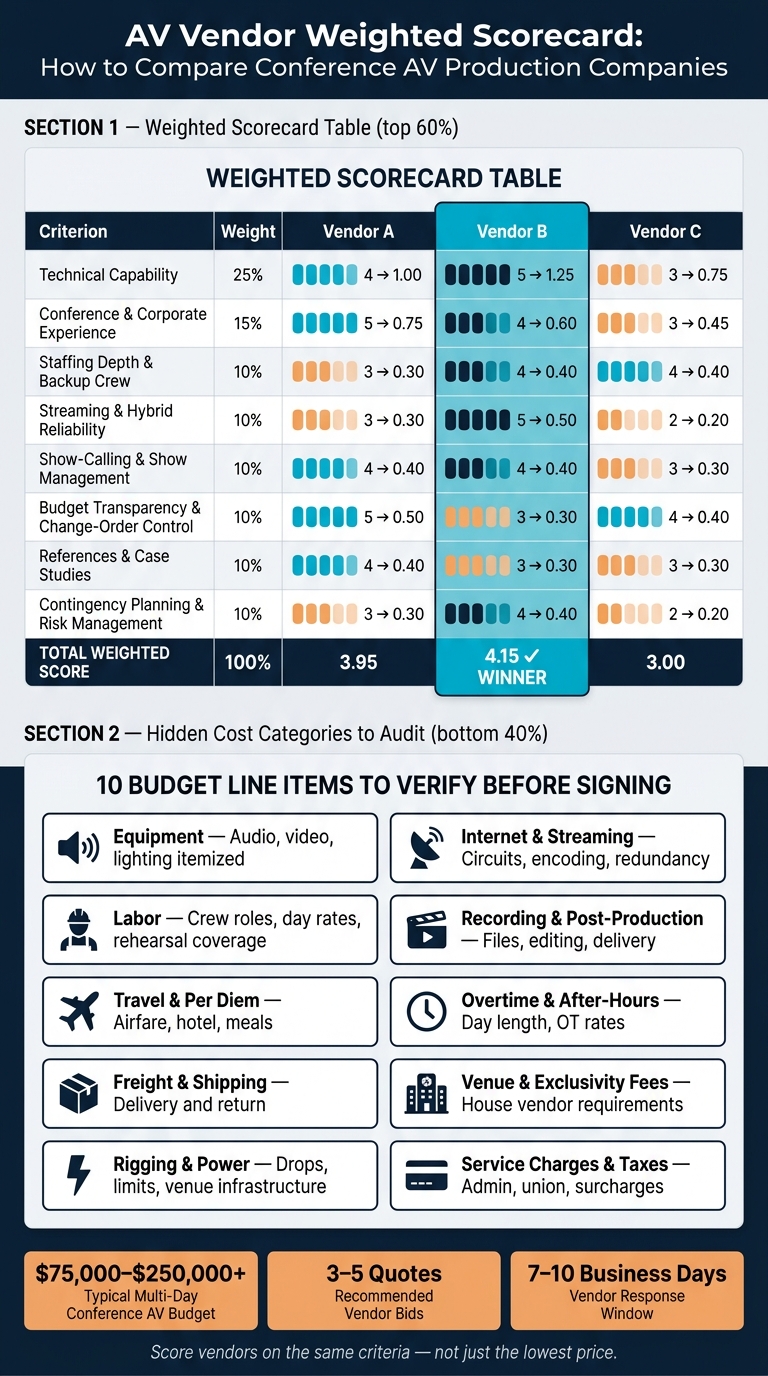
AV Vendor Scorecard: How to Compare Conference AV Production Companies
Once you've pressure-tested vendors on technical capability and show management, the next move is simple: get every proposal into a format you can compare side by side. That means using the same RFP, a weighted scorecard, and a line-by-line budget review.
Use your requirements worksheet to fill out the RFP so each vendor is quoting the same rooms, cues, and deliverables. If one vendor prices a different scope, the numbers stop meaning much.
Write an AV RFP That Gets Usable, Comparable Proposals
One of the biggest mistakes planners make is sending a loose brief and hoping vendors fill in the blanks. That's where pricing gets messy fast.
A good AV RFP works more like a standard intake form than a long narrative. Everyone should quote the same scope. At minimum, include:
- Admin and schedule: event name, organization, decision timeline, main contacts, load-in, load-out, daily show hours, rehearsal windows, and overnight strike-and-reset - all in local time with the time zone listed
- Venue and room inventory: venue name, address, room diagrams or links, ceiling heights, rigging limits, power access, union or labor rules, required house vendors, room capacities, seating styles, and whether rooms run at the same time or one after another
- Keynote and main stage needs: stage size, scenic concept, confidence monitors, teleprompter, who calls cues, and any special elements like live music or remote speakers
- Breakout requirements: number of concurrent breakouts, the standard AV package per room, recording vs. non-recording, and any rooms that need extra support
- Hybrid and streaming requirements: platforms being used, streaming destinations, captioning, redundancy expectations, and who handles encoding and monitoring
- Rehearsal expectations: full show rehearsal times, presenter tech checks, and run-throughs for complex segments
- Line-item pricing format: a standard spreadsheet template that requires vendors to break out equipment, labor, travel and per diem, freight, internet and streaming, scenic, recording and editing, taxes and fees, and contingency
- Assumptions and exclusions: vendors must spell out what they're assuming and what is not included
This format brings scope gaps into the open before pricing turns into an argument. Collect 3–5 quotes and give vendors 7–10 business days to respond.
Once the proposals come in, score them against the same criteria you used to define the event.
Score Vendors With a Weighted Comparison Matrix
Use a weighted scorecard. Give each criterion a weight, score each vendor from 1–5, multiply the score by the weight, and total the results.
| Criterion | Weight | Vendor A Score | Vendor A Weighted | Vendor B Score | Vendor B Weighted | Vendor C Score | Vendor C Weighted |
|---|---|---|---|---|---|---|---|
| Technical capability | 0.25 | 4 | 1.00 | 5 | 1.25 | 3 | 0.75 |
| Conference and corporate event experience | 0.15 | 5 | 0.75 | 4 | 0.60 | 3 | 0.45 |
| Staffing depth and backup crew depth | 0.10 | 3 | 0.30 | 4 | 0.40 | 4 | 0.40 |
| Streaming and hybrid reliability | 0.10 | 3 | 0.30 | 5 | 0.50 | 2 | 0.20 |
| Show-calling & show management | 0.10 | 4 | 0.40 | 4 | 0.40 | 3 | 0.30 |
| Budget transparency and change-order control | 0.10 | 5 | 0.50 | 3 | 0.30 | 4 | 0.40 |
| References & case studies | 0.10 | 4 | 0.40 | 3 | 0.30 | 3 | 0.30 |
| Contingency planning & risk management | 0.10 | 3 | 0.30 | 4 | 0.40 | 2 | 0.20 |
| Total | 1.00 | 3.95 | 4.15 | 3.00 |
Adjust the weights to fit your event. If keynote stability, breakout consistency, and hybrid reliability are your biggest risk areas, give those more weight.
It's also smart to score vendors with a cross-functional team. Events, IT, and procurement will each spot different issues in the RFP responses, interviews, and references.
After you score fit and capability, look at pricing line by line to catch missing scope.
Read Pricing for Scope Gaps, Overages, and Hidden Costs
A low bid often means the scope is light somewhere.
Watch for single-line labor pricing, vague streaming inclusions, and bundled items that make change orders more likely. These are the cost categories vendors most often underquote or leave out:
| Cost Category | What to Verify |
|---|---|
| Equipment | Itemized audio, video, lighting, LED or projection for the main stage and breakout rooms |
| Labor | Crew list by role and day rate, plus rehearsal coverage and show support |
| Travel and per diem | Airfare, hotel, ground transport, and meals |
| Freight and shipping | Delivery and return shipping |
| Rigging and power | Rigging limits, power drops, and venue-provided infrastructure |
| Internet and streaming | Dedicated circuits, encoding hardware, platform fees, redundancy, and monitoring |
| Recording and post-production | Session recording, file delivery format, and editing |
| Overtime and after-hours | Defined day length and overtime rate per crew member |
| Venue and exclusivity fees | Required house vendors and any outside-vendor fee |
| Service charges and fees | Admin fees, union fees, taxes, credit card surcharges, and resort fees |
Hotel AV quotes often add service charges and required staffing fees. If you're comparing a hotel AV quote with an outside production quote, include any outside-vendor fee the hotel may charge. Add that cost back into the outside quote so you're making a fair comparison.
If one category comes in far lower than the others and there's no clear reason, ask about it directly. Have the vendor walk you through the assumptions behind that line item. That answer usually tells you one of two things: either they found a legit efficiency, or there's a scope gap waiting to turn into a change order after the contract is signed.
Assess Hybrid Delivery, Recording, and End-to-End Production Support
After pricing, look closely at how the vendor handles the parts of the conference that tend to go sideways first: live streaming, remote participation, content capture, and the behind-the-scenes coordination that keeps everything moving.
Evaluate Hybrid Workflows, Platform Integration, and Redundancy
A solid hybrid partner builds streaming into the production plan from day one. It shouldn't feel bolted on at the last minute.
Ask for 2–3 examples of large hybrid events they've run. You want attendee counts, scope, and outcomes. Then dig into the hard stuff: what changed when they had to run a hybrid program under live event pressure? How did they deal with speaker latency? Who moderated the stream? How did they time Q&A for remote attendees without slowing down the room?
For any stream you can't afford to lose, ask for a written failover plan. That should spell out:
- the primary feed
- the backup feed
- who makes the switch if the primary feed drops
Use a dedicated wired circuit as the main path. Also ask for a written incident plan that names who updates remote attendees and what the audio-only fallback looks like if bandwidth falls apart. Remote speakers need tech checks before they go live too, including audio, video, screen share, and connection stability.
Once the streaming plan checks out, pin down exactly what gets recorded and how those files will be handed over.
Review Recording Deliverables, Content Handling, and Post-Event Reporting
Recording scope needs to be settled in the contract, not worked out in a hallway during setup. For a multi-day conference with breakout rooms, define which sessions get full recording, audio-only capture, or no capture at all. Check the vendor's backup method as well: local program-feed capture plus separate camera backups, apart from whatever the streaming platform records. Do not treat platform cloud recording as the only backup.
For deliverables, put outputs and deadlines directly into the contract. If the recordings will be used for marketing, require edited keynotes, 60–90 second highlight reels, and short clips by topic. If they're meant for training, ask for slide-integrated versions and LMS-compatible formats. Set turnaround SLAs up front - for example, raw files within 72 hours, edited keynotes within 10 business days, and highlight reels within 15 business days.
Post-event reporting should include session-level analytics such as peak concurrent viewers, average watch time, drop-off points, poll participation rates, and Q&A submission volume.
Then step back and judge whether the vendor can handle the whole workflow, not just show up with equipment.
Look for End-to-End Support That Reduces Your Coordination Burden
A production partner should handle pre-production, on-site coordination, and post-event review so your team isn't stuck managing separate vendors and messy handoffs. That kind of ownership cuts planning work, change-order risk, and the odds of misfires across the conference.
On-site, that means one point of contact who owns audio, video, lighting, streaming, recording, and scenic. Roles should also be clear: technical director, audio engineer, streaming engineer, virtual producer, and stage manager.
After the event, the best partners run a debrief that ties technical performance back to conference goals. That review should cover what the engagement data showed, where the stream had problems, and what should change before the next event. Use that debrief to log fixes while the details are still fresh.
Conclusion: Choose the AV Production Company That Fits Your Conference Scope
The right AV production company is the one that can run your conference cleanly, stay within scope, and hit the budget. Don’t choose on price alone. Look at the full job.
Start with a clear scope. Then compare vendors with a weighted scorecard that looks at staffing, show calling, pricing clarity, and hybrid support. That’s the line between a vendor that rents gear and a team that can actually run the event.
The proposal matters, but staffing is what shapes show day. Ask how the vendor covers every room, how crew scales as the event grows, and how they keep control from load-in to strike.
Before you sign, confirm the hybrid event failover plan, recording deliverables, and post-event reporting.
The best partner takes ownership from the first call through strike and keeps the conference steady, consistent, and professionally produced. When those pieces line up, the event runs like one show instead of a patchwork of separate rooms. That’s how you pick a partner that fits the conference, not just the budget.
FAQs
What should I include in my AV RFP?
Include the event date, city, venue, and attendee count for each room. Add a draft agenda or run-of-show that shows session timing and the seating style for each space.
You should also note your technical scope, project timeline, budget target, and any site constraints. Then ask for a line-item cost breakdown, along with details on project management, staffing, and backup plans for gear, power, and internet.
How do I compare AV proposals fairly?
Compare AV proposals line by line, not just by total price. A low top-line number can hide gaps, add-on fees, or thin support on event day.
Use a standard table so each bid is judged the same way. Ask every vendor for itemized costs covering:
- Equipment
- Labor
- Setup and breakdown
- Service fees
That makes it much easier to spot where one quote is light, padded, or missing something you’ll need later.
You should also compare more than price. Look at technical depth, project management, day-of reliability, and financial clarity. In plain English: can this team build the show, run it well, fix problems fast, and explain the bill without any fog?
A simple comparison table might look like this:
| Category | Vendor A | Vendor B | Vendor C |
|---|---|---|---|
| Equipment costs | |||
| Labor costs | |||
| Setup/breakdown | |||
| Service fees | |||
| Technical depth | |||
| Project management | |||
| Day-of reliability | |||
| Financial clarity |
Then press on the day-of details. Ask how each team handles multi-room schedules, real-time troubleshooting, and rehearsals. If your event is hybrid, get specific about internet backup and power backup too. That part matters more than most people think. One dropped stream or power issue can throw the whole run of show off track.
If a proposal sounds polished but stays vague on these points, that’s a red flag.
What backup plans should an AV company have?
A professional AV partner should plan for failure before anything goes wrong. The goal is simple: keep the show running without interruption.
That usually means building in backup at every critical point, such as:
- Pre-staged spare equipment
- Redundant signal paths
- Dual internet connections
- Failover routers
- UPS systems
- Backup generators
Just as important, the team needs a clear plan for handling problems in the moment. They should assign an incident commander, keep crew communication open with headsets or backup radios, document signal flow, and run technical rehearsals to test failover plans before the event goes live.
Related Blog Posts
- Best Audio Visual Production Team To Use For Conferences In 2026
- End-To-End Annual Meeting Production Companies For Your Next Company Conference
- Leading Companies To Work With For Full Conference Production
- 3 Reasons To Work With Corporate Optics With Full-Service AV Production Experience For Your Next Conference.



Streamline your workflow, achieve more

Lorem ipsum dolor sit amet, consectetur adipiscing elit. Maecenas ac velit pellentesque, feugiat justo sed, aliquet felis.



Lorem ipsum dolor sit amet, consectetur adipiscing elit. Maecenas ac velit pellentesque, feugiat justo sed, aliquet felis.