Production Teams Who Manage Conference Agenda, Staging, AV, Registration And Content

Chief Executive Officer
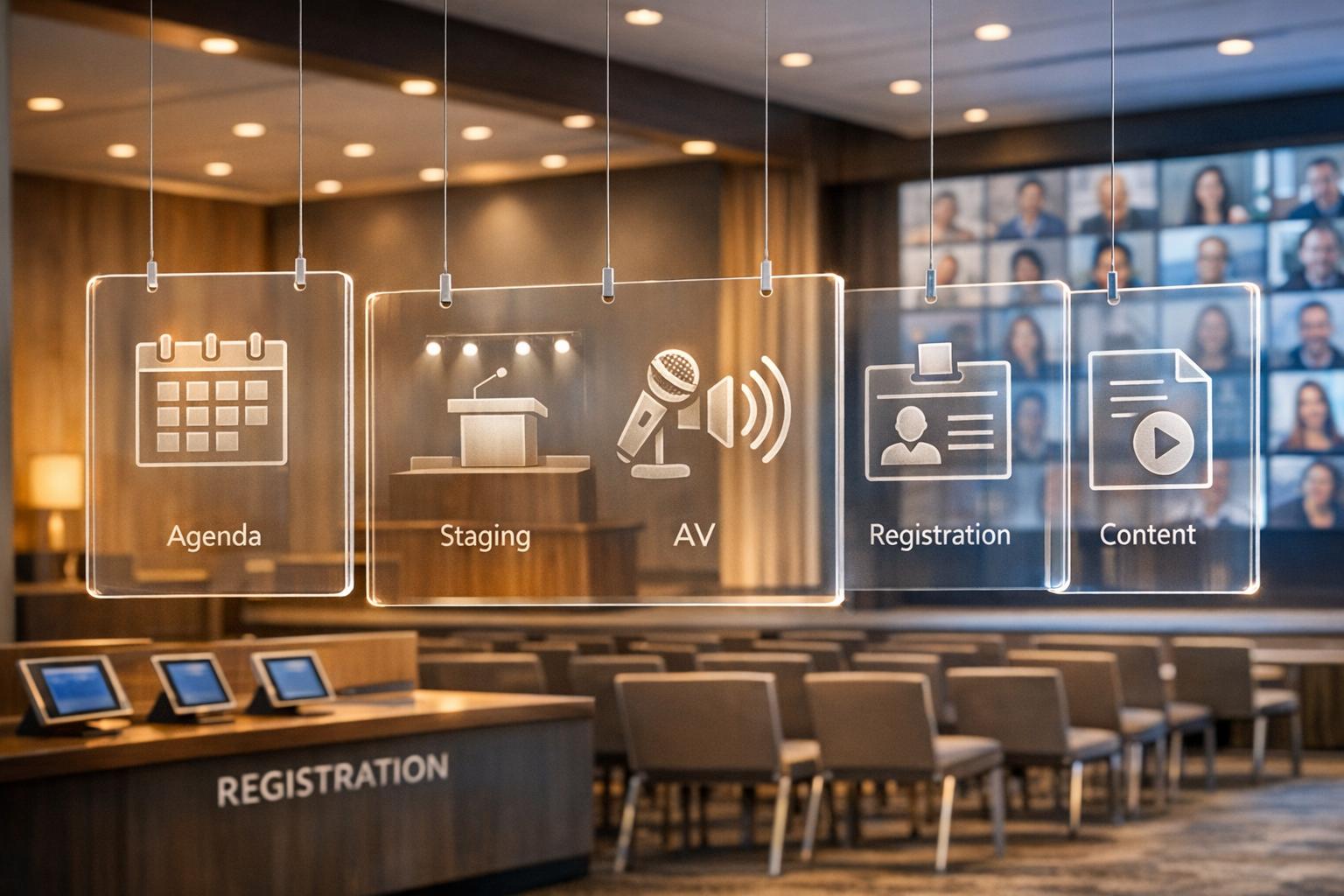
Production teams are the backbone of successful corporate conferences, following best practices for conference event production to ensure quality. They handle everything from creating engaging agendas to managing audiovisual setups, registration, and content delivery. Their role ensures every detail aligns to deliver a smooth, professional event experience. Here's what they focus on:
- Agenda Development: Crafting schedules that engage attendees with interactive sessions and clear objectives.
- Staging and Scenic Design: Designing functional stages with optimal visibility and branding elements.
- Audiovisual Production: Configuring AV systems, ensuring sound and visuals are flawless, and supporting hybrid events.
- Registration Management: Streamlining attendee check-in with integrated platforms and efficient processes.
- Content Delivery: Managing showflow with precise run-of-show documents and real-time coordination.
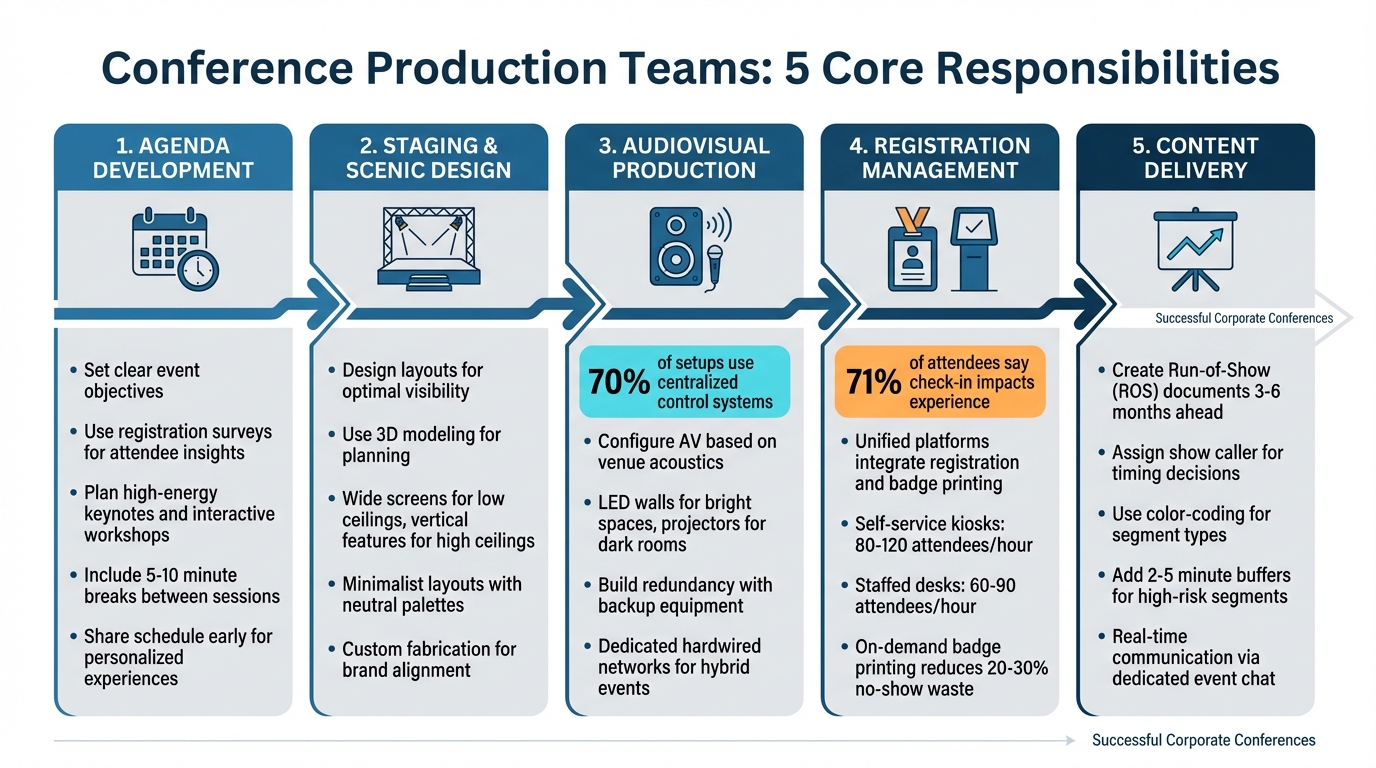
5 Core Responsibilities of Conference Production Teams
Agenda Development and Program Flow
Building an Agenda for Attendee Engagement
Start by setting clear objectives for the event. Use registration surveys to understand what attendees hope to gain, their topic preferences, and networking priorities. This data also serves as a baseline for post-event feedback to measure how well those needs were met. This ensures your sessions address what participants actually need.
Plan the schedule carefully. Kick off the day with high-energy keynotes, follow up with interactive workshops mid-morning and after lunch, and save networking mixers for the late afternoon. Be sure to include small 5–10 minute breaks between sessions to allow for technical adjustments and room changes.
"An engaging conference agenda does more than simply outline the day's schedule - it shapes the very framework of the attendee experience." - Grant Morningstar, CEO, Eleven8 Staffing
Incorporate interactive elements like Q&A sessions, panel discussions, live polls, and audience response tools. These formats turn passive attendees into active participants. Sharing the full schedule early allows attendees to tailor their experience by selecting sessions that match their interests. This not only boosts satisfaction but also improves attendance at individual sessions.
Working with Speakers and Stakeholders
Creating the agenda is just the first step. The production team also needs to work closely with speakers and stakeholders to ensure everything runs smoothly. A Run-of-Show (ROS) document is essential for this. It breaks the event into minute-by-minute segments, covering start and end times, transitions, and technical cues. This keeps everyone - internal teams, sponsors, vendors, and speakers - on the same page.
Set firm deadlines for speakers to upload their presentation slides and materials. This gives the production team enough time to review and integrate everything seamlessly.
Supporting speakers is equally important. Assign specific roles, such as a technical lead, a Q&A moderator, and a small support team for each speaker. This ensures presenters have the help they need during the event. Schedule multiple rehearsals so speakers can get comfortable with the system and give the production team a chance to troubleshoot any issues ahead of time. For remote speakers, ask them to log in 30 minutes early to test their audio, lighting, and screen-sharing setup.
"Don't ignore audio - it's the most important part of a great event." - Microsoft Support
The production team also collaborates with stakeholders to define clear success metrics, such as attendance numbers, partner engagement, or lead generation. Using a centralized platform for schedules, document approvals, and communications helps eliminate errors and ensures everyone has access to the same information. This level of coordination creates a cohesive event experience that strengthens brand visibility and drives ROI.
sbb-itb-ae35a94
Staging and Scenic Design
Designing Stage Layouts for Visibility and Experience
After finalizing the event agenda, focus on a stage design that elevates both the visual appeal and functionality of the event. The venue’s physical characteristics are a critical starting point. For spaces with low ceilings, wide screens and horizontal backdrops help optimize the area, while high-ceiling venues can take advantage of vertical features like drapes or hanging lights to create a more immersive atmosphere.
Using 3D modeling tools can make a huge difference in planning. These tools allow you to map out footpaths, position equipment, and organize cable runs to ensure safety and avoid tripping hazards for speakers. Lighting plays a big role too - it sets the mood and defines key areas. Use spotlights to highlight seating areas and washes to energize keynote sessions.
"The venue is the framework, but fabrication adds the story, the movement, and the feeling." - Highway 85 Productions
A strong stage design often sticks to simplicity and cohesion. For conferences, minimalist layouts with neutral color palettes keep the focus on the speakers and their presentations. Position the stage to face the largest audience area, and make sure no equipment obstructs sightlines or interferes with audio clarity.
Custom Fabrication and Event Furniture
To enhance your stage layout, consider custom fabrication that reflects your brand and adds flexibility to the event. Custom-built elements can transform ordinary ballrooms into spaces that align with your event’s vision. Go beyond static banners by incorporating interactive features like modular pods, branded lounges, or sculpted displays. These additions can turn otherwise overlooked areas, like hallways or corners, into engaging spaces people will remember.
"Custom builds for corporate events are what separate a forgettable gathering from an experience people actually talk about." - Guy Zwick, Highway 85 Productions
Modular staging and furniture provide the adaptability needed for dynamic events. These designs allow the space to shift seamlessly for different audience sizes or schedule changes while maintaining a cohesive look. Choose furniture and materials that work with the venue’s existing aesthetic - think wood and leather for spaces with warm lighting, like those using Edison bulbs. Early venue surveys are essential to confirm details like load limits, fire codes, and electrical capabilities. Don’t forget to include fabrication costs in your initial budget to avoid last-minute surprises.
Audiovisual Production and Technical Systems
Configuring and Testing AV Equipment
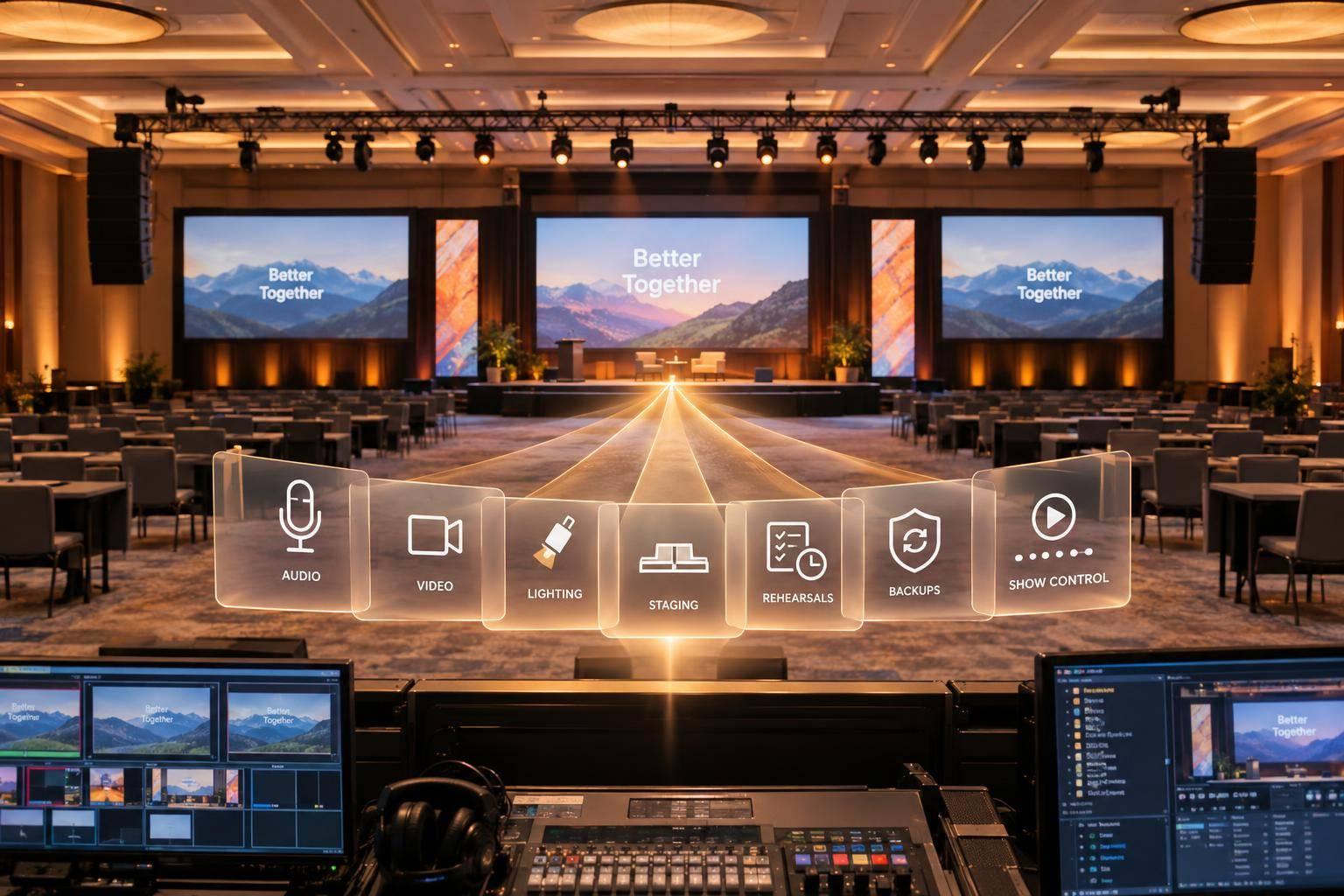
Start by evaluating the venue's size, ceiling height, and structural layout to determine the best placement for screens and sound systems. Pay special attention to the room's acoustics - using a decibel meter app during a walkthrough can help identify areas where sound may echo and require dampening. For bright environments, opt for LED walls, while projectors work better in darker, controlled spaces to ensure clear visuals and consistent lighting that aligns with the event's branding. Interestingly, about 70% of setups now rely on centralized control systems, which integrate audio, video, and lighting into a single operational platform. This approach not only streamlines transitions but also minimizes the chances of operator errors.
"The right AV technology is the pillar of a successful event. All its components must coordinate perfectly to provide immersive experiences." - Eventcube Team
To avoid technical hiccups, build redundancy into your setup. Include backup signal paths, spare power distribution options, and extra hardware like microphones, batteries, and cables. Surprisingly, most AV disruptions aren't due to equipment failure but rather issues like insufficient power planning, incompatible file formats, or poor communication among operators. Before the event, ensure all operating systems, drivers, and software are updated. Also, test all visual content on the actual displays to catch any resolution or format mismatches early.
These preparations lay the groundwork for successfully managing hybrid event experiences.
Live Streaming and Hybrid Event Support
Once your AV configuration is solid, hybrid event production introduces additional challenges, as you need to engage both in-person and virtual audiences effectively. Treat these audiences as separate productions, each requiring its own flow and tailored content. Reliable internet connectivity is non-negotiable - it’s the backbone of any hybrid event. Always use a dedicated hardwired network instead of relying on venue Wi-Fi to avoid interference or connectivity issues. Hardline connections for streaming and speaker video feeds are essential to prevent dropouts often associated with wireless networks.
"You can't bolt a webcam onto a ballroom and call it a hybrid event. Engaging both physical and virtual audiences requires intentional design, separate production flows, and often, different content delivery models." - AVFX
Rehearsals are critical. Conduct full-show run-throughs to test transitions, cue timing, and virtual interactions using the final tech setup. Assign a show caller to oversee timing and coordination across AV systems, on-stage talent, and virtual platforms, ensuring smooth transitions between live and remote segments. For outdoor hybrid events, take extra precautions - use weather-rated equipment and portable power solutions to handle unpredictable conditions.
Ep. #209 - Run of Show Secrets: 10 Tips Every Event Pro Should Know - Better Events Podcast
Registration and Attendee Management
Once you've nailed down production details like AV and staging, the next key step is creating a registration process that feels effortless for attendees right from the start.
Setting Up Registration Systems
A unified platform that integrates registration, check-in, and badge printing can save you from the hassle of manual data syncing. When these systems work together seamlessly, even last-minute registrations or walk-ins can be handled without missing a beat.
To make the registration process smoother, design forms with conditional logic. For instance, VIP attendees might see different questions than general participants or exhibitors. This tailored approach not only reduces the chances of people abandoning forms but also ensures better data accuracy. Automating confirmations, calendar invites, reminders, and arrival instructions immediately after someone registers is another way to keep things efficient.
When it comes to payment, stick with PCI-compliant gateways like Stripe or PayPal. These systems support local currencies, making the process simpler for attendees. Additionally, ensure the registration system syncs data with your CRM - whether you're using Salesforce, HubSpot, or another tool. This integration allows for real-time lead tracking and post-event ROI analysis while avoiding the headaches of disconnected tools and delayed reporting.
On-Site Check-In and Data Collection
A smooth check-in process is critical - 71% of attendees say it’s a key part of a positive event experience. Before the event, walk through the venue to map out entrances, check power outlets, and confirm Wi-Fi availability. Make sure queues won’t block fire exits or hallways.
"The attendees will never notice how much work went into making it feel effortless -- and that is exactly the point." – Micepad Team
For check-in, use a mix of self-service kiosks and staffed desks. Kiosks can handle 70–80% of attendees, while staffed desks are ideal for VIPs, walk-ins, or last-minute name changes. Self-service kiosks typically process 80–120 attendees per hour, while optimized systems can handle up to 240–300 people per hour. In comparison, staffed desks usually manage 60–90 attendees per hour [23, 24].
Instead of pre-printing badges, opt for on-demand badge printing. This approach is more flexible, accommodating last-minute changes and reducing waste from no-shows, which typically range between 20–30% [21, 23].
Before doors open, run a '15-Minute Test' at each station to check QR scanning, dashboard updates, badge printing, and offline functionality. Make sure your check-in software has an offline mode that stores data locally and syncs it automatically once internet access is restored.
Assign clear roles to your team to keep things running smoothly. Roles like Kiosk Monitors, Staffed Desk Operators, a Queue Manager to direct traffic, and a Tech Lead for troubleshooting can make all the difference. For added efficiency, use open-ended lanyards with crocodile clips - they’re quicker for attendees to attach and help keep the check-in line moving.
With a polished registration and check-in process in place, the focus can shift to ensuring the event’s content delivery goes just as smoothly.
Content Delivery and Showflow Management
Once attendees are checked in and seated, the spotlight shifts to delivering the event content seamlessly. The goal? Ensure every segment flows smoothly, without any visible hiccups or delays.
Creating Run-of-Show Documents
A run-of-show (ROS) is essentially the event’s master plan, detailing every minute for production crews, speakers, AV teams, and other stakeholders. It typically starts as a rough draft 3–6 months before the event and evolves into a precise schedule with timestamps, talking points, and technical cues.
"A run of show is a minute-by-minute breakdown of an event... It keeps us all on the same page - literally!" – Julie Bergstein, Former Lead of Events and Brand Activations, Vimeo
A well-structured ROS includes essential details like panelist contacts, discussion durations, scripts, and links to supporting media. Many teams use color-coding to quickly differentiate between live panels, pre-recorded content, intros, outros, and audience Q&A sessions. This approach mirrors the careful planning used in agenda creation and AV setup, ensuring everyone can easily stay on track during the event.
Keeping the ROS as a single source of truth is critical. Real-time updates ensure that everyone - whether it’s AV techs, catering staff, or security - stays aligned.
To avoid last-minute chaos, schedule "backstage time" by requiring speakers to arrive at least 30 minutes before their segment. This allows for final technical checks and helps build their confidence. Buffer time is equally important - if one segment runs long, you can adjust the next one or trim the Q&A without derailing the entire schedule. Additionally, tools like redirect links (e.g., Bitly) for attendee URLs allow for quick fixes in case of technical issues.
Managing Real-Time Transitions and Cues
With a detailed ROS in hand, smooth transitions during the event depend on clear roles and effective communication. Assign a show caller or lead producer as the sole person responsible for timing decisions. This person can make on-the-fly adjustments if segments run over. Each segment should also have a primary owner and a backup, ensuring someone is always ready to trigger cues if needed.
Cue-to-cue rehearsals are essential. These take place after presenter run-throughs and synchronize every audio, video, and lighting transition. Plan mic swaps, slide changes, stage resets, and speaker entries as timed segments to eliminate gaps. Adding 2–5 minute buffer rows for high-risk segments like keynotes or live Q&A allows for flexibility without disrupting the overall flow.
Real-time communication is key. Use a dedicated event group chat to relay cues quietly without distracting the audience. Progress can be tracked using simple status indicators like "Ready", "Live", "Complete", "Delayed", or "Hold." Segment owners should confirm their readiness about 10 minutes before their scheduled start.
For hybrid events, assign a team member to monitor both in-room and virtual feeds. This ensures any issues - whether in-person or online - are addressed immediately. Always have a backup laptop preloaded with all media and pre-recorded versions of critical presentations ready to go. This way, even if a live speaker loses connectivity, the show can continue without interruption.
In 2025, a creative agency used Script Elephant to manage the National FFA Convention. They coordinated 73,172 AV cues and 347 users by centralizing scripts and graphics for the large-scale event.
"Script Elephant has streamlined how we plan and execute shows... It simplifies the approval process, makes content updates seamless, and fosters real-time collaboration." – Sarah Doyle, Director of Communications, Visit Phoenix
These strategies and tools make it possible to deliver a smooth, professional event experience, even under the most complex circumstances.
Tools and Methods for Efficient Production
To keep conference operations running smoothly - from planning the event agenda to delivering content - modern tools are making production more efficient than ever. Production teams are moving away from outdated tools like spreadsheets and email chains, which often lead to missed updates and version control problems. In fact, about 73% of event teams report missing critical updates when relying on disconnected tools like these. Instead, platforms designed for real-time collaboration are becoming the go-to solution, giving every team member instant access to the most up-to-date run-of-show. This shift has paved the way for specialized tools that simplify production tasks even further.
Using Showflow Documents and Technical Riders
LASSO Rundown (formerly Shoflo) is a platform that ensures real-time synchronization across all devices. If a producer makes a mid-show edit, the update is instantly reflected on every crew member’s screen. One standout feature is its Global Elements Manager, which is especially helpful for recurring events. For example, updating a sponsor read or speaker bio once will automatically apply the change across all rundowns. Teams using centralized tools like this have seen a 43% drop in last-minute surprises.
Script Elephant is another powerful tool, allowing AV teams to embed specific triggers for video, lighting, and audio directly into the script. As the script is being developed, lighting and audio designers can view and plan for requirements in real time. The platform also supports integrated graphics management and confidential scripting sections, making it a strong choice for coordinating intricate productions.
TimedFlow takes a different approach with AI-powered duration suggestions and synchronized views tailored to each team role. For instance, speakers see their countdown timers, while AV techs have access to detailed technical cue sheets. This platform boasts a 99.9% uptime for real-time synchronization and has earned a 4.9/5 rating from users across more than 10,000 events.
AI and Analytics for Event Planning
Beyond showflow tools, AI is pushing production efficiency even further with automation and predictive capabilities. PlanBrite is a standout example, instantly generating run-of-show documents, budgets, and workback schedules and checklists from a simple event brief. This can save up to 71 hours of administrative work per event. The platform also offers tailored automation features, such as pre-built timelines and vendor management tools.
AI is also transforming logistics. It can predict staffing needs, track rental inventory, and analyze past data to estimate actual attendance. This allows teams to better plan catering and room setups. For post-event analysis, AI tools compile engagement scores, lead quality metrics, and ROI data, integrating directly with CRMs like Salesforce or HubSpot. This turns event participation into measurable sales opportunities. Additionally, real-time sentiment analysis from audience interactions, such as chat and Q&A tools, helps producers adjust programming on the fly based on live feedback. Notably, 67% of event professionals are already incorporating AI into their workflows.
"AI is not replacing event producers. It is empowering them. The planning process becomes faster, the creative process becomes more expansive, and the data becomes more useful for both marketing and sales." – Meg Cayapos, Entire Productions
To get started with AI, focus on the area that eats up the most manual hours - like venue sourcing, attendee communication, or post-event reporting. Begin with a mid-level event to test the tool's effectiveness in saving time and improving workflow before rolling it out for larger conferences.
Conclusion
Organizing a successful corporate conference involves much more than just reserving a venue and sending out invites. It requires a blend of technical know-how, strategic planning, and the ability to adapt on the fly. From agenda development and stage design to AV execution, registration logistics, and real-time content delivery, every detail must be handled with precision and expertise. Professional production teams integrate these elements using structured frameworks like the 5 P's (Person, Place, Product, Price, Promotion) and 5 C's (Concept, Coordination, Control, Culmination, Closeout), ensuring the event aligns perfectly with organizational goals.
Unified production management plays a key role in minimizing miscommunication and avoiding budget oversights. A skilled production manager oversees technical needs, coordinates specialists, and ensures compliance with safety and industry standards. This comprehensive management transforms what could be a logistical headache into a smooth, impactful experience.
"Unified production also helps protect your corporate event budget by eliminating the cost gaps and miscommunications that come from managing too many separate vendors." – Highway 85
This all-encompassing approach is where providers like Corporate Optics shine. They handle every aspect of event production - from initial planning and venue selection to on-site execution and post-event analysis. With services that include agenda development, audiovisual design, scenic production, speaker support, live streaming, and AI-powered tools through their partnership with prompts.ai, Corporate Optics ensures a flawless execution. Whether you're hosting a leadership summit, shareholder meeting, or hybrid event, their Emmy Award-winning team brings the technical expertise and strategic vision necessary to deliver an unforgettable experience.
The best conferences result from meticulous planning, technical precision, and the ability to tackle unexpected challenges. By partnering with professional production support, you gain access to specialized knowledge, proven methodologies, and tools that bring your vision to life. Every detail - agenda planning, stage design, AV coordination, registration, and content delivery - works together to create a seamless experience that leaves a lasting impression and delivers measurable outcomes.
FAQs
What does a conference production team actually handle?
A conference production team takes care of the critical elements that bring an event to life. They manage everything from crafting the agenda and designing the stage to handling audiovisual (AV) systems and ensuring smooth content delivery. On top of that, they coordinate logistics like registration, attendee management, and on-site operations, making sure everything runs seamlessly.
Their role also extends to managing technical details, including lighting, signage, and staging. By aligning all these components, they ensure the event delivers a polished and engaging experience that supports the organization’s objectives.
How early should we start building the run-of-show?
It's a good idea to start creating the run-of-show several months before your event - ideally 3 to 6 months in advance, depending on how complex the event is. This early start gives you the breathing room to lock in the agenda, sort out logistics, and schedule technical rehearsals. It also ensures there's enough time to fine-tune content and prepare for any unexpected challenges, helping everything run smoothly on the big day.
What’s the best way to prevent AV and livestream failures?
The key to avoiding AV and livestream mishaps lies in thorough preparation and collaborating with knowledgeable production teams. Start by testing all equipment well in advance to ensure everything is functioning properly. For more intricate setups, like stage designs or AV systems, rehearsals are a must - they help identify and address potential issues before the big day. Working with trusted production companies can also make a huge difference, as they bring expert coordination and dependable tech support to help everything run smoothly.
Related Blog Posts



Streamline your workflow, achieve more

Lorem ipsum dolor sit amet, consectetur adipiscing elit. Maecenas ac velit pellentesque, feugiat justo sed, aliquet felis.



Lorem ipsum dolor sit amet, consectetur adipiscing elit. Maecenas ac velit pellentesque, feugiat justo sed, aliquet felis.