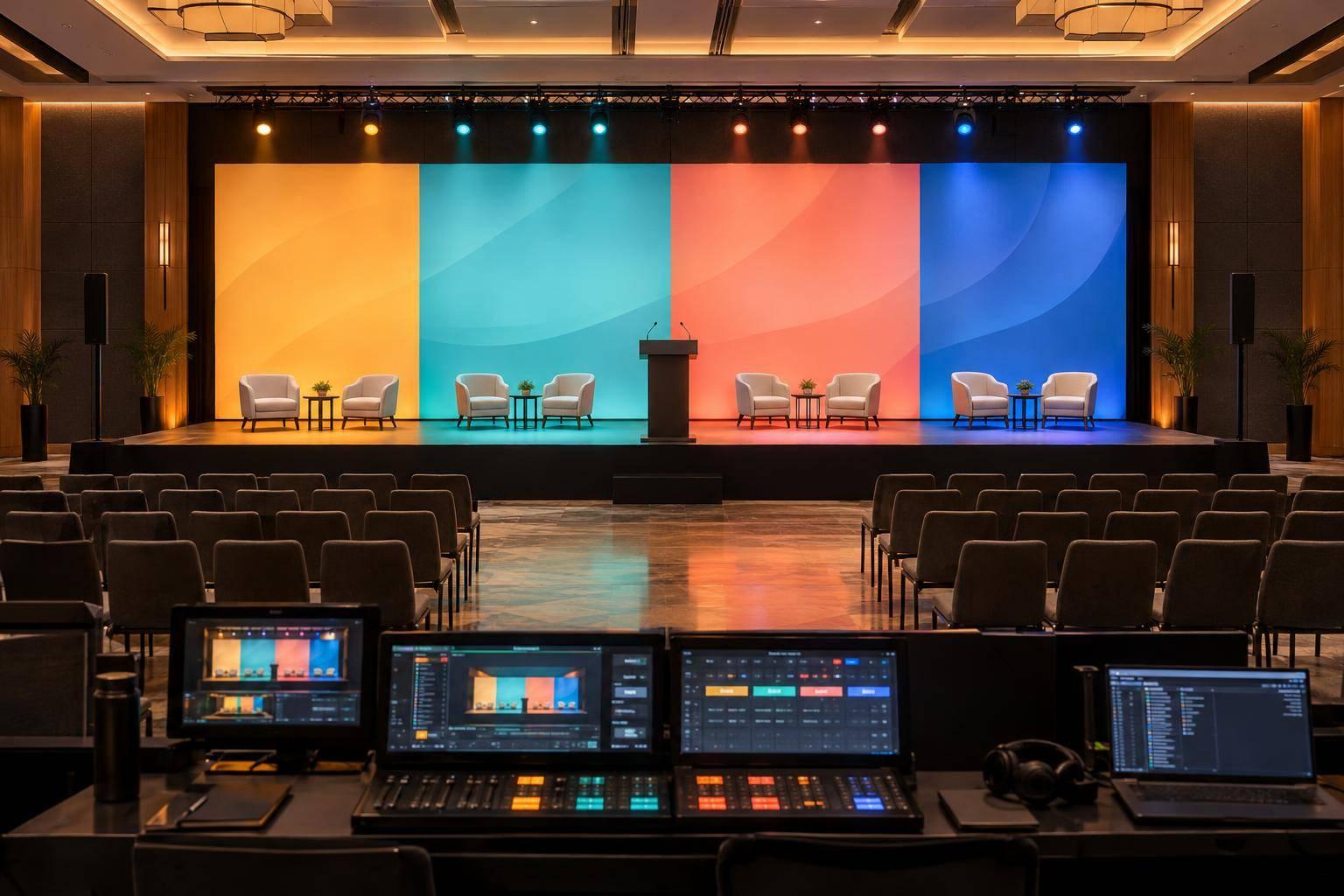
Short-Notice Conference Production: How Corporate Optics Mobilizes For Tight Timelines.

Chief Executive Officer
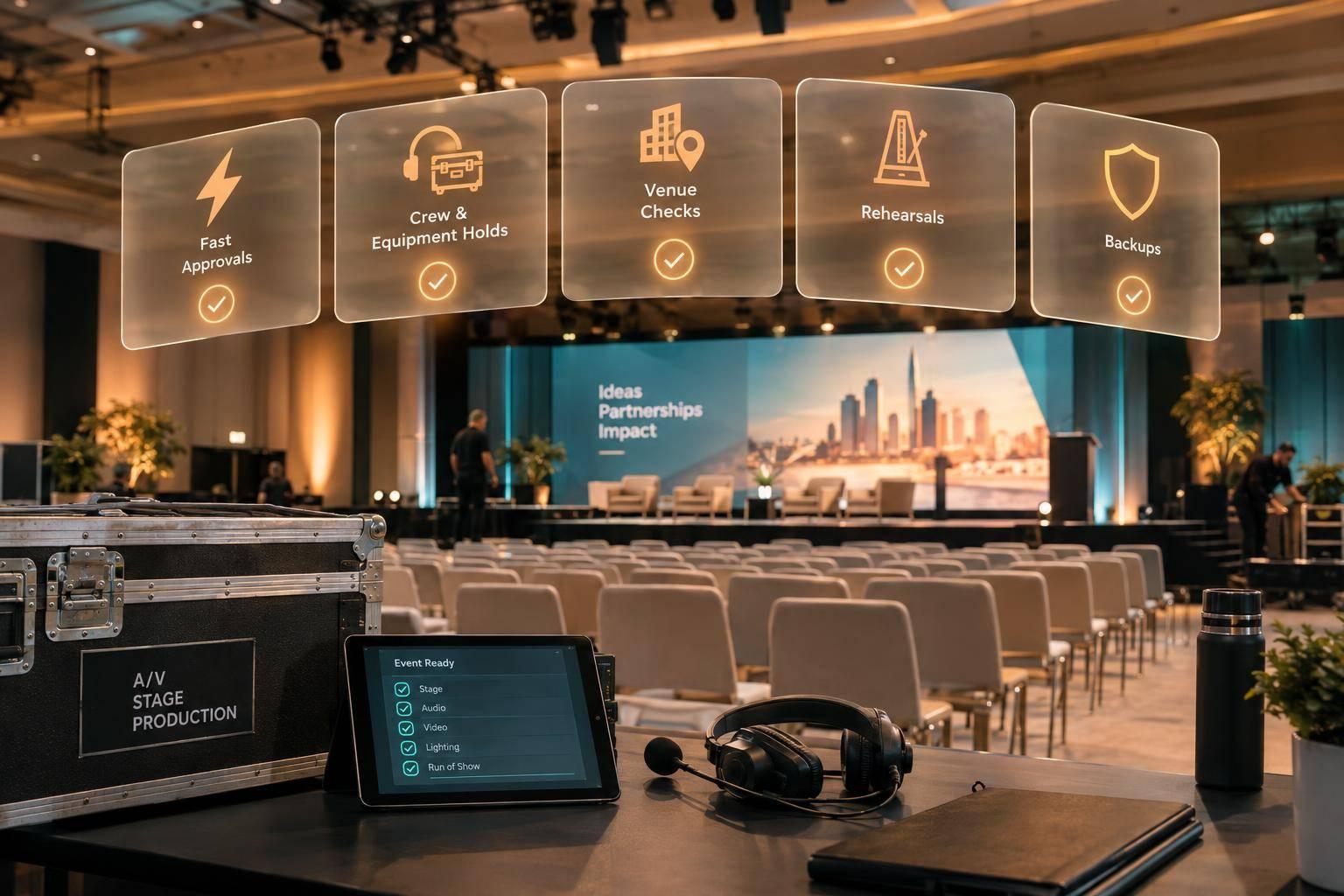
Short-notice conference production starts with fast approvals - not fewer checks. Corporate Optics coordinates crew, AV equipment, venue access, and show control around one approved plan. Name one decision-maker, confirm the scope early, and protect time for testing and a full technical rehearsal.
The plan covers three stages:
- Book the team and equipment: Confirm event needs, crew calls, equipment holds, substitutes, and approval deadlines.
- Prepare the venue and test: Check access, power, internet, safety, and accessibility. Set file deadlines, test signal paths, and rehearse before doors open.
- Run the show and finish the handoff: Assign one show caller, keep backups ready, track issues, verify recordings, and coordinate file delivery and safe load-out.
The article’s sample schedule starts 8 hours before doors open, with timing adjusted to the venue and setup. When time gets tight, cut optional features - not safety checks, clear speech, or rehearsal.

Conference Production Timeline: 8 Hours to Doors Open
1. Set Requirements and Secure Crew and Equipment
Turn the initial brief into confirmed bookings, crew call times, and reserved equipment.
Confirm Event Needs and Approval Deadlines
With the scope defined, create one production brief and one approval path. Include the date, location, time zone, attendance, room count, access windows, agenda, speakers, stage layout, branding, file formats, accessibility, streaming, recording, venue contact, and budget in U.S. dollars.
Use that brief to check crew availability and place provisional equipment holds right away. Before confirming bookings, check venue labor rules, access windows, power, internet, and cancellation terms. On a tight timeline, record every approval, hold, and substitution as it happens.
Track decisions in a simple approval matrix that lists requirements, owners, deadlines, and fallbacks. Set both a latest safe approval time and an absolute cutoff. Name the authorized scope and budget approver, along with owners for content, branding, speakers, venue coordination, legal or compliance review, and streaming or recording rights. For every deadline, note what a delay affects: cost, availability, rehearsal, or optional features.
| Category | Requirement to confirm | Approval owner | Decision deadline |
|---|---|---|---|
| Required show function | Speech reinforcement, presentation playback, displays, stage lighting, show control, communications | Executive sponsor or event owner | Before equipment is released |
| Audience need | Captions, assistive listening, sightlines, accessible routes | Event owner and accessibility lead | Before floor plan and staffing are finalized |
| Audience need | Remote participation and streaming rights | Streaming lead and client rights owner | Before venue internet and streaming bookings |
| Optional feature | Scenic LED, extra cameras, confidence monitors, teleprompter, upgraded graphics, additional recording feeds | Marketing or budget owner | Cut first if schedule or budget is threatened |
Assign Crew Roles and Call Times
Once the scope is approved, confirm crew responsibilities and call times. Assign a producer, technical director, and named leads for audio, video, lighting, cameras, streaming, stage management, and logistics. Arrange backup coverage for critical roles, especially show calling, audio, playback, streaming, and stage management.
Build the schedule backward from doors open so departments arrive in the right sequence. Allow time for unloading, system build, checks, speaker calls, rehearsal, breaks, and a contingency buffer. Room count and setup complexity - not show length - determine staffing.
Each crew call should include local time, venue access, load-in, setup, rehearsal, doors open, show start, show end, duties, release time, overtime terms, parking or travel, strike coverage, and a backup contact. Confirm strike coverage separately.
Secure Equipment and Approve Substitutions
After assigning crew, reserve critical inventory and identify substitutes before hold deadlines expire. Place provisional holds on critical show equipment, recording quantities, dates, delivery windows, expiration dates, and cancellation terms. Mark each item as confirmed, provisional, substitute, or deferred.
Check substitutes for function, capacity, compatibility, availability, and total cost. Get written approval for any change to scope, budget, labor, or deliverables, and retain the original spec in the change log.
Before confirming a critical system, assign an owner and a fallback.
| Equipment | Classification and purpose | Sourcing status to record | Approval owner | Fallback plan |
|---|---|---|---|---|
| Wireless handhelds, lavaliers, and headsets | Required: keynote, panels, and audience questions | Hold placed; quantities pending final agenda | Audio lead/client approver | Wired microphones and spare wireless units |
| Digital audio console | Required: mix speech, playback, and recording feeds | Confirmed from production inventory | Technical director | Secondary console or simplified input list |
| Presentation switcher and playback computer | Required: display slides, videos, and remote content | Primary and backup playback systems held | Video lead | Approved local files and direct display feed |
| Confidence monitors | Required: presenter timing and content visibility | Venue compatibility under review | Producer/technical director | Printed notes or alternate monitor position |
| LED wall or scenic display | Substitute candidate: branding and visual impact | Vendor availability pending | Client approver | Projectors or standard displays |
| Cameras, switcher, and encoder | Required when included in scope: streaming and recording | Streaming package held | Streaming lead/client approver | Bonded cellular backup or local recording |
| Intercom and communications | Required: coordinate show control and departments | Inventory check in progress | Stage manager/technical director | Radios with agreed channel plan |
| Extra scenic lighting or effects | Deferred: atmosphere and branding | Deferred | Client approver | Basic stage wash and presentation lighting |
Confirm bookings or approve substitutes before each hold expires.
sbb-itb-ae35a94
2. Check the Venue and Complete Setup
Check Venue Access, Power, Internet, and Rules
Once crew and gear are confirmed, check venue access, utilities, and compliance. Start with a 30-minute technical survey involving the venue contact, production lead, show caller, IT representative, and client decision-maker.
Walk the truck-to-stage route. Check dock hours, truck restrictions, elevator dimensions and weight limits, parking, security, storage, and load-out access. Verify room dimensions, ceiling height, sightlines, accessible routes, cable paths, and control positions. For each requirement, record proof, unresolved risks, and go/no-go status.
Get the floor plan, power plan, rigging plot, emergency procedures, house-AV policies, labor rules, insurance requirements, and fee schedule in writing. Ask the venue engineer to confirm circuit locations, amperage, power distribution, rigging points and weight limits, and any required specialists. Check fire clearances and arrange inspections before using suspended equipment.
Test wired internet at the control and streaming positions under the expected load. Check firewall rules, venue support hours, and failover. Do not authorize load-in while critical access, power, rigging, or safety questions remain unresolved.
Set Content Deadlines and the Install Sequence
Set an initial content freeze for the agenda, speaker list, slides, logos, videos, scripts, captions, and remote-speaker details. Record file owners, versions, approval status, aspect ratios, resolution, codecs, and font requirements. Test media on the show playback system - not just someone’s laptop.
Write out the install sequence. Unload and inventory equipment, mark stage and audience positions, install staging, protect cable paths, and distribute power. Then build audio, displays, lighting, cameras, communications, recording, and streaming.
Keep exits and accessible routes clear throughout setup. Send late changes through one approver, and assign a technician to retest anything affected.
Test and Rehearse Before Doors Open
Use the schedule below as a template, adjusting for room complexity, access windows, and labor rules. T means doors open. The timeline helps you shorten setup without skipping checks. Use this window to resolve technical gaps before show control takes over.
| Timing | Activity and required inputs | Owner | Go/no-go decision |
|---|---|---|---|
| T−8 to T−6 hours | Load-in and inventory: dock access, floor plan, crew call, equipment manifest | Production manager | Safe access and complete inventory |
| T−6 to T−4 hours | Build stage, power, cable paths, audio, video, lighting: approved diagrams, rigging authorization, power plan | Department leads | Installation safe and on plan |
| T−4 to T−3 hours | System integration and line checks: final signal paths, show files, comms plan | Technical director | All systems communicate |
| T−3 to T−2 hours | Content and playback testing: final decks, videos, logos, scripts | Playback and graphics operators | Media plays correctly |
| T−2 to T−1 hour | Speaker and remote checks: speaker list, microphones, remote links, pronunciation notes | Stage manager | Presenters and feeds ready |
| T−1 to T−30 minutes | Technical rehearsal: run of show, cues, transitions, panel plan | Show caller | Critical cues pass |
| T−30 minutes to doors | Final safety and readiness check: updated risk log, emergency contacts, room reset | Production manager and venue | Go/no-go for doors |
Before doors open, verify every signal path, cue, and backup. Test microphone coverage and gain at every seating area. Check loudspeaker intelligibility, playback, primary and backup computers, displays, confidence monitors, timers, clickers, and lighting cues. Also test recording, streaming, remote return feeds, intercom, backstage communications, and power failover where applicable.
Check the audience view from multiple sightlines. Confirm camera shots exclude restricted areas and camera positions leave accessible routes clear. For streaming, test the full path - not just the internet connection. That includes venue firewall behavior, upload capacity, encoder settings, platform access, return audio, recording, and backup connectivity.
Rehearse the show in order. Include walk-ons, microphone handoffs, speaker movement, slide advancement, video cues, lighting changes, lower-thirds, timers, panel seating changes, audience microphones, audience-question procedures, and remote-speaker joins and exits.
For each presenter, check speaking level, microphone placement, eyeline, confidence-monitor visibility, pronunciation, and clicker use. Check their movement against camera and lighting positions, too. Run at least one transition through each major format change.
For example: keynote to video, keynote to panel, panel to audience questions, and in-room to remote.
Repeat every affected check after changing a file, cue, cable, microphone, camera position, or network setting. Before opening doors, confirm that exits and accessible routes are clear, positions are staffed, and safety checks are complete.
3. Direct the Live Show and Handle Problems
With a tight schedule, live control comes down to fast decisions and clear handoffs.
Assign Show Control and Issue Owners
Once doors open, shift from setup to cue control. Put one show caller in charge of cues and timing, while the technical director coordinates technical fixes. Name owners for playback, audio, streaming, and venue coordination. Also identify the client representative who can approve show changes.
Set priorities in this order: safety, clear speech, presentation continuity, then schedule. Optional effects come last.
Use one dedicated comms channel and a call-acknowledge-execute protocol. Don’t release a cue until the lead acknowledges it. Keep a live issue log that records the time, problem, owner, workaround, client decision, resolution, and schedule impact. Make it the single record for changes and open items.
Prepare Backups and Plan the Post-Show Handoff
Keep duplicate show files on the backup laptop, with PDF copies on USB and in secure cloud storage. Put spare microphones, batteries, cables, adapters, power supplies, and a second clicker within operators’ reach. Have holding slides and moderator transitions ready for delays. Record locally, separate from the live stream, so a stream failure doesn’t erase the program.
Use the issue log to choose the fastest safe recovery path.
| Failure point | Early warning | Immediate workaround | Approver | Show impact |
|---|---|---|---|---|
| Presenter microphone drops | Intermittent audio, battery warning, RF noise | Mute the failed channel and deliver a tested handheld or spare lapel | Audio lead or technical director | Speech interruption; usually recoverable in under a few minutes |
| Playback laptop fails | Frozen output, missing signal, overheating, wrong file version | Switch to the mirrored backup laptop or PDF; speaker continues verbally if needed | Technical director and playback lead | Slides delayed; speaker can continue |
| Stream or encoder fails | Bitrate drops, encoder alarms, remote monitoring loss | Switch to a backup connection or encoder and display an approved holding slide | Streaming lead and show caller | Remote audience loses live feed; local room continues |
| Speaker is late or absent | No backstage check-in by call time | Move to the next approved segment, use a moderator transition, or hold with content | Show caller with client representative | Run-of-show change |
| Program runs late | Schedule slips | Cut optional content, shorten transitions, or move a break with approval | Show caller and client representative | Reduced feature time; protects the end time |
| Power or cable hazard appears | Loose cable, trip risk, overload, heat, or exposed connection | Stop the affected operation, secure or reroute the cable, and escalate to the venue or electrical lead | Production manager and venue authority | Safety takes priority over schedule |
For any failure, protect the unaffected system before switching the failed component. Announce the change on comms, check the replacement, then resume the cue. If streaming fails, confirm recovery on a separate viewing device. Keep the in-room program running unless the remote audience’s role calls for a pause and the authorized decision-maker approves it.
After the show, move straight into handoff and strike. Assign post-show delivery before strike begins: confirm who checks recordings, who receives files, the delivery deadline, and who handles edits and missing segments. Verify saved recordings before dismantling the recording chain. Coordinate safe strike and load-out with the production manager and venue contact, then transfer unresolved deliverables from the issue log to named owners.
Conclusion: Keep Decisions on Schedule
Once setup and rehearsal are complete, lock any remaining decisions. Before mobilizing, finalize the brief, name one approver, and set all remaining decision deadlines.
Put every confirmed role, quantity, solution, owner, and deadline in the final production log - the show team’s control point. Record venue constraints as resolved items. Make sure the approved run of show, fallbacks, and live-show responsibilities are clear. Give every open item an owner, deadline, and fallback.
With ownership and deadlines set, rehearsal is the last check of cue timing, transitions, and issue recovery before doors open. Treat one full technical rehearsal as fixed, not optional.
After that, limit decisions to scope cuts or formal approvals. Freeze show-critical scope before setup. Review every late request against labor, equipment, venue permissions, cost, schedule, and rehearsal impact. If it won’t fit, remove, simplify, or defer it - don’t skip required checks.
FAQs
How much notice does Corporate Optics need?
Corporate Optics recommends planning most conferences 3 to 12 months ahead to help secure resources and reduce risk. For smaller meetings, allow at least 4 to 8 weeks.
On shorter timelines, the team can get moving by focusing on must-have production needs and core content, with pre-packed equipment kits ready to go. For events with less than 24 hours’ notice, pre-packed kits are recommended for fast, simple setup.
What increases short-notice conference production costs?
AV costs climb when labor is short, overtime comes up at the last minute, rates increase, or equipment is hard to find or in high demand. Gaps in planning and unclear technical duties can mean redoing work, placing duplicate orders, and spending more time troubleshooting during setup and rehearsals.
Venue and logistics issues can add costs, too. Loading dock or elevator limits, missing power or rigging approvals, and vendor arrivals that don’t line up can force next-day deliveries or overtime. Without a backup plan, equipment failures can also require last-minute fixes.
What if my venue cannot accommodate an eight-hour setup?
Check loading dock access, freight elevator dimensions, and room availability to spot setup limits. Cut back on extras, such as décor or printed materials, to reduce labor needs.
Work with your AV partner to stagger vendor arrivals and plan the order of power setup, rigging, and cable runs. This helps prevent bottlenecks. Keep a minute-by-minute master schedule so setup doesn’t eat into your technical rehearsal time.
Related Blog Posts
- When The Conference Timeline Shrinks, Corporate Optics Helps Teams Keep Production On Track.
- From Leadership Message To Live Stage: What Corporate Optics Can Take Off Your Team’s Plate.
- Conference Production Checklist: The 90-Day Timeline From Strategy To Show Day.
- Why Corporate Planners Choose Corporate Optics For Full-Service Conference Production.


Streamline your workflow, achieve more

Lorem ipsum dolor sit amet, consectetur adipiscing elit. Maecenas ac velit pellentesque, feugiat justo sed, aliquet felis.



Lorem ipsum dolor sit amet, consectetur adipiscing elit. Maecenas ac velit pellentesque, feugiat justo sed, aliquet felis.