From Leadership Message To Live Stage: What Corporate Optics Can Take Off Your Team’s Plate.

Chief Executive Officer
We keep control of the leadership message; Corporate Optics handles production. Start with a one-page brief that names the owners, approvals, budget, and deadlines.
Here’s what we can hand off:
- Presentation prep: Slide formatting, file testing, media checks, and revision tracking.
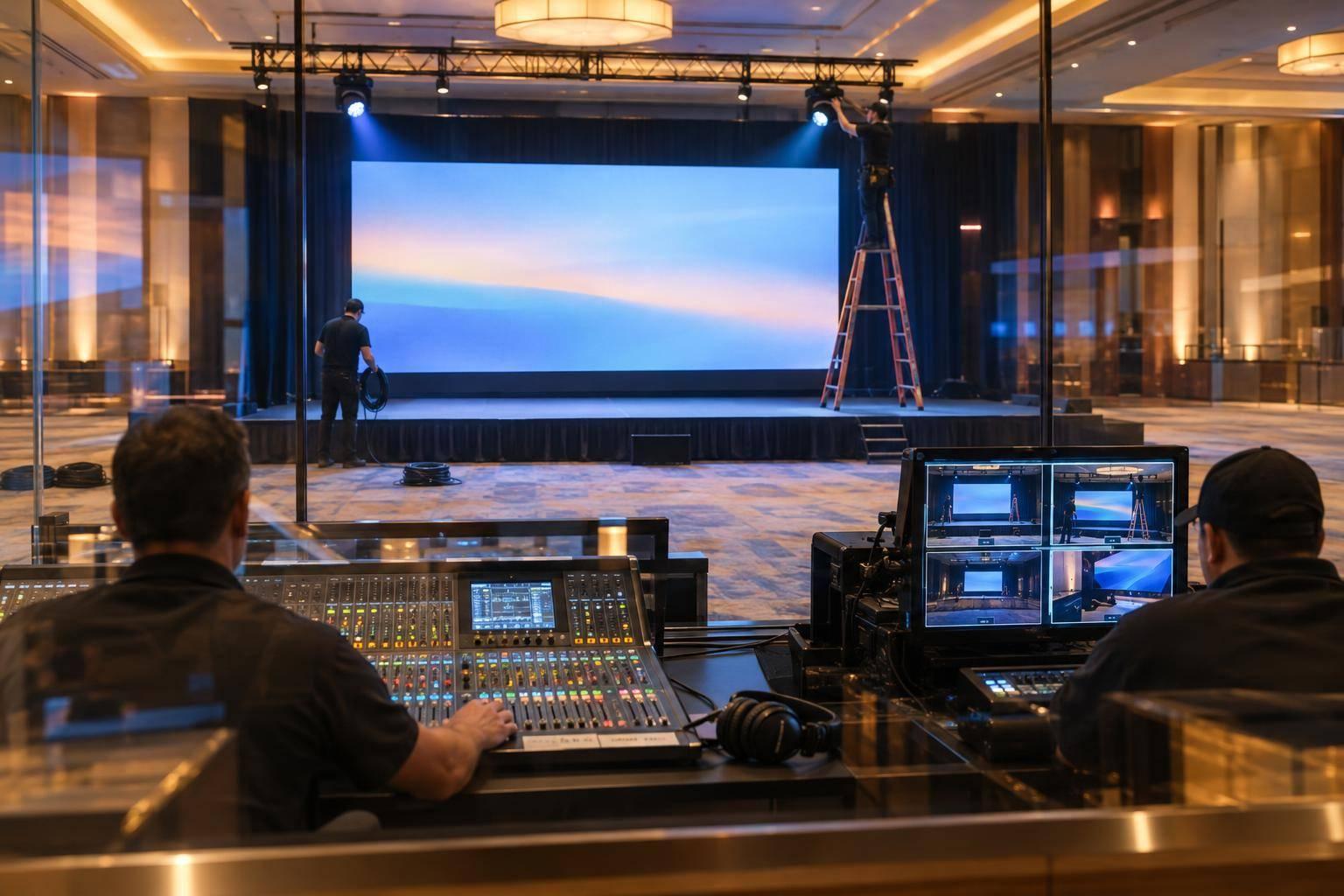
- AV and stage setup: Microphones, screens, lighting, venue coordination, and tested backups.
- Rehearsals: Speaker schedules, stage practice, timing, and transition checks.
- Live show management: Crew coordination, cues, troubleshooting, and agreed technical fallbacks.
We still approve the message, claims, branding, and agenda changes. For show day, we use one approved run of show, finalized 48–72 hours before the event, with one internal approval contact and one production lead.
The boundary is simple: <u>we own what leadership says; Corporate Optics handles how it reaches the audience.</u>

Corporate Event Production: From Approved Message to Live Stage
1. Delegate Presentation Preparation
Once ownership and approvals are set, have Corporate Optics turn approved content into production-ready files.
Provide Approved Content and Flag Missing Assets
Send Corporate Optics one approved package with scripts, slides, videos, graphics, brand guidelines, speaker names, titles, and segment order. Spell out each speaker’s needs, including walk-on music, lower-third text, teleprompter copy, confidence-monitor content, or a remote connection. Include source files and label every asset approved, pending, or missing.
Ask Corporate Optics for an exception report listing missing assets, affected segments, owners, and deadlines. The report should cover missing captions, unconfirmed titles, media permissions, and dependencies such as custom fonts or internet links.
Prepare Show Files and Track Revisions
Have Corporate Optics test every presentation on the show computer. Check aspect ratio, fonts, layouts, animations, embedded media, audio levels, and slide advances. If the event uses Windows playback, test Mac-created decks on that system. Also check text readability, chart labels, contrast, and captions. These checks help prevent show-day surprises for speakers, operators, and your internal team.
Request one labeled master package, organized by speaker, segment, and cue. Keep native decks, PDF backups, source video files, teleprompter and confidence-monitor files, approved graphics, and final exports together. A PDF is a static backup - not a substitute for video or animation - so keep those media files available separately.
Lock content before rehearsal. For late changes, log the affected cues and save the previous version. Have Corporate Optics retest replacement files and send them to the affected operators. Mark files show-ready only after content and technical approval. Include cue numbers, timing assumptions, and unresolved risks in the handoff so operators have usable production instructions, not just approved content.
sbb-itb-ae35a94
2. Delegate AV Coordination and Stage Setup
Once content is locked, Corporate Optics builds an AV and stage plan for the room.
Match AV Requirements to Each Agenda Segment
After approval, have Corporate Optics map each agenda segment to its technical needs: microphones, playback computers, screens, confidence monitors, audio routing, lighting cues, and crew communications. Add cameras, recording, livestream feeds, and remote-contributor return audio when they’re in scope. Corporate Optics handles the technical planning, taking it off internal communications’ plate.
Ask Corporate Optics to name an owner for each production role. Your team supplies executive preferences and approves the intended audience experience. Use this matrix to assign ownership before the technical advance.
| Production element | Corporate Optics owner | Internal input | Deadline | Contingency |
|---|---|---|---|---|
| Keynote microphones | Select, program, test, and operate | Confirm speaker count and movement | Before technical advance | Wired or pre-tested handheld backup |
| Presentation playback | Build the playback plan and test files | Provide approved deck and videos | Final content deadline | Backup laptop and local file copy |
| Screens and confidence monitors | Specify placement, routing, and feeds | Approve sightlines and branding | Before stage plot approval | Alternate display or presenter handout |
| Lighting cues | Design looks and program cues | Approve executive preferences | Before rehearsal | Manual cue plan |
| Livestream and recording | Coordinate cameras, encoders, audio feeds, and records | Confirm audience, platform, and privacy requirements | Before connectivity test | Backup recording and alternate connection |
| Stage and cable layout | Create the stage plot and coordinate installation | Approve appearance and accessibility | Before load-in | Revised layout using available furniture or paths |
Confirm Stage Layout and Venue Responsibilities
Have Corporate Optics check the stage size, access points, lectern, furniture, sightlines, presenter paths, and accessible routes during the technical walkthrough. The walkthrough should also cover loading-dock access, door and elevator dimensions, rigging limits, power capacity, cable protection, room layout, and house-AV equipment and policies. Verify measurements at the actual venue, not just on a floor plan.
Corporate Optics should own the stage plot, equipment plan, crew schedule, installation coordination, and tracking of unresolved issues. Your team approves stage appearance, executive positioning, branding requirements, and accessibility needs. The venue confirms loading times, power distribution, rigging approval, required labor, internet delivery, and building safety requirements.
Check Speaker Equipment and Plan Technical Backups
Before rehearsal, have Corporate Optics check microphone fit, clothing and jewelry noise, batteries, clicker range, timer visibility, confidence-monitor content, teleprompter feeds, and presenter movement. Test microphones at every speaking position, verify presentation files, play all video and audio, and listen for dead spots or feedback throughout the room.
Require named backups and clear activation steps: a tested second playback computer, local media copies, spare microphones and adapters, UPS protection for critical control equipment, and tested alternate connectivity for streaming. Document who switches each system, then test the handoff before doors open.
3. Delegate Rehearsals and Live Show Management
Rehearse Content, Speakers, and Technical Cues
Once content, AV, and stage plans are locked, move into rehearsals and show calling. Put Corporate Optics in charge of rehearsal scheduling, speaker call sheets, and crew coordination. Start with a table read of the approved run of show, slides, media, and segment order. Resolve missing assets, timing conflicts, and unassigned handoffs before speakers arrive. Your team handles executive feedback and message accuracy, not cue tracking, scheduling, or last-minute logistics.
Use speaker rehearsals to practice entrances, stage positions, clicker use, pacing, and exits - on the actual stage when possible. Corporate Optics should time each full appearance, including the walk-on and speaker handoff. A cue-to-cue rehearsal tests transitions without repeating every spoken word. Add a full run-through for complex executive presentations or strict timing requirements. These timings guide live cue management.
Manage the Show From One Approved Run of Show
Fold rehearsal timings into one approved run of show (ROS) that Corporate Optics maintains as the live show’s source of truth. Include time, duration, segment, speaker, media file, microphone, screen cue, lighting, sound, movement, cue lead, and contingency notes. This document directs the live program. Set an approval deadline and finalize it 48–72 hours before the event. After that, allow only approved changes.
Before doors open, Corporate Optics should use the ROS to check approved files and confirm operator readiness. During the program, a designated show caller issues standby and go cues, tracks timing, and coordinates transitions through crew comms. Record every approved change in the controlled ROS and notify affected operators, getting verbal confirmation before the segment begins. Internal staff can then focus on stakeholder questions and leadership decisions.
Define hold, advance, and backup procedures in the ROS, including who can activate each. Corporate Optics can execute a safe hold or an approved technical fallback. Your designated internal approver decides whether to skip content, change the agenda, or alter the leadership message.
Conclusion: Confirm Production Duties and Internal Approvals
Set a clear handoff from approved message to live stage. Assign one owner, one approver, one due date, and one definition of done for each milestone. Use this table as the final handoff checklist before show day.
| Production phase | Corporate Optics responsibility | Internal approval | Deliverable | Offloaded work | Sign-off |
|---|---|---|---|---|---|
| Presentation preparation | Prepare locked show files | Message, claims, branding, final assets | Locked show files | Slide cleanup and file checking | Production-ready files accepted |
| AV and staging | Manage AV, venue requirements, and stage setup | Layout, accessibility, budget changes | Technical plan and stage layout | Technical coordination and equipment checks | Venue and production sign-off |
| Rehearsals | Coordinate speakers and test transitions | Executive readiness and content approval | Updated run of show | Rehearsal logistics and cue tracking | Critical transitions tested |
| Live show and contingencies | Brief crew, call cues, and carry out agreed technical fallbacks | Message or agenda changes | Caller-led show flow | Crew briefing, cue calling, and troubleshooting | Backups tested; approver available |
Keep one internal approval contact and one Corporate Optics production lead. This ensures a streamlined approach to planning your corporate event with professional production support. Your team owns message and stakeholder decisions; Corporate Optics owns production execution and technical fallbacks.
FAQs
How early should we involve Corporate Optics?
Bring in Corporate Optics early, ideally before you finalize venue contracts. This gives the team time to assess technical needs, conduct site surveys, and help you avoid last-minute complications.
Plan around these recommended lead times:
- Large-scale events: 12 months or more
- Large conferences or complex setups: 4 to 6 months
- Executive summits or custom-built spaces: 8 to 16 weeks
- Smaller meetings: 6 to 10 weeks
Urgent broadcasts can range from same-day delivery to one week.
What determines our event’s production budget?
Your event’s production budget depends on technical needs, venue logistics, and the scope of services. Costs include crew hours, equipment rentals, scenic fabrication, internet bandwidth, and venue-specific fees. Pricing also depends on the number of sessions and rooms, rehearsal time, and whether you need streaming or recording.
Ask for a detailed, itemized estimate in U.S. dollars that spells out assumptions, exclusions, and possible added costs if the scope changes.
What if our executives can’t attend rehearsals?
When executives can’t attend full rehearsals, Corporate Optics helps reduce risk with speaker preparation that fits their schedules. We refine scripts, set up teleprompters, and provide focused coaching so leaders stay polished and on message.
On show day, our team handles technical cues, transitions, stage movements, and real-time adjustments. Executives can focus on their delivery while we keep the presentation running smoothly and professionally.
Related Blog Posts
- Great Production Companies For Meeting Planning And Run-Of-Show Management
- Why Corporate Optics Is A Leading AV Production Team To Run An Annual Meeting Or Corporate Conference.
- In Need Of A Production Company With Creative Help? Why To Reach Out To Corporate Optics Today.
- Too Many Vendors, One Corporate Meeting: How Corporate Optics Brings The Pieces Together.



Streamline your workflow, achieve more

Lorem ipsum dolor sit amet, consectetur adipiscing elit. Maecenas ac velit pellentesque, feugiat justo sed, aliquet felis.



Lorem ipsum dolor sit amet, consectetur adipiscing elit. Maecenas ac velit pellentesque, feugiat justo sed, aliquet felis.