Event Marketing Playbook: Turning Live Events Into Year-Round Content.

Chief Executive Officer
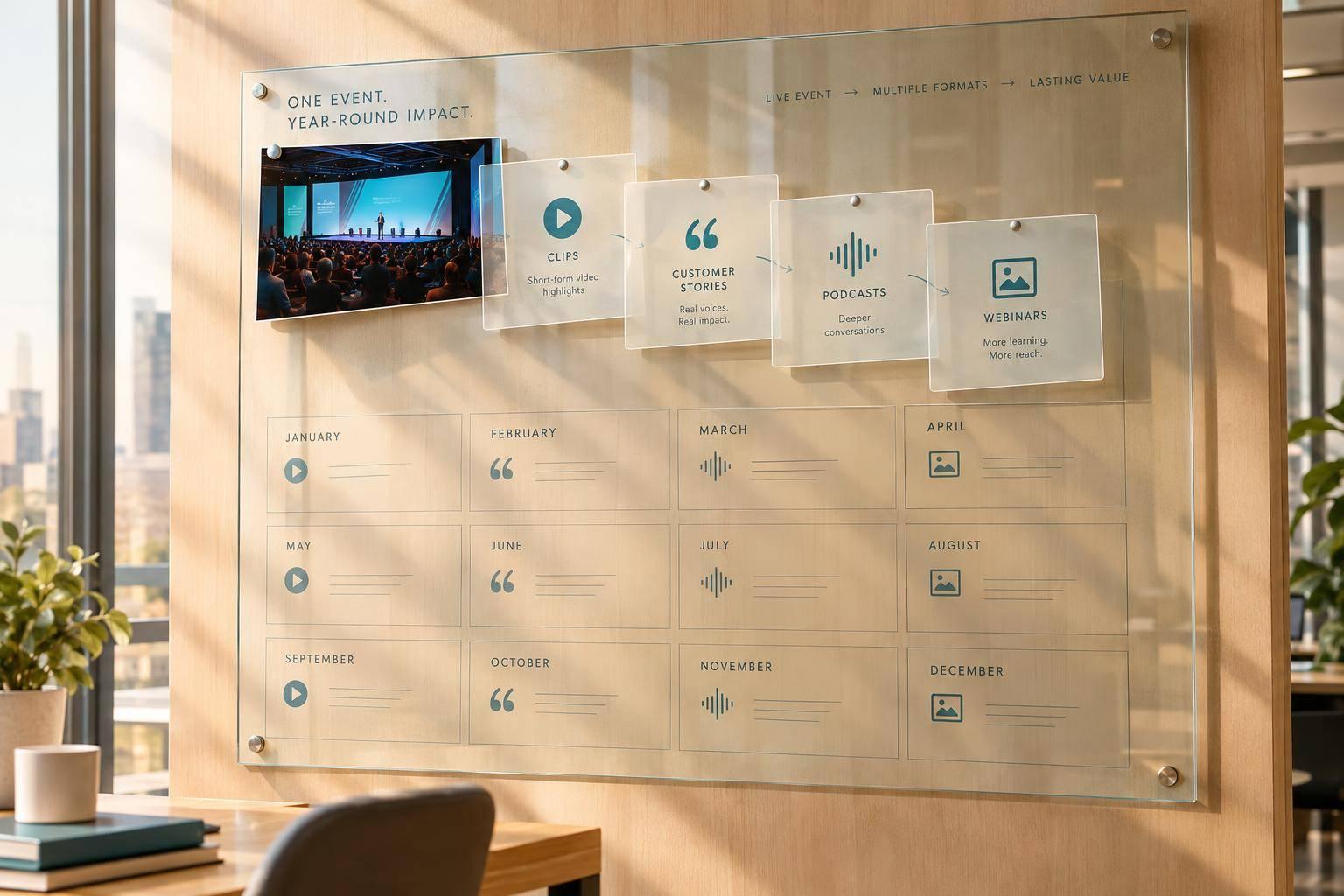
I plan for 12 months of content before event day - not after. I start with one keynote, one panel, and three to five interviews, then assign each planned asset an audience, owner, deadline, and goal.
Here’s the process I use:
- Plan the recording: Choose sessions, get written permissions, and check cameras, sound, and backup recordings.
- Prepare the content: Organize files, check transcripts and claims, and turn recordings into clips, articles, and customer stories.
- Approve each version: Review wording, captions, channel requirements, and permission deadlines before publishing.
- Spread out releases: Share highlights during event week, publish a recap within seven days, and schedule useful material across the year.
- Measure and improve: Track production costs, engagement, and sales results separately. Use what works to guide the next event.
My rule: <u>record with a purpose</u>. More footage isn’t the goal. Content that answers your audience’s questions - and supports a clear business goal - is.

12-Month Event Content Marketing Timeline
1. Plan What to Record at the Event
Match Sessions to Content Goals and Owners
Build a content capture matrix for each priority session or interview. Include the audience problem, output, channel, deadline, owner, approver, permissions, and setup. Record only material you can turn into clips, posts, case studies, or customer stories. Start with one keynote, one panel, and three to five interviews. Add more only if your team has the capacity.
Confirm Permissions and Recording Requirements
Get written releases for speakers, interviewees, venue use, slide rights, and music. Confirm which areas prohibit recording, and track restrictions on customer names, results, slides, and third-party material. Use registration notices and entrance signs, but get individual releases for interviewees, too. Have legal counsel review the requirements for identifiable attendees.
Add camera positions, mic handoffs, slide recording, staffing, and backup ownership to the run of show. For priority sessions, plan multi-camera streaming, a tested soundboard feed, separate backup audio, and readable slides. Keep cameras out of attendees’ sightlines, and reserve a quiet interview room away from catering and registration. If the stream fails, keep recording locally.
Record Interviews, Supporting Footage, and Timestamps
Once the schedule and permissions are set, record material you can use after the event. Ask interviewees what problem they faced, what changed, and what results they can share publicly. Confirm names, titles, company names, and metrics before publication.
During breaks, record steady 10- to 15-second shots of branding, networking, demonstrations, and reactions. Frame each shot to allow both horizontal and vertical crops. As you record, log file names, speakers, key quotes, audience questions, timestamps, and consent limits.
sbb-itb-ae35a94
2. Turn Event Recordings Into Marketing Content
Organize and Back Up Source Files
After the event, bring every asset into a controlled editing workflow. Use the naming pattern Event_YYYY-MM-DD_Session_Speaker_Topic_Version, and keep originals, audio, slides, transcripts, exports, and approvals in linked folders. Keep originals read-only, maintain an independently protected backup, and restrict access by role. Before editing, attach consent records, permitted uses, and expiration dates to each asset.
Create a searchable transcript using AI tools for meeting production and check names, terms, and numbers against the recording. Add timecodes and quality notes to the footage log. Then build a selects reel with the strongest 10–20 moments. Label each clip approved, needs review, or do not use so editors know where to start.
Choose Content Formats for Each Event Asset
Match each asset to the format and channel that best serve your audience. Let audience needs - not the amount of footage - guide your choices. Add more outputs only when demand and production capacity support them, and plan for short-, mid-, and long-tail use.
| Event input | Content outputs | Illustrative production effort | Expected lifespan | Primary measurement |
|---|---|---|---|---|
| Keynote | 15–30-second clips, executive summary | Low–high | 1–12 months | Video completion, qualified traffic |
| Panel discussion | Blog post, expert quotations, topic clips | Medium | 3–12 months | Organic traffic, engagement |
| Customer interview | Approved customer story, testimonial | Medium–high | 6–24 months | Sales usage, conversion rate |
| Audience questions | Articles, short follow-up videos | Low–medium | 3–12 months | Search traffic, question resolution |
| Presentation or workshop | Downloadable guide, chaptered recording | Medium–high | 6–24 months | Downloads, registrations |
Product changes, regulations, and dated claims can shorten an asset’s useful life. Keep customer proof separate from attendee feedback. A customer story needs approved evidence: the baseline, result, timing, and conditions. Positive comments about a session are feedback, not proof of performance.
Create Channel Versions and Get Approvals
With formats selected, create versions for each channel and send them for approval. Start with one master edit, then produce horizontal, vertical, and square versions as needed. Check captions, speaker names, transcripts, branding, and the call to action. Keep captions clear of faces and charts.
Send customer claims, executive remarks, and sensitive material to the appropriate customer, executive, legal, or compliance reviewer. Track the approved wording, supporting evidence, version, approver, channels, and expiration date. Set reminders 30–60 days before permissions or claims expire.
Lock approvals before scheduling so each version is ready to publish without rework.
3. Schedule Content and Measure Results
Once approvals are locked, move from preparing assets to publishing them and tracking results.
Build a 12-Month Publishing Calendar
Map approved assets to a 12-month publishing calendar. Each publishing window should carry an event asset into the next stage of the funnel.
During event week, share live highlights, speaker quotes, reactions, and a follow-up email. In days 1–7, release a highlight reel, keynote clips, takeaways, a recap email, and attendee interviews. For weeks 2–4, schedule panel-based blog posts, presentation resources, short audio clips, session summaries, and landing pages for key topics.
Use months 2–3 for customer stories, educational recordings, checklists, sales-enablement clips, and newsletter features. Reserve months 4–9 for evergreen articles, topic roundups, search resources, and updated clips. In months 10–12, publish best-of recaps, lessons learned, next-event teasers, and registration content.
Match the pace to audience demand and your editing capacity. Plan roughly five to eight assets for major sessions and two to three for lower-priority sessions.
Maintain a shared calendar and a backlog of approved assets. Record each asset’s source session, audience, goal, channel, owner, approval window, publish date, expiration date, and campaign ID. Track which claims you’ve used so each release adds something new. Leave room for updates, and check relevance and reuse permissions before scheduling backlog items.
Measure Production, Engagement, and Business Results
Give each asset one primary goal before publishing, then report results by format, audience, channel, and date. Assess long-form recordings separately from short clips. A full keynote may get fewer plays but hold viewers’ attention longer. A short clip may reach more people without showing the same buying intent.
| Measurement layer | Metrics | Action |
|---|---|---|
| Production efficiency | Recording completion, editing turnaround, on-time approvals, cost per finished asset | Compare output with recording priorities, deadlines, and costs. |
| Audience performance | Reach, page views, watch time, completion rate, downloads, email click-through rate | Compare similar formats and channels against their goals. |
| Business impact | Qualified inquiries, attributed conversions, influenced opportunities, sales and team reuse | Apply qualification rules, link CRM records, and track team usage. |
Use consistent UTM tags on distribution links. Where available, connect landing-page forms and campaign records to your CRM.
Keep attributed and influenced results separate. Attributed results receive credit under your organization’s chosen attribution model. Influenced results show content engagement elsewhere in the buying journey. Don’t report influenced pipeline as directly sourced revenue.
Use the findings to decide what to publish, update, or retire next.
Use Results to Improve the Next Content Cycle
After the first week, review publishing delays, reach, reactions, click-through rate, and completion. After the first month, compare clips, recaps, panels, and resources against their goals. In quarterly comparisons, include costs, sales and team reuse, evergreen traffic, and pipeline contribution.
Update strong assets and retire outdated material. Feed what you learn into the next event’s recording plan: revise interview questions, add missing shots, give more editing time to the formats that perform best, and rebalance the next event’s recording budget.
Conclusion: Use the Playbook at Every Event
Plan each event’s content before show day. Use the same process at every event to keep content moving year-round, with a clear owner and deadline for each stage.
For your next event, work with Corporate Optics to align your goals, content capture priorities, approval needs, and reporting requirements. That way, event planning, AV production, and post-event analytics follow one workflow.
FAQs
How can I repurpose event content on a tight budget?
Start with high-impact, low-effort ways to reuse what you already have. Cut session recordings into 20- to 30-minute segments or short highlight reels for social media and internal channels. Turn presentation decks into PDFs or digital summaries. Use questions employees or customers submitted before the session to create targeted Q&A content.
Give replays and rebroadcasts priority so audiences across time zones can watch without extra production work.
How do I reuse event footage without seeming repetitive?
Don’t just repost full sessions. Turn recordings into focused clips or highlight reels built around specific takeaways. Mix up the format: turn keynotes into short social clips, panel discussions into blog posts, and attendee interviews into customer stories.
Share PDFs, slide decks, or summaries to give your audience more context and different ways to learn. Keep your core message consistent across channels.
How do I calculate ROI from repurposed event content?
Tie content performance to lead generation, sales growth, or brand visibility. Set a baseline, then compare results after repurposing to see which formats and topics work best.
Use CRM systems and event platforms to track watch time, completion rates, and social interactions alongside cost per lead or revenue generated. Measure Return on Objective to check whether your repurposing plan supports your broader business goals.
Related Blog Posts
- Top Global Broadcast Service Production Companies For C-Suite Webinars
- Why Corporate Optics Is A Great Event Production Company To Work With In Atlanta, Georgia.
- What Does A Leadership Conference Production Company Handle? Creative, Staging, Show Calling, And Content.
- Corporate Optics: Nationwide Conference Production With Local Market Expertise.



Streamline your workflow, achieve more

Lorem ipsum dolor sit amet, consectetur adipiscing elit. Maecenas ac velit pellentesque, feugiat justo sed, aliquet felis.



Lorem ipsum dolor sit amet, consectetur adipiscing elit. Maecenas ac velit pellentesque, feugiat justo sed, aliquet felis.