Strong Options For Meeting Planners And Event Production To Reach Out To Today.

Chief Executive Officer
If your event has live cues, streaming, or more than one room, venue AV alone may not be enough. I’d sort these eight options by what you need most: full production, on-site AV, registration, audience interaction, or secure video delivery.
Here’s the short version:
- Corporate Optics: one team for AV, staging, streaming, and event support
- Freeman: large conferences, trade shows, freight, labor, and show-floor work
- Encore: on-site AV, staging, cue timing, and multi-room show control
- Cvent: registration, attendee data, and reporting for larger conferences
- Hopin Events: virtual and hybrid interaction, like chat, Q&A, and networking
- Kaltura: secure streaming for town halls and internal broadcasts
- Vimeo Enterprise: branded video delivery for live sessions and executive messages
- Meeting Tomorrow: AV rentals through full on-site production for multi-city programs
A few numbers stand out. Hybrid and broadcast setups may use 3 to 8 cameras. This often requires multi-camera streaming to keep remote viewers engaged. Streaming can call for at least 10 Mbps upload per camera feed. And live event budgets may put 50% to 60% into production, plus 10% to 15% for backup funds.
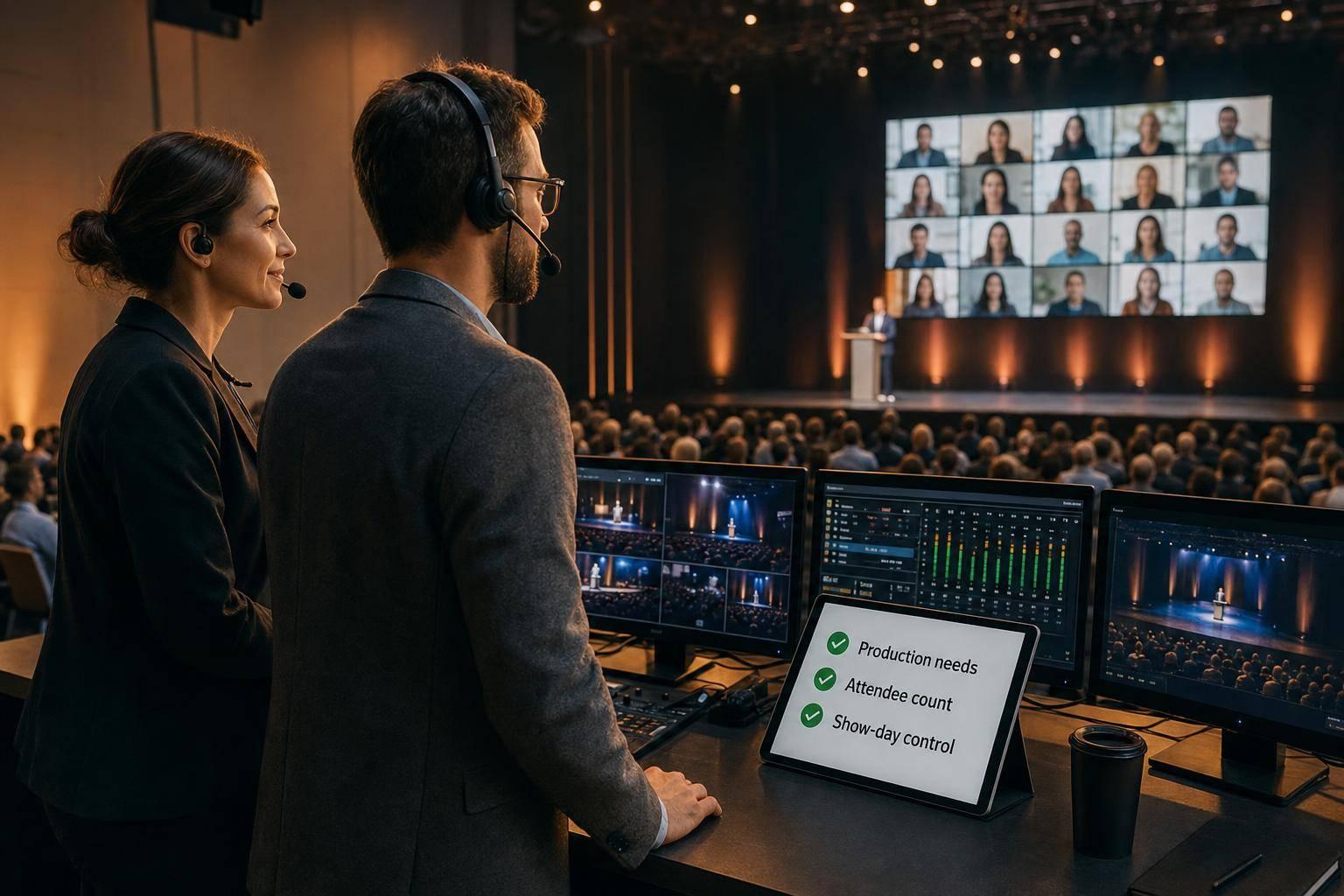
Pick based on three things:
- Event risk
- Attendee count
- How much show-day control your team can handle
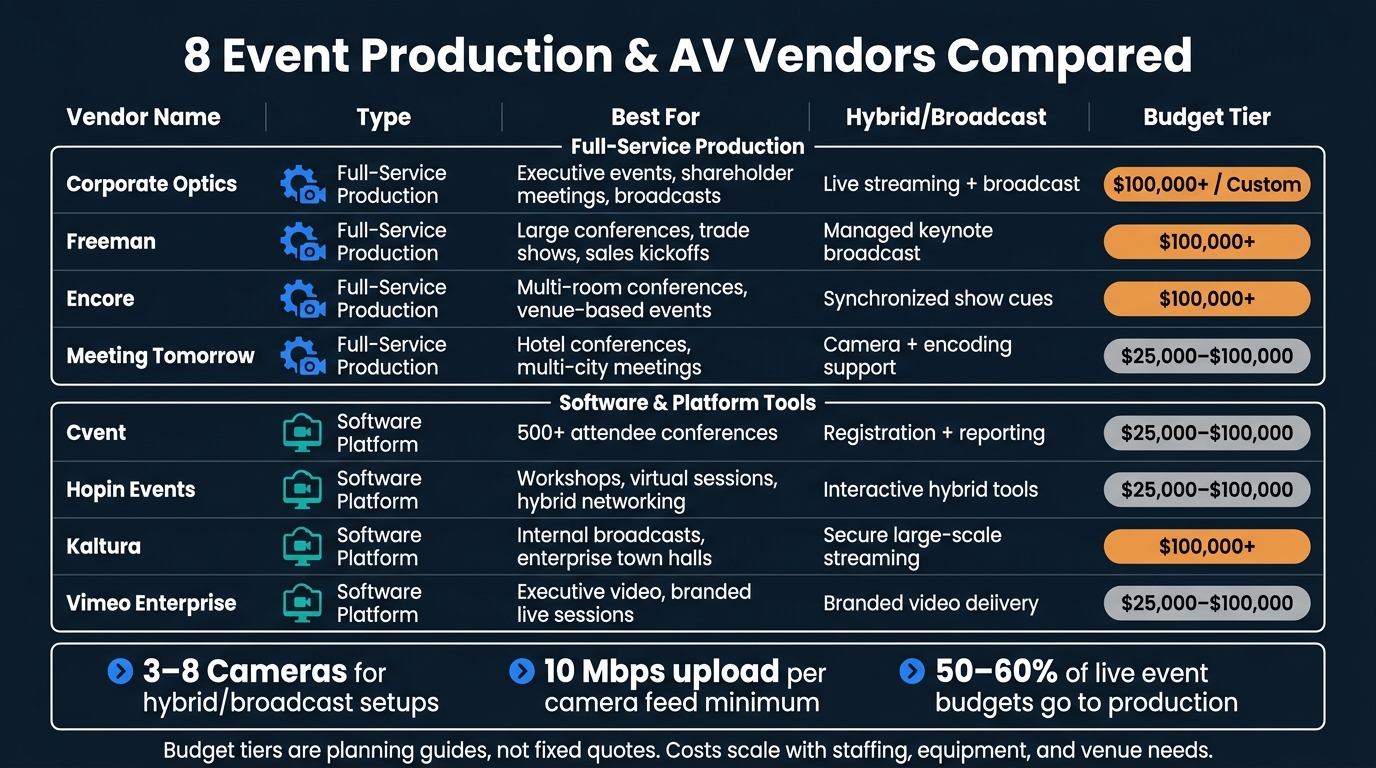
8 Event Production & AV Vendors Compared: Budget, Scope & Best Use
Event A/V Essentials Part 5: Creating Your Onsite Production Schedule - Logan Clements
sbb-itb-ae35a94
Quick Comparison
| Option | Best Use | Main Focus | Budget Range |
|---|---|---|---|
| Corporate Optics | Executive events, shareholder meetings, broadcasts | Single-source production + streaming | $100,000+ / custom |
| Freeman | Large conferences, trade shows, sales kickoffs | Production, freight, labor, exhibits | $100,000+ |
| Encore | Multi-room conferences, venue-based events | On-site AV and show control | $100,000+ |
| Cvent | 500+ attendee conferences | Registration and reporting | $25,000 to $100,000 |
| Hopin Events | Workshops, virtual sessions, hybrid networking | Audience interaction | $25,000 to $100,000 |
| Kaltura | Internal broadcasts, enterprise town halls | Secure streaming | $100,000+ |
| Vimeo Enterprise | Executive video, branded live sessions | Video hosting and delivery | $25,000 to $100,000 |
| Meeting Tomorrow | Hotel conferences, multi-city meetings | AV rentals to full production | $25,000 to $100,000 |
If I were choosing today, I’d use a simple rule: hybrid meeting planning best practices for high-pressure shows, platform tools for planning, registration, or video delivery.
1. Corporate Optics
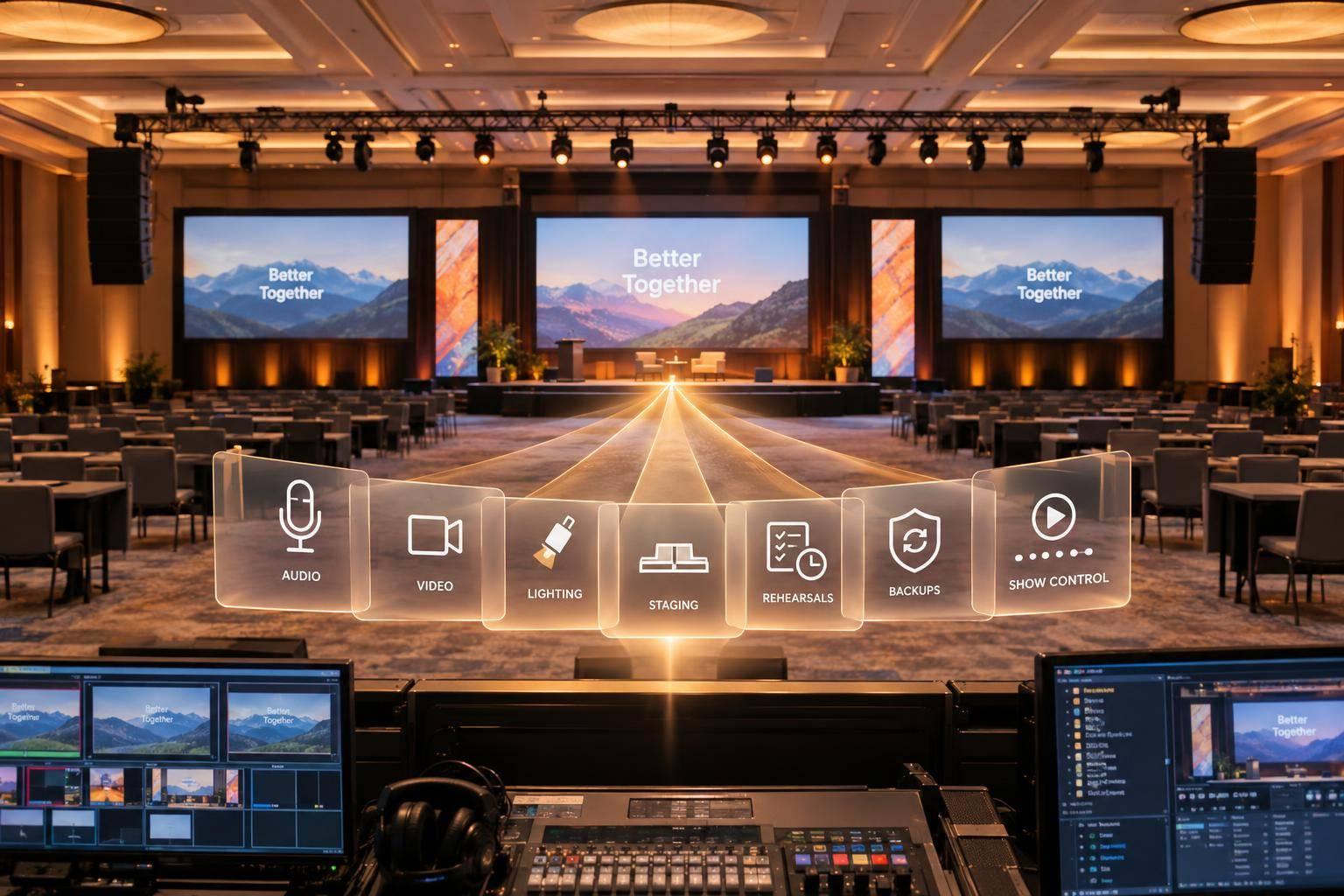
Corporate Optics is a full-service technical event production and AV partner founded by Steven P. Simmons. Instead of splitting work across several vendors, it brings AV design, scenic and lighting production, speaker support, live streaming, and post-event analytics under one team. That setup helps a lot when the run of show is tight and every group needs to stay in sync.
Production Scope
Its production scope covers venue sourcing, stage design, custom fabrication, staffing, vendor coordination, and contingency planning. It’s a strong fit for leadership conferences, award ceremonies, sales meetings, shareholder meetings, and broadcast productions.
For multi-camera work, production often runs 3–8 cameras with real-time switching and graphics integration. That makes it well suited for general sessions and executive keynotes, where timing, visuals, and speaker cues all have to line up cleanly.
Hybrid/Broadcast Strength
This is where the one-team model stands out most. For planners running hybrid programs, Corporate Optics can support both the in-room experience and the remote feed at the same time. That cuts down on handoff gaps and helps keep AV, switching, and streaming lined up from start to finish.
Enterprise Event Tech
Some events need more than production. Corporate Optics also extends into attendee and sponsor management, which gives planners a broader event support setup. That includes audience engagement, registration, sponsor management, and post-event analytics.
Budget Fit
Pricing is custom, so it can scale from basic AV support to full event management. It’s a good match for events that need planning, AV, live streaming, and on-site coordination working together instead of in silos.
2. Freeman
Freeman is a full-service event production partner that handles event strategy, design, logistics, AV production, and exhibit tech. Its main edge is simple: one team can run the whole show. That matters a lot for events with heavy freight, union labor, and busy show-floor needs.
Production Scope
Freeman’s national warehouse network and labor force support large conferences, trade shows, and touring programs. In plain English, it’s built for scale. If you’re following AV production best practices for large conferences and running a large-format program and need the same setup, process, and delivery from one stop to the next, Freeman is a strong fit.
Hybrid/Digital Support
Freeman also supports programs with remote attendees through digital delivery. That means planners can run hybrid events that mix in-person production with online access, without handing part of the job to a separate vendor team. It’s a cleaner setup, especially when both sides of the event need to work together.
Enterprise Event Tech
For exhibit-driven events, Freeman also supports booth and sponsor operations. It works well for programs with a heavy expo presence, sponsor activations, and day-to-day show-floor management.
Budget Fit
Best for enterprise-scale events with complex freight, labor, and exhibit needs.
3. Encore
Encore is a managed AV and staging partner built for on-site execution. Its main strength is run-of-show control. In plain English, its teams handle cue timing, signal flow, and live show transitions so the production stays tight when the event is live.
Production Scope and Hybrid Delivery
Encore works well for programs that need conference event production services coordinated on site. It can also work with existing venue AV, which helps cut down on integration problems tied to venue cabling and wireless systems.
For hybrid events, Encore keeps the stage, camera, and streaming teams in sync. That matters more than it sounds. If those groups drift even a little, the in-room and remote experience can start to feel uneven. Using a hybrid event cost calculator can help planners allocate the necessary budget for these technical requirements. Encore is set up to keep both sides aligned throughout the run of show.
Enterprise Event Tech
Encore is a strong fit for multi-room conferences where show cues need to stay synchronized and backup plans need to be coordinated across locations. If one room runs long or a feed needs to switch, that kind of control can make the difference between a smooth handoff and a messy one.
Budget Fit
Encore is best for enterprise events that need coordinated multi-room production and dedicated on-site technical staff. Plan for advance technical alignment, because changes are harder to absorb once the show file is locked.
For planners comparing platform support with on-site production, the next option moves away from execution and more toward event technology.
4. Cvent
Cvent is strongest as event management software, not as a tool for day-of-show production. Use it when planning, registration, and reporting matter more than on-site show control.
Production Scope
Cvent handles registration, attendee management, and post-event reporting. In plain English, it helps teams get the event set up, get people signed up, and make sense of post-event results afterward. It supports planning, not run-of-show production.
Enterprise Event Tech
Cvent is a good fit for 500+ attendee corporate conferences. At that scale, teams usually need more than a basic sign-up page. They often want custom branding, deeper analytics, and links to registration, marketing, and CRM systems so post-event reporting is cleaner and easier to use.
Budget Fit
Plan for a longer setup window. Cvent requires substantial self-service configuration before go-live. That means your team should expect some upfront work before everything is ready. If the event also needs live video delivery, the next option covers that need.
5. Hopin Events
If planning and registration are already set, Hopin can handle the live engagement side of the event. It works best for interactive corporate programs like workshops, breakout sessions, and networking. It’s not built for one-way presentations in the same way. And it’s worth being clear on one thing: Hopin is a software platform, not a full production partner.
Production Scope
Use Hopin as the audience-facing layer, then pair it with AV production for corporate events for show control. Hopin handles streaming and engagement, but it does not cover onsite AV, signal routing, or show-calling. For high-stakes keynotes, bring in an AV provider to run staging and cueing. Live sessions should also use dedicated cameras, microphones, and lighting.
Hybrid/Broadcast Strength
Hopin links in-person and remote audiences through chat, networking, polling, and Q&A tools. That matters in hybrid events, where remote guests can drift if no one is pulling them back in. A dedicated moderator helps keep online attendees active during live sessions.
Enterprise Event Tech
On the tech side, Hopin supports analytics, custom branding, and integrations with CRM, registration, and marketing platforms. Before launch, confirm that it works with your registration stack. That small check can save a lot of last-minute scrambling.
Budget Fit
Hopin is priced for enterprise use, so plan for more than just the license. Budget for licensing, support, integrations, and at least 10 Mbps upload per camera feed, plus extra bandwidth for attendee devices. If your venue Wi-Fi is shaky, this is one of those common mistakes in corporate AV production that can come back to bite you.
6. Kaltura
The prior option leans into live audience participation. Kaltura leans into secure, large-scale video delivery.
Kaltura is an enterprise video platform built for secure streaming, high-volume distribution, and hybrid delivery.
Production Scope
Kaltura works well as the streaming layer for internal broadcasts, executive town halls, and hybrid conferences. It fits best when the event needs dependable streaming, brand control, analytics, and technical support at scale.
Hybrid/Broadcast Strength
Kaltura uses a global CDN, with an optional eCDN, to keep streams fast and steady for distributed audiences. In plain English, it’s built to help video reach a lot of people without the feed falling apart. That makes it a good fit for internal broadcasts and other large video-led programs.
Enterprise Event Tech
Kaltura supports SSO, DRM, and compliance needs such as SOC 2 and ISO. If your IT or security team has a long checklist, this helps. Those features make approval and rollout easier in enterprise settings.
Budget Fit
Kaltura makes the most sense for enterprise budgets, where security, scale, and support matter more than a simple setup. If your team just wants lighter-weight video publishing, the next option is more narrow in scope.
7. Vimeo Enterprise
If Kaltura is built for security and large-scale internal delivery, Vimeo Enterprise is a better match for polished branded video.
Vimeo Enterprise works well for branded corporate video, executive communications, and live-streamed sessions where smooth playback matters more than full show control.
Production Scope
It fits corporate video publishing, executive communications, and live-streamed sessions where the top goal is dependable video delivery. Vimeo Enterprise makes the most sense when production support is already covered and you need a clean, branded video layer on top.
Hybrid/Broadcast Strength
Use Vimeo as the delivery layer for hybrid events, then pair it with on-site AV for cameras, audio, and cueing so the in-room experience and the stream stay in sync.
Enterprise Event Tech
Vimeo Enterprise adds custom branding, analytics, and dedicated support for controlled video delivery.
Budget Fit
It’s a good fit for teams that want branded video delivery and support without paying for a full production stack.
For teams that want more hands-on event help beyond video delivery, the next option moves back toward production services.
8. Meeting Tomorrow
For teams that need on-site production help, not just software, Meeting Tomorrow covers the part that many platforms don't.
Meeting Tomorrow is a nationwide AV and event production company for corporate events. For planners, the big plus is simple: one point of contact for multi-city events.
Production Scope
Their services run from projector, microphone, and display rentals to full on-site production, staffing, and staging. That range makes them a solid option for a small executive meeting in a hotel conference room or a multi-room corporate conference. In plain English, they can start as a rental vendor and step in as the team running the show.
Hybrid/Broadcast Strength
For hybrid events, Meeting Tomorrow provides professional cameras, wireless microphones, and encoding hardware to help keep stream quality steady. Audio gets close attention, which matters more than many teams think. Wireless lapel and handheld microphones help keep speech clear for people in the room and those joining online. If you're planning the stream setup, budget for at least 10 Mbps upload per camera feed.
Enterprise Event Tech
For larger programs, they offer LED video walls, multi-camera switching, and dedicated project management. They also plug in audience engagement tools like Slido or Mentimeter so remote and in-room attendees can stay connected during the event.
Budget Fit
Their model works for a range of event sizes. Smaller teams can rent only the gear they need. Larger programs can move into full-service production with on-site labor and technical support.
How These Options Stack Up For Corporate Events
Not every option does the same job. The best fit comes down to what your event needs most: production, streaming, audience engagement, or a mix of all three. This comparison helps narrow the field based on event format and execution risk.
For coordinated staging, multi-room AV, and live show-calling, Freeman and Encore are the strongest picks. Freeman stands out for high-stakes keynote and panel broadcasts. Encore is a better fit for multi-room conferences and synchronized hybrid execution, where room readiness, cueing, and staffing all need to stay in lockstep.
Software-first platforms like Hopin Events make more sense when the main goal is virtual interaction. That includes breakout sessions, networking, and audience participation.
Use the matrix below to line up your event type with the right production model.
| Option | Production Scope | Hybrid/Broadcast Strength | Enterprise Tech | Event Format Fit | Budget Tier |
|---|---|---|---|---|---|
| Corporate Optics | Full-service | Live streaming + broadcast | End-to-end event support | Executive town halls, shareholder meetings | $100,000+ / Custom |
| Freeman | Full-service | Managed keynote broadcast | Labor coordination | Leadership conferences, sales kickoffs | $100,000+ |
| Encore | Full-service | Synchronized show cues | Venue-system integration | Multi-room conferences, shareholder meetings | $100,000+ |
| Cvent | Platform | Registration + reporting | Attendee management | Large conferences (500+) | $25,000–$100,000 |
| Hopin Events | Platform | Interactive hybrid | Engagement tools | Workshops, virtual all-hands | $25,000–$100,000 |
| Kaltura | Platform | Secure large-scale streaming | SSO, DRM, compliance | Internal broadcasts, town halls | $100,000+ |
| Vimeo Enterprise | Platform | Branded video delivery | Custom branding + analytics | Executive communications, live sessions | $25,000–$100,000 |
| Meeting Tomorrow | Full-service | Camera + encoding support | Audience engagement tools | Multi-city events, hotel conferences | $25,000–$100,000 |
These budget tiers are planning guides, not fixed quotes. Managed production costs usually scale with staffing, equipment, and venue needs.
Venue AV can handle a basic setup. But it doesn't replace managed production when cue timing, signal routing, and live show control all need to stay synchronized.
Pros And Cons Of Each Option
After the profile-by-profile review, it helps to see the tradeoffs side by side. This is where the choice gets simpler: pick based on what the event needs most, whether that's live production support or a digital-first workflow.
The table below makes it easy to compare control, scale, and technical depth in one view.
| Option | Best For | Pros | Cons | Typical Engagement Profile |
|---|---|---|---|---|
| Corporate Optics | Leadership conferences, shareholder meetings, broadcast production | Single-source AV, staging, streaming, and analytics | Custom pricing; requires detailed consultation | Fully managed on-site team |
| Freeman | High-stakes keynotes, large trade shows | Managed on-site coordination; reduced vendor handoff risk | Change requests require production scheduling; limited self-serve | Enterprise service; staffed, low self-service |
| Encore | Multi-room conferences, venue-integrated AV | Synchronized show cues; on-site technician staffing | Requires early technical briefing; limited day-of flexibility | Locked run-of-show, limited flexibility |
| Cvent | Large conferences (500+ attendees) | Registration, attendee management, and post-event reporting | Requires substantial self-service configuration before go-live | Software-first; planning and reporting focused |
| Hopin Events | Interactive virtual events, workshops, hybrid networking | Breakout rooms, networking, polling, and Q&A tools | Needs external AV team for physical staging; higher hybrid complexity | Software-first; digital engagement focused |
| Kaltura | Internal broadcasts, enterprise town halls | Secure large-scale streaming; SSO, DRM, compliance support | Enterprise budget required; complex setup for smaller teams | Platform; IT-approved, compliance-ready |
| Vimeo Enterprise | Executive communications, branded live sessions | Clean branded delivery; custom analytics; dedicated support | Not a full production stack; needs on-site AV pairing | Platform; video delivery focused |
| Meeting Tomorrow | Multi-city events, hotel conferences | Nationwide coverage; scales from rental to full production | Less suited for high-complexity enterprise keynotes | Service; flexible scope, single point of contact |
A simple way to read this: Corporate Optics, Freeman, Encore, and Meeting Tomorrow lean more toward managed event execution. Cvent, Hopin Events, Kaltura, and Vimeo Enterprise lean more toward software and platform use.
If your team wants fewer moving parts on show day, the service-heavy options will likely feel like the safer bet. If your team already has internal event staff and wants more control over setup, reporting, or audience experience, the platform-first tools may fit better.
Conclusion
The right choice comes down to event risk, who’s in the room, and how much control your team needs on show day.
Venue AV works well for simple internal meetings with basic sound, screens, and no broadcast layer. But once the event has more technical risk, venue support alone often isn’t enough.
Hiring top production companies for conferences or separate vendors can still make sense if your team is able to manage all the handoffs. That said, as the event gets more complex, unified control matters a lot more.
For high-risk events, one integrated team helps keep staging, AV, and live show operations in sync. Hybrid events tend to break down when production, streaming, and audience engagement are handled like separate tasks instead of one connected experience. Budgets for live event production often put 50% to 60% toward production, with another 10% to 15% set aside for contingencies.
Match the production model to the event’s risk level, scale, and the bandwidth your internal team actually has.
FAQs
How do I know if venue AV is enough?
Venue AV may not be enough if your event needs broadcast-quality production, hybrid delivery, or more involved technical execution. For executive summits, conferences, and hybrid programs, basic venue AV can lead to a poor experience for remote attendees.
In those cases, you’ll likely need dedicated production support for:
- multi-camera capture and live switching
- a separate audio mix for the stream
- redundant internet, encoding, and backup hardware
- coordinated lighting, graphics, and speaker cueing
What should I budget for a hybrid event?
Hybrid event budgets in 2026 can swing a lot based on scope. A simple setup may start around $25,000, while a large production can hit $350,000+. Branded mid-range events often land between $75,000 and $175,000. Complex, multi-day programs with scenic builds usually fall in the $175,000 to $350,000 range.
Want to keep costs in check? Ask for itemized quotes in USD, not lump-sum estimates. That makes it much easier to see where the money is going and spot line items that can grow fast. It also helps to plan for hidden venue and production fees, which have a way of showing up late and squeezing the budget.
For more complex events, book partners 4–6 months early. That gives you more room to lock in dates, avoid rush charges, and sort out production details before they turn into expensive problems.
Should I choose a service team or a platform?
It depends on how complex your event is and how much you want to handle yourself.
A service team makes the most sense for high-stakes, multi-room, or hybrid events. In that setup, one crew handles AV, staging, show calling, and the rest of the technical side.
A platform is built for streaming and audience interaction. Use one if you need digital reach or engagement tools, but plan on managing setup and integration on your own. Best case, you work with a partner that brings both together in one workflow.
Related Blog Posts
- 4 Meeting Production Companies That Excel At Seamless AV (audio/video), Lighting, and Stage Design for Corporate Conferences, and events
- Leading Providers Of Professional Meeting Production To Consider In 2026
- End-To-End Annual Meeting Production Companies For Your Next Company Conference
- Leading Companies For Corporate AV, Hybrid Events, And Full-Service Production



Streamline your workflow, achieve more

Lorem ipsum dolor sit amet, consectetur adipiscing elit. Maecenas ac velit pellentesque, feugiat justo sed, aliquet felis.



Lorem ipsum dolor sit amet, consectetur adipiscing elit. Maecenas ac velit pellentesque, feugiat justo sed, aliquet felis.